
Imagine a world where your home electronics are not just silent observers but active listeners. Yes, your smartphone, smart speaker, or even your TV might be eavesdropping on your private conversations.
This might sound like a plot from a sci-fi movie, but it’s a reality that’s closer than you think. Are you curious or perhaps a bit concerned about what this means for your privacy? You should be. Understanding the capabilities of your devices is crucial, especially when it comes to the sensitive information they might be picking up.
Dive into this article to discover if your electronics are really listening to your home conversations, what it means for your personal life, and how you can protect yourself. Don’t let this silent invasion catch you off guard. Read on to uncover the truth and learn how to safeguard your personal space.
How Electronics Capture Audio
Understanding how electronics capture audio is key to knowing whether your home conversations can be overheard. Many devices around you have the ability to listen, but how exactly do they do it? Let’s break down the main ways electronics pick up sound and what that means for your privacy.
Built-in Microphones In Devices
Many modern electronics come with built-in microphones designed to pick up sound clearly. Smartphones, smart speakers, laptops, and even some TVs have these tiny mics embedded inside.
These microphones are always ready to catch audio signals. You might not notice them, but they are sensitive enough to pick up voices from across the room. Have you ever wondered why your phone seems to “listen” even when you’re not talking to it?
Voice Activation Features
Voice activation is a feature that lets your device respond to spoken commands without pressing buttons. This means the microphone stays alert, waiting for a trigger phrase like “Hey Siri” or “OK Google.”
Once the device hears the wake word, it starts recording and processing your voice commands. This raises a question: how much of your surrounding conversation is being captured before the activation phrase? It’s important to understand that some devices may buffer audio snippets to detect the wake word, which can sometimes capture unintended sounds.
Data Transmission Mechanisms
After capturing your voice, devices often send this audio data to remote servers for processing. This transmission happens over the internet, usually encrypted but still vulnerable to interception if security is weak.
Think about how your smart assistant converts your spoken request into action. The sound waves turn into data packets and travel through networks before the answer comes back. Are you aware of where your voice data goes and who might access it?
Credit: www.parealtors.org
Common Devices That May Listen
Many common devices in homes have microphones that can pick up sounds. These devices often listen to voice commands to work better. Sometimes, they might record conversations without clear consent. Knowing which devices can listen helps protect your privacy.
Smart Speakers And Assistants
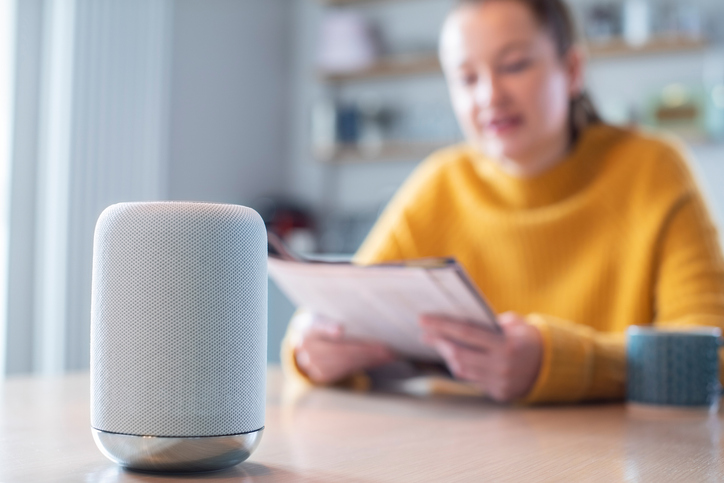
Smart speakers like Amazon Echo and Google Home are designed to hear your voice. They listen for wake words like “Alexa” or “Hey Google.” After hearing the wake word, they start recording your command. These devices send data to servers for processing. They can accidentally record background conversations too.
Smartphones And Tablets
Smartphones and tablets have built-in microphones for calls and apps. Many apps request permission to use the microphone. Some apps listen for voice commands or sounds to improve services. Voice assistants like Siri or Google Assistant can activate by voice. Phones may collect audio data even when not actively used.
Televisions And Streaming Devices
Modern TVs and streaming devices include voice control features. They use microphones to respond to voice commands. Smart TVs might listen for keywords to control volume or change channels. Streaming devices like Roku or Amazon Fire TV also listen for voice input. These devices can sometimes record sounds from the room.
Privacy Risks And Concerns
Many people wonder about the privacy of their home conversations around smart devices. These electronics often have microphones and internet connections. This setup can create risks to personal privacy. Understanding these risks helps users protect their information and feel safer.
Unauthorized Data Collection
Some devices collect audio without clear permission. This data might include private talks or background sounds. Companies may use recordings to improve services or target ads. Sometimes, devices listen even when not activated. This practice raises serious privacy concerns.
Third-party Access And Hacking
Hackers can break into smart devices to steal audio data. Third-party apps may also access conversations without users knowing. Weak passwords and outdated software increase hacking risks. Once accessed, private talks can be shared or sold illegally.
Impact On Personal Privacy
Constant listening can make people feel watched and unsafe. Sensitive information like passwords or personal details might be exposed. This exposure can lead to identity theft or fraud. Protecting home conversations is key to maintaining trust and security.
Credit: www.consumerreports.org
How Companies Use Recorded Audio
Recorded audio captured by your devices often goes beyond just responding to your commands. Companies collect and analyze these sounds to serve various purposes, some of which directly affect your daily interactions with technology. Understanding how your voice data is used can help you make smarter choices about privacy and device settings.
Improving User Experience
Many companies use recorded audio to make their products smarter and easier to use. By analyzing your voice commands, they can improve speech recognition and understand different accents better. This helps your devices respond more accurately and quickly, saving you time and frustration.
Have you noticed your smart assistant getting better at understanding you over time? That’s often because your audio data helps fine-tune the system’s performance. However, this improvement requires your audio to be stored and reviewed, sometimes by humans.
Targeted Advertising
Some companies analyze recorded audio to tailor ads specifically for you. If your device picks up conversations about a hobby or interest, it might influence the ads you see online. This can make advertisements feel more relevant but also raises questions about how much your private conversations are being used.
Think about whether you’ve ever discussed a product only to see ads for it later. It’s unsettling to realize your conversations might be feeding these marketing strategies. You have the power to limit this by adjusting privacy settings on your devices.
Data Sharing Practices
Recorded audio isn’t always kept within the company that owns your device. It can be shared with third-party partners for analysis or advertising purposes. This expands the circle of people who potentially have access to your personal conversations.
Transparency about who gets your data varies widely between companies. Some clearly explain their sharing policies, while others bury it in lengthy terms of service. Have you checked how your device’s maker handles your audio data? Knowing this can help you decide which products to trust.
Detecting Unintended Listening
Detecting unintended listening in your home electronics is crucial for maintaining privacy. Many devices have microphones that can activate without your knowledge, capturing conversations you’d rather keep private. Recognizing the signs and knowing how to monitor your devices can help you regain control over your personal space.
Signs Of Active Microphones
You might notice unusual behavior in your devices when their microphones are active without reason. Lights turning on unexpectedly, such as the tiny LED near a smart speaker, can indicate the microphone is listening. Sudden battery drain on wireless devices also suggests they may be recording or transmitting audio.
Think about the last time your phone or smart assistant responded without a wake word. That’s a clear sign the microphone was active and possibly listening. If you catch these subtle hints early, you can take steps to disable or limit microphone access.
Monitoring Network Traffic
Unexpected data usage can reveal if a device is sending more information than it should. You can use network monitoring tools to check for unusual traffic coming from your electronics. These tools show which devices are communicating and how much data they are transferring in real-time.
Imagine finding your smart TV sending packets of data to unknown servers late at night. That’s a red flag for unintended listening or data collection. By regularly reviewing your network traffic, you can spot suspicious activity and decide if a device needs to be disconnected or reset.
Using Privacy Tools
There are simple apps and settings that help you manage microphone permissions on your devices. Privacy-focused software can alert you whenever an app or device tries to activate the microphone. Some tools even allow you to mute or block microphones remotely.
For example, smartphone settings let you disable microphone access per app, preventing unwanted listening. You can also use physical covers or microphone blockers for additional peace of mind. Wouldn’t it be reassuring to know exactly when your devices are listening and to control it easily?

Credit: x.com
Steps To Protect Your Conversations
Protecting your private conversations at home is more important than ever. Electronics with listening capabilities can sometimes activate without your knowledge, raising concerns about privacy. Taking control of your devices and network helps ensure your personal discussions stay private.
Disabling Voice Features
Many smart devices come with voice assistants always ready to listen for their wake words. You can limit this by turning off or muting their microphones when not in use. Check the device settings regularly to disable any voice features you don’t need.
Have you ever noticed your smart speaker responding when you didn’t call it? That’s a sign it’s always listening. Turning off voice activation can stop accidental recording and reduce privacy risks.
Securing Your Network
Your home Wi-Fi network is the gateway for your devices to connect and share data. Use a strong, unique password to prevent unauthorized access. Consider setting up a guest network for visitors so your main network stays secure.
Regularly review connected devices and remove any unfamiliar ones. This simple step can prevent hackers from eavesdropping on your conversations through compromised electronics.
Regular Software Updates
Manufacturers often release updates to fix security vulnerabilities in smart devices. Ignoring these updates leaves your electronics open to exploits that could allow unauthorized listening. Enable automatic updates when possible to keep your devices protected without extra effort.
One time, I delayed updating a smart camera and later found out it had a security flaw. After updating, I felt much safer knowing the device had improved protections. Staying up to date is an easy way to defend your privacy.
Legal Regulations And User Rights
Understanding the legal rules about electronics listening to home talks is important. These rules protect privacy and guide device makers and users. They explain what is allowed and what is not in recording conversations at home.
Knowing your rights helps you stay safe and informed. It also tells you how to act if you feel your privacy is broken. The law balances technology use with personal privacy.
Laws Governing Audio Recording
Many countries have laws about recording talks. These laws say when and how recording is allowed. Some laws require all parties to agree before recording. Others need just one person’s consent.
These rules vary by place. They often cover:
- Where recording can happen
- Who can record
- How recordings can be used
- Penalties for illegal recording
User Consent Requirements
Consent means permission. Most laws say you must get permission before recording talks. Consent can be:
- Explicit – clearly said or written
- Implicit – shown by actions or situation
Devices must warn users about recording. Some gadgets have lights or sounds to show they record. This helps users know when their talks might be heard.
Filing Complaints And Seeking Remedies
If someone records without your permission, you can act. You may file a complaint with authorities. This can be a police report or a data protection agency claim.
Legal options include:
- Requesting deletion of recordings
- Asking for fines or penalties
- Seeking compensation for harm
Knowing these steps empowers users to protect their privacy rights.
Frequently Asked Questions
Can Electronics Secretly Listen To Home Conversations?
Some electronics can listen if designed with microphones. Smart devices like speakers or TVs may record audio. However, manufacturers claim they activate listening only after wake words. Always check privacy settings and permissions to control data access.
How Do Smart Devices Record And Use Conversations?
Smart devices capture audio after hearing wake words. They send data to servers for processing commands. Data may be used to improve services or ads. Users should review privacy policies and opt out if possible.
Can Hackers Exploit Electronics To Eavesdrop?
Yes, hackers can exploit vulnerabilities to access microphones remotely. This risk increases with outdated software or weak passwords. Regular updates and strong security practices reduce chances of unauthorized listening.
Are There Ways To Prevent Electronics From Listening?
Disabling microphone access in device settings helps prevent listening. Using physical mic blockers or turning off smart features adds protection. Regularly reviewing app permissions and software updates also enhances privacy.
Conclusion
Electronics can sometimes listen to home conversations, but not always. Many devices have microphones that stay on for commands. This raises privacy concerns for users worldwide. You should check device settings and privacy policies carefully. Turning off microphones or using covers can help protect privacy.
Staying informed and cautious is the best way to stay safe. Your home conversations deserve respect and protection at all times. Keep control over your devices and your privacy will improve.
Leave a Reply