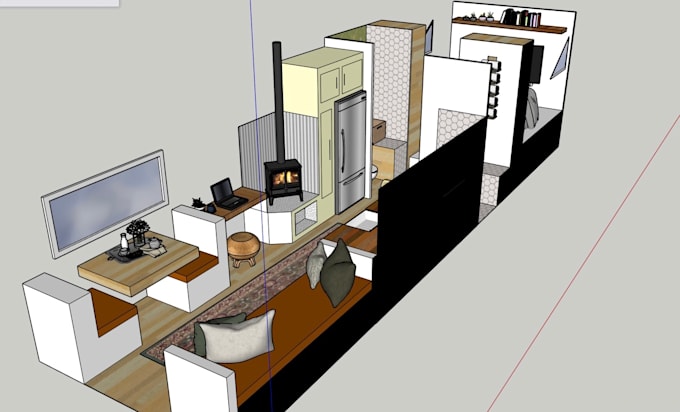
Imagine transforming your living space into a smart, efficient, and futuristic haven with just a few clicks. Sounds exciting, right?
Designing your home electronically is not only a trend but a game-changer. Whether you’re looking to optimize your space, enhance energy efficiency, or simply modernize your home, electronic home design is the way to go. It’s easier than you might think, and you don’t need a degree in architecture to get started.
In this guide, you’ll discover how to create electronic home designs that reflect your style and meet your needs. Ready to unlock the secrets of smart home design? Let’s dive in and turn your vision into reality!
Getting Started With Electronic Home Designs
Starting your journey into electronic home designs can feel overwhelming, but breaking it down into manageable parts makes it easier. You don’t need to be an expert to create something functional and impressive. With the right approach, your designs can bring real convenience and innovation to your living space.
Choosing The Right Tools
Picking the right tools is crucial. Basic tools like a soldering iron, wire cutters, and a multimeter will serve you well. As you progress, consider investing in a breadboard and microcontrollers such as Arduino or Raspberry Pi, which are beginner-friendly and versatile.
Think about what you want to achieve with your designs. Are you focusing on simple lighting controls or more complex automation? The tools you select should align with your goals and skill level.
Basic Components And Materials
Start with essential components such as resistors, capacitors, LEDs, sensors, and switches. These parts are the building blocks of most electronic projects. Having a variety of jumper wires and a power supply is also important.
It’s a good idea to buy a starter kit that bundles these components. You’ll save time searching for individual parts and get a better sense of what each component does through hands-on experimentation.
Setting Up Your Workspace
Your workspace should be organized and well-lit. A clutter-free table with enough room for your tools and components makes a huge difference. Make sure you have a comfortable chair because you’ll spend time focusing on your designs.
Consider adding storage containers or small drawers to keep components sorted. Also, set up a power strip nearby and ensure proper ventilation, especially when soldering. A neat workspace helps you stay productive and reduces mistakes.

Credit: apps.apple.com
Planning Your Electronic Design
Planning your electronic design lays the foundation for a successful project. Without a clear plan, you risk wasting time and resources on unnecessary revisions. Taking time to organize your ideas and tools helps you visualize the final outcome and anticipate challenges.
Sketching Your Circuit
Start by drawing a rough sketch of your circuit on paper or a whiteboard. This doesn’t need to be perfect; it’s about getting your ideas out visually. You can quickly adjust connections or components before committing to a detailed design.
Sketching helps you spot potential errors early. For example, I once avoided a short circuit just by catching a misplaced wire during my initial sketch. It’s easier to fix things on paper than after soldering a physical board.
Selecting A Design Software
Choosing the right software depends on your experience and project needs. Some tools are beginner-friendly with drag-and-drop features, while others offer advanced simulation capabilities. Popular options include KiCad, Eagle, and Fritzing.
Consider what fits your workflow. Do you prefer a simple interface or need detailed analysis tools? Trying free versions can help you decide without upfront costs.
Understanding Circuit Diagrams
Circuit diagrams are the blueprints of your electronic project. They use symbols to represent components and lines to show connections. Knowing how to read and create these diagrams is essential for clear communication and troubleshooting.
Ask yourself: can you identify resistors, capacitors, and transistors at a glance? Familiarity here prevents mistakes during assembly and saves time when debugging your design.
Building Your First Circuit
Building your first circuit can be exciting and rewarding. It helps you understand how electronic components work together. Starting simple ensures a smooth learning experience and avoids frustration. This section covers key skills to get your first circuit running.
Breadboarding Techniques
Breadboards allow easy circuit building without soldering. Insert components into holes and connect them with jumper wires. Use the power rails for positive and negative voltage. Keep wires short and neat for clarity. Check connections carefully to avoid mistakes.
Soldering Basics
Soldering joins components permanently on a circuit board. Heat the joint with a soldering iron. Apply solder wire to the heated area, not the iron tip. Use small amounts to avoid short circuits. Always work in a well-ventilated space and be cautious with hot tools.
Testing And Troubleshooting
Testing verifies the circuit works as expected. Use a multimeter to check voltage and continuity. Inspect components for damage or loose connections. If the circuit does not work, isolate sections and test them separately. Troubleshooting helps improve your skills and confidence.
Incorporating Smart Home Features
Incorporating smart home features makes electronic home designs more functional and convenient. Smart technology lets devices communicate and work together. It improves comfort, security, and energy efficiency. Adding these features to your design creates a modern living space that adapts to your needs.
Introduction To Iot Devices
IoT stands for Internet of Things. These devices connect to the internet and share data. Common IoT devices include smart lights, thermostats, and security cameras. They can be controlled remotely using a smartphone or voice assistant. IoT devices help automate daily tasks and enhance home security.
Integrating Sensors And Actuators
Sensors detect changes in the environment, such as motion or temperature. Actuators perform actions like turning on lights or opening windows. Combining sensors and actuators creates a responsive system. For example, a motion sensor can trigger a light to turn on automatically. This integration makes the home smarter and more efficient.
Programming Simple Automation
Simple automation uses rules to control devices based on sensor input. For instance, set lights to turn off when no one is in the room. Use basic programming tools or apps designed for smart home devices. Automations save energy and add convenience. Start with easy routines and expand as you learn more.
Safety Tips For Electronic Projects
Working on electronic home designs requires careful attention to safety. Electronics involve electricity, which can cause harm if not handled properly. Following safety tips helps prevent accidents and keeps your projects successful.
Handling Electrical Components Safely
Always disconnect power before touching any component. Use insulated tools to avoid electric shocks. Check components for damage before use. Avoid touching circuit boards with wet hands. Store parts safely to prevent short circuits. Wear safety goggles to protect your eyes.
Avoiding Common Mistakes
Double-check wiring connections before powering your project. Do not mix up positive and negative terminals. Avoid overloading circuits with too much current. Use correct component ratings for voltage and current. Keep work area clean to prevent accidents. Follow instructions carefully without skipping steps.
Proper Use Of Tools And Equipment
Use tools designed for electronics work. Keep soldering irons on stands when not in use. Handle sharp objects like cutters and pliers carefully. Unplug tools after finishing your work. Make sure your workspace has good lighting. Use anti-static mats to protect sensitive parts.

Credit: easy-peasy.ai
Expanding Your Skills
Expanding your skills in electronic home design is key to creating more sophisticated and reliable projects. The more you learn, the better you can troubleshoot and innovate. Are you ready to take your designs beyond the basics and add real value to your home electronics?
Learning Advanced Circuit Design
Mastering advanced circuit design allows you to build complex devices that perform multiple functions. Start by studying different types of circuits like analog, digital, and mixed-signal circuits. Understanding how to read and create detailed schematics will save you time and reduce errors.
Practice designing circuits using simulation software before building them physically. This way, you can test your ideas safely and make adjustments without wasting components. Have you tried designing a circuit that combines sensors with actuators yet?
Exploring Microcontrollers
Microcontrollers are the brains behind many smart home gadgets. Learning to program them opens up endless possibilities for automation and customization. Begin with popular models like Arduino or Raspberry Pi, which have extensive tutorials and community support.
Focus on writing simple code to control lights, sensors, or motors, then gradually move to more complex projects involving communication between devices. What kind of automated home solution would you build if you had full control over your electronics?
Joining Online Communities
Connecting with other enthusiasts can boost your learning and motivation. Online forums, social media groups, and websites dedicated to electronics offer a wealth of shared knowledge and experience. You can ask questions, share your projects, and get feedback from experts.
Look for communities that fit your skill level and interests. Engaging regularly will expose you to new ideas and keep you updated on trends and tools. How often do you interact with other hobbyists or professionals in your field?

Credit: easy-peasy.ai
Frequently Asked Questions
What Tools Are Needed For Electronic Home Designs?
Basic tools include a multimeter, soldering kit, wire strippers, and a breadboard. Design software like Eagle or KiCad is essential for circuit layouts. These tools help create, test, and refine electronic home design projects effectively and accurately.
How Do I Start Designing Electronic Circuits At Home?
Begin with simple circuit projects to learn components and connections. Use online tutorials and simulation software for practice. Gradually increase complexity as you gain confidence and skills in electronic home design.
Which Materials Are Best For Electronic Home Design Projects?
Common materials include copper-clad boards, resistors, capacitors, transistors, and microcontrollers. Quality materials ensure reliability and durability in your designs. Purchase from reputable suppliers for best results.
How Can I Ensure Safety In Electronic Home Designs?
Always work in a well-ventilated area and use protective gear. Double-check connections to avoid shorts and overheating. Follow manufacturer guidelines for components and tools to maintain safety.
Conclusion
Creating electronic home designs can be simple and fun. Start with a clear plan and basic tools. Test your ideas step by step. Small projects build your skills and confidence. Keep learning from mistakes and new resources. Enjoy the process and stay patient.
Your home can become smarter and more efficient. Try different designs and see what works best. Electronic home design is for everyone willing to try.
Leave a Reply