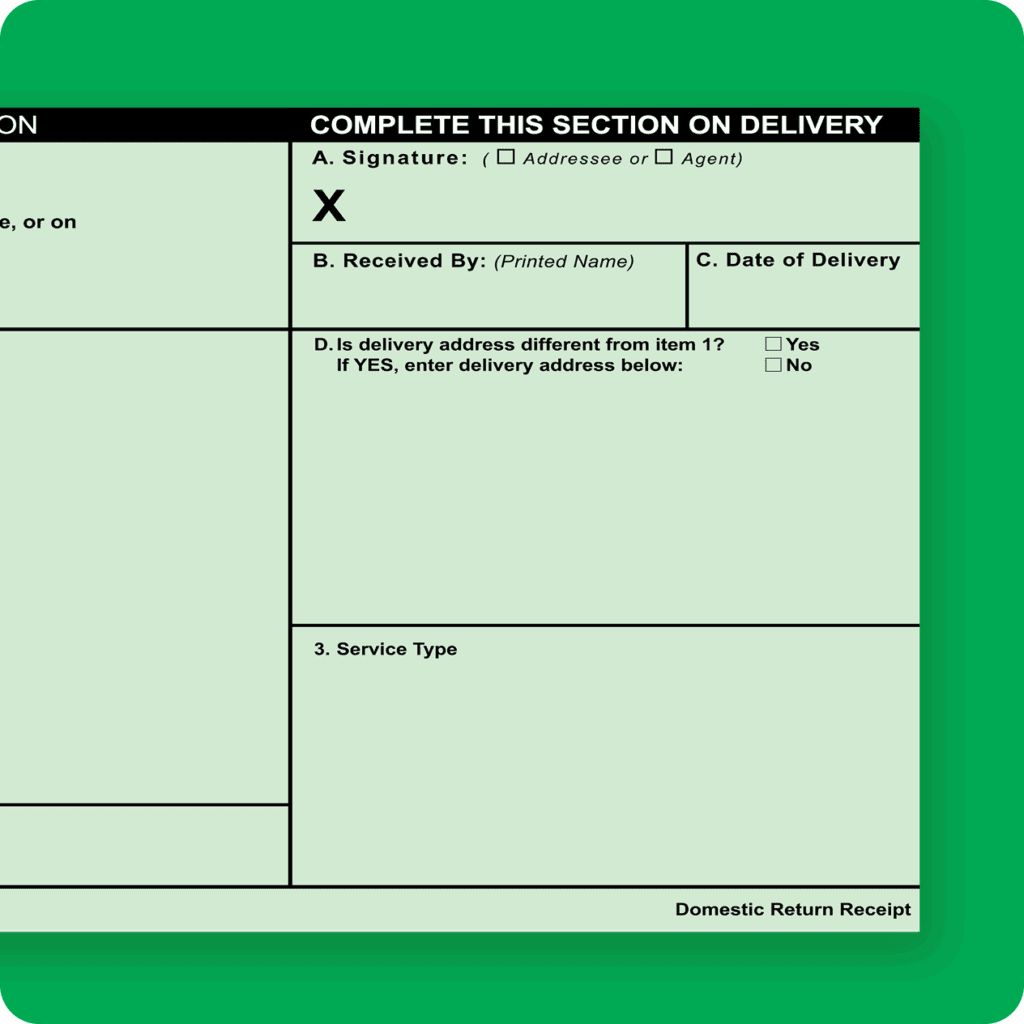
Are you looking to simplify your mail tracking process without stepping outside your door? Discover how you can manage certified mail with an electronic return receipt right from the comfort of your home.
This method not only saves you time but also adds an extra layer of convenience to your mailing routine. Imagine the peace of mind knowing your important documents are tracked and confirmed with just a few clicks. Dive into this guide, and learn how you can streamline your mailing tasks effortlessly, ensuring you never miss a beat.
Curious about how this can transform your mail management? Keep reading to uncover the secrets to mastering certified mail from home.
What Is Certified Mail Electronic Return Receipt
Certified Mail Electronic Return Receipt is a digital service from the USPS. It confirms the delivery of your important mail. You get a digital copy of the recipient’s signature. This acts as proof that your mail reached the right person.
This service saves time and paper. No need to wait for a physical postcard. You receive the return receipt electronically, usually by email. It helps track your mail securely and quickly.
Definition Of Certified Mail Electronic Return Receipt
Certified Mail Electronic Return Receipt is a digital proof of delivery. It shows who signed for the mail and when. The record is stored online and accessible anytime.
How Certified Mail Electronic Return Receipt Works
You send your mail using Certified Mail with Electronic Return Receipt. The recipient signs upon delivery. The signature is scanned and sent to you digitally. You receive an email with the signed receipt attached.
- Fast access to delivery proof
- Reduces paper waste
- Easy to store and share
- Helps resolve disputes quickly
- Accessible from anywhere with internet
Difference Between Electronic And Physical Return Receipt
| Feature | Electronic Return Receipt | Physical Return Receipt |
|---|---|---|
| Delivery Proof | Digital signature via email | Paper postcard with signature |
| Speed | Received within hours | Takes days by mail |
| Storage | Online and digital | Physical storage needed |
| Environmental Impact | Eco-friendly, less paper | Uses paper and ink |

Credit: www.clio.com
Benefits Of Using Electronic Return Receipt
Using an electronic return receipt for certified mail brings clear advantages. It saves time and effort. You can track your mail easily without leaving home. It offers proof that your mail was delivered and received.
Electronic return receipts also reduce paper use and clutter. They help keep all your mailing records organized in one place. This digital process is secure and reliable for important documents.
Convenience Of Digital Tracking
Track your certified mail anytime online. No need to visit the post office. Check delivery status with just a few clicks.
Instant Delivery Confirmation
Receive proof immediately after delivery. See the date and time your mail was signed. Get notified faster than with paper receipts.
Environmentally Friendly Option
Save paper by choosing electronic receipts. Reduce waste from printed return receipts. Help protect the environment while staying efficient.
Easy Record Keeping
Store all your receipts in one digital folder. Access past mailing records without searching through files. Share electronic receipts by email when needed.
Cost-effective Solution
Avoid extra fees for printing and mailing paper receipts. Save on ink and paper supplies. Use your time more productively.
Requirements To Send Certified Mail At Home
Sending Certified Mail with an electronic return receipt from home requires some basic tools and setup. These requirements ensure a smooth process and valid proof of mailing and delivery. Preparing in advance saves time and avoids errors.
Understanding what you need helps you complete the process easily. Below are the essential items and steps to get started.
Printer And Internet Connection
A reliable printer is necessary to print labels and receipts. Inkjet or laser printers both work well.
Stable internet access allows you to use the USPS online services. It helps in creating labels and paying postage securely.
Usps Account Setup
Create an account on the USPS website to send Certified Mail online. It stores your information and tracks shipments.
The account lets you buy postage, print Certified Mail labels, and request electronic return receipts.
Valid Identification
You must have valid identification to verify your identity with USPS. A government-issued ID like a driver’s license or passport works.
This ID is important if you visit a post office or need to confirm your account details.

Credit: medium.com
Step-by-step Process To Send Certified Mail Online
Sending certified mail online is easier than you might think. It saves you trips to the post office and lets you track your mail from the comfort of your home. Here’s how you can handle the entire process smoothly, ensuring your mail gets delivered with proof of receipt.
Access Usps Click-n-ship
Start by visiting the official USPS Click-N-Ship website. This platform allows you to create and print shipping labels right from your computer. You’ll need to sign in or create a free USPS account to get started.
Once logged in, navigate to the shipping section and select the option for certified mail. This ensures your mail will have a return receipt electronically available. Have your recipient’s address handy to fill in the necessary details accurately.
Fill Out The Mailing Details
Enter the sender and recipient information carefully. Double-check spellings and zip codes to avoid delays. You will also select the type of mail service, such as first-class or priority, depending on how fast you want your item to arrive.
Don’t forget to add any special instructions if needed. The system will prompt you to choose certified mail options and provide an email address to receive the electronic return receipt. This digital confirmation arrives once the recipient signs for the mail.
Purchase Certified Mail Service
After entering all mailing details, proceed to payment. The USPS Click-N-Ship platform accepts various payment methods, including credit cards and PayPal. Confirm the cost, which includes the certified mail fee plus postage.
Make sure to review your order before finalizing. Paying online saves time and guarantees your certified mail service is activated. You will receive a confirmation email with tracking information immediately after payment.
Print Label And Receipt
Once payment is complete, print your shipping label and receipt on a standard printer. Attach the label securely to your envelope or package. The receipt contains your tracking number and proof of purchase.
Keep the receipt until your mail is delivered and you receive the electronic return receipt. This document acts as legal proof that your mail reached the recipient. Have you ever wondered how much easier it is to track your important documents this way?
How To Request Electronic Return Receipt
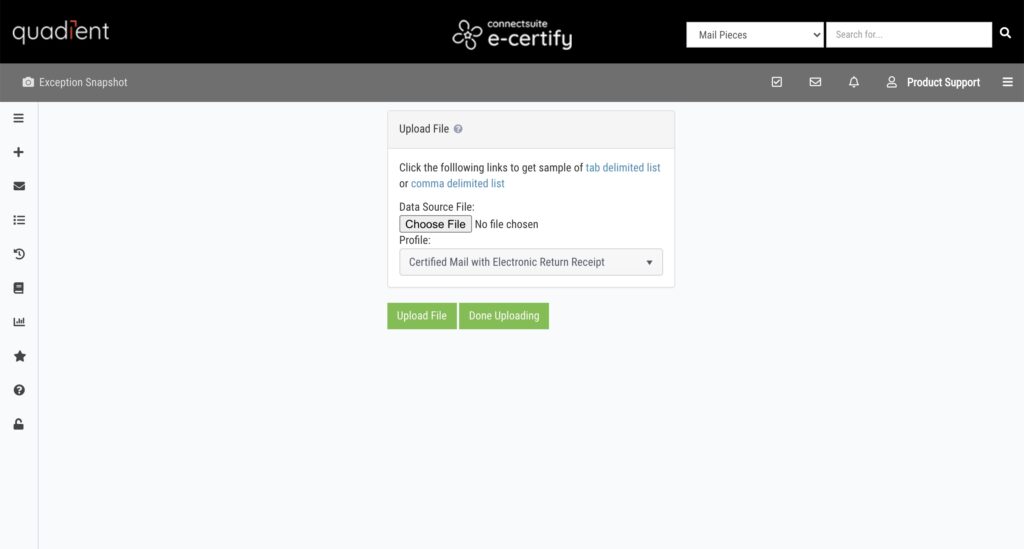
Requesting an Electronic Return Receipt for certified mail is simple and fast. It gives proof that your mail reached the recipient. You get a digital confirmation via email, saving time and paper. Follow the steps below to request this service online from your home.
Selecting The Return Receipt Option
Start by choosing the certified mail service on the USPS website. During the shipping process, look for the option to add a Return Receipt. This option is often labeled as “Electronic Return Receipt” or “eReturn Receipt.” Select this choice to receive a digital confirmation after delivery.
Adding the Electronic Return Receipt costs a small fee. It provides the recipient’s signature and delivery date in an email. This is useful for legal documents or important mail that needs proof of receipt.
Confirming Your Email Address
Enter a valid email address where you want the receipt sent. Double-check the spelling to avoid errors. The confirmation email will include delivery details and a scanned signature.
Keep your email active until you receive the return receipt. Check your spam folder if the email does not appear in your inbox. This ensures you get all the information about your certified mail delivery quickly and securely.
Credit: connect-suite.com
Tracking Your Certified Mail And Return Receipt
Tracking your Certified Mail and Return Receipt is essential to ensure your important documents reach the right hands. It gives you peace of mind and proof of delivery without the need to visit the post office repeatedly. Understanding how to monitor your mail status helps you stay informed every step of the way.
Using Usps Tracking Tools
You can track your Certified Mail easily through the USPS website or mobile app. Just enter your tracking number, which you receive at the time of mailing, into the tracking tool. This lets you see detailed updates like when your mail is accepted, in transit, and delivered.
The tracking system updates in real time, so you don’t have to guess where your mail is. You can even sign up for text or email alerts to get instant delivery notifications. Have you ever missed a delivery because you didn’t know when to expect it? These tools prevent that hassle.
Receiving Electronic Return Receipt Via Email
Instead of waiting for a physical return receipt, you can opt for an electronic return receipt sent directly to your email. This digital confirmation includes the recipient’s signature and delivery date, making it easy to store or forward as proof.
Choosing the electronic option speeds up the process and reduces paper clutter. You get reliable evidence of delivery faster, which is especially useful in legal or business situations. Wouldn’t it be convenient to access your mail receipt anytime on your phone or computer?
Troubleshooting Common Issues
Troubleshooting common issues with certified mail electronic return receipts can save time and reduce frustration. Some problems often occur during label printing, receipt delivery, or tracking updates. Understanding simple fixes helps ensure smooth mailing experiences.
Label Printing Errors
Label printing errors happen due to incorrect settings or printer issues. Check if the printer has enough ink and paper. Confirm the label size matches the postal service requirements. Clear any paper jams and restart the printer. Refresh the print preview and try printing again. Use a different browser or device if errors persist. Ensure the PDF file is fully downloaded before printing.
Email Receipt Not Received
Not receiving the email receipt can cause worry about proof of mailing. Verify the email address entered is correct and complete. Check the spam or junk folder for missing emails. Add the sender’s email to your contact list to avoid blocking. Wait a few minutes as some emails may have delays. Request the receipt resend from the certified mail service portal. Confirm your email inbox is not full and can accept new messages.
Tracking Delays
Tracking delays occur due to system updates or postal processing times. Allow 24 to 48 hours for tracking information to appear online. Refresh the tracking page regularly to see the latest status. Check for any postal holidays or service disruptions that may affect updates. Contact customer support if tracking does not update after several days. Keep your tracking number handy for quick reference and inquiries.
Tips For Smooth Certified Mail Delivery At Home
Ensuring your certified mail with an electronic return receipt arrives without hiccups requires a bit of attention to detail. Small steps taken before sending can save you from delays or lost mail later. Here are some practical tips to help your certified mail process go smoothly when managing it from home.
Double-check Recipient Address
Always verify the recipient’s address twice before sending. Even a tiny typo can send your mail on an unintended journey or cause delivery failure.
Take a moment to confirm the street number, apartment or suite details, and postal code. If possible, cross-check the address with the recipient directly or use an official address verification tool online.
Keep Digital Copies
Saving digital copies of your certified mail forms and receipts is a smart move. These records can prove invaluable if you need to track the mail or resolve disputes later.
Scan or take clear photos of the certified mail label, electronic return receipt confirmation, and any tracking updates. Store them in a dedicated folder on your computer or cloud storage for easy access.
Schedule Pickup Or Drop Off
Plan how you will send your certified mail carefully. Scheduling a pickup through your postal service’s website can save you a trip and ensure your mail enters the system quickly.
If dropping off in person, choose a post office location with reliable operating hours. Avoid sending mail late in the day or just before holidays to prevent unexpected delays.
Frequently Asked Questions
What Is A Certified Mail Electronic Return Receipt?
A Certified Mail Electronic Return Receipt is a digital proof of delivery. It confirms the recipient received your certified mail. This receipt includes the recipient’s signature and delivery date. It’s accessible online, saving time and paper compared to traditional mail.
How Do I Send Certified Mail With An Electronic Receipt?
To send Certified Mail with an electronic receipt, use the USPS website or approved third-party services. Fill out the mailing details and select electronic return receipt. Pay online and print your mailing label. Track your mail and access the receipt digitally.
Can I Get An Electronic Return Receipt At Home?
Yes, you can obtain an electronic return receipt at home. Use USPS online tools to send and track Certified Mail. The system emails you a digital delivery confirmation with the recipient’s signature. No need to visit the post office physically.
Is The Electronic Return Receipt Legally Valid?
Yes, an electronic return receipt is legally valid. It serves as official proof of delivery in many legal and business contexts. The USPS guarantees its authenticity, making it reliable for important documents and legal notices.
Conclusion
Certified Mail Electronic Return Receipt saves time and effort at home. You can send mail with proof of delivery easily. Just follow the steps carefully for best results. This method keeps your mail safe and trackable. It helps you know when your mail arrives.
No need to visit the post office often. Keep your records organized and secure. Sending certified mail this way is smart and simple. Try it today and enjoy hassle-free mailing!
Leave a Reply