Choosing the best electronic sketch pad for beginners can make drawing easier and more fun. These devices help start digital art with simple tools and clear displays.
Electronic sketch pads offer a smooth way for beginners to create art digitally. They come with pressure-sensitive pens that react to your touch, making lines thick or thin naturally. Many models include shortcut keys to speed up your work. Some pads connect to computers, tablets, or phones, allowing flexibility in use.
Sizes vary, so you can pick one that fits your workspace. Brands like HUION, UGEE, XPPen, and Wacom provide reliable options with beginner-friendly features. Whether you want to draw, take notes, or design, these sketch pads support creative learning. Starting with the right tablet helps build skills and enjoy digital art without frustration.
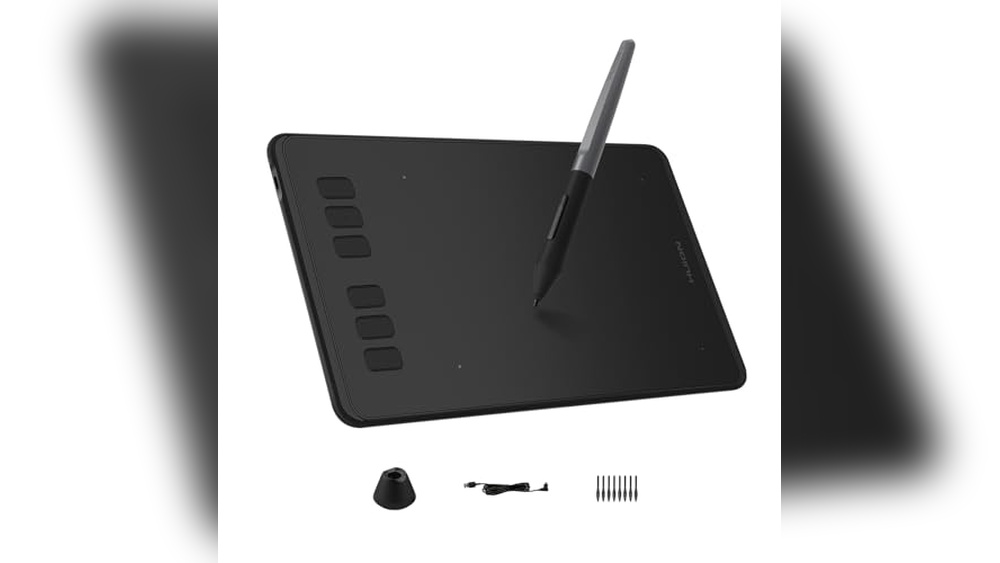
Huion Inspiroy H640p Drawing Tablet

The HUION Inspiroy H640P Drawing Tablet is ideal for digital artists, designers, and educators looking for a compact and versatile tool to enhance their creativity and productivity. Whether you are a beginner exploring digital art or a professional requiring precise control, this tablet offers an excellent balance of performance and portability.
Pros:
- Battery-free stylus with 8192 levels of pen pressure for precise and natural drawing experience
- Compact 6×4 inch active area ideal for small workspaces and easy portability
- Customizable 6 hot keys to streamline workflow and increase efficiency
- Compatible with Mac, PC, and mobile devices, offering great flexibility
- Lightweight design weighing only 0.6 pounds, making it easy to carry
Cons:
- Smaller active area may feel limiting for users accustomed to larger tablets
- No built-in screen, requiring users to look at their computer or device while drawing
The HUION Inspiroy H640P features a highly sensitive pen with 8192 levels of pressure sensitivity, enabling users to create detailed and nuanced artwork. The battery-free stylus eliminates the need for charging, ensuring uninterrupted creative sessions. This feature benefits users by providing a smooth and responsive drawing experience that mimics traditional pen and paper techniques.
Additionally, the tablet includes 6 customizable hot keys that allow users to assign frequently used commands, significantly speeding up their workflow. Its compatibility with multiple operating systems such as Mac, PC, and mobile devices makes it a versatile choice for professionals and students alike. The compact size and lightweight build further enhance portability without sacrificing performance, making it a reliable tool for on-the-go creativity.
Huion Note 2-in-1 Digital Notebook Drawing Tablet

The HUION Note 2-in-1 Digital Notebook Drawing Tablet is ideal for creative professionals, students, and business users who seek a versatile tool for note-taking, digital art, and meetings. If you want to seamlessly combine the feel of traditional writing with the convenience of digital technology, this Bluetooth wireless paper tablet with a battery-free pen is perfect for you. Its refillable A5 notepad design makes it highly practical for those who value portability and eco-friendliness.
Pros:
- Battery-free pen ensures uninterrupted creativity without worrying about charging.
- Bluetooth wireless connectivity allows for effortless syncing with devices.
- Compact 9.5×7 inch size makes it highly portable and easy to carry.
- Refillable A5 notepad offers the natural feel of writing on paper while going digital.
- Lightweight design at less than 1 pound enhances mobility for on-the-go use.
Cons:
- Limited to A5 size, which may be small for extensive drawing or note-taking sessions.
- Requires compatible devices for full functionality via Bluetooth.
- Orange color option might not appeal to everyone’s aesthetic preference.
The HUION Note 2-in-1 Digital Notebook Drawing Tablet features a sleek and lightweight design measuring 9.5×7 inches, making it an excellent companion for artists and professionals who need a portable device. Its battery-free pen technology means you can draw or write without interruptions, enhancing productivity and creativity. The Bluetooth wireless capability ensures seamless integration with your digital devices, facilitating easy transfer of notes and artwork.
Beyond its technical specs, the tablet’s refillable A5 notepad allows users to retain the natural sensation of writing on paper while taking advantage of digital storage and editing options. This makes it particularly beneficial for students and business professionals attending meetings or lectures. The lightweight and compact form factor further enhance convenience, making it suitable for both indoor and outdoor use.
Ugee M708 Graphics Drawing Tablet

The Graphics Drawing Tablet, UGEE M708 is ideal for digital artists, designers, and creative professionals looking for a reliable and responsive tool to enhance their artwork. Whether you are a beginner wanting to explore digital drawing or an experienced artist seeking a high-pressure sensitivity stylus for precision work, this tablet offers an excellent balance of features and affordability. Its compact size and customizable hot keys make it perfect for those who need a portable yet powerful drawing solution.
Pros:
- Large active area of 10 x 6 inches for ample drawing space
- 8 customizable hot keys for quick access to frequently used functions
- Passive stylus with 8192 levels of pressure sensitivity for precise control
- Sleek and durable black design with slim dimensions
- Compatible with various painting and design software
Cons:
- May require a learning curve for users new to drawing tablets
- No built-in display, so requires connection to a monitor or laptop
The UGEE M708 Graphics Drawing Tablet boasts a generous 10 x 6 inch active area, providing artists with enough room to create detailed artwork without feeling restricted. The tablet’s slim profile at just 0.32 inches thick and lightweight design make it highly portable, perfect for artists on the go. Its 8 hot keys can be customized to streamline workflows, allowing users to switch tools or commands instantly, which boosts productivity.
Equipped with a passive stylus featuring 8192 levels of pressure sensitivity, this tablet delivers exceptional accuracy and responsiveness. This feature enables nuanced strokes and shading, mimicking traditional drawing techniques digitally. The device’s compatibility with a wide range of creative software ensures it integrates seamlessly into any artist’s toolkit, making the UGEE M708 a versatile choice for painting, design, and art creation.
Xppen Starg640 Drawing Tablet

The Drawing Tablet XPPen StarG640 is ideal for aspiring digital artists, students engaging in e-learning, and professionals involved in remote-working who need an affordable yet reliable tool for digital creativity and productivity. Its compact size and compatibility with Mac, Windows, and Chromebook make it perfect for users seeking portability without sacrificing performance.
Pros:
- Compact and lightweight design (6×4 inches) for easy portability
- Battery-free stylus pen providing natural drawing experience without charging
- Wide compatibility with Mac, Windows, and Chromebook systems
- High precision and responsiveness suitable for detailed artwork and note-taking
- Affordable price point ideal for beginners and students
Cons:
- Smaller active area may feel limiting for professional artists accustomed to larger tablets
- Lacks multi-touch gesture support
- Pen buttons may be less customizable compared to higher-end models
The XPPen StarG640 features a 6×4 inch active drawing area that balances portability with sufficient space for sketching and note-taking. Its battery-free stylus pen ensures uninterrupted creativity, eliminating the need for charging and providing a natural pen-on-paper feel. This makes it especially suitable for users involved in detailed digital artwork or quick annotations during online classes and remote meetings.
Its broad system compatibility with Mac, Windows, and Chromebook platforms allows users to easily integrate the tablet into their existing workflows. Whether you’re a student attending virtual classes, an artist working on digital illustrations, or a professional managing remote tasks, the StarG640 enhances precision and comfort. Lightweight and slim, it fits effortlessly into backpacks and workspaces, making it a practical choice for users who value flexibility and efficiency.
Drawing Tablet Xppen G430s

The Drawing Tablet XPPen G430S OSU is ideal for digital artists, students, and gamers who require a compact, responsive, and versatile graphic tablet. Whether you are passionate about playing the OSU game, engaging in online teaching, or creating detailed digital artwork, this tablet offers the perfect balance of portability and precision. Its compatibility with both Windows and Mac makes it suitable for a wide range of users who want a reliable and easy-to-use input device.
Pros:
- High sensitivity with 8192 levels of pressure for precise control and natural drawing experience
- Battery-free stylus eliminates the need for charging and reduces interruptions
- Compact and ultrathin 4 x 3 inch design for easy portability and space-saving setup
- Wide compatibility with Windows and Mac systems, plus excellent support for the OSU game and online teaching platforms
- Lightweight at 0.55 pounds making it comfortable for extended use
Cons:
- Relatively small active drawing area may feel restrictive for detailed large-scale projects
- Limited color options, available only in black
The XPPen G430S features an ultrathin and lightweight design that ensures users can easily carry it anywhere, whether for gaming sessions or professional use. Its impressive 8192 levels of pressure sensitivity allow for nuanced strokes and detailed artwork, providing a realistic pen-on-paper feel. The battery-free stylus is ergonomic and responsive, reducing fatigue during extended periods of use, and eliminating the inconvenience of charging.
Moreover, the tablet’s compatibility with both Windows and Mac systems broadens its usability, making it a versatile tool for students, educators, and artists alike. The device’s small footprint and sleek black finish complement any workspace, while its precise tracking and responsiveness enhance user experience whether drawing, annotating, or gaming. This makes the XPPen G430S a practical choice for anyone seeking an affordable yet high-quality graphic tablet.
Xppen Updated Deco 01 V3 Drawing Tablet

The XPPen Updated Deco 01 V3 Drawing Tablet is ideal for digital artists, graphic designers, educators, and gamers who seek a responsive and versatile drawing pad. Whether you are a professional illustrator, a student learning digital art, or someone who enjoys creative gaming, this tablet offers precise control and a natural drawing experience with its advanced features. It is especially suitable for users who need a portable, battery-free stylus and customizable hotkeys to enhance productivity across multiple platforms including Chrome, PC, Mac, and Android.
Pros:
- 16384 levels of pressure sensitivity for detailed and accurate strokes
- Battery-free stylus ensures continuous use without charging
- Spacious 10×6 inch active area suitable for large, expressive drawings
- 8 customizable hotkeys to streamline workflow and increase efficiency
- Compatible with a wide range of operating systems including Chrome, PC, Mac, and Android
- Lightweight and slim design for portability and easy setup
Cons:
- May require a learning curve for users new to graphic tablets
- Does not include a screen display, which may be less intuitive for beginners
- Some users might find the active area size limiting for very large projects
The XPPen Updated Deco 01 V3 stands out with its highly sensitive 16384 pressure levels that allow artists to create fine details and dynamic brush strokes, mimicking the feel of traditional drawing tools. The battery-free stylus not only eliminates the need for charging but also reduces hand fatigue during long creative sessions. Its large 10×6 inch active area provides ample space for drawing, sketching, and note-taking, making it versatile for various creative tasks and teaching activities.
Additionally, the tablet features 8 customizable hotkeys that can be programmed to perform frequently used commands, enhancing workflow efficiency for digital artists and gamers alike. Compatibility across multiple platforms like Windows, MacOS, Android, and Chrome OS ensures seamless integration with popular software and devices. With its sleek and lightweight design, the Deco 01 V3 is easy to carry and set up, making it an excellent choice for professionals and hobbyists who value portability without sacrificing functionality.
10 Inch Lcd Writing Tablet

The 10 inch LCD Writing Tablet Electronic Writing Notebook with a PU Protective Cover is ideal for individuals who need a convenient and eco-friendly way to jot down notes, sketches, or reminders. This item is perfect for adults working from home, business professionals, students, and anyone who values a portable, reusable writing surface. If you want to reduce paper waste while maintaining a handy digital-like notepad, this tablet is an excellent choice.
Pros:
- Lightweight and Portable design makes it easy to carry anywhere.
- 10-inch LCD screen provides ample writing space.
- PU Protective Cover enhances durability and protects the screen.
- Erasable Drawing Pad allows for quick edits and reusability.
- Ideal as a gift for adults for home, business, or office use.
Cons:
- Screen size might be small for professional artists needing larger canvases.
- Not suitable for storing or saving notes digitally.
- Requires occasional battery replacement for continued use.
The JSJGETYI 10 inch LCD Writing Tablet offers a smooth and responsive writing experience, making it simple to take notes, draw, or brainstorm ideas quickly. Its sleek black color and compact dimensions (approximately 9.25 inches by 6.88 inches) ensure it fits comfortably in bags or on desks without occupying much space. The PU protective cover adds an extra layer of protection, making it resistant to scratches and everyday wear, which is perfect for users who need a durable and long-lasting electronic writing notebook.
Users benefit from the tablet’s eco-friendly design, which eliminates the need for paper and pens, contributing to reduced environmental impact. The erasable feature means you can instantly clear the screen with a button press, allowing for endless reuse and saving money on stationery supplies. Whether used for quick memos during business meetings or for creative doodling at home, this electronic writing notebook enhances productivity and convenience while maintaining a minimalist, modern look.
Picassotab X Drawing Tablet

The PicassoTab X Drawing Tablet is ideal for beginner digital graphic artists and creative individuals who want to explore digital art without the need for a computer. This standalone tablet comes with built-in drawing apps and tutorials, making it perfect for those who want an all-in-one, portable solution to practice and improve their artistic skills on the go. It is also an excellent gift for aspiring artists looking for an easy-to-use, compact device.
Pros:
- No computer needed — fully standalone for convenience and portability
- Includes 4 bonus items and a stylus pen for a complete drawing experience
- Compact 10 inch screen size ideal for travel and easy handling
- Comes preloaded with drawing apps and tutorials to help beginners learn
- Lightweight and portable design weighing just over 3 pounds
Cons:
- Screen size might be small for advanced or professional artists requiring larger workspace
- Limited to built-in apps, which may restrict customization or advanced software use
The PicassoTab X Drawing Tablet features a 10 inch screen that provides ample space for sketching and painting, while remaining compact enough for easy portability. Its standalone functionality means artists can create anywhere without being tethered to a PC or laptop. This freedom makes it especially beneficial for beginners who want to practice and experiment without complex setups or additional hardware. The inclusion of a stylus pen enhances precision and control, simulating the natural feel of drawing on paper.
Beyond hardware, the tablet offers significant value through its pre-installed drawing apps and tutorials. These resources guide new users through the basics of digital art, enabling faster learning and skill development. The 4 bonus items included in the package further enrich the creative experience, making the PicassoTab X a well-rounded solution for anyone stepping into the world of digital graphic art.
Wacom Intuos Small Graphics Drawing Tablet

The Wacom Intuos Small Graphics Drawing Tablet is ideal for aspiring artists, students, and professionals who need a compact, versatile tool for digital drawing, photo and video editing, and design work. It is perfect for users who want to enhance their creative projects with precision and ease, whether they are using a Chromebook, Mac, Android, or Windows device. This tablet is especially suitable for those looking to improve their skills through included training and software resources.
Pros:
- 4 Customizable ExpressKeys for quick access to shortcuts and improved workflow
- Compatible with multiple platforms including Chromebook, Mac, Android, and Windows
- Includes training and software to help users get started and improve their creative skills
- Compact and lightweight design, measuring just 7.87 x 6.3 inches and weighing 0.5 pounds, making it highly portable
- Ideal for diverse applications such as photo/video editing, design, and education
Cons:
- Small active drawing area may feel limiting for users accustomed to larger tablets
- Does not include a built-in screen, requiring an external display for visual feedback
- May require some time to customize ExpressKeys and software settings for optimal use
The Wacom Intuos Small Graphics Drawing Tablet offers a seamless creative experience with its responsive pen technology and customizable ExpressKeys, allowing users to streamline their workflows and focus on their art. Its compatibility across multiple operating systems ensures that users can work on a variety of devices without hassle. The included training and software make it accessible for beginners while still being powerful enough for experienced creators.
Its compact size makes it highly portable, ideal for students and professionals who need to work on the go. While the lack of a built-in screen may require some adjustment, the tablet’s precision and ease of use provide excellent value for anyone looking to enhance their digital art, design, or editing projects. Overall, the Wacom Intuos Small is a versatile and reliable tool designed to support creativity across multiple disciplines.
Huion Inspiroy 2 Medium Drawing Tablet

The HUION Inspiroy 2 Medium Drawing Tablet is ideal for digital artists, designers, and illustrators who seek a reliable and versatile tool to enhance their creative workflow. Whether you are a beginner looking to improve your skills or a professional in need of a compact yet powerful graphics tablet, this device offers an excellent balance of functionality and portability.
Pros:
- Battery-free stylus with 60° tilt support for natural and precise drawing.
- 8 customized keys and a scroll wheel for enhanced productivity and easy access to shortcuts.
- Medium size 9×5 inch active area providing ample workspace without being bulky.
- Sleek black design that fits well in any creative setup.
- Lightweight and slim profile for easy portability.
Cons:
- May require some time to get used to the customized keys and scroll wheel placement.
- Limited to wired connection, which may restrict mobility during use.
The HUION Inspiroy 2 Medium Drawing Tablet features an expansive 9×5 inch active drawing area that gives users plenty of space to create detailed artwork without feeling cramped. Its battery-free stylus supports a 60-degree tilt function, allowing for natural shading and brush effects, which is particularly beneficial for artists who want to emulate traditional drawing techniques digitally. The inclusion of 8 customizable keys and a scroll wheel empowers users to streamline their workflow by assigning frequently used commands and adjusting brush sizes or canvas navigation quickly.
Designed with both functionality and comfort in mind, the tablet’s slim and lightweight build ensures it can be easily transported between workspaces or studios. The sleek black finish adds a professional aesthetic, while the precise pen sensitivity and responsiveness provide a smooth and immersive drawing experience. Overall, the HUION Inspiroy 2 Medium Drawing Tablet is a practical choice for creatives seeking an affordable yet feature-rich graphics tablet.
Frequently Asked Questions
What Is The Best Electronic Sketch Pad For Beginners?
The HUION Inspiroy H640P and XPPen StarG640 are excellent beginner-friendly sketch pads. They offer battery-free stylus, responsive pressure levels, and compatibility with various devices.
How Does Pen Pressure Affect Digital Drawing?
Pen pressure sensitivity, like 8192 or 16384 levels, allows varied line thickness and shading. It enhances drawing precision and natural feel for artists.
Can I Use These Tablets With Mac And Windows?
Yes, all listed tablets support Mac and Windows platforms. Some also work with Android and Chromebook, providing versatile device compatibility for users.
Are These Sketch Pads Suitable For Note-taking?
Yes, devices like HUION Note 2-in-1 and 10 inch LCD Writing Tablet are perfect for digital note-taking and sketching with refillable or erasable pads.
What Features Improve Workflow In Graphic Tablets?
Customizable hotkeys, scroll wheels, and tilt support boost productivity. Tablets like HUION Inspiroy 2 Medium include these features for efficient design and art creation.
Do These Tablets Require A Computer To Function?
Some, like PicassoTab X Drawing Tablet, work standalone without a computer. Most others need connection to a PC, Mac, or mobile device to operate.
Conclusion
Choosing the best electronic sketch pad for beginners can make drawing more fun and easy. Each tablet listed offers unique features that help new artists practice and improve. From portable sizes to pressure-sensitive pens, these devices fit different needs and budgets.
Whether you want a tablet for simple sketches or detailed digital art, there is an option for you. Remember to consider what you want to create and how you plan to use the tablet. A good beginner sketch pad encourages creativity without being too complicated.
Taking the time to pick the right one will help you enjoy your drawing journey. Start with a device that feels comfortable and suits your style. Drawing becomes more enjoyable when the tools match your needs. So, explore these options and find the best electronic sketch pad to begin your artistic adventure.