Have you ever faced the frustration of a broken gadget and wondered if you could fix it yourself? Repairing your consumer electronics might seem tricky, but with the right approach, you can save time and money while gaining a satisfying skill.
Imagine the confidence you’ll feel when you bring your device back to life with your own hands. You’ll discover simple, step-by-step tips to help you repair your electronics safely and effectively. Ready to take control of your tech problems? Keep reading to unlock the secrets of easy electronic repairs.

Credit: www.thebusinessresearchcompany.com
Tools You’ll Need
Repairing consumer electronics requires the right tools. Without proper equipment, repairs can be difficult or cause more damage. Prepare a set of tools to handle most repair tasks safely and effectively.
Basic Repair Kit
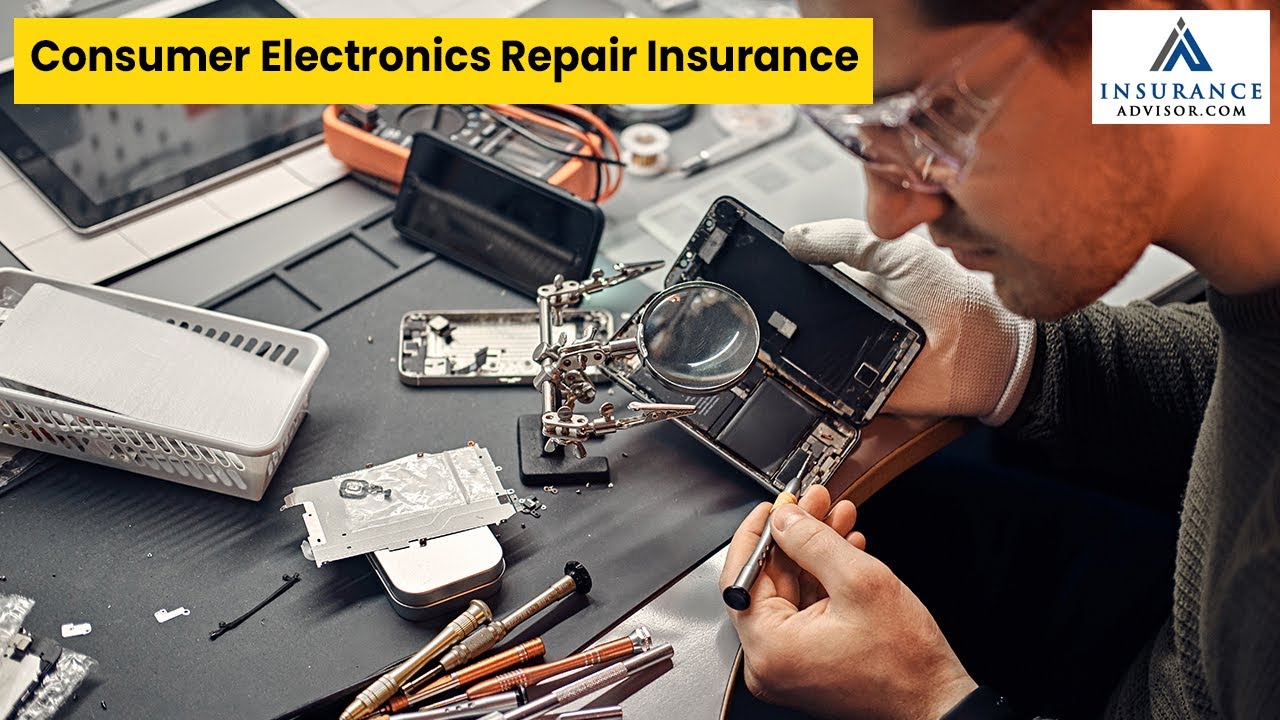
A basic repair kit covers most small electronic fixes. It usually includes:
- Screwdrivers with different heads (Phillips, flat, Torx)
- Plastic prying tools to open cases without damage
- Tweezers for handling small parts
- Spudger to disconnect cables and connectors
- Magnifying glass or headlamp for better visibility
These tools help open devices and remove screws carefully.
Safety Gear
Protect yourself while repairing electronics. Safety gear includes:
- Anti-static wrist strap to avoid damaging parts with static
- Safety glasses to protect eyes from debris
- Work gloves to prevent cuts and scrapes
- Good lighting to reduce eye strain
Using safety gear reduces risks and keeps the repair process smooth.
Specialized Tools
Some repairs need specialized tools for specific tasks. Examples include:
- Soldering iron for fixing or replacing circuit connections
- Multimeter to test electrical components and diagnose issues
- Heat gun for loosening glued parts or heat-shrink tubing
- Opening picks for delicate screen or case removal
These tools improve precision and help solve complex problems.

Credit: www.thebusinessresearchcompany.com
Diagnosing Common Issues
Diagnosing common issues in consumer electronics is the first step toward a successful repair. Pinpointing the exact problem saves time and prevents unnecessary replacements. Let’s break down the typical faults you might encounter and how to identify them effectively.
Identifying Power Problems
Power issues are among the most frequent problems you’ll face. If your device won’t turn on, start by checking the power source—ensure the outlet or battery is functional. Sometimes, a faulty power cable or adapter is the culprit.
Look for signs like blinking lights or unusual sounds when attempting to power on. These clues can indicate internal power supply failures or motherboard issues. Have you noticed your device heating up or shutting down suddenly? That often points to power regulation problems inside.
Screen And Display Faults
Screen problems can range from cracked displays to color distortions or flickering. If the screen remains black but the device powers on, the issue might be with the display cable or backlight. Loose connections are surprisingly common causes here.
Check for dead pixels, lines, or dim areas on the screen. These symptoms often mean the LCD or OLED panel needs replacement. Have you tried connecting your device to an external monitor? This simple test can help determine if the problem lies within the screen itself or the graphics hardware.
Connectivity And Port Issues
Ports and connectivity problems can disrupt your device’s performance more than you realize. If USB ports, headphone jacks, or charging ports stop working, first inspect them for dirt or physical damage. Cleaning gently with compressed air often restores functionality.
Wireless connectivity issues might stem from software settings or hardware faults like antenna damage. Are you struggling with weak Wi-Fi signals or Bluetooth dropouts? Testing with different networks or devices can help isolate the problem. Understanding the root cause here ensures you don’t replace parts unnecessarily.
Simple Fixes You Can Try
Simple fixes can often solve many common problems in consumer electronics. Trying these easy steps might save time and money. These fixes require minimal tools and no advanced skills. Start with these basic actions before considering professional repair.
Reset And Reboot
Resetting or rebooting your device can clear temporary errors. Turn off the device completely, wait a few seconds, and power it back on. For some gadgets, a factory reset restores default settings and fixes software glitches. Always back up important data before a factory reset.
Cleaning And Dust Removal
Dust and dirt can block vents and cause overheating. Use a soft brush or compressed air to clean vents and ports gently. Wipe screens and surfaces with a microfiber cloth. Cleaning improves performance and extends device life.
Replacing Batteries And Cables
Dead batteries often cause devices not to turn on or work poorly. Replace old or worn-out batteries with new ones. Check power cables and connectors for damage or loose connections. Using original or compatible parts ensures better performance and safety.
Component Repairs
Component repairs are a core part of fixing consumer electronics. They focus on replacing or restoring specific parts that have stopped working properly. Understanding how to handle these components can save you money and extend the life of your device.
Screen Replacement Tips
Replacing a screen is one of the most common repairs. Before you start, make sure to power off the device completely and disconnect any batteries if possible. Use the right tools, like a suction cup and plastic pry tools, to avoid cracking the new screen during installation.
Take your time removing the old screen. If you rush, you might damage the delicate connectors underneath. Keep track of tiny screws by placing them in a labeled container—it’s easy to mix them up.
Fixing Buttons And Switches
Buttons and switches often fail because of dirt or worn-out contacts. Start by cleaning around the button with isopropyl alcohol and a soft brush. If the button still doesn’t respond, you might need to replace the switch itself.
Be cautious when soldering new switches in place. A steady hand and the right soldering iron temperature make a big difference. Have you noticed certain buttons on your device getting stuck or unresponsive over time? Addressing these early can prevent bigger issues later.
Repairing Internal Connections
Loose or damaged internal connections can cause erratic device behavior. Carefully inspect ribbon cables and connectors for signs of wear or corrosion. Re-seating cables often solves connection problems without needing replacement parts.
If a cable is damaged, replace it with an exact match to avoid compatibility issues. When reconnecting, ensure connectors click or lock firmly into place. Have you ever experienced a device that works only when you press in a certain spot? That’s usually a sign of a faulty internal connection.
When To Seek Professional Help
Knowing when to seek professional help can save you time, money, and frustration. Some electronic repairs require skills and tools that go beyond basic troubleshooting. Recognizing these moments helps you protect your devices and avoid accidental damage.
Complex Circuit Repairs
Complex circuit repairs often involve tiny components and intricate layouts. If you notice burnt parts, damaged traces, or multiple failures on a circuit board, it’s a sign that you need an expert’s touch.
Attempting these repairs without proper experience can cause further damage. Professionals have specialized equipment like oscilloscopes and soldering stations designed for delicate work.
Ask yourself: Do you have the right tools and steady hands to handle this? If not, handing over the device to a technician is the safer choice.
Warranty And Service Considerations
Your device’s warranty status is crucial before you start any repair. Opening or tampering with your electronics might void the warranty, leaving you without official support.
Check the warranty terms carefully. Sometimes, manufacturers offer free or low-cost repairs for specific issues.
If your product is still under warranty, contacting the authorized service center is usually the best option. This ensures your device is fixed with original parts and keeps your warranty intact.
Credit: markwideresearch.com
Preventive Care Tips
Taking care of your consumer electronics before they break down saves time, money, and frustration. Preventive care helps your devices last longer and perform better. You don’t need to be a tech expert to keep your gadgets in good shape—simple habits can make a big difference.
Regular Maintenance
Regular cleaning and updates keep your electronics running smoothly. Dust buildup inside devices can cause overheating and damage. Use a soft brush or compressed air to clean vents and ports every few months.
Check for software updates often. Updates patch security holes and fix bugs that slow your device down. Have you ever ignored an update only to face a frustrating glitch later?
Proper Storage
Where and how you store your electronics affects their lifespan. Avoid leaving devices in direct sunlight or places with extreme temperatures. Heat can degrade batteries and damage internal components.
Keep cords untangled and store devices in protective cases when not in use. I once lost a favorite tablet because I tossed it in a cluttered drawer, and it got scratched beyond repair. Don’t let your gadgets suffer the same fate.
Safe Usage Practices
Handle your electronics with care to prevent accidental damage. Avoid eating or drinking near devices to reduce the risk of spills. If your phone slips often, consider a sturdy case with a good grip.
Unplug chargers when not in use to prevent power surges. Overcharging can shorten battery life, so don’t leave devices plugged in overnight. How often do you check if your charging habits are harming your gadgets?
Frequently Asked Questions
How Can I Start Repairing Consumer Electronics Safely?
Begin by unplugging devices and using anti-static tools. Read the manual and watch tutorials. Always wear safety gear and work in a clean, organized space to avoid damage or injury.
What Are Common Tools For Electronics Repair?
Essential tools include a multimeter, screwdrivers, soldering iron, tweezers, and anti-static wristbands. These help diagnose issues, remove parts, and safely reassemble devices.
How Do I Diagnose Issues In Electronic Devices?
Check power supply and connections first. Use a multimeter to test circuits and components. Identify visible damage or burnt parts, which often indicate the problem.
When Should I Replace Parts Versus Repairing Them?
Replace parts if they are visibly damaged or non-functional. Repair small faults like loose wires or minor solder joints. Replacement ensures long-term device reliability.
Conclusion
Repairing consumer electronics can be simple with the right steps. Always gather necessary tools first. Identify the problem before starting repairs. Follow guides or videos for help. Safety is important, so unplug devices before fixing. Practice can boost confidence and skills.
Mistakes happen, but they teach valuable lessons. Repairs can save money and reduce waste. Enjoy the satisfaction of fixing your electronics yourself. Keep learning and trying new techniques. Remember, patience is key in this process. Happy repairing!
Leave a Reply