Your electronics have just faced a flood, and now you’re staring at damaged components, unsure what to do next. It’s frustrating and stressful, but don’t lose hope.
Cleaning your electronic parts properly after water exposure can make the difference between saving your device and losing it forever. In this guide, you’ll discover simple, effective steps to bring your electronics back to life safely. Keep reading—your careful actions now could save you time, money, and a lot of headaches later.
Safety Precautions
Cleaning electronic components after a flood demands careful attention to safety. Water and electricity are a dangerous mix, and damaged electronics can pose serious risks. Taking the right precautions protects you and prevents further damage to your devices.
Power Off And Unplug
Always ensure the device is completely powered off before you touch it. Even if you think the device is off, unplug it from any power source to avoid electric shock. Floodwater can cause hidden short circuits, so don’t assume the danger has passed.
Have you ever rushed to clean a device only to feel a sudden shock? That moment teaches the importance of double-checking power disconnection. It’s a simple step that can save you from serious injury.
Use Personal Protective Equipment
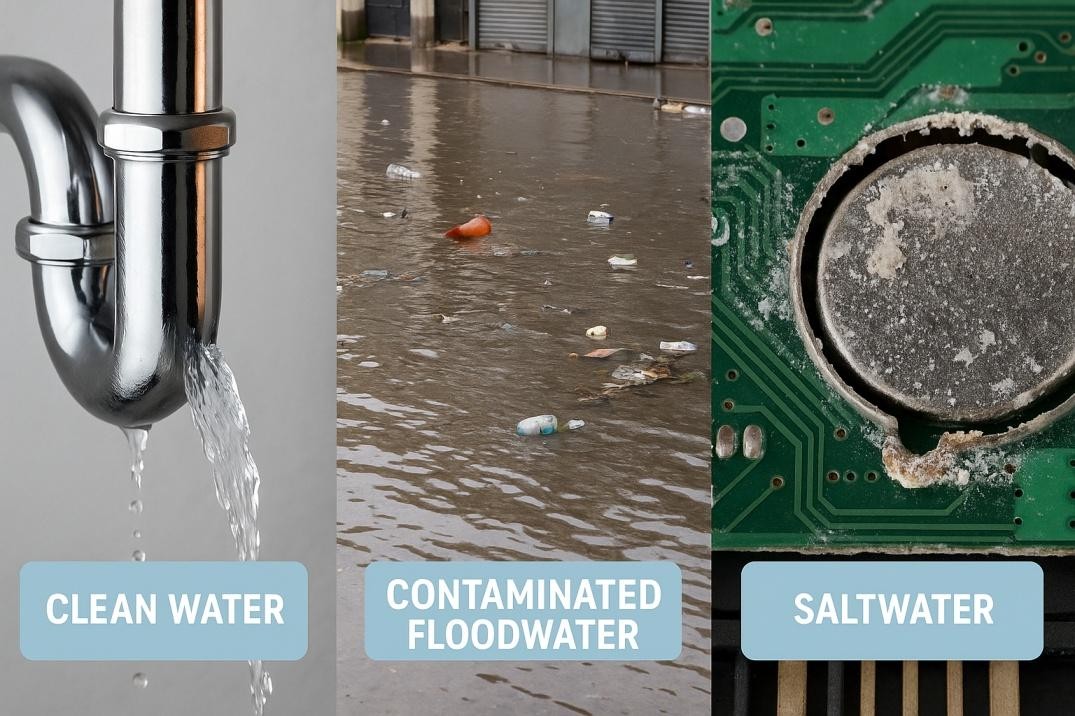
Wear gloves to protect your hands from contaminants and sharp edges on damaged components. Floodwater often carries dirt, chemicals, and bacteria that can harm your skin.
Eye protection is just as important. Splashing water or cleaning solvents can irritate or injure your eyes, so use safety goggles. Consider wearing a mask if mold or dust is present to avoid breathing in harmful particles.
Have you noticed how protective gear not only keeps you safe but also gives you confidence to work carefully? It’s worth investing in the right equipment before you start cleaning your electronics.
Credit: www.americonrestoration.com
Initial Assessment
After a flood, the first task is the initial assessment of your electronic components. This stage helps you understand the extent of water damage and decide what can be cleaned or must be discarded. Taking time here saves effort and prevents further harm.
Check For Visible Damage
Look closely at each component for signs of damage. Check for:
- Corrosion or rust on metal parts
- Cracks or broken pieces
- Burn marks or discoloration
- Swollen or leaking batteries
- Loose or detached wires
Note any damage clearly. This step helps avoid using unsafe or beyond-repair items.
Determine Salvageable Items
Not all flooded electronics are lost. Some parts can be cleaned and reused. Consider these points:
- Components without heavy corrosion often recover well
- Simple circuit boards may dry and function again
- Plastic parts usually survive water better than metal
- Check if warranties cover water damage for replacements
Separate items that seem intact from those heavily damaged. This sorting makes the cleaning process clearer and safer.
Drying Techniques
Drying electronic components after a flood is crucial to prevent further damage. Proper drying removes moisture trapped inside delicate parts. Quick and effective drying reduces the risk of short circuits and corrosion. Use safe techniques that do not harm the components or their functionality.
Air Drying
Air drying is the simplest way to remove moisture from electronic parts. Place the components in a dry, well-ventilated area. Avoid direct sunlight or heat sources that can warp or damage parts. Use a fan to increase air circulation and speed up drying. Allow at least 24 to 48 hours for thorough drying. Patience helps ensure no hidden moisture remains.
Using Desiccants
Desiccants absorb moisture and help dry electronics faster. Silica gel packets or activated charcoal are common choices. Place components in an airtight container with desiccant packs. Ensure the desiccants do not touch the electronics directly to avoid residue. Check and replace desiccants if they become saturated. This method protects sensitive parts from lingering humidity.
Cleaning Process
Cleaning electronic components after flood damage requires care and precision. The cleaning process helps remove harmful residues and restores function. Start by handling parts gently to avoid further damage. Use dry, soft tools first, then apply suitable cleaning solutions. Proper cleaning prevents corrosion and shorts in circuits. Follow steps carefully for best results.
Remove Dirt And Debris
Begin by removing loose dirt and debris from the surface. Use a soft brush or compressed air to clear dust particles. Avoid using hard tools that could scratch or damage components. Clean all visible areas, including connectors and circuit boards. This step prepares the components for deeper cleaning. Patience here improves the final outcome.
Use Appropriate Cleaning Solutions
Choose cleaning solutions designed for electronics. Isopropyl alcohol (90% or higher) is safe and effective. It evaporates quickly and leaves no residue. Apply the solution with a soft cloth or cotton swab. Gently clean all affected areas, paying attention to tight spaces. Avoid soaking components in liquid. Allow parts to dry completely before reassembling. Proper drying prevents electrical shorts.
Component Inspection
After a flood, checking your electronic components carefully is vital. Water can cause hidden damage that affects how parts work. A thorough inspection helps spot problems early and decide what can be saved. Take your time and look closely at every piece.
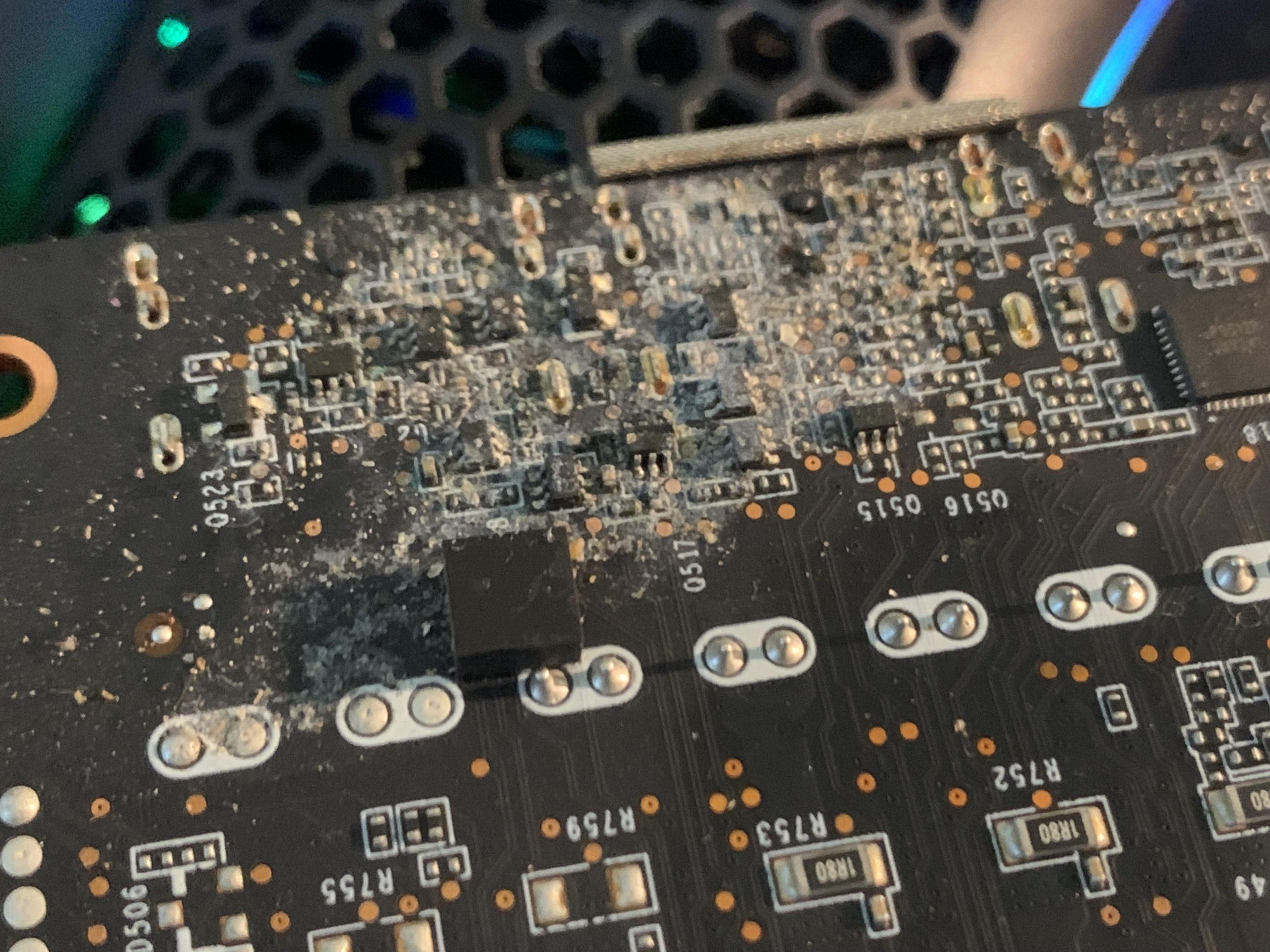
Examine For Corrosion
Corrosion looks like rust or greenish deposits on metal parts. It happens when water reacts with metal surfaces. Check connectors, pins, and circuit boards for signs of corrosion. Even small spots can cause big problems. Use a magnifying glass for a better view.
Corroded areas may need cleaning or replacement. Be gentle to avoid breaking fragile parts. Corrosion can spread, so act fast to stop further damage.
Check For Electrical Shorts
Flood water can cause electrical shorts by bridging contacts. Look for burnt marks or melted spots on the circuit board. Smell for any unusual odors like burning plastic. Use a multimeter to test for shorts between pins and traces.
Shorts can stop components from working or cause more damage. Identify and isolate the faulty parts before powering the device again. Avoid guessing, as this can lead to bigger failures.
Testing And Reassembly
After thoroughly cleaning your electronic components affected by a flood, the next crucial phase is testing and reassembly. This stage determines whether your efforts have restored functionality or if further troubleshooting is needed. Taking your time here can save you from future headaches and additional damage.
Conduct Functionality Tests
Before putting everything back together, verify each component’s condition. Use a multimeter to check for continuity and proper voltage levels, ensuring no hidden shorts or breaks remain. Power up the device cautiously and observe any abnormal signs like overheating or strange noises.
Testing in stages can help isolate issues faster. For example, connect only the power supply and motherboard first, then gradually add other parts. Have you ever powered a device too soon and caused more harm? Patience here pays off.
Reassemble Carefully
Take your time when reassembling. Use the photos or notes you took during disassembly to place each screw and connector correctly. A small mistake, like swapping two cables, can lead to malfunction or permanent damage.
Make sure all contacts are dry and free of residue before closing the case. Tighten screws firmly but avoid over-tightening, which can crack fragile components. Does your workspace have good lighting and organization? These small details help prevent costly errors.
Preventive Measures
Taking preventive measures can save your electronics from severe damage after a flood. It’s easier to protect your devices than to repair them later. You’ll find that a little preparation goes a long way in preserving your valuable components.
Consider Waterproofing Options
Waterproofing adds a strong layer of defense to your electronics. You can use waterproof cases, sealants, or protective coatings to shield components from moisture.
Think about devices stored in basements or near water sources. Would a waterproof enclosure or silicone sealant prevent water from reaching sensitive parts? Even simple steps like using rubber gaskets on enclosures can make a big difference.
Have you checked if your current electronics have any water-resistant features? Some manufacturers offer upgrades or accessories designed specifically for flood protection. Don’t wait until water causes damage to start thinking about these options.
Implement Regular Maintenance
Regular maintenance keeps your electronics in top shape and helps spot vulnerabilities early. Cleaning dust, checking seals, and inspecting connectors reduce the risk of water damage.
Set reminders to inspect your devices after heavy rains or if you live in a flood-prone area. Look for corrosion signs or loose parts that water could exploit.
How often do you review your electronics’ condition? Small actions like tightening screws or replacing worn-out seals can prevent major problems later. Maintenance isn’t just about fixing issues—it’s about stopping them before they start.

Credit: thecavepearlproject.org

Credit: www.randrmagonline.com
Frequently Asked Questions
How Do I Safely Dry Electronics After A Flood?
First, unplug and remove batteries. Use a soft cloth to wipe moisture. Air dry in a warm, ventilated space for 48 hours. Avoid heat sources that can damage components. Patience ensures effective drying and prevents corrosion.
What Cleaning Materials Are Best For Flooded Electronics?
Use isopropyl alcohol (90% or higher) and soft brushes. Avoid water or household cleaners. Alcohol removes residue and dries quickly without harming circuits. Always work in a well-ventilated area for safety.
Can Flooded Electronic Components Be Fully Restored?
Yes, with prompt action and proper cleaning, many components recover. However, severe water damage may cause permanent failure. Testing after drying confirms functionality. Professional repair may be required for critical devices.
Should I Disassemble Electronics Before Cleaning After Flooding?
Disassembling helps clean internal parts thoroughly. Only open devices if comfortable and knowledgeable. Keep track of screws and parts. This allows better access to remove contaminants and speed up drying.
Conclusion
Cleaning electronic parts after a flood takes patience and care. Start by drying parts completely to avoid damage. Use gentle cleaning tools and safe liquids. Check each component for rust or dirt. Don’t rush the process; slow steps work best.
Proper cleaning can help save your devices. Remember, safety matters—always unplug electronics first. With the right steps, you can protect your gadgets from flood damage. Take your time and follow these simple tips to clean well.
Leave a Reply