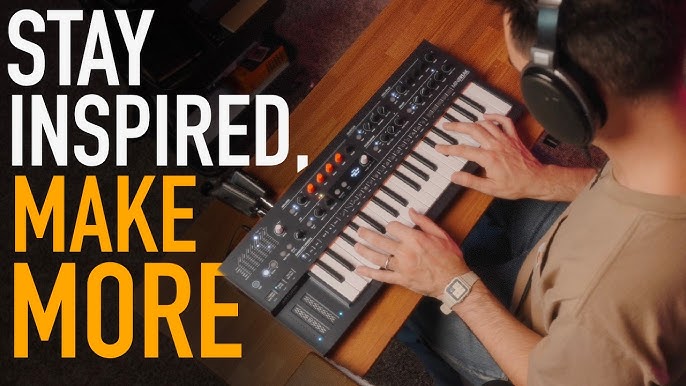
Have you ever wondered what it takes to make electronic music right from your own room? You might think you need expensive gear or a professional studio, but that’s not true.
With the right tools and a little know-how, you can start creating beats and sounds that express your unique style. This guide will show you exactly what you need to turn your ideas into music. Keep reading to discover how simple and fun making electronic music at home can be!
Credit: www.albertaelectronicmusic.com
Essential Gear
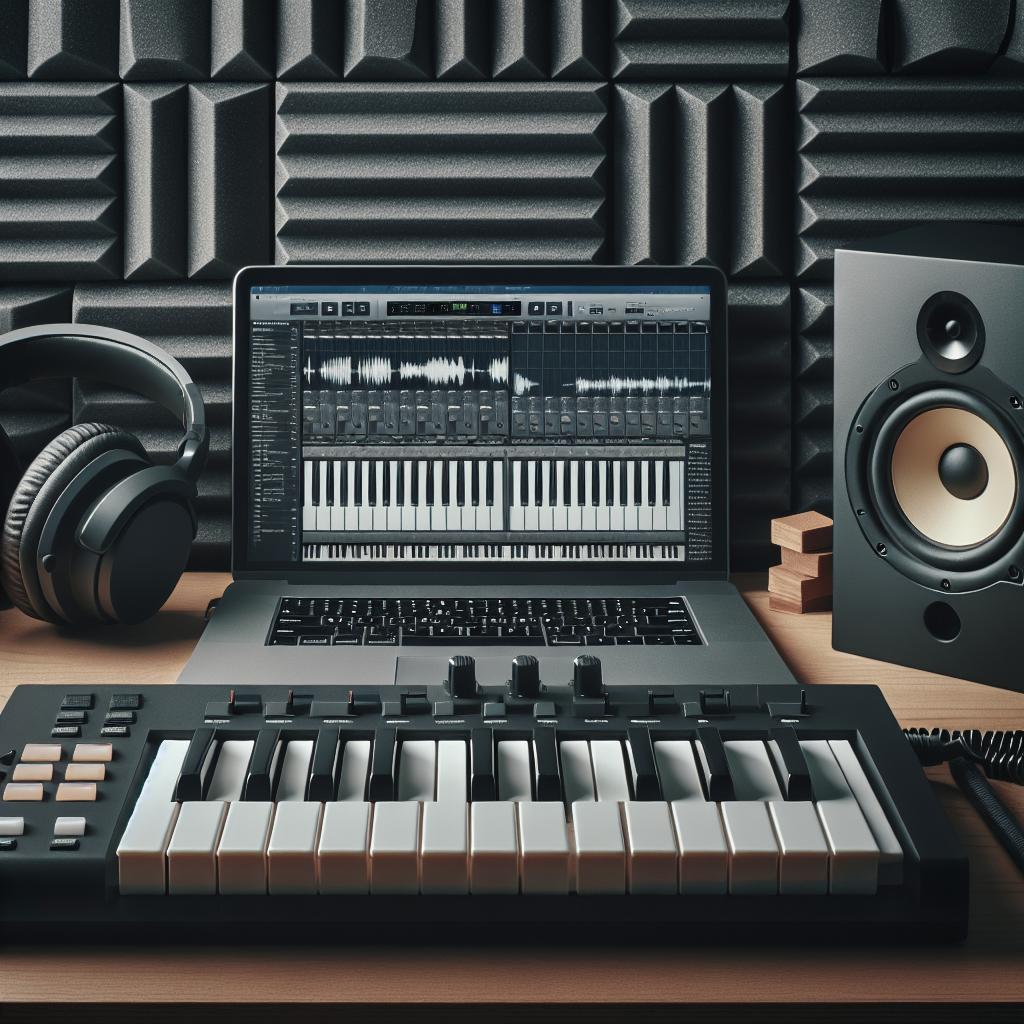
Creating electronic music at home needs a computer, music software, and headphones. A MIDI keyboard and audio interface help improve sound quality and control. Basic gear lets you start making beats and melodies easily.
Making electronic music at home is a thrilling adventure that begins with assembling the right gear. Each piece of equipment plays a vital role in shaping your sound and enhancing your creativity. But what exactly do you need to transform your room into a personal music studio? Let’s dive into the essential gear that will get you started on your musical journey.Computer Requirements
Your computer is the heart of your home studio. A powerful processor and sufficient RAM are crucial for running Digital Audio Workstations (DAWs) smoothly. Look for a computer with at least 8GB of RAM and a multi-core processor to handle the demands of music production software. Consider whether you prefer a desktop or a laptop. Desktops often offer more power and customization options, while laptops provide portability for on-the-go creativity. Whichever you choose, ensure it has ample storage space for all your projects and software.Audio Interface Options
An audio interface is a must-have for converting your instruments and vocals into digital audio. It connects your computer to your microphones and speakers, offering high-quality sound. Look for an interface with multiple input and output options. Entry-level models like Focusrite Scarlett are affordable and reliable. They offer great sound quality without breaking the bank. Check compatibility with your computer’s operating system to avoid any technical hiccups.Midi Controllers
A MIDI controller is your ticket to playing virtual instruments and tweaking sounds in real-time. They come in various forms, from keyboard-style controllers to pad-based options. Choose one that fits your style of music and workspace. If you’re a pianist at heart, a keyboard controller with weighted keys might be ideal. For beat makers, pad controllers like the Akai MPD series offer intuitive drum programming. Think about the type of music you want to create and how you interact with your equipment.Studio Monitors Vs Headphones
Your listening gear is crucial for mixing and mastering your tracks. Studio monitors provide a flat frequency response, giving you an accurate representation of your music. However, they require a well-treated room for optimal performance. Headphones, on the other hand, are great for detailed listening and working in less-than-ideal acoustic environments. Brands like Audio-Technica and Sennheiser offer excellent options for both beginners and pros. Consider starting with headphones if you’re on a budget or have space constraints. Choosing the right gear can be daunting, but it’s also part of the creative process. What piece of equipment are you most excited to try out in your home studio?
Credit: www.pointblankmusicschool.com
Software Choices
Choosing the right software is crucial for making electronic music at home. Software tools shape your sound and workflow. They help you create, mix, and produce tracks easily. The options vary from simple programs to professional suites. Knowing what each software type offers saves time and effort. It also fits your music style and skill level.
Digital Audio Workstations
Digital Audio Workstations (DAWs) are the main software for music production. They let you record, edit, and arrange audio and MIDI. DAWs come with built-in instruments and effects. Popular DAWs include:
- FL Studio – good for beginners and electronic music
- Ableton Live – great for live performances and loops
- Logic Pro – used by many professionals on Mac
- GarageBand – free and simple for beginners on Mac
Choose a DAW that matches your computer and music goals. Trial versions help you test before buying.
Vst Plugins And Synths
VST plugins add new sounds and effects to your DAW. They include synthesizers, drum machines, and audio effects. Synth plugins create electronic sounds like bass, leads, and pads. Effects plugins shape your sound with reverb, delay, and distortion. Some popular synth plugins are:
- Serum – a versatile wavetable synth
- Massive – known for deep bass sounds
- Sylenth1 – easy to use and popular
Many plugins come with presets to start quickly. Experiment with different plugins to find your unique sound.
Sample Packs And Loops
Sample packs contain pre-recorded sounds and loops. These are drum hits, melodies, vocals, and sound effects. Loops are short music phrases that repeat seamlessly. They help build tracks faster and add variety. Producers use sample packs to get professional sounds without recording.
- Drum loops for beats and rhythm
- Bass loops for groove and depth
- Melody loops for hooks and harmony
Choose sample packs in styles you enjoy. Many websites offer free and paid packs. Organize samples well for easy access in your projects.
Setting Up Your Space
Setting up your space for making electronic music at home is more than just placing your gear on a desk. The environment around you affects how you create and how your music sounds. A well-organized, comfortable, and acoustically tuned space can boost your creativity and improve your workflow.
Room Acoustics Basics
Understanding your room’s acoustics helps you hear your music accurately. Hard surfaces like bare walls and floors can cause sound reflections that confuse your ears.
Adding soft materials such as rugs, curtains, or foam panels can reduce echoes and improve sound clarity. You don’t need a professional studio setup—simple changes can make a big difference.
Ask yourself: can you clearly distinguish different sounds in your room, or do they blend into a muddy mess? If it’s the latter, try adjusting your room’s layout or adding acoustic treatment.
Ergonomic Workspace Tips
Your comfort affects how long and how well you can work. Position your equipment so you can reach everything without straining.
Keep your chair and desk height aligned to avoid back and neck pain. Make sure your computer screen is at eye level to reduce eye strain.
Think about how you move while producing music—can you easily switch between your MIDI controller, keyboard, and computer? Creating a smooth workflow reduces frustration and keeps your focus on the music.
Cable Management
Cables can quickly turn your space into a tangled mess if you don’t manage them properly. Messy cables not only look bad but can cause accidental unplugging or damage to your gear.
Use cable ties, clips, or sleeves to bundle and route cables neatly along your desk or walls. Labeling cables helps you identify them quickly when troubleshooting or switching gear.
Have you ever spent more time untangling cables than making music? Organizing your cables saves you time and keeps your workspace tidy, so you can focus on creativity.

Credit: newartistmodel.com
Learning Resources
Finding the right learning resources can make a huge difference in your journey to make electronic music at home. Whether you prefer watching videos, reading discussions, or hands-on practice, there’s something for every type of learner. Understanding where to look and how to use these resources will speed up your progress and keep your motivation high.
Online Tutorials And Courses
Online tutorials offer step-by-step guidance that fits your schedule. Platforms like YouTube, Udemy, and Coursera have lessons on everything from basic beat-making to advanced sound design.
Look for tutorials that match your music style and software, like Ableton Live or FL Studio. Many courses include downloadable project files, which let you follow along and experiment on your own.
Have you tried pausing tutorials to replay tricky parts? This simple trick helps you absorb details better than just watching passively.
Community Forums And Groups
Joining forums and groups connects you with others who share your passion. Sites like Gearslutz, Reddit’s r/WeAreTheMusicMakers, and Facebook groups offer advice, feedback, and inspiration.
Don’t hesitate to ask questions or share your work. Most members are happy to help and can offer tips based on real experience.
Engaging with a community can also expose you to new tools and techniques you might never discover alone. What’s one question you’ve been hesitant to ask but could get answered here?
Practice Techniques
Practice is the foundation of improvement in electronic music production. Setting small goals, like creating a 30-second loop or mastering a new plugin, keeps practice focused and less overwhelming.
Try recreating your favorite tracks to understand their structure and sound design. This hands-on approach teaches you practical skills faster than just reading or watching.
Regularly challenge yourself to finish projects, even if they aren’t perfect. Completing tracks builds confidence and helps you learn how to troubleshoot problems.
Budget-friendly Options
Starting electronic music at home doesn’t have to drain your wallet. You can create impressive tracks with budget-friendly gear and smart choices. The key is knowing where to spend and where to save, so your setup grows with your skills without overwhelming your space or budget.
Affordable Gear Alternatives
You don’t need expensive synthesizers or mixers to make great music. Look for entry-level MIDI controllers like the Akai MPK Mini or the Novation Launchkey, which offer great features at a low price. Used gear can also be a goldmine—many producers find quality equipment on resale sites for a fraction of the cost.
Consider compact audio interfaces such as the Focusrite Scarlett Solo. It provides excellent sound quality without breaking the bank. Prioritize gear that combines multiple functions, like a MIDI controller with built-in pads and knobs, so you get more value for less money.
Free Software Tools
Free digital audio workstations (DAWs) are perfect for beginners or those on a tight budget. Programs like Cakewalk by BandLab and Tracktion T7 offer powerful features without a price tag. You can also find free plugins for synths, effects, and samples online, which help you expand your sound palette affordably.
Many producers start with free tools and upgrade only when necessary. Don’t underestimate what you can create with these resources. What’s stopping you from trying out different software and seeing what suits your style best?
Maximizing Limited Space
Space constraints shouldn’t hold you back from making music. Use a compact desk or even a sturdy foldable table to set up your equipment. Wall-mounted shelves can hold your monitors or synths, freeing up your workspace for other tasks.
Organize cables with clips or ties to avoid clutter and improve workflow. A tidy, well-arranged setup helps you focus and encourages longer, more productive sessions. How can you reshape your current space to become your creative hub?
Workflow Tips
Improving your workflow can make a huge difference in how quickly and smoothly you create electronic music at home. Efficient habits keep your focus sharp and reduce frustration. Let’s look at key tips that can help you stay organized, spark creativity, and polish your tracks effectively.
Organizing Your Projects
Start by creating a dedicated folder for each track or project. This keeps all your samples, presets, and session files in one place. Naming files clearly and consistently helps you find what you need fast.
Try saving incremental versions as you work. This way, you can always go back if something doesn’t sound right. Also, consider using project templates with your favorite instruments and effects already loaded.
Creative Sound Design
Don’t just rely on presets—experiment with tweaking sounds to make them your own. Play with filters, modulation, and layering different samples. Sometimes, combining unexpected elements leads to unique textures.
Challenge yourself to create a new sound for every track. This keeps your music fresh and personal. Ask yourself, “What can I add or change here to make this stand out?”
Mixing And Mastering Basics
Start mixing by balancing volume levels before adding effects. Focus on the relationship between bass, drums, and lead sounds. This foundation makes your mix sound clear and powerful.
Use EQ to carve out space for each instrument so they don’t clash. Add compression sparingly to control dynamics without squashing energy. Finally, test your track on different speakers or headphones to catch issues you might miss.
Frequently Asked Questions
What Basic Equipment Is Needed For Home Electronic Music?
You need a computer, digital audio workstation (DAW), MIDI controller, and headphones or speakers. These form the core setup. Optional gear includes audio interfaces and synthesizers to improve sound quality and creativity.
Which Software Is Best For Making Electronic Music?
Popular DAWs include Ableton Live, FL Studio, and Logic Pro. They offer user-friendly interfaces and powerful tools tailored for electronic music production.
How Much Space Do I Need For A Home Studio?
A small, quiet room with minimal echo works best. Ensure enough space for your computer, controllers, and comfortable seating.
Do I Need Musical Knowledge To Start Making Electronic Music?
Basic music theory helps but isn’t mandatory. Many producers learn as they go using tutorials and practice.
Conclusion
Making electronic music at home needs some basic tools. Start with a good computer and music software. Add a MIDI keyboard for easy playing. Don’t forget headphones or speakers for clear sound. A simple audio interface helps connect devices. Experiment with sounds and have fun creating.
Practice will improve your skills over time. Anyone can create music with the right gear. Begin small, stay patient, and enjoy the process. Your home studio can grow as your music grows. Keep exploring and making music every day.
Leave a Reply