Ever wondered how those cool electronic gadgets you see in stores are made? Imagine creating them right in your own home.
It might sound tricky, but with the right guidance, it’s completely doable. This is where our comprehensive PDF guide steps in, offering you a clear path to crafting your own electronic gadgets. Whether you’re a curious beginner or a seasoned tinkerer, this resource is designed to ignite your creativity and boost your DIY skills.
Dive into this guide, and you’ll discover that making electronic gadgets at home isn’t just a possibility—it’s a thrilling adventure. Ready to transform your ideas into tangible creations? Read on and unlock the secrets of gadget-making magic!
Essential Tools And Materials
Creating electronic gadgets at home needs the right tools and materials. These essentials help build projects that work well and last long. Knowing these tools makes your work easier and safer. Below are the key items you must have.
Basic Electronics Components
Start with simple parts. These are the building blocks for your gadgets.
- Resistors: Control electric current flow.
- Capacitors: Store and release electrical energy.
- Diodes: Allow current to flow in one direction.
- Transistors: Act as switches or amplifiers.
- LEDs: Light up to show circuit status.
- Wires and Breadboards: Connect components without soldering.
- Microcontrollers: Tiny computers that control your device.
Soldering Equipment
Soldering joins components securely. Quality tools improve your work and save time.
- Soldering iron: Heats up to melt solder.
- Solder wire: Metal alloy that bonds parts.
- Desoldering pump: Removes excess solder easily.
- Soldering stand: Holds the iron safely when hot.
- Soldering tip cleaner: Keeps the tip clean for better heat transfer.
Safety Gear
Protect yourself while building. Safety gear prevents injuries and accidents.
- Safety glasses: Shield your eyes from sparks and debris.
- Heat-resistant gloves: Protect hands from burns.
- Ventilation fan or mask: Avoid breathing harmful fumes.
- Fire extinguisher: Keep nearby for emergencies.

Credit: www.homemade-circuits.com
Simple Circuits To Start With
Starting with simple circuits is the best way to build your confidence and skills in making electronic gadgets at home. These basic projects help you understand the fundamental components and how they work together. You’ll quickly see results, which keeps the learning process exciting and encourages you to try more complex designs.
Simple circuits also require minimal tools and parts, making them perfect for beginners. Have you ever wondered how small changes in a circuit can affect its behavior? Working hands-on with these examples will give you clear answers.
Led Blinkers
LED blinkers are a classic starter project. They teach you how to control electricity flow and timing using components like resistors, capacitors, and transistors. By building an LED blinker, you learn how to create a basic oscillator that turns the light on and off repeatedly.
Try changing the capacitor value and watch how it affects the blinking speed. This simple experiment shows you how electronic components interact, giving you a solid foundation for more advanced circuits.
Basic Amplifiers
Basic amplifiers are another great way to start. They allow you to understand how weak electrical signals can be strengthened. You’ll work with transistors or operational amplifiers to boost signals from microphones or small sensors.
Building an amplifier helps you grasp concepts like gain, input, and output. You can even test your circuit by connecting it to a small speaker and hearing the sound get louder, making the learning process very tangible.
Power Supply Circuits
Power supply circuits are essential for any electronic project. These circuits convert and regulate voltage to provide a steady power source. Learning to build a simple power supply teaches you about transformers, rectifiers, and voltage regulators.
Once you make your own power supply, you’ll feel more confident powering your gadgets safely. It’s also a practical skill—knowing how to supply the correct voltage can save your components from damage.
Designing Your Own Circuit
Designing your own circuit is the foundation of building electronic gadgets at home. It transforms ideas into real, working devices. This process requires careful planning and a clear understanding of how components connect and work together.
Start by visualizing the circuit’s function and the parts needed. Keep the design simple to avoid confusion. A well-planned circuit saves time and reduces errors during assembly.
Circuit Schematics
Circuit schematics are drawings that show how electronic parts connect. They use symbols to represent components like resistors, capacitors, and transistors. Schematics guide you during building and testing.
Create clear and neat schematics. Use standard symbols and labels for each part. This helps others understand your design and makes troubleshooting easier.
Breadboarding Techniques
Breadboards allow you to build circuits without soldering. It is a reusable platform for testing your design. Insert components into the breadboard holes to connect them easily.
- Place power rails along the edges for easy voltage supply.
- Organize components logically for neat wiring.
- Use jumper wires to connect different parts.
- Test each section before adding more components.
Breadboarding helps find mistakes early and saves materials.
Troubleshooting Tips
Troubleshooting is key to fixing circuit problems. Start by checking power connections and component placement. Use a multimeter to test voltage and continuity.
- Look for loose or wrong connections.
- Check if components are oriented correctly.
- Replace damaged parts immediately.
- Test one section at a time for easier diagnosis.
- Take breaks to avoid frustration and spot errors better.
Patience and a methodical approach improve your circuit’s success.

Credit: www.electronicsandyou.com
Building Gadgets Step-by-step
Building electronic gadgets at home can seem overwhelming at first. Breaking down the process into clear, manageable steps helps you stay organized and confident. Each phase, from gathering parts to fine-tuning your device, plays a crucial role in turning your idea into a working gadget.
Assembling Components
Start by laying out all your components on a clean workspace. Identify each part using your PDF guide—resistors, capacitors, microcontrollers, and wires should be easy to spot and sort.
Use a breadboard for initial connections. This lets you test the circuit without permanent soldering. It’s easier to spot mistakes early and swap parts quickly.
Double-check your connections against the schematic diagram. Have you connected the power supply correctly? A small mix-up here can prevent your gadget from working or even damage components.
Soldering Best Practices
Soldering is where your gadget starts becoming a solid, reliable device. Use a good quality soldering iron with a fine tip for precision. Keep the tip clean by wiping it on a damp sponge regularly.
Heat the joint, not the solder wire directly. This ensures the solder flows smoothly around the connection. Avoid cold joints by holding the iron in place until the solder melts fully.
Work in a well-ventilated area and wear eye protection. Solder fumes aren’t something you want to inhale, and molten solder can cause burns if you’re not careful.
Testing And Calibration
After assembling and soldering, test your gadget with a multimeter or oscilloscope. Check voltage levels and signal flow to confirm everything works as expected.
Calibration might involve adjusting potentiometers or tuning software settings. Small tweaks can drastically improve performance, so don’t rush through this stage.
If something doesn’t work, isolate the problem by testing sections individually. Have you tried swapping out a suspect component? Troubleshooting is part of the learning curve and improves your skills.
Creating A Pdf Guide
Creating a PDF guide for making electronic gadgets at home is a smart way to share your knowledge clearly and professionally. A well-structured PDF not only helps others follow your instructions but also boosts your credibility as a creator. Let’s walk through how to document your process, design your guide, and share it effectively.
Documenting Your Process
Start by writing down every step you take while building your gadget. Be detailed but keep sentences short and easy to understand. Include important tips, warnings, and common mistakes to avoid.
Take clear photos or sketches during your project. Visual aids make your guide more engaging and easier to follow. Think about what questions you had when you started—then answer those in your documentation.
Try to organize your content logically: materials first, then tools, followed by step-by-step instructions. This way, your readers won’t get lost halfway through.
Using Design Software
Choose user-friendly software like Microsoft Word, Google Docs, or Canva to create your PDF. These tools let you combine text, images, and diagrams smoothly.
Focus on clean layouts with plenty of white space to avoid overwhelming your readers. Use headings, bullet points, and numbered lists to break down complex information.
Don’t forget to add a clickable table of contents if your guide is long. It improves navigation and helps readers jump to sections they want.
Sharing Your Guide
Once your PDF is ready, think about where your audience is. You can upload it to your blog, share it on social media, or offer it as a free download in exchange for an email subscription.
Consider hosting your PDF on platforms like Google Drive or Dropbox for easy access and sharing. Make sure the file size is not too large—compress images if needed to keep it lightweight.
Ask friends or fellow makers to review your guide and give feedback before public release. Their input can catch unclear parts or suggest improvements you might have missed.
Advanced Projects To Try
Tackling advanced electronic projects at home can push your skills further and open up new possibilities. These projects often combine different components and require a deeper understanding of electronics and programming. They challenge you to think critically and solve problems creatively.
Microcontroller-based Devices
Microcontrollers are the brains behind many smart gadgets. Building devices with microcontrollers like Arduino or Raspberry Pi lets you control sensors, motors, and displays.
You could create a temperature monitor that sends alerts to your phone or a simple robot that follows a path. These projects teach you how to write code that interacts with hardware, bringing your ideas to life.
Wireless Gadgets
Wireless technology adds freedom to your electronic creations. Experimenting with Bluetooth, Wi-Fi, or RF modules can help you make remote-controlled devices or wireless sensors.
Imagine a garden sensor that reports soil moisture without any wires or a Bluetooth speaker you assembled yourself. Wireless projects often require attention to power management and signal range, which are valuable skills to master.
Home Automation Ideas
Turning your home into a smart space is both fun and practical. You can start with automated lighting systems or smart door locks controlled via your smartphone.
Think about creating a system that adjusts heating based on the time of day or alerts you if a window is open. These projects improve your coding, electronics, and networking skills while making your home more comfortable and secure.
Troubleshooting Common Issues
Troubleshooting is a crucial skill when making electronic gadgets at home. Even with careful assembly, issues can arise that stop your device from working correctly. Understanding how to diagnose and fix common problems can save you time and frustration.
Identifying Faulty Components
Start by checking each component individually. Use a multimeter to test resistors, capacitors, and diodes for proper values. If a component reads out of range or shows no continuity, it’s likely faulty.
Sometimes, damage isn’t visible. Look for burnt marks, bulging capacitors, or broken leads. Replacing these parts often restores your gadget’s function quickly.
Fixing Connectivity Problems
Loose connections are a common cause of failure. Inspect solder joints carefully for cracks or cold joints—these appear dull or uneven. Reflowing solder on these points can improve connection quality.
Check wires and connectors for breaks or corrosion. If your device uses a breadboard, ensure components are firmly inserted and contacts are clean. A simple wiggle test often reveals hidden connection issues.
Improving Device Performance
Performance issues might stem from power supply problems. Verify your power source provides correct voltage and current without fluctuations. Adding capacitors near power pins can stabilize voltage and reduce noise.
Firmware or software bugs can also slow down your gadget. Make sure you upload the latest code and debug any programming errors. Optimizing your code often leads to noticeable speed improvements.
Resources And Learning Platforms
Finding the right resources and learning platforms can make building electronic gadgets at home much easier and more enjoyable. Having access to clear instructions, supportive communities, and reliable reference materials helps you avoid common pitfalls. It also boosts your confidence as you move from simple projects to more complex creations.
Online Tutorials
Online tutorials offer step-by-step guides that you can follow at your own pace. Websites like YouTube, Instructables, and SparkFun have countless videos and articles tailored for beginners and advanced hobbyists alike. Watching someone assemble a circuit or solder components can clarify tricky parts that written instructions might miss.
Do you prefer video or text-based tutorials? Mixing both styles often provides the best understanding. Try searching for specific projects like “DIY Arduino gadgets” or “homemade electronic sensors” to find detailed walkthroughs.
Electronics Communities
Joining electronics communities connects you with people who share your interests and challenges. Forums like Reddit’s r/electronics, the EEVblog community, and various Facebook groups offer advice, troubleshooting tips, and project ideas. You can ask questions and get feedback on your designs, which accelerates your learning.
Think about how much faster you learn when you can discuss problems with others. These communities often host contests or collaborative projects that push your skills further. Have you checked if your local area has maker spaces or clubs? They can provide hands-on experience and networking opportunities.
Recommended Books
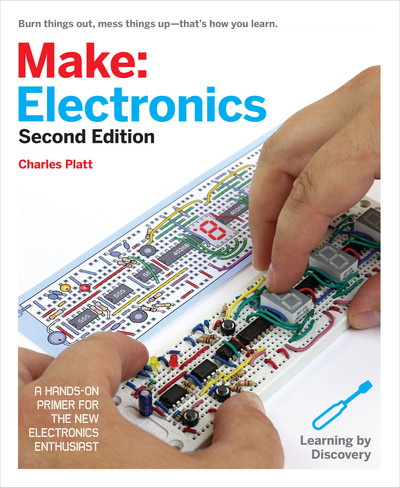
Books remain a valuable source for deep and structured knowledge. Titles like “Make: Electronics” by Charles Platt and “Practical Electronics for Inventors” by Paul Scherz offer clear explanations and practical exercises. These books guide you from understanding basic components to building complex circuits.
Keeping a good reference book on hand can help you troubleshoot or inspire new projects. Have you ever referred to a book when you were stuck and found exactly the answer you needed? Investing in a few well-reviewed electronics books is a smart move for your learning journey.

Credit: www.instructables.com
Frequently Asked Questions
What Tools Do I Need To Make Gadgets At Home?
Basic tools include a soldering iron, multimeter, wire cutters, and screwdrivers. These help assemble and test components efficiently.
Where Can I Find Free Electronic Gadgets Pdf Guides?
You can find free PDFs on educational websites, electronics forums, and platforms like PDF Drive or GitHub repositories.
Are Homemade Gadgets Safe To Use?
Safety depends on proper assembly and using quality components. Always follow instructions carefully and avoid high-voltage projects if inexperienced.
How Long Does It Take To Build A Simple Gadget?
Simple gadgets typically take a few hours to complete. Time varies based on complexity and your skill level.
Conclusion
Making electronic gadgets at home is simple with the right guide. The PDF helps you learn step-by-step. You can build useful devices using easy parts. Practice improves your skills and confidence. Keep trying and enjoy creating new things. This hobby saves money and teaches valuable lessons.
Start small and grow your knowledge over time. Anyone can do it with patience and care. Enjoy the process and share your results with friends.
Leave a Reply