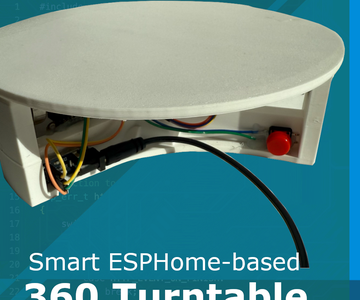
Are you itching to transform your creative ideas into reality by making electronic gadgets at home? Imagine the thrill of building something unique with your own hands, right in your living room.
Whether you’re a tech enthusiast or a curious beginner, crafting your own gadgets can be an exciting and rewarding journey. You don’t need a high-tech lab or a degree in engineering to get started. With the right guidance and tools, you can create impressive gadgets that reflect your personal style and innovation.
Dive into this guide to discover simple steps and tips that will empower you to bring your electronic inventions to life. Ready to spark your creativity and enhance your skills? Let’s get started!
Essential Tools And Materials
Creating new electronic gadgets at home requires specific tools and materials. Having the right equipment makes your projects easier and more successful. It also saves time and helps avoid mistakes.
This section covers the essential tools and materials you need to start building electronics. Each item plays a key role in your work.
Basic Electronics Kit
A basic electronics kit contains the core tools for any project. It usually includes:
- Multimeter to measure voltage, current, and resistance
- Wire cutters and strippers for clean connections
- Small screwdrivers for assembling parts
- Needle-nose pliers to bend and hold wires
- Breadboard for testing circuits without soldering
This kit helps beginners learn and experiment safely.
Soldering Equipment
Soldering is essential for making strong electrical connections. Basic soldering tools include:
- Soldering iron with adjustable temperature
- Solder wire, preferably lead-free for safety
- Desoldering pump or wick to fix mistakes
- Soldering iron stand to hold the iron safely
- Cleaning sponge or brass wool for the iron tip
Good soldering equipment improves circuit reliability and appearance.
Safety Gear
Safety is important when working with electronics and heat. Use these safety items:
- Safety glasses to protect your eyes from sparks
- Heat-resistant gloves to avoid burns
- Fume extractor or well-ventilated area to avoid inhaling fumes
- Anti-static wrist strap to prevent damage to sensitive parts
These protect you and your components during building.
Common Components
Having a variety of components ready speeds up your projects. Common parts include:
- Resistors to control current flow
- Capacitors for storing and releasing energy
- LEDs for indicators and displays
- Transistors to amplify or switch signals
- Microcontrollers for programming and control
- Switches and buttons for user input
- Wires and connectors for making circuit links
Stocking these parts allows quick assembly and testing of gadgets.

Credit: www.geeky-gadgets.com
Choosing Your First Project
Choosing your first project is a key step in making electronic gadgets at home. It sets the tone for your learning and success. A good project fits your interests, tools, and skill level. Starting with something simple helps build confidence. It keeps you motivated and eager to learn more.
Think about what excites you. A small gadget that solves a daily problem or a fun circuit to play with. Focus on projects that do not need many parts or special tools. This approach saves money and frustration. It also makes the process enjoyable and rewarding.
Simple Circuit Ideas
Start with basic circuits to understand how electronics work. Examples include LED blinkers, light sensors, and simple alarms. These projects use few components and clear instructions. They teach important concepts like current, voltage, and resistance. Simple circuits give quick results, which feels great.
- LED blinking light
- Touch-sensitive switch
- Light-activated alarm
- Basic sound generator
Budget-friendly Gadgets
Keep costs low by choosing projects with common parts. Many components come from old electronics or kits. Using recycled parts lowers expenses and helps the environment. Focus on projects that need only a breadboard, batteries, and basic sensors. Budget-friendly gadgets teach valuable skills without high costs.
- Simple battery tester
- Mini fan with switch
- Temperature indicator with LED
- Basic remote control
Skill Level Considerations
Match your project with your current skills. Beginners should avoid complex designs and advanced tools. Projects using few parts and easy wiring work best. As skills grow, try more challenging gadgets with microcontrollers or sensors. This step-by-step approach prevents frustration and keeps learning fun.
| Skill Level | Project Type | Tools Needed |
|---|---|---|
| Beginner | Simple circuits, LED projects | Breadboard, batteries, wires |
| Intermediate | Microcontroller projects, sensors | Soldering iron, multimeter |
| Advanced | Programmable gadgets, IoT devices | Programming software, oscilloscope |
Step-by-step Assembly Process
Building new electronic gadgets at home requires patience and focus. Following a clear assembly process helps avoid mistakes and saves time. Each part of the process plays a vital role in creating a working device. Understanding the steps makes the project enjoyable and successful.
Reading Circuit Diagrams
Circuit diagrams are the blueprints of electronic gadgets. They show how components connect and work together. Learn to identify symbols like resistors, capacitors, and transistors. Use a magnifier if the diagram is small or detailed. Keep the diagram nearby during assembly to check connections.
Component Placement
Place components on the board according to the circuit diagram. Match the shapes and sizes to the symbols on the diagram. Some parts have polarity, like LEDs and capacitors. Make sure to place them in the correct direction. Use tweezers or small pliers for precise positioning.
Soldering Tips
Use a clean, heated soldering iron for smooth joints. Hold the solder wire against the component lead and pad. Heat both until the solder melts and flows evenly. Avoid excess solder to prevent short circuits. Work in a well-ventilated area and wear safety glasses.
Testing The Circuit
Test the circuit before final assembly. Use a multimeter to check connections and component values. Power the circuit with a suitable power source. Observe if LEDs light or motors run as expected. Fix any issues by checking solder joints and component placement.

Credit: www.instructables.com
Troubleshooting Common Issues
Troubleshooting is a crucial skill when making new electronic gadgets at home. Even a small mistake can stop your project from working correctly, but the fix is often simpler than you expect. Understanding how to identify and solve common issues will save you time and frustration.
Identifying Faulty Connections
Loose or incorrect wiring is one of the most frequent problems in homemade electronics. Check each connection carefully—sometimes a wire may look secure but isn’t making proper contact.
Look for signs like burnt components, broken solder joints, or wires that easily move when touched. A simple wiggle test can reveal if a connection is unstable.
Have you ever spent hours troubleshooting, only to find a tiny wire was the culprit? Paying attention to these small details can prevent many headaches.
Using A Multimeter
A multimeter is an invaluable tool to test electrical components and connections. It can measure voltage, current, and resistance, helping you pinpoint where the circuit fails.
Start by checking if power is reaching the right parts of your gadget. Then, test resistors and capacitors to ensure they match their expected values.
Even if you’re new to electronics, using a multimeter becomes easier with practice. It’s like having a detective tool that guides you straight to the problem.
Common Mistakes To Avoid
- Skipping the schematic:Don’t build without a clear plan. A missing or unclear circuit diagram leads to confusion and errors.
- Ignoring polarity:Components like LEDs and capacitors need correct orientation. Reversing them can cause your gadget not to work or even damage parts.
- Overlooking power ratings:Using a power supply that doesn’t match your gadget’s needs can cause overheating or failure.
- Poor soldering:Cold solder joints or excessive solder create unreliable connections. Take your time to make clean, shiny joints.
Have you made any of these mistakes before? Recognizing them early can make your DIY electronics projects much smoother.
Customizing And Upgrading Gadgets
Customizing and upgrading your electronic gadgets can transform a basic device into something truly unique and more powerful. It’s not just about making your gadget look different—it’s about adding value and improving performance to better suit your needs. Have you ever felt limited by the features of a device? Enhancing your gadget at home gives you the freedom to push those boundaries.
Adding Features
Adding new features can make your gadget more useful. Think about integrating Bluetooth modules to enable wireless connectivity or installing extra sensors like temperature or motion detectors. These additions expand what your gadget can do without buying a new one.
Start by identifying what functionality you wish your gadget had. Then, find compatible components and test them on a breadboard before soldering. This approach saves time and frustration.
Improving Power Efficiency
Power efficiency is key to making your gadget last longer on a single charge. You can swap out old batteries for higher capacity ones or use low-power microcontrollers to reduce energy consumption. Even simple tweaks, such as adding sleep modes through programming, can extend battery life significantly.
Have you tried measuring current draw before and after upgrades? Tools like a multimeter help spot where energy is wasted. Addressing those spots can make your gadget smarter and greener.
Designing Custom Enclosures
Custom enclosures protect your gadget while giving it a personalized look. Using 3D printing, laser cutting, or even crafting with wood or acrylic sheets lets you create cases that fit perfectly. A well-designed enclosure also improves heat dissipation and ergonomics.
Think about the environment your gadget will be used in. Will it need waterproofing or extra ventilation? Designing with these factors in mind ensures your upgrades last longer and work better in real life.

Credit: www.instructables.com
Resources For Continued Learning
Diving into the world of making new electronic gadgets at home is exciting, but the learning never really stops. Technology evolves quickly, and staying updated means having the right resources at your fingertips. These resources help you sharpen skills, troubleshoot problems, and spark fresh ideas for your next project.
Online Tutorials And Forums
Online tutorials offer step-by-step guidance that fits your pace. Platforms like YouTube, Instructables, and Hackster provide video and written instructions covering everything from soldering basics to advanced microcontroller programming.
Joining forums such as Reddit’s r/electronics or the EEVblog community connects you with experienced hobbyists and professionals. You can ask specific questions, share your progress, and get feedback that books and videos often miss.
Recommended Books
Books remain a valuable resource for deep understanding. Titles like “Make: Electronics” by Charles Platt break down complex concepts into easy experiments you can do at home.
Another great read is “Practical Electronics for Inventors” by Paul Scherz, which offers detailed explanations and circuit designs. These books build foundational knowledge you’ll return to again and again.
Community Workshops
Local maker spaces and community workshops provide hands-on experience you can’t get alone. They often have tools like 3D printers, soldering stations, and oscilloscopes ready for use.
Working alongside others lets you learn new techniques, share ideas, and get immediate help. Have you checked if there’s a workshop near you where you can bring your project to life with expert guidance?
Frequently Asked Questions
What Basic Tools Are Needed To Make Electronic Gadgets At Home?
You need a soldering iron, multimeter, wire cutters, screwdrivers, and a breadboard. These tools help build and test circuits efficiently.
How Can Beginners Start Making Electronic Gadgets Safely?
Start with simple kits and learn circuit basics. Always work in a well-ventilated area and use safety gear like goggles.
Where To Find Reliable Electronic Components For Diy Gadgets?
Buy components from trusted online stores or local electronics shops. Check product reviews to ensure quality and compatibility.
What Are Common Mistakes To Avoid When Building Gadgets?
Avoid poor soldering, incorrect wiring, and skipping testing phases. Double-check connections and follow circuit diagrams carefully for best results.
Conclusion
Building new electronic gadgets at home can be fun and rewarding. Start small and learn step by step. Use simple tools and clear instructions. Experiment with different parts to see what works best. Stay patient and keep practicing often. This hobby helps you understand how electronics work.
It also saves money on buying new devices. You can create useful items tailored to your needs. Keep exploring and enjoy the process of making something unique. Each project improves your skills and confidence. Give it a try and discover your creativity today.
Leave a Reply