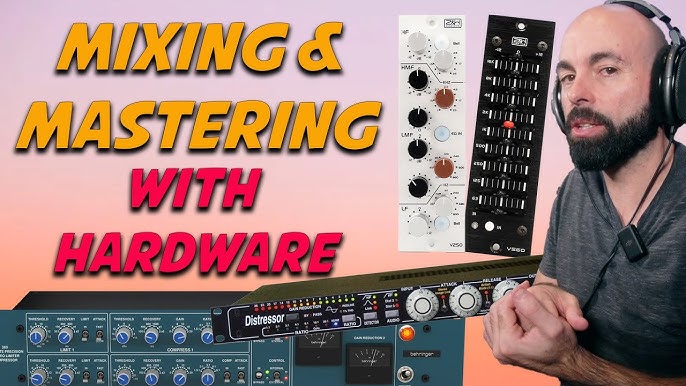
Are you ready to transform your electronic music tracks into polished, professional masterpieces from the comfort of your home? Mixing and mastering your own music might sound daunting, but it doesn’t have to be.
With the right guidance and a few essential tips, you can elevate your sound to stand out in the crowded digital landscape. Imagine the thrill of hearing your music come alive, rich in clarity and depth, ready to captivate listeners worldwide.
This tutorial is designed with you in mind, offering straightforward steps and insider secrets to help you master the art of mixing and mastering electronic music. Dive in and discover how to unlock the full potential of your tracks, right where you are.

Credit: www.edmprod.com
Setting Up Your Home Studio
Setting up your home studio is the foundation of mixing and mastering electronic music effectively. It’s not just about having gear; it’s about creating an environment where your creativity and technical skills can thrive. The right setup helps you hear every detail clearly and make decisions that translate well on all sound systems.
Essential Equipment
Start with the basics that give you control and clarity. A good pair of studio monitors or quality headphones is crucial—they reveal the true sound of your tracks without coloring the audio.
- Audio Interface:Connects your instruments and microphones to your computer. Look for low latency and clean preamps.
- Studio Monitors:Aim for flat response monitors like Yamaha HS series or KRK Rokit for accurate sound.
- Headphones:Closed-back for recording, open-back for mixing. Brands like Audio-Technica or Sennheiser offer reliable options.
- MIDI Controller:Helps you input melodies and control virtual instruments intuitively.
- Computer:Ensure it has enough RAM and processing power to handle your DAW and plugins smoothly.
Acoustic Treatment Tips
Your room’s sound influences what you hear. Untreated rooms can cause echoes and bass buildup that mislead your mixing choices.
Adding acoustic panels and bass traps at reflection points reduces unwanted sound reflections. This means you’ll hear a cleaner and more accurate mix.
- Place foam panels on walls where sound bounces directly back to you.
- Use bass traps in corners to manage low-frequency buildup.
- Consider a thick rug on hardwood floors to absorb sound reflections.
Have you noticed how your mixes sound different in various rooms? That’s why controlling your space is key.
Choosing The Right Software
Your digital audio workstation (DAW) is the heart of your studio. Pick software that suits your workflow and style.
Popular DAWs for electronic music include Ableton Live, FL Studio, and Logic Pro. Each offers unique features—Ableton excels in live performance, FL Studio is great for pattern-based composition, and Logic Pro provides powerful built-in plugins.
Don’t forget to explore plugins for mixing and mastering like EQs, compressors, and limiters. Many affordable or free options can deliver professional results.

Credit: www.youtube.com
Preparing Your Tracks For Mixing
Preparing your tracks for mixing is a crucial step in electronic music production. It sets the foundation for a clean and balanced mix. Proper preparation helps avoid problems later in the process. It makes mixing smoother and more efficient. The key tasks include organizing your sessions, cleaning up audio, and understanding gain staging.
Organizing Sessions
Start by labeling each track clearly. Use descriptive names like “Kick,” “Bass,” or “Lead Synth.” Group similar sounds together in folders or track stacks. Keep your session tidy by deleting unused clips and tracks. Arrange tracks in a logical order from drums to vocals or effects. This structure saves time and helps maintain focus during mixing.
Cleaning Up Audio
Remove unwanted noise and silence from each track. Use fades to avoid clicks and pops at the start and end of clips. Cut out any stray sounds that distract from the main audio. Check for phase issues and fix them early. Cleaning audio ensures clarity and makes your mix sound professional.
Gain Staging Basics
Set proper levels for each track before mixing. Keep individual tracks well below clipping to preserve headroom. Aim for consistent volume across tracks to avoid sudden jumps. Use meters to check peaks and average loudness. Good gain staging prevents distortion and helps plugins work better.
Mixing Techniques For Electronic Music
Mixing electronic music at home requires a clear understanding of how each element fits into the overall sound. The right mixing techniques can transform your tracks from cluttered and flat to polished and dynamic. Let’s focus on key approaches that help you shape your sound effectively.
Balancing Levels
Start by setting the volume levels of each track so they complement each other without overpowering the mix. Listen carefully to how the bass, drums, synths, and vocals interact. If your kick drum is too loud, it can drown out other elements; too soft, and it loses impact.
Try using the faders to create space, making sure no track fights for attention. Ask yourself: which sounds are the stars, and which are the supporting cast? Adjust accordingly to maintain clarity and energy.
Eq Strategies
EQ helps carve out space for each sound in the frequency spectrum. Cut unnecessary low-end rumble from non-bass instruments to avoid muddiness. Boosting highs can add sparkle to synths and vocals, but be careful not to introduce harshness.
Use a narrow Q to notch out problem frequencies, like resonances or harsh tones. Don’t be afraid to experiment with subtle cuts and boosts until your mix feels balanced and natural. What frequency ranges are clashing in your current mix?
Using Compression Effectively
Compression controls the dynamic range, making your tracks sound tighter and more cohesive. Apply it to drums to add punch, or to bass to keep it consistent. Be mindful of over-compressing, which can squash the life out of your music.
Experiment with attack and release settings to find the groove that fits your track. Parallel compression can add thickness without losing dynamics—have you tried blending a compressed signal with the dry one? It’s a game-changer.
Creative Effects And Automation
Effects like reverb, delay, and modulation add depth and interest to your mix. Use automation to bring movement and emotion, such as gradually increasing reverb on a synth during a breakdown. This keeps listeners engaged and your mix dynamic.
Don’t overuse effects—sometimes less is more. Ask yourself how each effect serves the song. Can subtle automation create tension or release? Try automating filter sweeps or volume fades to add life without cluttering the mix.
Mastering Basics At Home
Mastering your electronic music at home can feel overwhelming at first. But breaking down the process into basics makes it manageable and even enjoyable. Understanding how loudness, equalization, and limiting work together will give your tracks a polished, professional sound without needing a fancy studio.
Loudness And Dynamics
Loudness is more than just volume; it’s about how your track feels to the listener. Keeping dynamics in your mix means preserving the natural highs and lows, which keeps your music interesting and full of energy.
Try to avoid squashing your track’s dynamics too early. Instead, focus on balancing peaks and valleys so your music breathes. Ask yourself: Does your track feel alive or flat?
Equalization For Mastering
EQ is your secret weapon to fix small issues and enhance the overall tone. At this stage, subtle changes make a big difference—think tiny boosts or cuts rather than drastic shifts.
Focus on cleaning up muddiness in the low mids and brightening the highs just enough to add clarity. You want your track to sound clear on all speakers, from headphones to club systems.
Using Limiters And Maximizers
Limiters and maximizers help you control peaks and increase loudness without distortion. Use them carefully to avoid over-compressing your track, which can make it sound lifeless.
Set your limiter’s threshold so it catches only the highest peaks and gradually push the output gain to increase loudness. Listen closely—does your track maintain punch and clarity after limiting?
Common Challenges And Solutions
Mixing and mastering electronic music at home comes with common challenges. These can affect the final sound and overall quality of your track. Understanding these issues helps improve your workflow and results. Below are key challenges and practical solutions to enhance your mixes.
Dealing With Frequency Clashes
Frequency clashes happen when two or more sounds occupy the same frequency range. This overlap makes sounds muddy and unclear. Use equalization (EQ) to cut conflicting frequencies on one track. Carve space by lowering bass on one instrument while boosting another. Sidechain compression also helps by ducking one sound when another plays. This creates room and improves separation.
Avoiding Muddy Mixes
Muddy mixes lack clarity and feel heavy in the low-mid frequencies. Remove unnecessary low-end on instruments that don’t need it using a high-pass filter. Keep bass and kick drum clean and tight by shaping their frequencies carefully. Use panning to spread sounds across the stereo field. This prevents overcrowding in the center. Regularly check your mix in mono to spot muddiness.
Maintaining Clarity And Punch
Clarity and punch make your track lively and engaging. Use transient shaping to enhance attack on drums and percussions. Balance levels so no instrument overpowers others. Add subtle compression to glue elements together without squashing dynamics. Use reverb and delay with care to keep sounds distinct. Regular breaks and fresh ears help spot clarity problems early.
Credit: mastering.com
Pro Tips For Efficient Workflow
Efficient workflow saves time and keeps creativity flowing during mixing and mastering. Organizing your process helps avoid mistakes and frustration. Small habits can make a big difference in quality and speed.
Using Reference Tracks
Reference tracks guide your mixing decisions by showing balance and tone. Pick songs with a similar style and energy to your project. Compare your mix to the reference on volume, bass, and clarity. This keeps your mix grounded and professional sounding.
Taking Breaks And Resting Ears
Fresh ears catch problems missed after long sessions. Take short breaks every hour to relax your hearing. Step away from the computer and breathe deeply. Return with a clear perspective to spot mix issues faster.
Exporting And File Management
Organize your files to avoid confusion and loss. Name tracks and versions clearly with dates or descriptions. Use folders for raw files, mixes, and final masters. Export in multiple formats for different uses. Backup everything regularly to protect your work.
Frequently Asked Questions
What Equipment Do I Need To Mix Electronic Music At Home?
You need a computer, DAW software, quality headphones or monitors, and audio interface. Optional tools include MIDI controllers and plugins.
How Can I Improve Mixing Skills For Electronic Music?
Practice regularly, learn EQ and compression techniques, study reference tracks, and watch tutorials. Experimentation helps develop your unique sound.
What Are The Best Daw Options For Electronic Music Mixing?
Popular DAWs include Ableton Live, FL Studio, Logic Pro, and Cubase. Choose based on your workflow and budget.
How Do I Master Electronic Music Tracks Effectively?
Use EQ, compression, limiting, and stereo widening carefully. Reference commercial tracks and keep volume levels consistent.
Conclusion
Mixing and mastering electronic music at home takes practice and patience. Use the tips shared here to improve your sound step by step. Trust your ears and keep experimenting with different settings. Small changes can make a big difference in your tracks.
Enjoy the process and learn from each session. With time, your music will sound clearer and more balanced. Keep creating and have fun making your own unique beats.
Leave a Reply