Have you ever wondered how your smart TV connects to the internet and interacts with other devices? You might have heard terms like “device ID” and “MAC address” tossed around, but what do they really mean?
And more importantly, are they the same thing? Understanding these terms can seem a bit technical, but it’s crucial if you want to maintain control over your smart home setup. We’re going to demystify these concepts for you. We’ll dive into what a device ID is, what a MAC address is, and how they relate to your smart TV.
By the end, you’ll have a clear understanding that empowers you to make informed decisions about your home network and privacy. Ready to unlock the secrets of your smart TV? Let’s get started!
Credit: www.finn.no
Smart Tv Device Id Basics
Understanding Smart TV device IDs helps clarify how these devices connect and communicate. A device ID acts as a unique identifier for your Smart TV. It ensures networks and apps recognize your device specifically. This section explains the basics of device IDs and their types.
What Is A Device Id
A device ID is a unique code assigned to a device. It helps identify your Smart TV on a network. Each device ID is different from all others. It is like a fingerprint for your TV. This ID allows apps and services to track usage and settings. It also helps with security and personalization.
Common Types Of Device Ids
Smart TVs use several types of device IDs. Each type serves a different purpose. The most common types include:
- MAC Address:A hardware address used to identify your TV on local networks.
- Android ID:Used on Android-based Smart TVs to identify the device in apps and services.
- Serial Number:A unique number given by the manufacturer for warranty and support.
- Advertising ID:Used to track user behavior for personalized ads on some Smart TVs.
Knowing these IDs helps understand if a Smart TV device ID is the same as a MAC address. They are related but not always identical.
Role Of Mac Address In Smart Tvs
Your smart TV relies on a unique identifier called the MAC address to connect and communicate within your home network. Understanding the role of this address helps you grasp how your device interacts with other gadgets and the internet. It also shines a light on privacy and security aspects you might not have considered before.
What Is A Mac Address
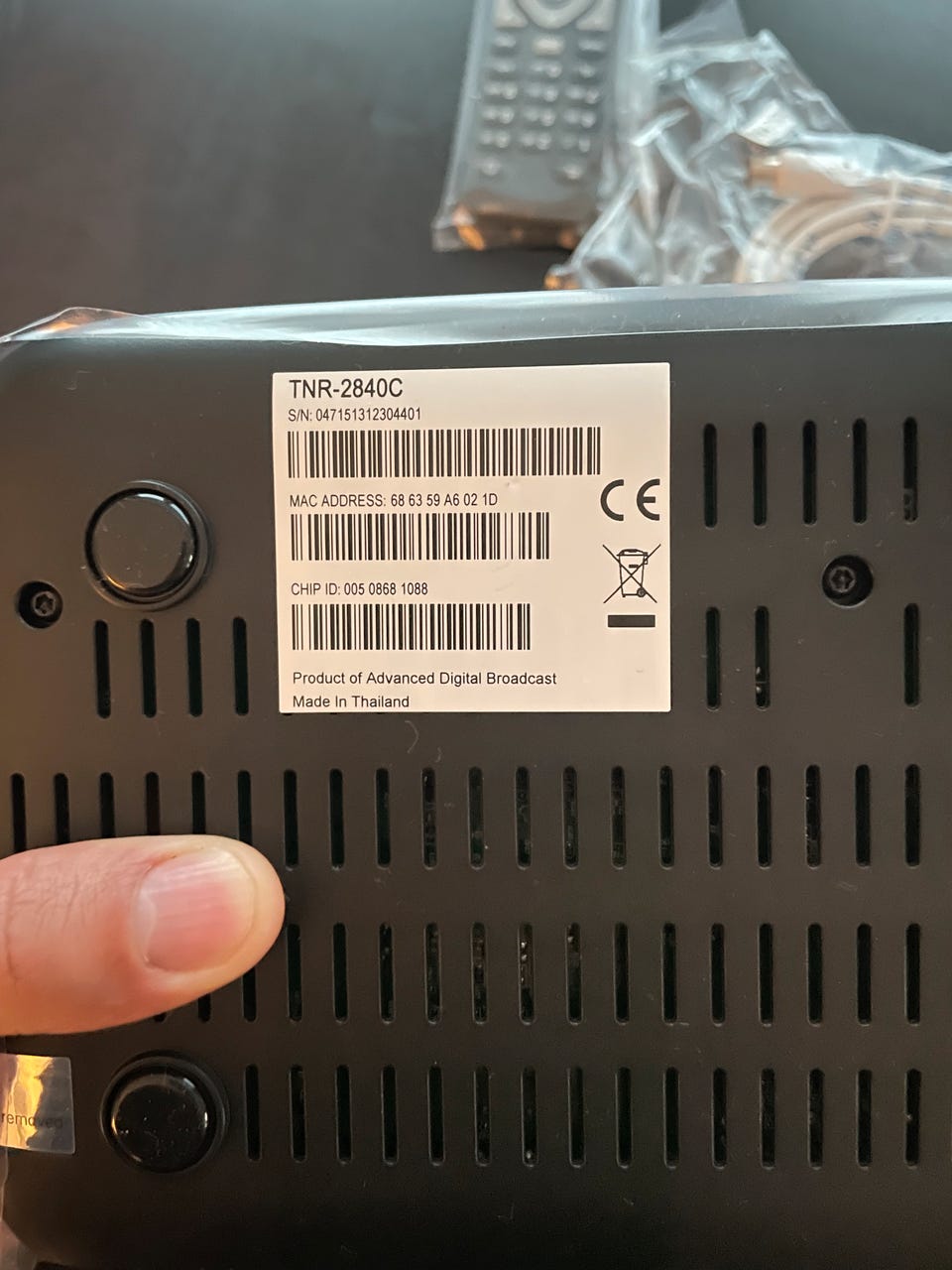
A MAC (Media Access Control) address is a unique string of characters assigned to the network interface of your smart TV. Think of it as the device’s fingerprint on your home network. It’s a fixed hardware address used to identify your TV among countless other devices.
MAC addresses consist of six pairs of letters and numbers separated by colons or hyphens, like 00:1A:2B:3C:4D:5E. This unique code helps routers and other devices recognize and communicate with your TV specifically.
How Mac Addresses Are Used In Networking
When your smart TV connects to Wi-Fi or Ethernet, it uses its MAC address to get permission from your router. The router checks the MAC address to ensure the device is allowed to join the network. This process helps keep unauthorized devices out.
Many people don’t realize that MAC addresses can be used to set up parental controls or restrict internet access to certain devices. For example, you can block a smart TV’s MAC address during specific hours to limit screen time.
Have you ever wondered why some networks ask you to register your device? That’s because they need the MAC address to whitelist it. This makes your smart TV’s MAC address a key player in managing your home network’s security and access.
Device Id Vs Mac Address
Understanding the difference between a Smart TV Device ID and a MAC Address is crucial for managing your devices and securing your network. Many people confuse these two terms, but they serve very different purposes. Let’s break down what sets them apart and why it matters for your smart TV experience.
Key Differences
The Device ID is a unique identifier assigned by the manufacturer or software to your smart TV. It helps apps and services recognize your specific device within their ecosystem.
On the other hand, the MAC Address is a hardware-level identifier assigned to your TV’s network interface. It works on your local network to identify your device when connecting to Wi-Fi or Ethernet.
| Aspect | Device ID | MAC Address |
|---|---|---|
| Purpose | Identifies device in apps and services | Identifies device on a local network |
| Assigned By | Manufacturer or software provider | Network hardware manufacturer |
| Format | Alphanumeric string (varies) | 12-digit hexadecimal (e.g., 00:1A:2B:3C:4D:5E) |
| Visibility | Used by apps and services | Used by routers and local network devices |
When They Are Confused
Many users think their Smart TV Device ID is the same as the MAC Address because both identify the device. However, mixing them up can cause issues, especially when setting up network permissions or troubleshooting connectivity.
If you’ve ever tried to whitelist your TV on your router using the Device ID instead of the MAC Address, you likely found it didn’t work. The MAC Address is what your router needs to recognize and allow the device on the network.
Have you checked your TV’s settings for both IDs? Knowing where to find and how to use each can save you time and frustration. Next time you face network issues or app-specific problems, ask yourself: am I using the right identifier?
How Smart Tvs Identify Devices
Smart TVs need a way to recognize devices on a network. This helps with security and personalized settings. They use several methods to identify each device. The process is not limited to just one identifier.
Unique Identifiers Beyond Mac
The MAC address is a common device identifier. It is a unique code assigned to network hardware. But smart TVs also use other unique identifiers. These can include IP addresses, device names, and serial numbers.
IP addresses change often, so they are less reliable alone. Device names help users identify their gadgets easily. Serial numbers provide a fixed identity for hardware components. These multiple identifiers work together for accurate device recognition.
Role Of Software And Hardware Ids
Software and hardware IDs play a key role in device identification. Smart TVs check the device’s software version and firmware. These details help distinguish similar devices on a network.
Hardware IDs come from internal components like processors and chips. They add another layer of uniqueness. Combined with software data, these IDs ensure precise device tracking. This helps smart TVs manage connections and offer better user experiences.
Privacy And Security Concerns
Privacy and security are major concerns for smart TV users. A smart TV device ID, often linked to the MAC address, can reveal more than just device information. Understanding these risks helps protect your personal data and online activities.
Tracking Through Mac Addresses
The MAC address is a unique identifier for a smart TV on a network. Advertisers and data collectors can track this ID to monitor your viewing habits. This tracking creates detailed profiles without your knowledge.
Retailers use MAC addresses to target ads. Public Wi-Fi networks might log your device ID. This information can then be sold or shared, increasing privacy risks.
Risks Of Device Id Exposure
Exposing your smart TV’s device ID can lead to security threats. Hackers may use this information to access your network or device. This can result in unauthorized access to personal files or settings.
Device ID exposure also makes it easier for cybercriminals to launch phishing attacks. They can mimic your device or network to trick you. Protecting this ID is key to maintaining digital safety.

Credit: saltlakecity.craigslist.org
How To Find Your Smart Tv’s Device Id And Mac Address
Knowing your Smart TV’s Device ID and MAC address can help you manage your network better and troubleshoot connectivity issues. These unique identifiers are essential when setting up network permissions or securing your devices. Let’s look at simple ways you can locate this information right from your TV or using network tools.
Accessing Settings Menus
Start by turning on your Smart TV and navigating to the main settings menu. Look for sections labeled Networkor About, as these usually contain device information.
Within these menus, you might find an option like Network Statusor Device Information. Here, the MAC address is often displayed as a series of six pairs of letters and numbers separated by colons or dashes, such as 00:1A:2B:3C:4D:5E.
Finding the Device ID can vary depending on the brand and model, but it’s often listed alongside the MAC address or under system information. If you can’t spot it, check the user manual or manufacturer’s website for precise instructions.
Using Network Tools
If navigating your TV’s menus feels tricky, you can discover your Smart TV’s MAC address using your home network tools. Log into your router’s admin panel via a web browser, usually by entering an IP address like 192.168.1.1or 192.168.0.1.
Once logged in, find the section that lists connected devices or DHCP clients. Here, you’ll see a list with device names, IP addresses, and MAC addresses. Look for your TV’s name or unknown devices if you’re unsure.
There are also smartphone apps designed to scan your network and identify connected devices along with their MAC addresses. These tools are handy if you want quick access without digging through router settings.
Implications For Users And Developers
Understanding the implications of a Smart TV device ID being the MAC address is crucial for both users and developers. It affects how devices are identified, tracked, and managed on networks, which can have privacy and security consequences. Let’s look at what this means practically and how you can navigate these challenges.
Managing Device Identifiers
For users, knowing that your Smart TV’s device ID might be its MAC address means you should be aware of how your device is recognized on networks. This identifier is unique and constant, making it easy for network administrators or malicious actors to track your device.
Developers face the challenge of using device identifiers responsibly. Relying solely on MAC addresses for identification can limit flexibility and raise privacy concerns. Instead, developers often create additional unique IDs that can be reset or changed, offering better control over device management.
Have you ever wondered how your Smart TV appears on your home network or public Wi-Fi? Understanding your device’s identifier helps you control access and monitor unusual activity more effectively.
Best Practices For Privacy
Protecting your privacy means managing how your Smart TV’s MAC address is shared. Many modern devices support MAC address randomization, which changes the address periodically to prevent long-term tracking.
- Check your TV’s settings for privacy options related to network identification.
- Avoid connecting to untrusted networks where your device ID could be logged or misused.
- Developers should implement mechanisms allowing users to reset or randomize device identifiers.
From a developer’s perspective, transparent communication about how device IDs are used fosters user trust. Users appreciate knowing what data is collected and how it’s protected. Could your app or device benefit from giving users more control over their identifiers?

Credit: macaddresslookup.io
Frequently Asked Questions
What Is A Smart Tv Device Id?
A Smart TV Device ID is a unique identifier assigned to your TV. It helps apps and services recognize your device. It is not the same as a MAC address but serves similar identification purposes.
Is A Smart Tv Device Id The Same As A Mac Address?
No, the Smart TV Device ID and MAC address are different. The Device ID identifies the TV in apps, while the MAC address identifies the network hardware. Both are unique but serve different functions.
Can I Use Smart Tv Device Id For Network Settings?
No, the Smart TV Device ID is not used for network settings. The MAC address is used for network configurations like filtering or assigning IP addresses.
How To Find My Smart Tv Device Id?
You can find your Smart TV Device ID in the TV’s settings menu. Look under “About,” “Device Information,” or “System” sections, depending on your TV brand.
Conclusion
A Smart TV device ID is not the same as a MAC address. Each serves a different purpose for your device. The MAC address helps identify your device on a network. The device ID is used by apps and services to track your device internally.
Knowing the difference can help you better manage your privacy and settings. Always check your Smart TV’s documentation to find these details. Understanding these terms makes using your Smart TV easier and safer. Keep your information clear and secure.
Leave a Reply