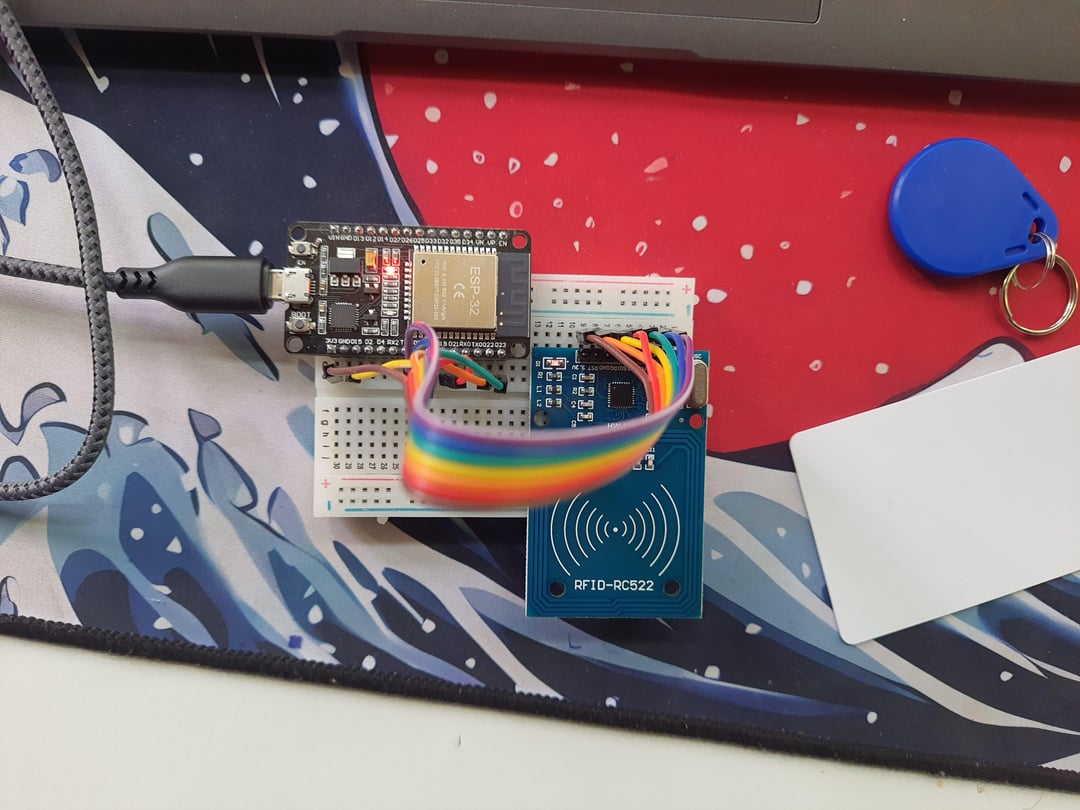
Are you curious about diving into the world of electronic building but don’t know where to begin? You’re not alone.
Starting something new can feel overwhelming, especially when it involves circuits, wires, and gadgets. But what if you could turn that curiosity into a fun and rewarding hobby? This guide will help you find the perfect starting point, so you can build your confidence, learn step-by-step, and enjoy every moment of creating your own electronic projects.
Keep reading, and soon you’ll be amazed at what you can make with just a few simple tools and ideas.

Credit: www.youtube.com
Choosing Your First Electronics Kit
Choosing your first electronics kit is an exciting step into the world of building and learning. A good kit helps you understand basic concepts and gain hands-on experience. It should match your interests and skill level to keep you motivated. Starting with the right kit sets a strong foundation for your hobby journey.
Starter Kits For Beginners
Beginner kits usually include simple components and clear instructions. They often feature basic circuits like blinking LEDs and simple sensors. Kits with breadboards and jumper wires allow easy changes without soldering. Look for kits that explain each part’s function and offer step-by-step guides.
Selecting Projects That Excite You
Choose projects that feel fun and interesting. It could be a small robot, a light controller, or a sound sensor. Enjoying the project helps you stay focused and learn better. Start with easy projects, then try harder ones as your skills grow.
Essential Tools To Have
Some tools make building electronics easier and safer. Keep these handy:
- Soldering iron and solder
- Wire cutters and strippers
- Multimeter for measuring voltage and resistance
- Small screwdriver set
- Tweezers for handling tiny parts
These tools help you build and test circuits with confidence.

Credit: www.ebay.com
Basic Electronics Concepts
Grasping basic electronics concepts is your first step toward building anything electronic. These fundamentals give you the confidence to experiment and create without fear of mistakes. Understanding the building blocks lets you troubleshoot and improve your projects faster than you think.
Understanding Components
Every electronic project is made up of components like resistors, capacitors, transistors, and LEDs. Each has a unique role—resistors control current, capacitors store charge, and transistors act like switches or amplifiers. You don’t have to memorize every detail immediately, but start by recognizing their symbols and basic functions.
Try picking up a simple electronics kit and identifying these parts physically. Holding a resistor and knowing it limits current makes the theory click in a way that reading can’t match. How does a tiny LED light up just by adding a battery? That’s the magic of components working together.
Simple Circuit Principles
Think of a circuit as a loop where electricity flows. The path needs to be complete for current to move and power your device. If the loop breaks, the current stops—much like water in a hose.
Start with series and parallel circuits. Series circuits have components lined up one after another, so if one fails, the whole stops working. Parallel circuits have branches, so one failure won’t shut everything down.
Experiment by wiring LEDs in series and parallel to see how brightness and power change. What happens if you add more LEDs? How does that affect the current? Such hands-on tests help you understand power distribution firsthand.
Reading Circuit Diagrams
Circuit diagrams are like blueprints for electronics. They use symbols to represent components and lines to show connections. Learning to read them lets you build circuits accurately and follow instructions without guesswork.
Start by identifying common symbols: a zigzag line for resistors, parallel lines for capacitors, and arrows for diodes. Notice how lines connect these symbols—those are wires forming the circuit path.
Try drawing a simple circuit on paper, then build it on a breadboard. Can you follow the diagram without missing a connection? This skill will save you time and frustration when tackling more complex projects.
Setting Up Your Workspace
Setting up your workspace is the foundation of a successful electronics building hobby. A well-organized area boosts your efficiency and keeps frustration at bay. It’s about more than just a desk—it’s creating a dedicated zone that supports focus, creativity, and safety.
Organizing Tools And Components
Start by sorting your tools and components into clear categories. Use small bins, labeled drawers, or even tackle boxes to separate resistors, capacitors, wires, and tools. This saves time hunting for parts and keeps your workspace tidy.
Think about how you work. Do you reach for a soldering iron often? Keep it within arm’s length. Store less frequently used items a little farther away. This simple setup change can speed up your projects and reduce clutter.
Safety Tips For Electronics Work
Safety isn’t optional when working with electronics. Always wear safety glasses to protect your eyes from solder splashes or accidental wire flicks. Avoid loose clothing that could catch on components or tools.
Make sure your workspace is well-ventilated, especially when soldering, to avoid inhaling fumes. Keep a fire extinguisher nearby and know how to use it—small accidents can escalate quickly. Have a grounded mat to prevent static damage to sensitive parts.
Creating A Comfortable Environment
Your workspace should invite you to spend hours without discomfort. Invest in a good chair that supports your back during long builds. Proper lighting is crucial—bright, adjustable lamps reduce eye strain and help you see tiny details clearly.
Consider the noise level too. Do you concentrate better with quiet or with background music? Personalize your space with things that motivate you, whether that’s posters, plants, or a coffee mug. How will you make your workspace feel like your creative zone?
Hands-on Projects To Try
Getting your hands dirty with practical projects is the best way to understand electronics. It makes abstract concepts real and sparks creativity. Here are some hands-on projects that suit beginners and build confidence quickly.
Building A Basic Led Circuit
Start by wiring a simple LED circuit. You only need a battery, a resistor, an LED, and some jumper wires. This project teaches you how current flows and the importance of resistors to protect components.
Try changing the resistor value to see how brightness changes. Can you guess what happens if you skip the resistor? This simple experiment shows how delicate electronics can be and why each part matters.
Simple Sound And Light Projects
After LEDs, add a buzzer or a photoresistor to your circuit. You could build a light-sensitive alarm or a basic sound generator. These projects combine components to create interactive effects.
Playing with sound and light helps you learn about sensors and output devices. What would happen if you replaced the photoresistor with a temperature sensor? Trying different components keeps your curiosity alive and expands your skills.
Introduction To Microcontrollers
Microcontrollers like Arduino open up new possibilities. They let you program your circuits to react to inputs and control outputs automatically. Starting with simple code, you can blink an LED or read a sensor’s value.
Programming electronics might seem tricky, but many online tutorials guide you step-by-step. Have you thought about combining your LED circuit with a microcontroller to make it blink in patterns? This move from passive to active projects marks an exciting learning curve.
Learning Resources And Communities
Starting an electronics hobby is easier with the right learning resources and communities. These tools help you understand basics and solve problems quickly. They also connect you with others who share the same interest. This support makes your learning journey more enjoyable and effective.
Online Tutorials And Videos
Many websites offer free tutorials to explain electronics concepts clearly. Videos show step-by-step projects, making it simple to follow along. Visual guides help you see how parts fit and work together. Popular platforms include YouTube and specialized electronics sites. Watching tutorials at your own pace helps build confidence.
Books For Beginners
Books provide structured knowledge, starting from simple ideas. They often include diagrams and examples to clarify topics. Some books focus on practical projects while others explain theory. Choose beginner-friendly titles with easy language and clear instructions. Books remain useful as a reference when working on projects.
Joining Electronics Forums And Groups
Forums and groups connect hobbyists worldwide. Members share advice, answer questions, and discuss new ideas. You can ask for help or show your progress. Online communities like Reddit or dedicated electronics forums offer friendly support. Joining these groups helps you stay motivated and learn faster.

Credit: www.allpcb.com
Troubleshooting Common Issues
Troubleshooting is an essential skill for anyone starting an electronic building hobby. It can be frustrating when your circuit doesn’t work as expected, but understanding how to identify and solve problems will make your projects more rewarding. The key is to approach issues methodically and learn from each challenge.
Identifying Faulty Components
Begin by examining each component closely. Look for visible signs like burn marks, broken leads, or swollen capacitors. Sometimes, a simple visual check can save hours of guesswork.
Using a multimeter to test resistors, diodes, and transistors helps confirm if they are functioning correctly. Have you ever replaced a resistor only to find the problem was somewhere else? That’s why testing is crucial before swapping parts.
Debugging Circuit Problems
Trace your circuit step-by-step to find where the signal stops or behaves unexpectedly. Start from the power source and move toward the output, checking voltage levels at each stage.
Keep a simple test plan: divide the circuit into sections, and verify each one separately. This prevents confusion and narrows down the issue faster.
Don’t forget to double-check your wiring against the schematic. One misplaced wire or a loose connection can cause an entire circuit to fail.
Tips For Staying Patient And Persistent
It’s easy to feel discouraged when your project doesn’t work right away. Remember, troubleshooting is part of the learning process, not a sign of failure.
Take breaks if you feel stuck. Fresh eyes often spot errors you missed before. Keeping a troubleshooting journal can also help you track what you tried and what worked.
Ask yourself: What small change can I test next? This mindset keeps you moving forward and builds confidence with each fix.
Advancing Your Skills
Advancing your skills in electronic building transforms your hobby from simple assembly to creative problem-solving. It challenges you to refine techniques and dive deeper into components that bring your ideas to life. The journey requires patience and curiosity, but each step forward makes your projects more rewarding.
Exploring Soldering Techniques
Soldering is a fundamental skill that affects the durability and functionality of your circuits. Start by practicing on scrap boards to get comfortable with controlling heat and applying just enough solder.
Try different soldering tips and types of solder wire to see how they influence your work. Have you noticed how a clean, shiny joint often means a better electrical connection? This attention to detail can save you troubleshooting time later.
Experimenting With Sensors And Modules
Sensors and modules open up new possibilities by allowing your projects to interact with the environment. Begin with basic sensors like temperature, light, or motion to understand how they send signals to your microcontroller.
Experiment with connecting multiple modules and combining their data. What happens when you mix a motion sensor with a light sensor? Testing these combinations can inspire unique project ideas.
Planning More Complex Projects
As your confidence grows, start designing projects that require multiple components working together. Sketch out your circuit and write a simple plan before building—it helps prevent errors and saves time.
Consider including features like wireless communication or data logging to enhance functionality. What challenges might you face when integrating these features? Tackling complex projects trains your problem-solving skills and expands your technical knowledge.
Frequently Asked Questions
What Tools Do Beginners Need For Electronic Building?
Beginners need a basic toolkit with a soldering iron, multimeter, wire cutters, and screwdrivers. Starter kits often include essential components and instructions for simple projects. These tools help you learn and build safely and effectively.
How Can I Learn Electronics From Scratch?
Start with online tutorials, beginner kits, and simple projects. Join forums and watch videos to understand concepts. Practice regularly to improve skills and confidence in electronics building.
Where Can I Buy Electronic Components Cheaply?
Online stores like Amazon, eBay, and specialized electronics retailers offer affordable components. Local hobby shops can also be useful. Compare prices and read reviews before purchasing to ensure quality.
What Are Simple Projects For Electronic Beginners?
Start with LED circuits, light sensors, or basic alarms. These projects teach fundamentals like circuit connections and component functions. They provide hands-on experience without complexity.
Conclusion
Starting an electronic building hobby is an exciting journey. It offers creativity and learning. Gather basic tools and kits. Start with small projects like simple circuits. Explore online resources and tutorials. Join hobbyist forums and communities. Ask questions and share experiences.
Practice patience and enjoy the process. Each project builds your skills. Over time, confidence grows. Soon, you’ll tackle more complex designs. Remember, mistakes are part of learning. Stay curious and keep experimenting. This hobby can lead to endless possibilities. Dive in, and let your imagination guide you.
Enjoy the adventure!
Leave a Reply