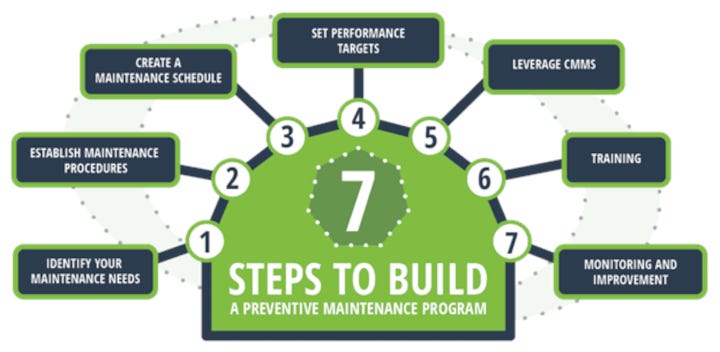
Is your network system running as smoothly as it should? If you want to avoid unexpected downtime, slow connections, or security risks, preventive maintenance is the key.
But what exactly are the steps you need to take to keep your network healthy and reliable? You’ll discover simple, effective actions you can apply right away. By following these steps, you’ll protect your data, save time, and prevent costly repairs.
Keep reading to learn how to take control of your network’s performance before problems even start.
Importance Of Preventive Maintenance
Preventive maintenance is key to keeping your network system running smoothly. It helps you avoid unexpected breakdowns and costly downtime. Instead of reacting to problems, you get ahead of them and protect your business operations.
Think about the last time your network went down unexpectedly. How much time and money did you lose fixing it? Preventive maintenance can save you from these frustrating situations by catching issues early.
Improves Network Reliability
Regular checks and updates ensure that your network components work without interruption. This consistency keeps your users happy and your data flowing. You reduce the chance of sudden failures that can halt productivity.
Extends Equipment Lifespan
Maintaining your hardware and software regularly prevents wear and tear from turning into permanent damage. This means you don’t have to replace expensive equipment as often. Saving money on replacements gives you more budget for upgrades.
Enhances Security
Networks face constant threats from hackers and malware. Preventive maintenance includes updating security patches and monitoring for vulnerabilities. Staying proactive helps you close gaps before attackers exploit them.
Reduces Costs Over Time
It might seem like extra effort upfront, but preventive maintenance lowers repair and emergency expenses later. You avoid emergency repairs, which are often more expensive and disruptive. Planning maintenance keeps your budget predictable.
Supports Compliance And Standards
Many industries require networks to meet specific regulations. Keeping your system well-maintained ensures you stay compliant and avoid fines. It also builds trust with clients and partners who expect secure and reliable networks.
Regular Network Inspections
Regular network inspections are essential to keep your network system running smoothly. They help identify potential issues before they turn into costly problems. By routinely checking your network, you ensure stability and improve overall performance.
Physical Infrastructure Checks
Start with inspecting your network hardware such as routers, switches, and servers. Look for signs of wear or damage like broken ports or overheating components. Dust buildup can cause overheating and slow down devices, so cleaning is a simple yet effective task.
Check the environment around your equipment too. Is the room temperature controlled? Excessive heat or humidity can shorten the lifespan of your hardware. Also, confirm that power supplies and backup systems are functioning properly to avoid unexpected outages.
Cable Management Review
Cables are often overlooked, but they play a crucial role in network reliability. Check for tangled or damaged cables and replace any that show signs of wear. Proper labeling helps you quickly identify connections during troubleshooting or upgrades.
Good cable management reduces interference and improves airflow around devices. Have you noticed any slowdowns or connection drops? Sometimes, simply reorganizing cables can fix these issues without complex interventions.
Hardware Maintenance Tasks
Hardware maintenance is a key part of keeping your network system running smoothly. Neglecting these tasks can lead to unexpected downtime and costly repairs. Focusing on regular upkeep helps you catch small issues before they become major problems.
Router And Switch Firmware Updates
Updating the firmware on routers and switches is essential for security and performance. Firmware updates often include patches that fix vulnerabilities and improve device stability.
If you delay these updates, your network might become exposed to threats or suffer from slowdowns. Schedule firmware checks monthly, and always back up your current configuration before applying updates. This simple routine can save you hours of troubleshooting later.
Server Performance Monitoring
Monitoring your server’s performance helps you spot hardware wear and bottlenecks early. Keep an eye on CPU usage, memory consumption, and disk health regularly.
Using monitoring tools can alert you to unusual spikes or drops in performance. Have you ever experienced a server crash that could have been avoided with timely alerts? Setting thresholds for key metrics ensures you act before a failure occurs.
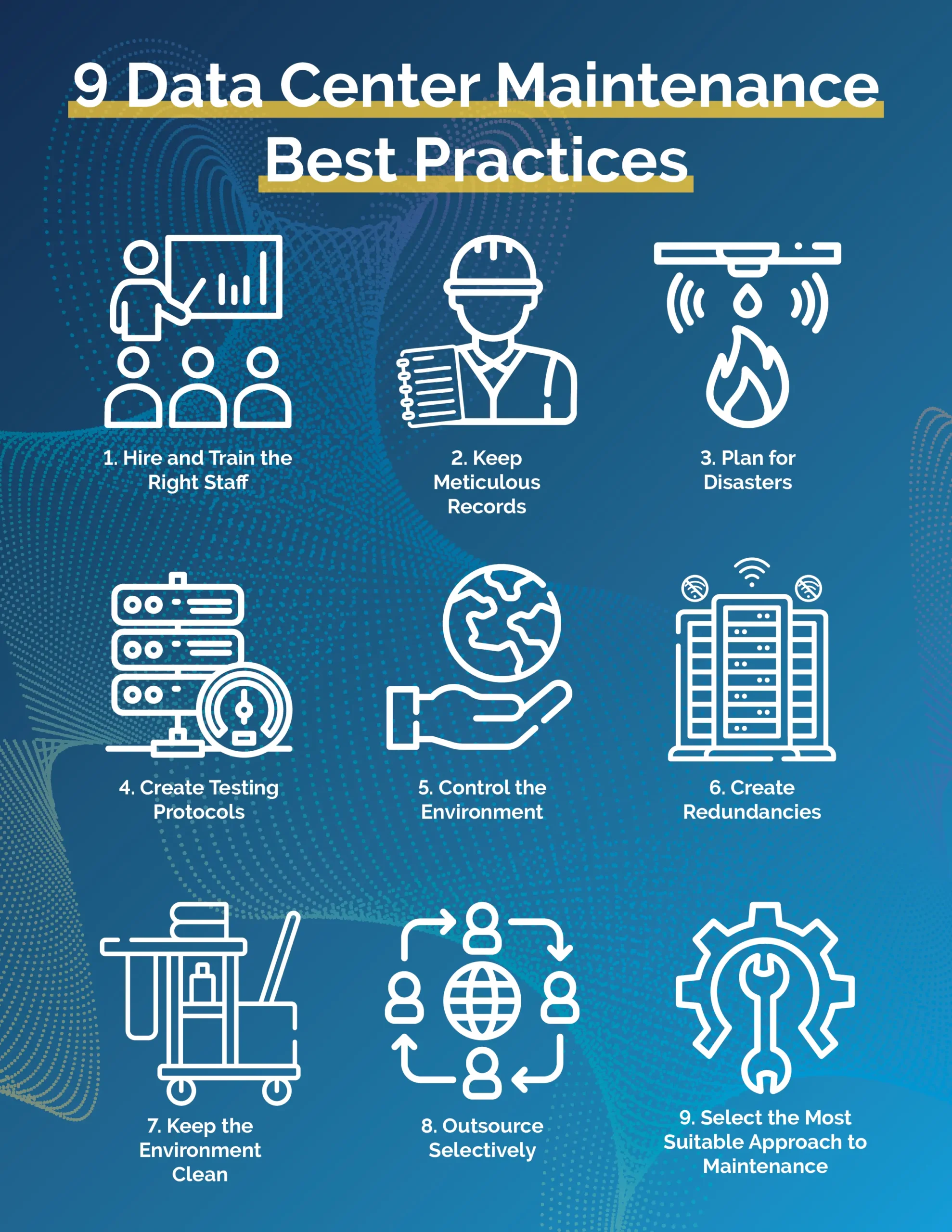
Credit: www.parkplacetechnologies.com
Software And Security Updates
Keeping your network system secure and efficient depends heavily on timely software and security updates. These updates protect your infrastructure from vulnerabilities and improve overall performance. Ignoring this crucial step can leave your network exposed to cyber threats and operational hiccups.
Operating System Patches
Operating system patches fix bugs and close security gaps that hackers can exploit. Missing these updates is like leaving your front door unlocked. Always set up automatic updates or schedule regular checks to ensure your systems run the latest versions.
Consider the case of a company that ignored a critical OS patch. Their network was compromised through a known vulnerability, causing downtime and data loss. Don’t let this be your story—stay proactive with updates.
Antivirus And Security Software
Antivirus and security software need constant updates to recognize new threats. Without these updates, your defense tools become outdated and ineffective. Make it a habit to update your antivirus daily and run scans regularly to catch hidden malware.
Ask yourself: How often do you check if your security software is current? If the answer is rarely, you’re risking your entire network’s safety. Keep your security tools sharp to prevent breaches before they happen.
Network Performance Monitoring
Network performance monitoring plays a crucial role in maintaining a healthy and efficient network system. It helps you identify issues before they escalate and ensures smooth connectivity for all users. By keeping a close eye on network behavior, you can spot bottlenecks, optimize resources, and improve user experience.
Bandwidth Utilization Analysis
Monitoring bandwidth utilization means tracking how much data is being transferred across your network at any given time. This helps you understand if your network is overloaded or if there’s unused capacity that could be better allocated.
Look for unusual spikes in data usage which might indicate unauthorized activity or inefficient applications consuming excess bandwidth. Regular checks can help you set appropriate thresholds and prevent network slowdowns.
Have you ever noticed your internet crawling during peak hours? That’s often a sign your bandwidth is maxed out, and analyzing utilization data can guide you toward upgrading your infrastructure or managing traffic better.
Latency And Speed Tests
Latency measures the delay before a data packet travels from source to destination, while speed tests check how fast your network can send and receive data.
High latency can cause frustrating delays in applications like video calls or online gaming. Running regular speed tests ensures your network delivers the promised performance from your internet service provider.
Try scheduling tests at different times to detect patterns or intermittent issues. This hands-on approach gives you real insights into your network’s responsiveness and helps you pinpoint areas needing improvement.
Backup And Recovery Procedures
Backup and recovery procedures protect your network from data loss and downtime. They ensure quick restoration after failures or attacks. Regular backups and clear recovery plans keep your system stable and secure.
Data Backup Schedules
Set regular times to save copies of important data. Daily backups capture recent changes. Weekly or monthly backups keep older versions safe. Use automated tools to avoid missed backups. Store backup files in multiple locations. Check backup integrity often to ensure usability.
Disaster Recovery Plans
Create a step-by-step guide to restore your network after disruptions. Define roles for team members during recovery. Include instructions to recover data and system settings. Test the plan regularly to find and fix issues. Update the plan after system changes or new threats. A strong recovery plan reduces downtime and data loss risks.
Documentation And Record Keeping
Keeping detailed documentation and records is the backbone of effective preventive maintenance for your network system. Without clear records, troubleshooting becomes guesswork, and recurring issues may slip through unnoticed. Good documentation gives you a clear view of what’s been done and what needs attention next.
Network Configuration Records
Network configuration records are your roadmap. They include IP addresses, device settings, firewall rules, and routing tables. Having this information organized helps you quickly identify changes or errors that might cause disruptions.
Imagine trying to fix a network glitch without knowing the current setup. It wastes time and increases downtime. Keep these records updated every time you modify your network. Use a centralized system where you can store and access all configurations easily.
- Record device models and firmware versions
- Note any custom settings or non-default configurations
- Track changes with timestamps and responsible personnel
Maintenance Logs
Maintenance logs track every action taken on your network system, from routine checks to emergency repairs. These logs help you spot patterns, such as frequent hardware failures or software bugs. When you review past maintenance, you gain insights to prevent future problems.
Write clear entries that include what was done, when, and by whom. Don’t overlook small fixes—they often reveal larger issues over time. For example, frequent reboot logs on a specific router might indicate a failing power supply.
- Document software updates and patches installed
- Record results from network performance tests
- Include notes on any unusual network behavior noticed
How often do you review your maintenance logs? Regular review can turn your records into a powerful tool for proactive network care.

Credit: terotam.com
Training And Awareness
Training and awareness are crucial parts of maintaining a healthy network system. Without well-informed staff, even the best technology can fail. You need your team to recognize risks and know how to react before problems arise.
Staff Training Programs
Regular staff training programs keep your team updated on the latest tools and procedures. Hands-on sessions help employees understand network maintenance tasks clearly. For example, teaching them how to spot unusual network activity can prevent downtime.
Consider scheduling refresher courses every few months to reinforce knowledge. A short, focused workshop can be more effective than long lectures. Have you ever noticed how quickly people forget unused skills? Consistent practice keeps their abilities sharp.
Security Awareness Initiatives
Security awareness initiatives educate your team about potential threats like phishing or malware attacks. These initiatives often include simulated attacks to test employee responses. This real-world practice boosts their confidence and reduces risks.
Simple tips, like avoiding suspicious links or securing passwords, make a big difference. Sharing recent security incidents within your company can also raise alertness. What if your next click could prevent a costly breach? Training your staff to think this way changes how they handle everyday tasks.
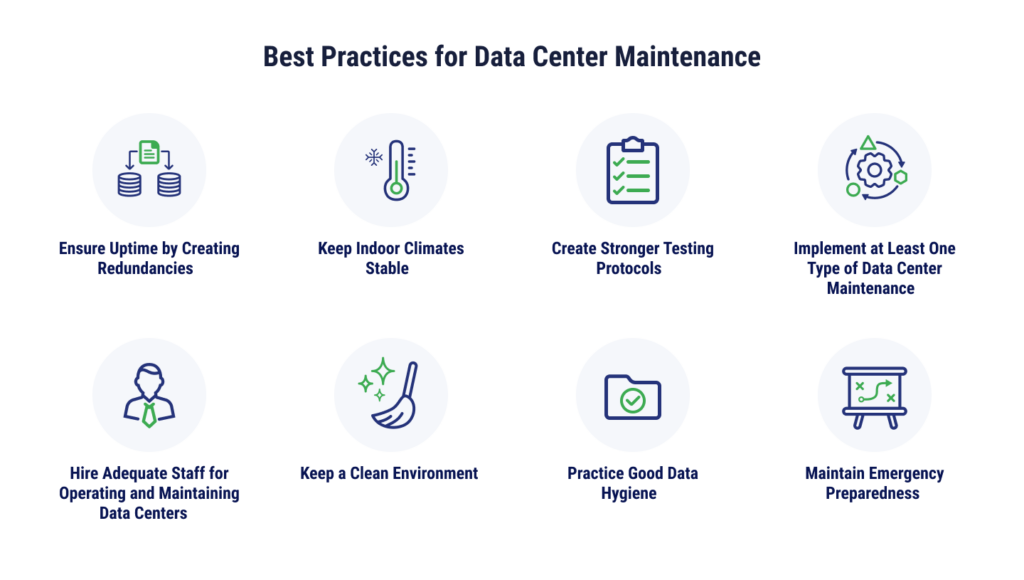
Credit: www.tierpoint.com
Frequently Asked Questions
What Are The Key Preventive Maintenance Steps For Networks?
Preventive maintenance involves regular hardware checks, software updates, security audits, and backup verification. It ensures network stability, prevents downtime, and enhances performance by addressing potential issues early.
How Often Should Network Preventive Maintenance Be Performed?
Network preventive maintenance is best done monthly or quarterly. Frequent checks help detect and fix problems before they impact operations, keeping the system secure and efficient.
Why Is Firmware Update Important In Network Maintenance?
Firmware updates fix security vulnerabilities and improve device functionality. Regular updates protect the network from cyber threats and ensure devices operate smoothly with the latest features.
What Role Does Network Backup Play In Preventive Maintenance?
Regular backups safeguard data against loss from failures or attacks. They enable quick recovery, minimizing downtime and protecting critical business information.
Conclusion
Preventive maintenance keeps your network system running smoothly. Regular checks help spot issues early. Updating software and hardware protects against failures. Clean equipment prevents dust and overheating problems. Backups ensure data safety during unexpected events. Following these simple steps saves time and money.
A healthy network supports better work and communication. Consistent care avoids big, costly repairs later. Small actions now lead to long-term network success. Stay proactive to keep your system reliable every day.
Leave a Reply