Are you curious about electronics but don’t know where to begin? You’re not alone.
Starting an electronic hobby can feel overwhelming with so many parts, tools, and concepts to learn. But what if you could find simple, clear steps to guide you right from the start? This article will help you discover the best places to get started, making your first projects fun and rewarding.
Keep reading, and you’ll soon be building your own cool gadgets with confidence.

Credit: www.reddit.com
Choosing Your First Electronics Kit
Choosing your first electronics kit sets the foundation for your hobby. The right kit helps you learn basics without feeling overwhelmed. It offers hands-on experience with real components and simple projects. A good starter kit sparks curiosity and builds confidence.
Focus on kits that match your interests and skill level. Kits with clear instructions and easy projects make learning fun. Avoid complex kits that require advanced knowledge or many separate tools. Start simple, then grow as you gain skills.
Starter Kits For Beginners
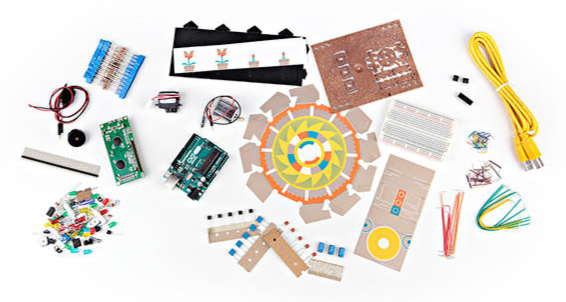
Starter kits include basic parts and guides for simple projects. They teach you about circuits, soldering, and components like resistors and LEDs. Popular kits often have:
- Small breadboards for testing circuits
- Various sensors and switches
- Instruction booklets or online tutorials
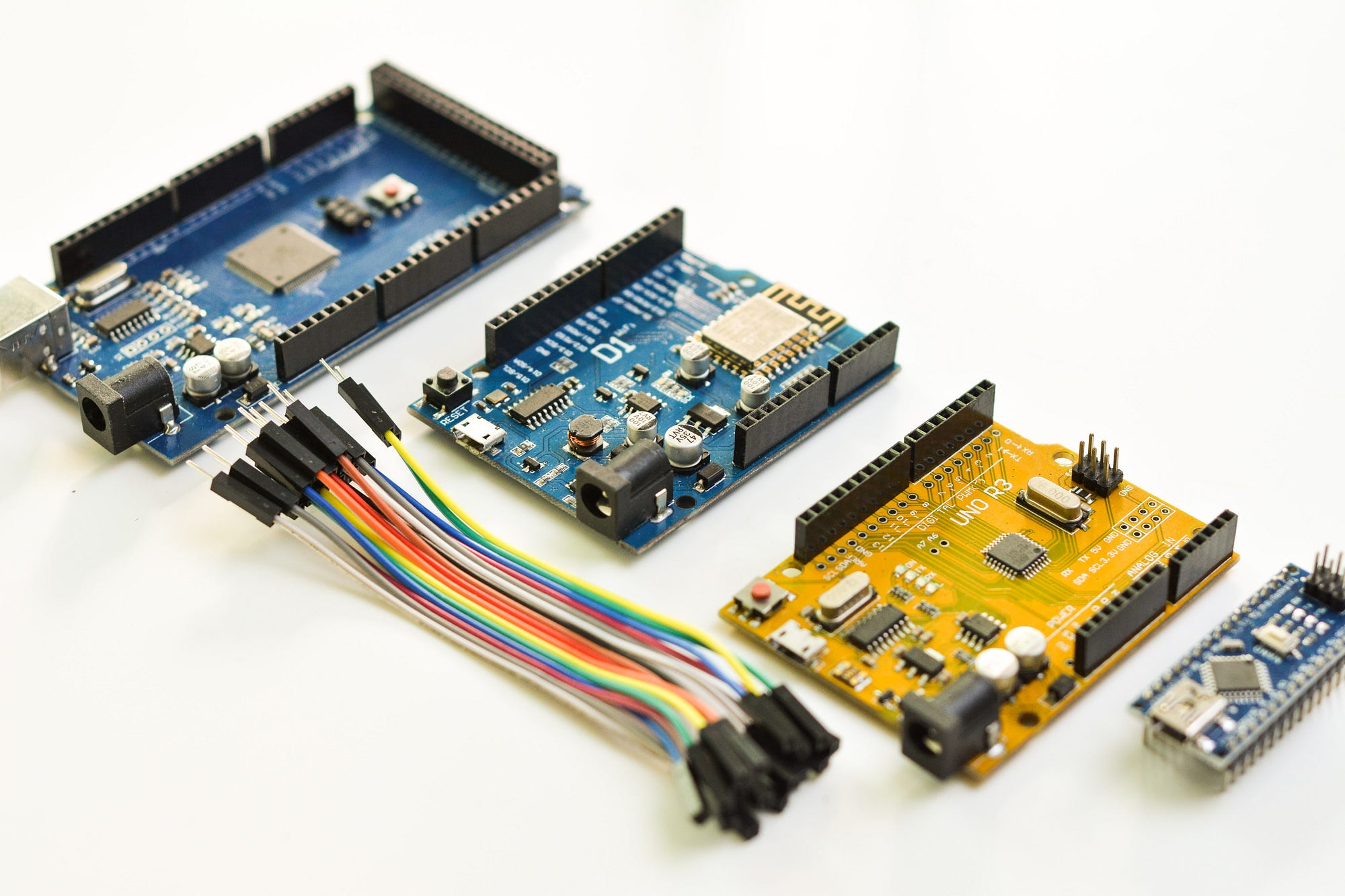
- Microcontrollers like Arduino for programming basics
Choose kits with clear instructions and support materials. Kits with step-by-step projects help you understand each part’s role. Look for kits designed for beginners to avoid confusion.
Essential Tools And Components
Along with a kit, some tools are essential for success. Basic tools include:
- Soldering iron and solder wire
- Wire cutters and strippers
- Multimeter to measure voltage and resistance
- Small screwdriver set
- Tweezers for handling tiny parts
Most starter kits cover basic components but adding tools improves your work. Quality tools make building easier and safer. Keep your workspace clean and organized for better results.
Online Vs Offline Purchases
Buying electronics kits online offers wide choices and often better prices. You can read reviews and compare products easily. Many online stores provide free tutorials and customer support.
Offline stores let you see products before buying. Staff can give advice and help choose the right kit. Local hobby shops may host workshops or meetups for beginners.
Consider your learning style and convenience. Online shopping suits those who prefer self-paced learning. Offline shopping fits those who want personal guidance and instant help.
Basic Electronics Concepts
Understanding basic electronics concepts is the foundation for any electronic hobbyist. These ideas form the building blocks that help you create and troubleshoot simple circuits and projects. Grasping these basics will save you time and frustration while boosting your confidence.
Voltage, Current, And Resistance
Think of voltage as the force pushing electric charge through a circuit. It’s measured in volts (V).
Current is the flow of electric charge, measured in amperes (amps or A). It’s what powers your devices.
Resistance opposes the flow of current, measured in ohms (Ω). It controls how much current flows.
Imagine you’re watering a garden hose: voltage is the water pressure, current is the flow of water, and resistance is a kink in the hose. Understanding how these relate helps you design circuits that work safely and efficiently.
How Circuits Work
A circuit is a closed loop that allows current to flow from a power source, through components, and back again. The path must be complete for electricity to move.
Circuits can be simple, like a battery connected to a light bulb, or complex with multiple components working together.
Have you ever wondered why a flashlight stops working? Often, it’s because the circuit is broken—maybe the batteries are dead, or a wire is loose.
Learning how current flows and how components connect is key to building and fixing circuits yourself.
Common Electronic Components
- Resistors:Control current flow and protect other components.
- Capacitors:Store and release electrical energy, useful for smoothing signals.
- Diodes:Allow current to flow in only one direction, protecting circuits.
- Transistors:Act as switches or amplifiers in circuits.
- LEDs (Light Emitting Diodes):Emit light when current passes through them.
- Switches:Open or close circuits to control current flow.
When I first started, identifying these parts on a circuit board felt like learning a new language. Now, recognizing them helps me understand how devices work and how to build my own projects.
Setting Up Your Workspace
Setting up your workspace is the first step to enjoy your electronics hobby. A well-organized space helps you work faster and avoid mistakes. It also keeps your tools and parts safe and easy to find. Comfort and safety are important for long hours of work.
Organizing Tools And Parts
Arrange your tools in one place for quick access. Use containers or small boxes to separate parts like resistors, capacitors, and wires. Labeling each container saves time. A pegboard or magnetic strip can hold screwdrivers and pliers. Keep your soldering iron on a stand to avoid accidents.
Safety Tips For Electronics Work
Always work in a dry area. Avoid touching live circuits to prevent shocks. Use safety glasses to protect your eyes. Keep a fire extinguisher nearby. Make sure your workspace has good ventilation to avoid fumes. Turn off power sources before starting any work.
Creating A Comfortable Environment
Choose a quiet place with good lighting. Natural light is best, but a bright desk lamp works well. Use a comfortable chair that supports your back. Keep your workspace clean to avoid distractions. Take short breaks to rest your eyes and hands.
Simple Projects To Build Skills
Starting with simple projects is the best way to build your electronic skills. These hands-on experiences help you understand basic components and how they work together. You’ll gain confidence and be ready to tackle more complex builds as you go.
Building A Basic Led Circuit
Creating a basic LED circuit is a perfect introduction. You only need a battery, a resistor, an LED, and some wires. This project teaches you about current flow and how resistors protect components from damage.
Try swapping different resistor values to see how the LED’s brightness changes. This simple experiment helps you grasp electrical resistance in a tangible way. How bright can you make your LED without burning it out?
Assembling A Simple Radio
Building a simple radio might sound tricky, but it’s easier than you think. Kits with clear instructions are widely available and include all necessary parts like coils, capacitors, and transistors. This project helps you learn about signal reception and amplification.
Listening to your own radio station is rewarding and keeps you curious about how signals travel. You’ll start to understand tuning and frequency as you adjust components. What stations can you pick up in your area?
Creating A Battery-powered Fan
A battery-powered fan is a fun way to explore motors and power sources. Using a small motor, a battery pack, and fan blades, you assemble a device that moves air on demand. This project demonstrates energy conversion from electrical to mechanical.
Experiment with different motor speeds or fan blade sizes to see what affects airflow. This hands-on trial teaches you about torque and power efficiency. Can you design a fan that cools effectively while using minimal power?
Learning Resources And Communities
Starting with electronics can feel overwhelming, but the right learning resources and communities make a huge difference. Having access to quality materials and a supportive group can boost your confidence and speed up your progress. Whether you prefer reading, chatting online, or hands-on learning, there’s something to suit your style.
Recommended Books And Tutorials
Books provide structured knowledge and often include detailed explanations and projects you can try. Titles like “Make: Electronics”by Charles Platt and “Practical Electronics for Inventors”by Paul Scherz are excellent for beginners. They break down complex ideas into manageable steps and include practical exercises that help you learn by doing.
Tutorial websites such as Adafruit and SparkFun offer free guides and videos that cover basics to advanced topics. These tutorials often include parts lists and wiring diagrams, making it easier to follow along and build your own circuits. Have you tried following a tutorial that led you to discover something unexpected or fun?
Online Forums And Groups
Communities like the Electronics Stack Exchange, Reddit’s r/electronics, and the EEVblog forum are treasure troves for advice and troubleshooting. You can ask questions, share your projects, and learn from the experiences of others. Many members enjoy helping beginners avoid common pitfalls and find the right tools for their projects.
Joining these groups exposes you to different viewpoints and creative solutions. You might find yourself inspired by a thread or suddenly understand a tricky concept after someone else’s explanation. How often do you check in with a community to keep your motivation high?
Local Workshops And Makerspaces
Nothing beats learning electronics hands-on with guidance. Makerspaces and local workshops provide tools, equipment, and often expert instructors to help you get started. These spaces encourage collaboration, so you can work alongside others who share your interests and learn new techniques in real time.
Check community centers, libraries, or universities nearby for electronics meetups or classes. Many places host workshops on soldering, Arduino programming, or PCB design. Have you considered visiting a makerspace to see how real-world experience can accelerate your learning?
Troubleshooting And Improving
Troubleshooting and improving are key parts of any electronic hobby project. They help you understand how your circuit works and fix problems quickly. This skill also lets you make your projects better over time. Learning these steps saves time and increases your confidence.
Start by finding common errors. Then, use tools like a multimeter to check parts. Finally, think about how to upgrade your design for better results. These actions make your hobby more fun and rewarding.
Common Mistakes To Avoid
- Not checking connections before powering the circuit.
- Using wrong component values or damaged parts.
- Ignoring power supply limits and polarity.
- Skipping the testing phase after building.
- Overlooking simple wiring errors or loose contacts.
Using A Multimeter Effectively
A multimeter helps measure voltage, current, and resistance. It finds broken wires or faulty components fast.
- Set the meter to the correct mode before testing.
- Test the circuit power off for resistance checks.
- Check voltage with the circuit powered on carefully.
- Use continuity mode to find open or short circuits.
- Practice on simple circuits to build confidence.
Upgrading Your Projects
Improving your projects makes them more useful and fun. Small changes can boost performance or add new features.
- Replace basic parts with higher quality components.
- Add sensors or displays to gather more data.
- Use better power supplies for stable operation.
- Improve circuit design for cleaner signals.
- Learn new techniques from books or online tutorials.
Advancing To Complex Projects
Moving beyond basic kits opens up a world of creativity and challenge. Complex projects test your skills and push you to learn new techniques. They also give you the satisfaction of building something truly unique and functional.
Microcontrollers And Programming
Microcontrollers are tiny computers that control electronic devices. Learning to program them lets you add intelligence to your projects. You don’t need to be a coding expert; many beginner-friendly languages like Arduino’s C++ make it easy to start.
Try simple projects like blinking LEDs or reading sensor data to get comfortable. Have you thought about what your first programmable gadget might be? Even a small project can teach you how software and hardware work together.
Soldering Techniques
Soldering is a key skill for making durable, permanent connections in electronics. Proper soldering ensures your circuits don’t fail due to loose wires or poor contacts. It’s worth practicing on scrap components before working on your main projects.
Focus on heating the joint just enough to melt the solder and avoid cold joints. What tools do you have for soldering? Investing in a good soldering iron and quality solder can make a big difference in your results and confidence.
Designing Your Own Circuits
Designing circuits from scratch gives you full control over your project’s functionality. Start by sketching your ideas on paper or using free software like Fritzing or KiCad. This step helps you plan and catch mistakes before building.
Think about the components you need and how they connect logically. Have you experimented with breadboards to test your designs? Prototyping saves time and resources by allowing adjustments before final assembly.
Credit: medium.com

Credit: www.reddit.com
Frequently Asked Questions
What Are The Best Beginner Kits For Electronic Hobbyists?
Beginner kits like Arduino Starter Kits and Raspberry Pi kits offer easy projects. They include components and tutorials, helping you learn basic circuits and programming quickly.
Where Can I Buy Affordable Electronic Components?
Online stores like Amazon, SparkFun, and Adafruit provide affordable components. Local electronics shops also offer resistors, LEDs, and sensors suitable for hobby projects.
How Do I Learn Basic Electronics For Hobbies?
Start with online tutorials, YouTube channels, and beginner-friendly books. Hands-on practice with simple circuits helps reinforce concepts and build confidence.
What Tools Are Essential For Electronic Hobby Projects?
Basic tools include a soldering iron, multimeter, wire cutters, and a breadboard. These tools allow you to build and test circuits effectively.
Conclusion
Starting your electronic hobby journey is easier than you think. Gather basic tools and components first. Explore online tutorials and beginner kits. Experiment with simple projects to build confidence. Join local clubs or online forums. Connect with fellow hobbyists to exchange ideas and tips.
Practice regularly to enhance your skills. Enjoy the process of learning and creating. Remember, patience and curiosity are key. Happy tinkering!
Leave a Reply