Ever thought about making your own music with a personal touch? Imagine tapping out rhythms on an electronic drum pad that you crafted yourself.
It sounds exciting, right? If you’re someone who loves DIY projects and has a passion for music, then creating an electronic drum pad at home might be just the adventure you need. Not only is it a fantastic way to personalize your music-making experience, but it’s also an affordable alternative to store-bought options.
This guide will walk you through the process step-by-step, using simple materials that you might already have. By the end, you’ll not only have a drum pad but also a new skill to boast about. Ready to get started? Let’s dive in and turn your creative vision into reality!
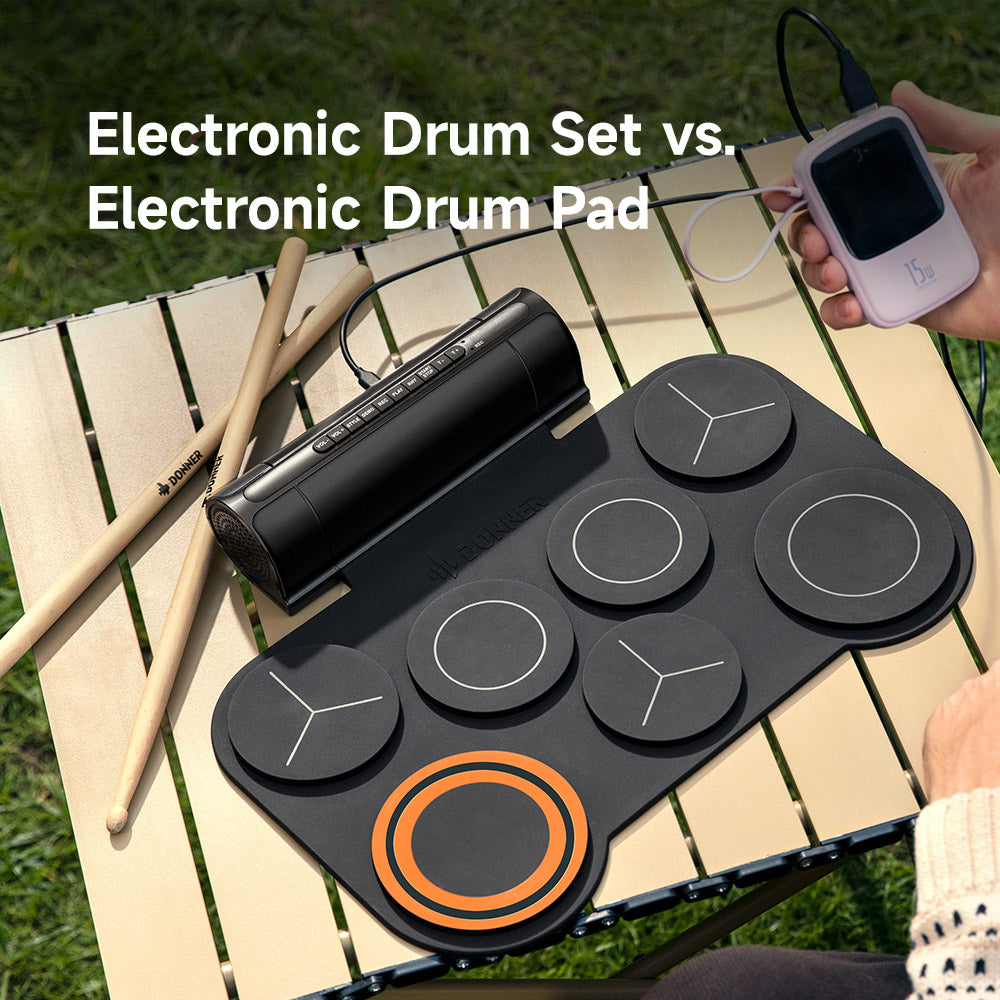
Credit: us.donnermusic.com
Materials Needed
Gathering the right materials is key to building an electronic drum pad at home. This section breaks down the essential parts and tools. It also covers extra items that can improve your drum pad’s performance. Understanding each material helps you prepare better and build with confidence.
Basic Components
- Piezo sensors – detect drum hits and vibrations
- Microcontroller board – processes sensor signals
- Drum pad surface – rubber or silicone for striking
- Wires – connect sensors to the microcontroller
- Resistors – protect circuits and control signal flow
- Power source – battery or USB power supply
- Enclosure – box or frame to hold all parts
Tools Required
- Soldering iron – join wires and components securely
- Wire stripper – remove insulation from wires
- Screwdriver set – assemble the enclosure and parts
- Multimeter – test electrical connections and signals
- Hot glue gun – fix sensors and parts in place
- Drill – create holes in the enclosure if needed
Optional Add-ons
- LED lights – add visual feedback for hits
- Amplifier module – boost sound output
- Bluetooth module – enable wireless connection
- Velocity-sensitive pads – detect how hard you hit
- Custom skins or covers – personalize the drum pad
Preparing The Drum Pad Surface
Preparing the drum pad surface is a key step in making an electronic drum pad at home. The surface affects how the pad feels and how well it detects hits. Choosing the right material, cutting it to shape, and adding a sensitivity layer all help create a responsive pad.
Choosing The Right Material
Pick a material that feels good to hit and lasts long. Rubber sheets work well because they absorb impact and provide good bounce. Silicone or foam can also work but might wear out faster. Avoid hard materials like wood or metal for the top layer.
Look for materials that are:
- Durable
- Soft but firm
- Easy to clean
Cutting And Shaping
Cut the material into a round or square shape that fits your drum pad frame. Use scissors or a craft knife for clean edges. Smooth the edges with sandpaper if needed to avoid sharp spots.
Make sure the shape matches your design. Keep the size consistent to ensure even response across the pad.
Adding Sensitivity Layer
Add a thin layer under the surface to help detect hits. This can be a piezo sensor or pressure-sensitive film. Attach it firmly to avoid movement during use. Connect wires carefully for best signal quality.
The sensitivity layer turns physical hits into electronic signals. Proper placement ensures the pad responds quickly and accurately.
Setting Up The Sensors
Setting up the sensors is a key part of making an electronic drum pad at home. Sensors detect your hits and send signals to create drum sounds. Proper setup ensures accurate response and better playability.
This process involves choosing the right sensors, connecting them correctly, and testing their response. Each step affects how well your drum pad works.
Types Of Sensors
Different sensors capture hits in various ways. Here are common types used in electronic drum pads:
- Piezoelectric Sensors:These are popular for drums. They generate voltage when hit, perfect for detecting drum strikes.
- Force Sensitive Resistors (FSRs):These sensors change resistance based on pressure. They offer good sensitivity for soft and hard hits.
- Switch Sensors:Simple on/off sensors that detect hits by closing a circuit. Less sensitive but easy to use.
Piezo sensors are usually the best choice because they provide fast and reliable signals.
Wiring The Sensors
Correct wiring connects sensors to your drum pad’s control board. Use a breadboard or solder connections for a strong setup.
- Attach one wire of the sensor to the input pin on the control board.
- Connect the other wire to the ground (GND) pin.
- Use resistors if needed to protect the circuit and ensure signal clarity.
- Keep wires short to reduce noise and improve signal quality.
Label each wire to avoid confusion during assembly. Secure all connections tightly to prevent loose contacts.
Testing Sensor Response
After wiring, test each sensor to check its response. This step confirms everything works correctly.
- Hit the sensor gently and listen for sound or watch signal output on your device.
- Adjust sensitivity settings if your control board supports it.
- Ensure no false triggers occur when sensors are untouched.
- Check that each sensor responds equally to similar hits.
Use a multimeter to measure voltage changes for more precise testing. Fix any weak connections or faulty sensors before final assembly.
Credit: medium.com
Building The Circuit
Building the circuit is a crucial part of making your electronic drum pad. This phase turns your ideas into a working device. You will connect sensors, choose the right controller, and set up power. Each step affects how well your drum pad performs.
Microcontroller Selection
The microcontroller acts as the brain of your drum pad. Choose one with enough input pins for your sensors. Popular choices include Arduino Uno, Teensy, or ESP32. Pick a microcontroller with good community support and easy programming.
Consider these factors:
- Number of analog and digital inputs
- Processing speed
- Compatibility with sensors
- Power consumption
Connecting Sensors To Microcontroller
Sensors detect your drum hits and send signals to the microcontroller. Common sensors are piezoelectric discs or force-sensitive resistors (FSRs). Attach the sensors to each drum pad surface securely.
Use the following steps to connect sensors:
- Connect sensor output to analog input pins
- Add resistors to limit current and protect inputs
- Use shielded wires to reduce noise
- Secure connections with solder or breadboard
Test each sensor separately to ensure it responds to hits.
Power Supply Setup
Your circuit needs a stable power supply for smooth operation. Use a 5V or 3.3V regulated power source matching your microcontroller. Common options include USB power or battery packs.
Follow these tips for power setup:
- Use voltage regulators if needed
- Add capacitors to smooth power fluctuations
- Check connections for stability
- Ensure power source can handle current demand
Proper power setup prevents resets and signal errors.
Programming The Drum Pad
Programming your electronic drum pad is where the magic happens. This step transforms your hardware into a responsive musical instrument. You’ll bring your drum pad to life by telling it how to read input signals and play sounds.
Installing Required Software
You need the right software to program your drum pad’s microcontroller. Most DIY kits use platforms like Arduino IDE or similar environments. Download and install the software that matches your hardware.
Once installed, make sure you add any necessary libraries for handling sensors and audio. These libraries simplify your coding process and avoid reinventing the wheel.
Writing Sensor Code
Sensor code reads signals from your drum pad’s touch or pressure sensors. Your code must detect when you hit a pad and convert that into a digital signal. This involves setting up input pins and writing functions to handle sensor data.
Test your code frequently by tapping the pads and watching the sensor output. Adjust sensitivity settings so the drum pad responds exactly how you want it. Have you tried changing the threshold values to see how it affects the playability?
Mapping Drum Sounds
Now, connect each sensor input to a specific drum sound. You can use WAV or MP3 files stored on an SD card or generate sounds through MIDI commands. Mapping is about assigning sounds so that each pad triggers a unique drum hit.
- Define a clear structure in your code for each pad and its sound.
- Keep your sound files organized and named logically.
- Test each pad individually to confirm the correct sound plays.
Customizing your sound mappings lets you create a personalized drum kit. What if you added some non-traditional sounds, like electronic effects or your own recordings?
Assembling The Drum Pad
Assembling your electronic drum pad is where your project starts to come alive. This phase requires patience and attention to detail, as you bring together all the parts that will make your drum pad responsive and durable. Let’s break down the key steps to ensure your drum pad works smoothly and feels great to play.
Mounting Components
Begin by fixing the drum sensors onto the drum surface. Use a sturdy base like plywood or acrylic to hold everything firm. Make sure the sensors are evenly spaced so each pad has a consistent touch response.
Use screws or strong adhesive to mount the piezo sensors. Avoid over-tightening, as it might damage the sensors or reduce their sensitivity.
Think about how you want to position the trigger pads for comfort and playability. Would you prefer them closer together or spread out? Your setup should fit your playing style.
Securing Wiring
Once the sensors are mounted, it’s time to manage the wiring. Keep wires neat and avoid overlapping to prevent signal interference or accidental disconnections.
Use cable clips or zip ties to hold wires in place along the board. Secure connections with soldering or strong connectors to maintain consistent signal transmission.
Check each wire connection carefully. Loose wiring can cause unpredictable sounds or missed hits, which can be frustrating during practice or recording.
Final Touches
After mounting and wiring, test each pad to ensure it triggers correctly. Adjust sensor placement or wiring if any pad feels unresponsive or too sensitive.
Add a layer of foam or rubber under the drum surface to absorb impact and improve the feel. This small addition can make a big difference in your playing experience.
Consider labeling each pad to easily identify sounds during use. Customizing your drum pad layout will help you stay organized and focused on your rhythm.
Testing And Troubleshooting
Testing and troubleshooting your homemade electronic drum pad is essential to ensure it performs well and delivers the sound you expect. This stage helps you identify any hiccups early and fix them before they become frustrating. Paying attention to details now saves time and enhances your playing experience later.
Checking Sound Output
Start by connecting your drum pad to your audio system or headphones. Hit each pad gently and listen for clear, consistent sounds. If some pads don’t produce sound or the volume is uneven, note which ones need attention.
Try different strike intensities to see if the pad responds dynamically. Uneven sound can mean a loose connection or faulty sensor. Have you noticed any delay between hitting the pad and hearing the sound? That lag could signal wiring or software issues.
Sensor Calibration
Sensors must be properly calibrated to detect hits accurately. Use the calibration tool or software that came with your hardware, or a simple multimeter to check sensor resistance. Adjust sensitivity settings until the pads respond correctly to your touch.
Calibration isn’t just about sensitivity; it’s about consistency. Make sure each pad’s sensor triggers sound at roughly the same pressure. How different is the feel between pads? Fine-tuning this ensures your playing feels natural and smooth.
Fixing Common Issues
Common problems include no sound, weak response, or double triggering. Start by checking all wiring connections for firmness and correct placement. Loose or crossed wires are often the culprit.
If a pad triggers twice with one hit, it might be too sensitive or picking up interference. Try shielding cables or adjusting the sensor position slightly. Is a particular pad always silent? Replace its sensor or check solder joints.
- Check for shorts in wiring with a multimeter
- Reseat connectors and test after each adjustment
- Use foam or rubber under the pads to reduce unwanted vibrations
Testing and troubleshooting might seem tedious, but it’s rewarding when your drum pad finally works smoothly. What’s the one issue you find most challenging to fix? Tackling it head-on builds your confidence and skill in DIY electronics.
Customizing Your Drum Pad
Customizing your electronic drum pad lets you tailor the experience exactly to your style and needs. It’s where your creativity meets functionality, making your homemade kit truly yours. Small tweaks here and there can make a big difference in how you play and enjoy your setup.
Adding More Pads
Want to expand your range? Adding more pads is a great way to introduce new sounds and complexity to your kit. You can use small drum triggers or even repurpose old drum heads to create additional pads.
Think about what sounds you’re missing. Maybe a crash cymbal or a hi-hat? Adding those pads will bring your kit closer to a full drum set. Keep wiring neat and make sure your controller or sound module supports extra inputs.
Enhancing Sound Library
Sound variety keeps your playing fresh and inspiring. You can load different drum kits or samples onto your module or software to customize your sound library. Free and paid sample packs are available online, ranging from classic rock kits to electronic beats.
Try mixing acoustic and electronic sounds to find unique blends. Ever thought of adding ambient noises or non-traditional percussion? This can make your pad stand out during practice or performances.
Improving Portability
If you plan to carry your drum pad to gigs or rehearsals, portability matters a lot. Use lightweight materials like foam or thin plywood for the pad base. Compact designs with foldable or detachable parts can save space and reduce weight.
Consider a battery-powered sound module to avoid reliance on power outlets. How often do you move your kit? Designing it for easy setup and teardown makes your life simpler and your music more spontaneous.

Credit: www.youtube.com
Frequently Asked Questions
What Materials Are Needed To Build An Electronic Drum Pad?
You need piezo sensors, a microcontroller, foam or rubber pads, wires, and a sound module. Basic tools like a soldering iron and a multimeter also help. These materials ensure accurate sound detection and durability for your homemade drum pad.
How Do Piezo Sensors Work In Drum Pads?
Piezo sensors detect vibrations when you hit the drum pad. They convert these vibrations into electrical signals. The microcontroller processes these signals to trigger drum sounds. This technology allows for responsive and realistic drumming experiences.
Can I Connect My Homemade Drum Pad To A Computer?
Yes, you can connect it via USB or MIDI interfaces. Use a compatible microcontroller like Arduino with MIDI support. This setup lets you control drum software or digital audio workstations (DAWs) on your computer.
Is Soldering Necessary For Making A Drum Pad?
Soldering is recommended for stable electrical connections. It ensures reliable signal transmission between sensors and the microcontroller. However, some kits offer plug-and-play connectors as alternatives for beginners.
Conclusion
Making your own electronic drum pad is simple and fun. You only need a few tools and parts. Follow the steps carefully and take your time. Testing your pad often helps find any problems early. Playing with your homemade drum pad can improve your skills.
It also saves money compared to buying one. Keep practicing and enjoy the sounds you create. This project shows how creativity meets music at home. Try different materials to find what works best for you. Building your own drum pad brings a great sense of pride.
Give it a try and see what you can make!
Leave a Reply