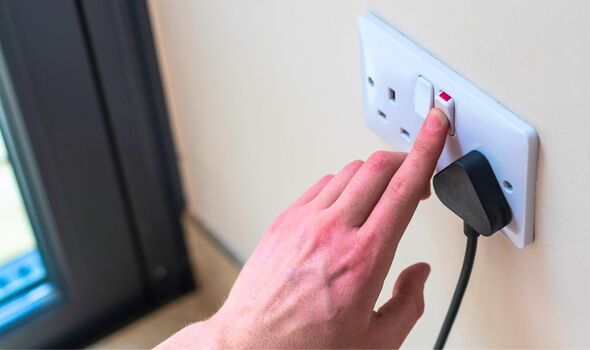
Have you ever wished for a little more peace and quiet at home? Maybe you’re looking to cut down on your electricity bill or reduce distractions during family time.
Whatever your reason, learning how to disable all your home electronics during certain hours can be a game-changer. Imagine the tranquility of an evening without the hum of gadgets, or the joy of uninterrupted conversations. In this guide, you’ll discover simple steps to take back control of your home environment.
Get ready to transform your living space into a haven of calm and efficiency. Stick around to learn how you can make this happen effortlessly.
Credit: www.blanquivioletas.com
Reasons To Disable Electronics
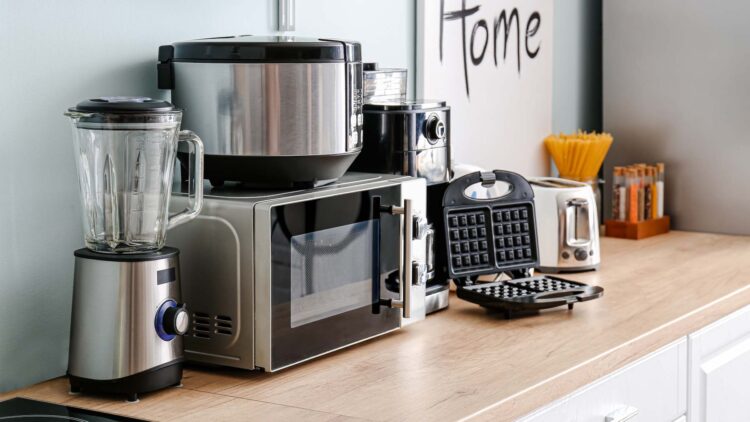
Disabling home electronics during certain hours offers many advantages. It helps create a calm environment and improves daily life quality. Turning off devices is a simple step with powerful effects on health, energy use, and mental clarity.
Health Benefits
Electronics emit blue light that affects sleep cycles. Reducing screen time at night helps the body produce melatonin naturally. This hormone controls sleep and wake patterns. Less exposure to screens also lowers eye strain and headaches. Quiet time without electronics reduces stress and improves mental health.
Energy Savings
Turning off devices saves electricity and lowers bills. Many electronics consume power even when on standby mode. Disabling all electronics during specific hours cuts this hidden energy use. Saving energy also reduces your home’s carbon footprint. Small changes add up to big environmental benefits.
Enhancing Focus And Sleep
Electronics can cause distractions and reduce productivity. Turning them off helps maintain focus on important tasks. It creates a peaceful space for reading, thinking, or hobbies. Electronics off before bed prepare the mind for deep sleep. Better sleep improves memory, mood, and overall well-being.
Credit: www.669-heat.com
Manual Vs Automated Methods
Choosing between manual and automated methods to disable your home electronics during certain hours depends on your lifestyle and preferences. Each approach offers distinct advantages and challenges that can affect convenience, control, and energy savings.
Pros And Cons Of Manual Control
Manual control means you physically turn off devices or unplug them when you want to stop their use. This gives you full control over which electronics are active at any time.
Pros:
- No need for extra gadgets or setup—just your hands and attention.
- Instant decision-making lets you override schedules easily.
- Complete control over devices without relying on technology or apps.
Cons:
- Requires discipline and memory to switch off devices consistently.
- Can be inconvenient if you have many electronics spread around your home.
- Missed or forgotten turn-offs lead to wasted energy and higher bills.
Have you ever left a device running simply because you forgot to turn it off? Manual control demands constant awareness, which can be tough on busy days.
Using Smart Plugs And Timers
Automated methods use technology like smart plugs or timers to switch off electronics at preset times without your intervention.
Benefits of smart plugs and timers:
- You set a schedule once, and devices turn off automatically every day.
- Many smart plugs allow remote control via apps, adding flexibility.
- Energy usage can be tracked, helping you identify savings opportunities.
Things to consider:
- Initial cost and setup time for devices and apps.
- Dependence on Wi-Fi and technology that might malfunction.
- Some devices may not respond well to sudden power cuts if not designed for it.
Imagine coming home to a dark, quiet house because your electronics turned off automatically hours ago. That level of convenience can change how you manage your energy use and daily routines.
Setting Up Smart Home Devices
Setting up smart home devices helps control your electronics easily. These devices let you turn off all home electronics during specific hours. This setup saves energy and reduces distractions. The key is to choose the right devices and set them up correctly. The process is simple and does not require advanced skills.
Choosing Compatible Devices
Select devices that work well with your current home setup. Look for smart plugs, smart switches, or hubs that support popular platforms like Alexa or Google Home. Check the device specifications for compatibility with your electronics and Wi-Fi network. Choose devices with scheduling features to automate power control. Read user reviews to ensure reliability and ease of use.
Installing And Configuring Devices
Start by placing smart plugs or switches on the electronics you want to control. Follow the manufacturer’s instructions to connect devices to your Wi-Fi network. Use the companion app to link all devices to a central hub or your phone. Set up schedules in the app to turn off devices during your chosen hours. Test the setup to confirm devices power off and on as planned. Adjust settings if needed for smooth operation.
Scheduling Electronics Shutdown
Scheduling electronics shutdown helps control energy use and reduce distractions. It creates a quiet environment during specific hours. This practice also extends the life of your devices by preventing overuse.
Many devices and systems offer ways to set automatic off times. These options make it easy to power down electronics without manual effort. Here are some simple approaches to schedule electronics shutdown.
Using Built-in Timers
Many home electronics include built-in timers. These let you set specific hours for devices to turn off automatically. Common electronics with timers include TVs, air conditioners, and smart plugs.
To use a built-in timer:
- Find the timer setting on the device’s menu or remote control.
- Choose the time to power off the device.
- Confirm and save the settings.
This method is easy and needs no extra tools. It works well for single devices or small setups.
Apps For Automation
Apps can control multiple electronics from one place. Many smart home brands offer free apps for scheduling. These apps let you set daily or weekly shutdown routines.
Features of automation apps include:
- Creating custom on/off schedules.
- Grouping devices for simultaneous control.
- Receiving notifications about device status.
Apps simplify managing many devices. They also allow remote control when you are away from home.
Voice Assistant Integration
Voice assistants like Alexa, Google Assistant, and Siri can schedule shutdowns. You can give voice commands to turn off devices or set timers. These assistants work with compatible smart devices.
Benefits of voice control include:
- Hands-free operation.
- Quick adjustments without using apps or remotes.
- Integration with other smart home features.
Voice assistants add convenience to managing electronics shutdown. They support a smoother daily routine.
Tips For Maintaining Electronics Lifespan
Maintaining the lifespan of your home electronics is important. Proper care helps devices last longer and work better. Managing how and when you turn off electronics can protect their internal parts. Simple habits can prevent damage and reduce repair costs. This section shares tips on keeping your devices healthy while disabling them during set hours.
Avoiding Frequent Power Cycling
Turning electronics on and off too often can harm their components. Frequent power cycling causes stress on circuits and reduces device life. It is better to keep devices on if you will use them again soon. For longer breaks, power off completely but avoid rapid switching. Use smart plugs or timers to schedule power off times smoothly.
Safe Shutdown Practices
Always shut down electronics properly before cutting power. Use the device’s shutdown menu instead of unplugging directly. This process lets software save work and close safely. Sudden power loss can cause data loss or hardware damage. For computers, wait until the screen turns off fully before unplugging. For other electronics, follow manufacturer shutdown guidelines closely.
Troubleshooting Common Issues
Disabling all home electronics during specific hours can streamline your energy use and boost your home’s security. However, you might hit some bumps along the way. Troubleshooting these common issues helps keep your setup smooth and stress-free.
Connectivity Problems
Connectivity issues often arise when your devices don’t communicate properly with your smart home system. This can happen if your Wi-Fi signal is weak or if your router is overloaded with too many devices.
Try moving your router closer to the main control hub or use Wi-Fi extenders to strengthen the signal. Restarting your router and devices can also clear temporary glitches.
Have you checked if any nearby electronics interfere with your Wi-Fi? Microwaves and cordless phones can sometimes cause unexpected drops in connection.
Device Compatibility
Not all home electronics support scheduled power-offs or smart control. Some older devices might lack the necessary features or firmware updates to respond correctly.
Check each device’s manual or manufacturer website to confirm compatibility with your automation system. If a device isn’t compatible, consider adding smart plugs or switches that can control power remotely.
Remember, forcing incompatible devices into automated schedules might cause malfunctions or reduce their lifespan. Is it worth upgrading your devices for better control?

Credit: www.reddit.com
Frequently Asked Questions
How Can I Schedule Disabling Home Electronics Automatically?
You can use smart plugs or timers to schedule power off times. Connect devices to these and set specific hours to disable electronics automatically.
What Are The Benefits Of Disabling Electronics At Night?
Disabling electronics saves energy, reduces electricity bills, and prevents overheating. It also minimizes distractions and promotes better sleep quality.
Can I Disable All Devices Using One Smart Home System?
Yes, smart home hubs can control multiple devices simultaneously. You can create routines to turn off all connected electronics during set hours.
Are There Safety Concerns When Disabling Electronics Regularly?
No significant safety risks exist if devices are powered off properly. Avoid abrupt unplugging of sensitive equipment to prevent damage.
Conclusion
Disabling home electronics during certain hours saves energy and reduces bills. It also helps create a quiet, peaceful environment for rest or focus. Setting timers or using smart plugs makes this task easy and automatic. Try these steps to control your devices better and enjoy a simpler daily routine.
Small changes can lead to big benefits for your home and wallet. Give it a try and notice the difference yourself.
Leave a Reply