Have you ever wondered how home electronic monitoring really works? This fascinating technology can seem mysterious, yet it plays a crucial role in keeping communities safe and ensuring individuals stay accountable.
Whether you’re curious because a loved one is using it, or you simply want to understand more about this modern marvel, you’re in the right place. Imagine having the power to transform lives with the click of a button, making sure rules are followed without the need for constant supervision.
Intrigued? Dive into this article to uncover the mechanics behind home electronic monitoring and discover why it could be a game-changer for justice and security.
Credit: www.security.org
Basics Of Home Electronic Monitoring
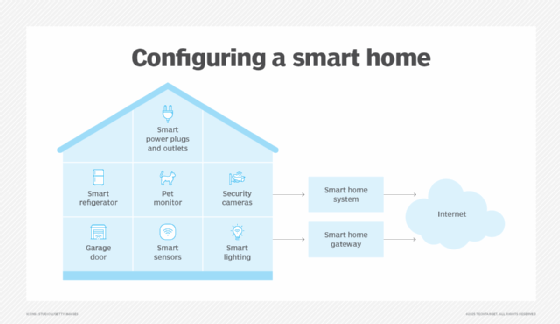
Understanding the basics of home electronic monitoring helps you see how technology can keep your property safe and secure. This system uses electronic devices to watch over your home, sending real-time updates and alerts. It’s not just about surveillance but about creating peace of mind with smart, reliable tools.
Types Of Monitoring Systems
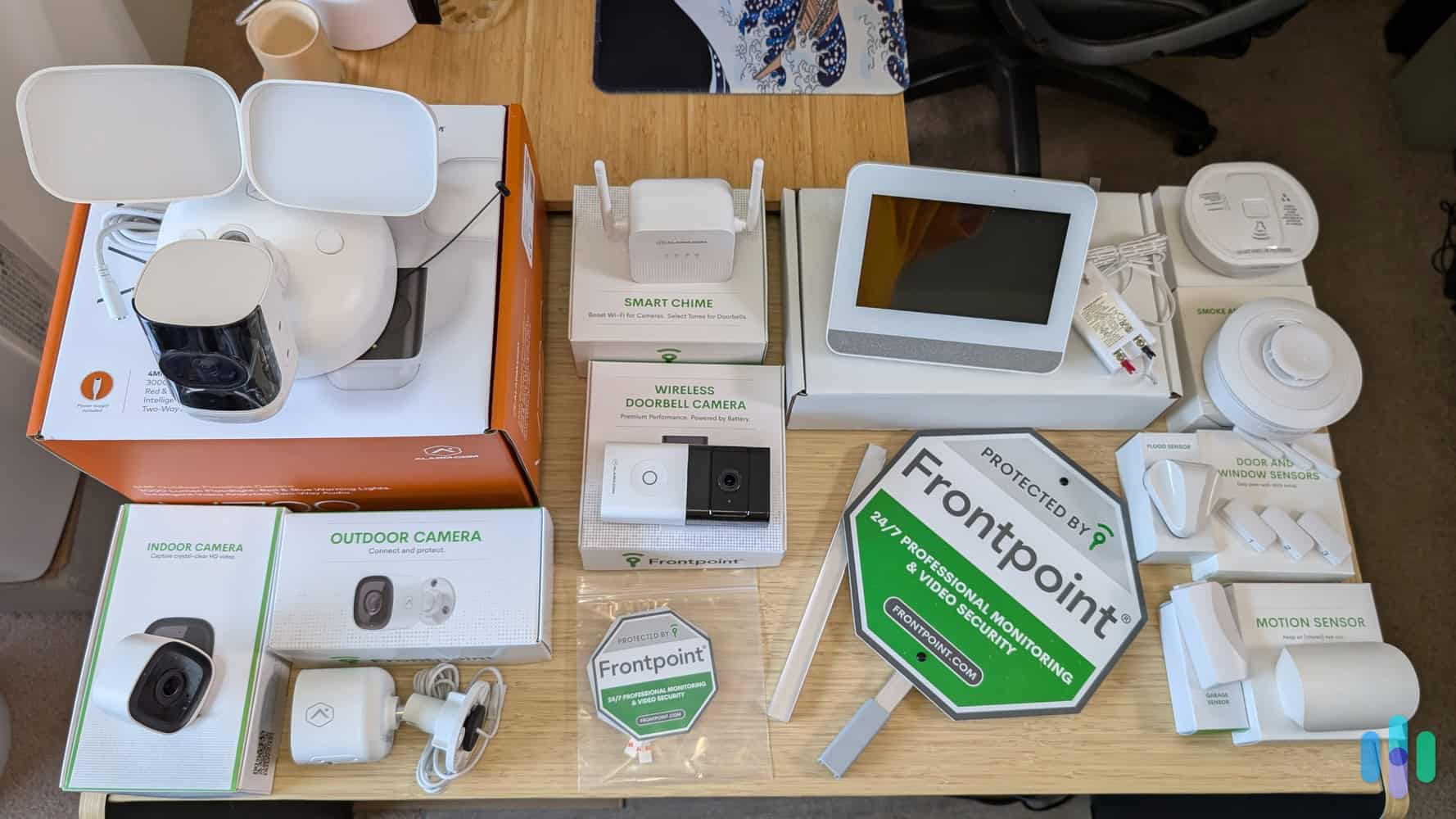
There are several types of home electronic monitoring systems, each designed to meet different needs. Some focus on video surveillance, using cameras to capture live footage. Others monitor environmental factors like smoke, carbon monoxide, or water leaks.
- Video Monitoring:Cameras placed inside or outside your home provide continuous or motion-triggered recording.
- Environmental Sensors:Devices detect hazards such as fire, gas leaks, or flooding.
- Access Control:Systems that track door and window openings or use smart locks.
- Motion Detectors:Sensors that alert you to unexpected movement within your property.
Choosing the right system depends on what you want to protect and how you want to receive alerts.
Key Components Involved
At the heart of home electronic monitoring are a few essential parts working together. Cameras and sensors gather data, while a control panel or central hub processes the information. This hub often connects to your smartphone or computer, allowing you to monitor your home remotely.
- Sensors and Cameras:The eyes and ears of the system, capturing activity and environmental changes.
- Control Panel or Hub:Collects data from sensors and manages system functions.
- Communication Module:Sends alerts via Wi-Fi, cellular, or wired networks.
- User Interface:Apps or web portals where you view live feeds and control settings.
Think about how these parts work together to give you instant updates and control, no matter where you are.
How Data Is Collected
Data collection in home monitoring is both continuous and event-driven. Sensors constantly scan for changes like movement or temperature shifts. When something unusual occurs, the system records the event and sends alerts to your device.
This process helps reduce false alarms by focusing on significant activity. You can customize sensitivity levels and notification preferences to suit your lifestyle. What if you could adjust your system to only notify you during certain hours or when specific sensors are triggered?
This flexibility makes monitoring smarter and less intrusive, fitting seamlessly into your daily routine.
Installation Process
Installing a home electronic monitoring system is more straightforward than many expect. It involves a few key steps that ensure your system works reliably to keep your home safe. Paying attention to each part of the installation process can save you time and prevent headaches later.
Choosing The Right Location
Where you place your monitoring devices matters. You want spots that cover main entry points like front doors, windows, and garages. Think about areas with good visibility but not easily tampered with.
Consider placing sensors in rooms where valuables are stored or where unusual activity would be a concern. Have you noticed any blind spots around your home that might need extra attention?
Wiring And Setup
Once locations are set, the next step is wiring. Some systems are wireless, but many still require connecting sensors to a central control panel. Ensure cables are hidden or secured to avoid damage or accidental unplugging.
Follow the manufacturer’s instructions carefully. If you’re not comfortable with electrical work, hiring a professional can prevent costly mistakes. Setting up your system correctly is crucial for accurate monitoring and alerts.
Testing The System
After installation, testing your system is essential. Run through different scenarios to check sensor responsiveness and alarm triggers. This helps catch any faults before you rely on the system for your security.
Try opening doors or windows where sensors are installed to see if the alert activates. Testing regularly, not just after installation, keeps your system effective and trustworthy.
Types Of Sensors Used
Understanding the types of sensors used in home electronic monitoring can help you choose the right system for your needs. Each sensor plays a unique role in keeping your home safe and secure. Let’s look closely at some of the most common and effective types.
Motion Detectors
Motion detectors sense movement within a specific area. They use technologies like infrared, ultrasonic, or microwave signals to detect changes caused by moving objects. If unexpected motion is detected, the system triggers an alert, helping to catch intruders early.
Think about the last time you entered a dark room and a light turned on automatically—that’s a simple use of motion detection. In home security, these sensors can cover large spaces, reducing the number of devices you need. Do you know which areas in your home would benefit most from motion detectors?
Door And Window Sensors
These sensors monitor the opening and closing of doors and windows. Typically, they consist of two parts: one attached to the door or window frame, and the other to the moving part. When separated, the sensor sends a signal to your monitoring system.
They’re easy to install and provide a clear way to detect unauthorized entry points. Imagine coming home and knowing instantly if any door or window was opened while you were away. Where would you place these sensors to maximize your home’s security?
Video Cameras
Video cameras capture real-time footage of your property. Many come with night vision and motion-triggered recording. With modern apps, you can watch live streams from anywhere, adding an extra layer of peace of mind.
Cameras act as both a deterrent and a tool for evidence collection. You might find it reassuring to review footage after an incident or simply check on your home remotely. Have you considered how visible cameras might influence the behavior of potential intruders?
Connectivity And Data Transmission
Connectivity and data transmission form the backbone of home electronic monitoring systems. They determine how effectively your devices communicate and how quickly you receive alerts or footage. Understanding these elements helps you choose the best setup that fits your home and lifestyle.
Wired Vs Wireless Options
Wired connections use cables like Ethernet to link your monitoring devices directly to your network. They offer stable and fast data transfer but can be tricky to install, especially in larger homes or places with complex layouts.
Wireless options rely on Wi-Fi or other radio frequencies, giving you flexibility in device placement without the hassle of cables. However, wireless signals can face interference from walls, other electronics, or distance, which might affect performance.
Think about your home’s layout and your willingness to manage cables before choosing. Have you ever struggled with weak Wi-Fi signals in certain rooms? That’s a common challenge with wireless setups.
Network Requirements
Your monitoring system’s network needs depend on the number of devices and the video quality they stream. High-definition cameras require more bandwidth and a strong, consistent internet connection to avoid lag or dropped frames.
Most systems recommend at least 2 Mbps upload speed per camera for smooth streaming. If you have multiple cameras, you’ll need to multiply this requirement accordingly.
Check your current internet plan and router capabilities. Is your network optimized for heavy data traffic, or do you notice slowdowns when multiple devices are active? Upgrading your router or internet speed might be necessary to keep your system running smoothly.
Cloud Storage And Local Storage
Data from your monitoring devices needs a place to live. Cloud storage sends your footage to remote servers, allowing you to access it anytime from anywhere. It’s convenient but usually comes with monthly fees and depends on your internet connection.
Local storage saves data on physical devices like SD cards or network-attached storage (NAS). This option eliminates ongoing costs and keeps your footage within your home, which some users prefer for privacy reasons.
Consider how often you review your recordings and your comfort level with storing data online. Would you feel safer with a physical backup at home, or do you prefer the flexibility of cloud access? Your choice impacts your monitoring experience significantly.
Monitoring And Alerts
Home electronic monitoring keeps your property safe by continuously watching activities. It tracks movement, sounds, and even environmental changes. The system sends alerts quickly to notify you about any unusual events. This helps you react fast and protect your home.
Real-time Monitoring
Real-time monitoring means the system checks your home constantly. Sensors and cameras send live data to a central unit. You can see what is happening at any moment. This instant access helps catch problems early.
Alert Notifications
Alert notifications inform you right after detecting something unusual. You receive messages on your phone or email. Alerts can include:
- Motion detected
- Door or window opened
- Smoke or fire alarms
- Water leaks
These quick alerts let you act immediately and avoid damage or theft.
Remote Access
Remote access allows you to check your home from anywhere. Use a smartphone or computer to view live video or sensor data. This feature offers peace of mind when you are away. You can also control devices like alarms or locks remotely.
Credit: www.emporiaenergy.com
Integration With Smart Home Devices
Integrating home electronic monitoring with smart home devices transforms how you control and protect your living space. It lets you manage security, convenience, and energy use all from one place. This connection brings new levels of efficiency and responsiveness to everyday tasks.
Voice Assistants
Voice assistants like Alexa, Google Assistant, or Siri let you interact with your home monitoring system hands-free. You can ask about your home’s security status or control cameras and alarms with simple voice commands.
Imagine saying, “Is the back door locked?” and getting an instant answer without lifting a finger. This ease of use encourages more consistent monitoring and quick responses during emergencies.
Home Automation
Home electronic monitoring often links with automation systems to streamline routines. For example, your system can trigger lights to turn on automatically when motion is detected outside at night.
You can also schedule cameras to activate only when you’re away, reducing unnecessary alerts. This smart coordination saves you time and keeps your home safer without extra effort.
Energy Management
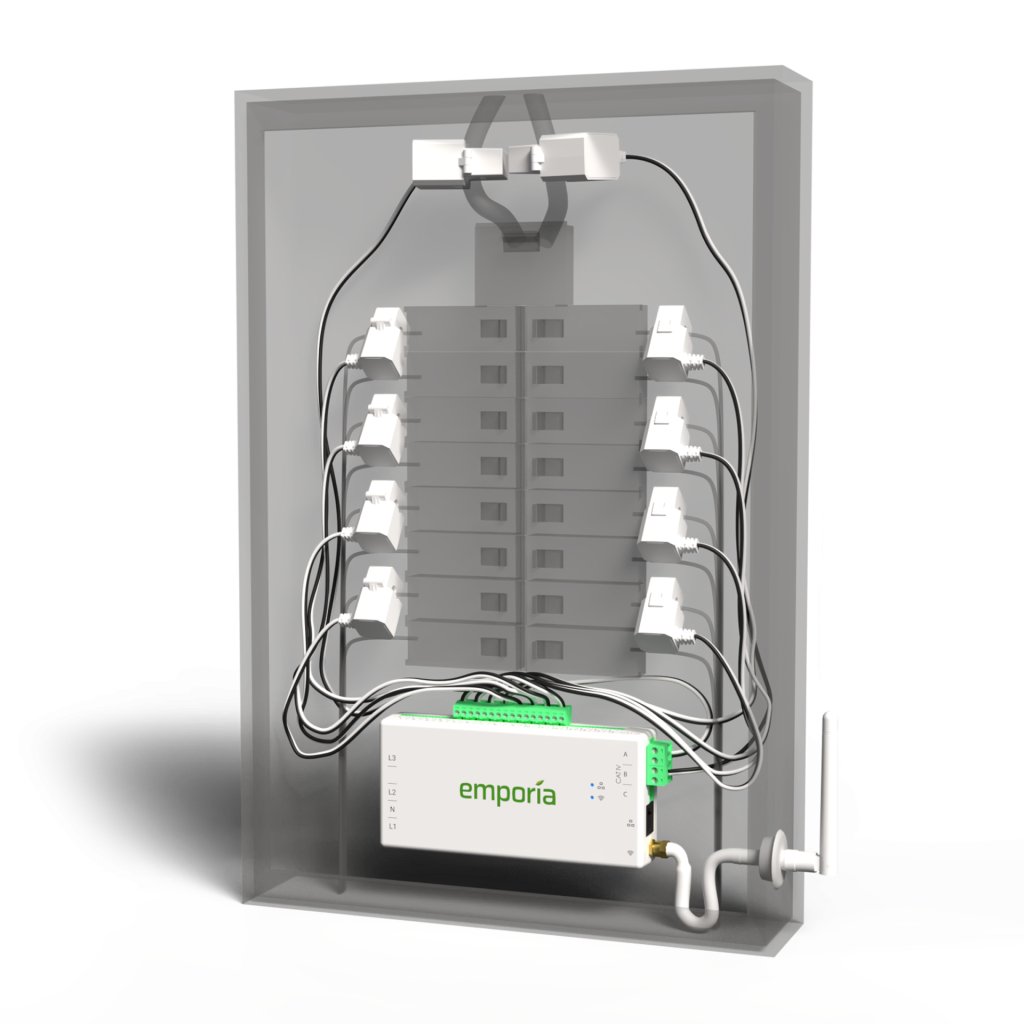
Smart home integration helps you track and control energy use alongside security. Some monitoring systems connect with smart thermostats and lighting to optimize energy consumption based on your presence.
Have you noticed how adjusting your thermostat remotely can save on bills? Monitoring energy use in real time allows you to spot unusual spikes that might indicate faulty appliances or forgotten lights.
Privacy And Security Concerns
Privacy and security concerns are at the heart of any discussion about home electronic monitoring. You want to keep your home safe, but you also need to be sure your personal data is protected. Understanding how these systems guard your information helps you make smarter choices.
Data Encryption
Data encryption scrambles your information so only authorized devices can read it. This means your video feeds, sensor data, and alerts stay private while traveling over the internet. Without strong encryption, hackers could intercept your data and invade your privacy.
Think about the last time you used online banking. You trusted that your details were encrypted to prevent theft. Home monitoring systems rely on similar technology to protect your home’s data.
User Access Controls
Who gets to see your home monitoring data matters a lot. User access controls let you decide who can view live feeds or receive notifications. You can add family members, friends, or service providers and remove access anytime.
Setting up strong passwords and two-factor authentication adds extra layers of security. It’s like having a lock on the front door and a deadbolt—both need to be unlocked before someone can enter.
Potential Vulnerabilities
No system is perfect, and home electronic monitoring is no exception. Weak passwords, outdated software, and unsecured Wi-Fi networks create openings for attackers. Even the best encryption won’t help if your router is compromised.
Regularly updating your devices and reviewing who has access can reduce risks. Are you paying attention to these details, or leaving your home’s security to chance?

Credit: cpisecurity.com
Maintenance And Troubleshooting
Maintaining your home electronic monitoring system keeps it reliable and effective. Troubleshooting helps fix small issues before they become bigger problems. Regular care ensures the system runs smoothly every day.
Regular System Checks
Perform system checks weekly to catch problems early. Check all sensors and cameras for damage or dirt. Make sure all devices connect properly to the network. Test alarms to confirm they work as expected. Keep a checklist to track your inspections.
Common Issues And Fixes
- Lost Connection:Restart your router and monitoring devices to restore connection.
- Sensor Malfunction:Clean sensors and remove any obstructions nearby.
- Power Failures:Check batteries and replace them if low.
- False Alarms:Adjust sensor sensitivity or reposition devices.
Software Updates
Keep your system’s software up to date for better security. Updates fix bugs and add new features. Set automatic updates or check the app regularly. Always download updates from official sources only.
Benefits Of Home Electronic Monitoring
Home electronic monitoring offers many benefits that improve daily life. It helps protect your home and loved ones. This system also supports quick responses to emergencies. The advantages extend beyond security to financial savings and mental comfort.
Enhanced Security
Electronic monitoring keeps your home safe 24/7. Sensors and cameras detect unusual activity fast. Alerts are sent immediately to your phone or monitoring center. This early warning helps stop break-ins before they happen. It also allows you to check your home anytime from anywhere.
Peace Of Mind
Knowing your home is watched reduces stress. You feel safer whether you are home or away. Family members can live with less worry about intruders. The system gives confidence during vacations or long work hours. It creates a secure environment for everyone.
Insurance Advantages
Many insurance companies offer discounts for monitored homes. Electronic systems lower the risk of theft and damage claims. This can reduce your monthly insurance premium. The system also provides proof in case of a claim. It helps protect your property and finances.
Frequently Asked Questions
What Is Home Electronic Monitoring?
Home electronic monitoring tracks individuals using electronic devices. It ensures compliance with court orders and enhances public safety through real-time location data.
How Do Ankle Monitors Work?
Ankle monitors use GPS or radio frequency to track movement. They send location data to authorities, confirming the wearer’s location at all times.
Who Uses Home Electronic Monitoring?
Home electronic monitoring is used by courts for offenders on probation or parole. It helps reduce jail overcrowding and supports rehabilitation.
What Are The Benefits Of Electronic Monitoring?
Electronic monitoring offers cost-effective supervision, reduces prison populations, and increases public safety. It also allows offenders to maintain family and work ties.
Conclusion
Home electronic monitoring helps keep your property safe and secure. It uses cameras, sensors, and alarms to watch your home all the time. You can check your home from anywhere using your phone or computer. This system alerts you quickly if something unusual happens.
It gives peace of mind and helps protect your family and belongings. Choosing the right monitoring system depends on your needs and budget. Staying informed and prepared makes your home safer every day. Simple technology with smart use can make a big difference.
Leave a Reply