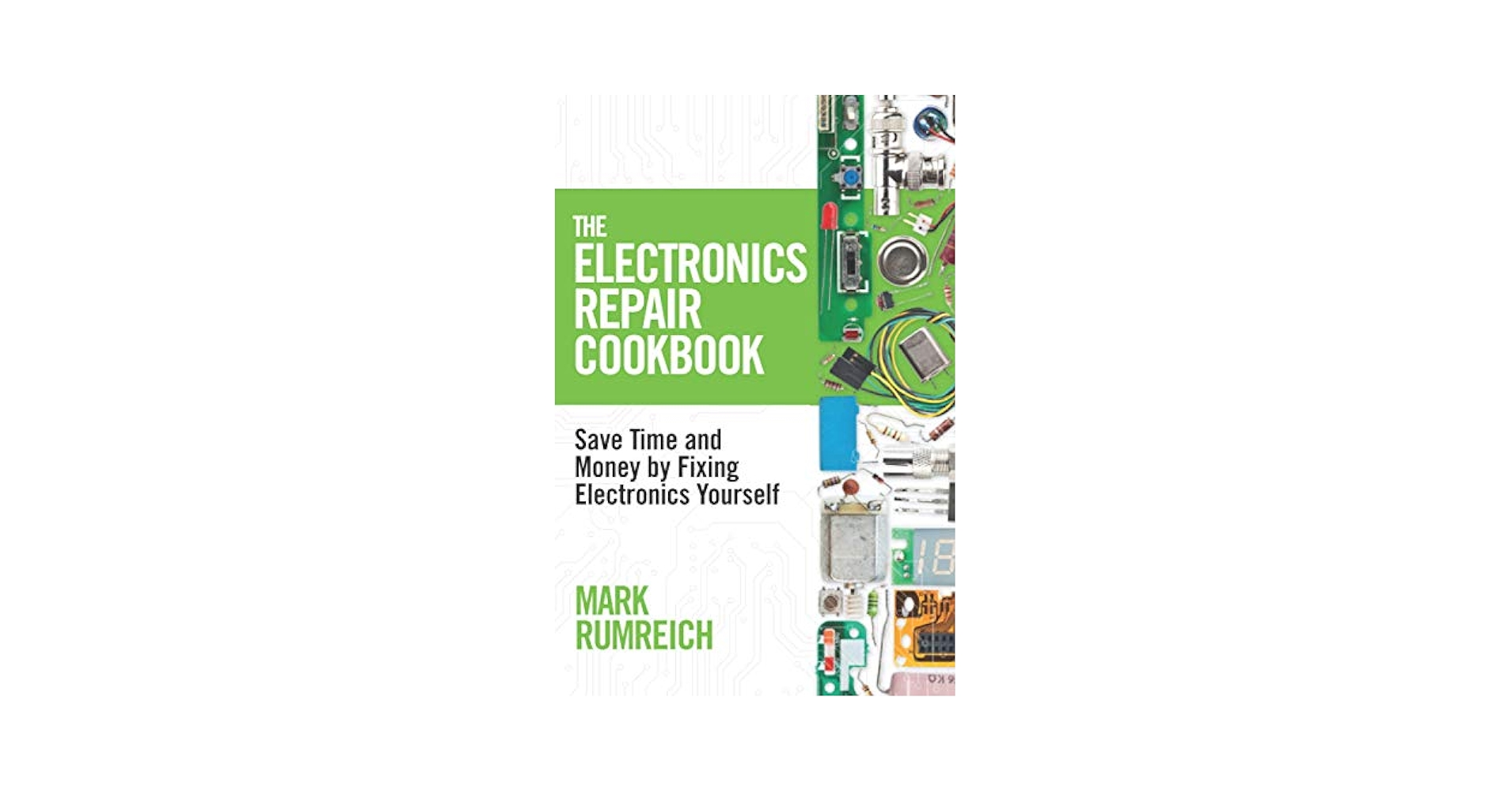
Have you ever wished you could fix your broken phone, laptop, or headphones instead of paying for costly repairs? Imagine saving money, gaining new skills, and feeling proud every time you bring a gadget back to life.
This guide is made just for you—designed to help beginners understand the basics of consumer electronics repair. By the end, you’ll feel confident enough to tackle simple fixes yourself. Ready to unlock the secrets of electronics repair and take control of your devices?
Let’s dive in!

Credit: www.ebay.com
Understanding Consumer Electronics
Understanding consumer electronics is the first step toward repairing your own devices. Knowing what each device does and how its parts work helps you troubleshoot problems effectively. It also saves you time and money by empowering you to fix issues without relying on professional help.
Common Devices And Their Functions
Consumer electronics cover a wide range of gadgets you use daily. These include smartphones, laptops, tablets, televisions, and gaming consoles. Each device serves a specific purpose, such as communication, entertainment, or productivity.
Think about your smartphone—it’s not just a phone. It combines a camera, internet browser, music player, and more in one compact device. Understanding what your device is supposed to do helps you spot when something is off.
- Smartphones:Used for calls, messaging, apps, and internet access.
- Laptops:Portable computers for work, browsing, and media.
- Tablets:Touchscreen devices for reading, gaming, and streaming.
- Televisions:Display video content, often with smart features.
- Gaming Consoles:Designed for interactive video games and entertainment.
Basic Components And Terminology
Every device has core components that make it work. Knowing these parts helps you understand repair guides and communicate with technicians if needed. Here are some common terms and components you should know:
| Component | Description | Role in Device |
|---|---|---|
| Battery | Power source | Supplies energy to run the device |
| Display | Screen | Shows images and information |
| Motherboard | Main circuit board | Connects all components together |
| Processor (CPU) | Central processing unit | Executes instructions and runs apps |
| Storage | Memory chips or drives | Stores your data and software |
| Connectors | Ports and cables | Allows communication with other devices |
Do you find it easier to fix a device when you know what each part does? Understanding these basics can turn a scary repair job into a manageable project. Next time your gadget acts up, you’ll have a clearer idea of where to look and what to test first.
Essential Tools For Repair
Having the right tools is key to fixing consumer electronics. They make repairs easier and safer. Tools vary by repair type and difficulty. Start simple, then expand your kit as skills grow. Quality tools save time and reduce damage risks.
Basic Tools For Starters
- Small screwdrivers (Phillips and flathead)
- Tweezers for handling tiny parts
- Plastic pry tools to open cases without scratches
- Anti-static wrist strap to protect circuits
- Magnifying glass for close inspection
- Soldering iron with basic solder for simple fixes
- Cleaning brushes to remove dust
Advanced Tools For Complex Repairs
- Digital multimeter to test electrical components
- Hot air rework station for circuit board work
- Oscilloscope to analyze signal waveforms
- Ultrasonic cleaner for circuit board cleaning
- Precision soldering station with temperature control
- Thermal camera to detect overheating parts
- Microscope for detailed circuit inspection
Safety Precautions
Safety should be your top priority before you even open up an electronic device. Without the right precautions, you risk damaging your device or, worse, injuring yourself. Taking a few simple steps can make your repair process smoother and safer.
Handling Electronic Devices Safely
Always unplug devices from power sources before starting any repairs. Even if the device is off, some parts can still hold electrical charge, so be cautious.
Use an anti-static wrist strap or work on an anti-static mat to prevent static electricity from frying sensitive components. I once overlooked this and damaged a laptop motherboard—something I’ll never forget.
Keep your workspace clean and organized. Small screws and parts can easily get lost or cause short circuits if they fall into the wrong places.
Avoiding Common Hazards
Be aware of sharp edges inside devices. Metal chassis and broken glass can cause cuts, so wear gloves if needed. Your fingers will thank you.
Handle batteries with extra care. Lithium-ion batteries can overheat or even catch fire if punctured or damaged. If you notice swelling or leakage, don’t attempt to fix it yourself—seek professional help.
Never force parts apart. If something doesn’t come off easily, double-check for hidden screws or clips. Forcing can break components and make repairs more expensive.

Credit: www.amazon.ca
Diagnosing Common Issues
Diagnosing common issues is the first critical step in fixing consumer electronics. Without understanding the root cause, you risk wasting time and money on unnecessary repairs. Learning how to spot problems early can save your device and help you gain confidence in your repair skills.
Identifying Symptoms
Start by observing what your device is doing—or not doing. Is the screen flickering, or does the device fail to power on at all? These signs give clues about possible hardware or software problems.
Ask yourself questions like:
- Does the problem happen constantly or only sometimes?
- Did the issue start after a drop or liquid spill?
- Are there unusual sounds, smells, or overheating?
These details narrow down potential causes. For example, if your smartphone won’t charge, it could be a faulty cable, a damaged charging port, or a dead battery. Narrowing symptoms helps you decide where to focus your testing.
Using Diagnostic Tools
Diagnostic tools help you pinpoint the exact issue faster. You don’t need expensive gear—many free apps and simple tools do the job.
- Multimeter:Measures voltage and continuity to check power flow in circuits.
- Diagnostic software:Runs tests on your device’s hardware components like memory, storage, and sensors.
- Visual inspection tools:Magnifying glasses or small flashlights help spot broken parts or corrosion.
I once struggled with a laptop that wouldn’t boot. Using a multimeter, I found a dead power adapter rather than a motherboard failure. That saved me from buying costly parts.
Have you tried these simple tools before diving into repairs? Often, a careful diagnosis can turn frustration into success.
Step-by-step Repair Process
Repairing consumer electronics requires a clear and careful process. Following a step-by-step approach helps avoid mistakes and saves time. Each phase plays a key role in fixing devices safely and effectively. This guide breaks down the essential steps for beginners to follow with confidence.
Preparation And Setup
Start by gathering all needed tools and parts. Find a clean, well-lit workspace free of dust. Wear an anti-static wristband to protect electronic components. Power off and unplug the device to avoid electric shock. Organize small containers for screws and tiny parts. Review the device’s manual or repair guide for instructions.
Disassembling Devices
Remove external covers and screws carefully using the right tools. Keep track of each part’s location and orientation. Avoid forcing pieces apart to prevent damage. Use plastic pry tools to open cases gently. Take photos during disassembly to help with reassembly later. Note any damaged or worn parts that need replacement.
Repair Techniques And Methods
Identify the problem component by testing or visual inspection. Common repairs include replacing batteries, screens, or circuit boards. Use soldering tools for loose connections and broken wires. Clean corroded contacts with isopropyl alcohol and a brush. Handle sensitive parts with care to avoid static damage. Follow safety rules during all repair tasks.
Reassembly And Testing
Put all parts back in reverse order of disassembly. Check that screws and connectors are secure but not overtightened. Power on the device to test if the repair works. Run basic functions to ensure full operation. If problems remain, revisit earlier steps for troubleshooting. Clean the device exterior before use or return.
Troubleshooting Tips
Troubleshooting is the heart of consumer electronics repair. It’s where your skills truly get tested and sharpened. Understanding how to diagnose issues quickly can save you time and frustration.
Knowing what to try first and when to stop is crucial. Have you ever spent hours fixing something only to realize it needed a professional touch? Let’s break down some practical tips to help you navigate those tricky moments.
Quick Fixes For Common Problems
Many electronic glitches have simple solutions you can try at home. Start by checking the basics:
- Power issues:Ensure the device is properly plugged in and the outlet works.
- Screen problems:A quick reset or battery removal can sometimes bring the display back to life.
- Connectivity troubles:Restart routers or reconnect cables to fix network-related faults.
Don’t underestimate the power of a thorough cleaning. Dust and debris often cause overheating or button malfunctions. A soft brush or compressed air can make a noticeable difference.
Keep a simple toolkit handy. Having screwdrivers, tweezers, and a multimeter ready makes troubleshooting faster and less stressful.
When To Seek Professional Help
Some problems demand expert intervention. If your device shows signs of liquid damage, it’s best not to open it yourself. Opening a sealed device without the right tools can cause more harm than good.
Complex circuit issues or motherboard faults require specialized knowledge. If you notice unusual smells, smoke, or burning sensations, unplug immediately and consult a professional.
Ask yourself: Are you comfortable with the repair steps? Do you have the correct replacement parts? If the answer is no, it might be time to call an expert to avoid costly mistakes.
Resources For Learning
Learning consumer electronics repair can seem overwhelming at first. But the right resources can make the process clearer and more manageable. Finding trusted materials helps you build confidence and skills faster.
Online Tutorials And Courses
There are many websites and platforms offering step-by-step repair guides and video tutorials. Sites like iFixit provide detailed instructions for fixing various gadgets, often including photos and tool lists. Watching someone else repair a device can help you understand the process better than just reading about it.
Look for courses on platforms like Udemy or Coursera that focus on electronics basics and troubleshooting. Many of these are designed for beginners and break down complex topics into simple lessons. Have you ever noticed how much easier it is to learn when you can pause and rewatch a tricky step?
Books And Manuals For Beginners
Books remain a valuable resource for foundational knowledge in electronics repair. Titles like “Electronics For Dummies” explain concepts in simple language and include practical exercises. These books often provide diagrams and charts that help you visualize circuits and components.
Don’t overlook user manuals and service guides from manufacturers. These documents offer specific information about the device you want to repair, including wiring layouts and troubleshooting tips. Getting your hands on these can save you time and help avoid costly mistakes.

Credit: www.amazon.com
Building A Repair Kit
Building a repair kit is your first move toward fixing consumer electronics with confidence. Having the right tools ready saves time and frustration, making repairs smoother. Think about the last time you needed a screwdriver but only had a butter knife—having the proper kit changes everything.
Must-have Items
Start with essentials that fit most repair tasks. A precision screwdriver set is critical since electronics use tiny screws. Include various sizes and types like Phillips, flathead, and Torx to cover different devices.
Next, add a pair of tweezers for handling small components and a spudger to pry open cases without damage. A magnifying glass or headlamp helps you see tiny parts clearly. Don’t forget anti-static wrist straps to protect sensitive electronics from static damage.
- Precision screwdriver set (Phillips, flathead, Torx)
- Tweezers
- Plastic spudger or opening tool
- Magnifying glass or headlamp
- Anti-static wrist strap
- Soldering iron (for advanced repairs)
- Multimeter to test circuits
Budget-friendly Options
Quality tools don’t have to break the bank. Look for combo tool kits online that include multiple screwdriver heads and basic tools. These kits often cost less than buying each tool separately.
Try repurposing household items like small knives or sewing needles carefully if you’re just starting out. DIY solutions can work temporarily but invest in real tools as soon as you can.
- Combo screwdriver kits from reputable brands
- Second-hand tools in good condition
- Household items (small knives, needles) for gentle prying
- Affordable digital multimeters under $20
What’s your current repair kit missing? Even one new tool can boost your repair success. Building your kit step-by-step keeps you prepared without overspending upfront.
Frequently Asked Questions
What Tools Are Essential For Consumer Electronics Repair?
Essential tools include screwdrivers, multimeters, soldering irons, tweezers, and anti-static mats. These tools help diagnose and fix common electronic issues safely and efficiently.
How Can Beginners Diagnose Electronics Problems Effectively?
Start by observing symptoms and testing power sources. Use a multimeter to check voltage and continuity. Research common faults online for your device model.
Is It Safe To Repair Electronics At Home?
Yes, with proper safety measures like unplugging devices and using anti-static tools. Avoid repairing high-voltage components without professional training to prevent injury.
Where Can Beginners Find Reliable Repair Tutorials?
Trusted websites, YouTube channels, and online forums offer step-by-step guides. Manufacturer manuals and repair communities also provide valuable troubleshooting tips.
Conclusion
Repairing consumer electronics can save money and reduce waste. Start with simple tools and easy fixes. Practice patience and learn from each attempt. Small skills build confidence over time. Keep safety in mind at every step. Enjoy the satisfaction of fixing your own devices.
This guide helps you begin your repair journey. Keep exploring and improving your skills daily.
Leave a Reply