Have you ever wondered if you can manage your certified mail without stepping out of your home? Imagine sending important documents and receiving confirmation without the hassle of visiting the post office.
The good news is, processing electronic certified mail with a return receipt from home is not only possible, but also incredibly convenient. By the end of this article, you’ll discover how this process can save you time, enhance your efficiency, and ensure peace of mind.
You’ll learn the step-by-step method to handle your certified mail electronically, from the comfort of your own space. Curious to see how easy it can be? Let’s dive in!
Credit: www.stamps.com
What Is Electronic Certified Mail Return Receipt
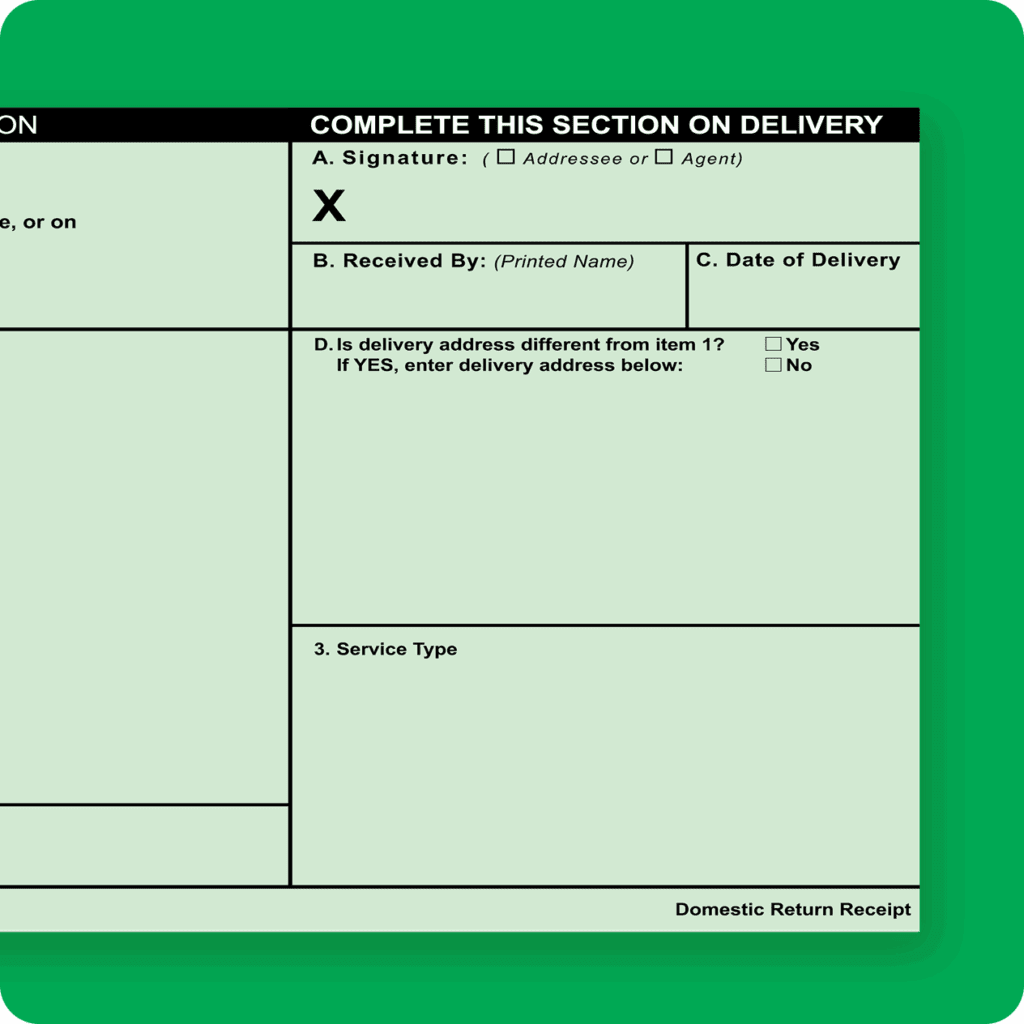
Electronic Certified Mail Return Receipt is a digital service offered by the postal system. It provides proof that the recipient received the certified mail. This service replaces the traditional paper return receipt with an electronic version.
It is useful for sending important documents that need confirmation of delivery. The electronic return receipt records the recipient’s signature and delivery date. This information is then emailed to the sender.
How Electronic Certified Mail Return Receipt Works
After mailing your certified letter, the postal carrier obtains the recipient’s signature. The signature is scanned and stored electronically. You receive an email with a PDF showing delivery details and the signature.
Benefits Of Using Electronic Certified Mail Return Receipt
- Immediate access to delivery proof via email
- Environmentally friendly – no paper forms needed
- Easy to store and organize records digitally
- Faster than waiting for mailed paper receipts
- Reduces risk of losing physical return receipts
Where To Get Electronic Certified Mail Return Receipt
You can request this service at the post office or online. Many postal websites offer certified mail services with electronic return receipts. You pay a fee for the certified mail and the electronic receipt service.
Benefits Of Processing From Home
Processing electronic Certified Mail Return Receipts from home offers a range of benefits that can improve your efficiency and save you time. It eliminates the need to visit the post office, allowing you to manage your mail tasks on your own schedule. This convenience can make handling important documents less stressful and more organized.
Save Time And Avoid Trips
Handling Certified Mail from home means you skip the wait and travel to the post office. You can prepare, send, and track your mail anytime without leaving your workspace. This flexibility is especially helpful if you have a busy schedule or if the post office is far from your location.
Access To Instant Tracking And Notifications
Electronic processing gives you real-time updates on your mail’s status. You receive immediate notifications when your mail is delivered and when the recipient signs the return receipt. This instant access helps you stay informed and respond quickly if needed.
Reduce Paperwork And Clutter
By processing electronically, you cut down on physical paperwork. Digital receipts and records are easy to store and search, reducing clutter on your desk. This helps you stay organized and find important information fast when you need it.
Cost-effective And Environmentally Friendly
Processing Certified Mail electronically can lower costs by reducing the need for printed forms and physical storage. It also minimizes paper waste, which is better for the environment. Would you rather save money while helping the planet at the same time?
Work Comfortably From Your Own Space
You control your work environment when processing mail from home. Whether you prefer a quiet room or a cozy corner, you can create the ideal setup for your tasks. Comfortable surroundings can boost your focus and make the process feel less like a chore.
Requirements For Home Processing
Processing electronic certified mail return receipts from home needs certain tools and setups. These requirements ensure smooth handling and tracking of your mail. Setting up right helps avoid delays or errors during processing.
Necessary Equipment
- A computer or laptop with a reliable processor.
- A printer capable of printing high-quality labels and receipts.
- A scanner or a device with a camera to upload signed receipts.
- A secure place to store physical mail and documents.
- Basic office supplies like envelopes and postage stamps if needed.
Software And Accounts
- Access to the United States Postal Service (USPS) electronic certified mail platform.
- Registered user account with USPS for electronic certified mail services.
- Software or web browser compatible with USPS online tools.
- PDF reader to view and save digital return receipts.
- Optional: Mail management software for better record keeping.
Internet Connection
- Stable broadband or high-speed internet to upload and download documents.
- Secure Wi-Fi or wired connection to protect sensitive information.
- Consistent internet access to avoid interruptions during processing.
- Use of a firewall or antivirus software for additional security.
Credit: theclose.com
Step-by-step Processing Guide
Processing electronic certified mail return receipts from home is simpler than many expect. Having a clear, step-by-step guide helps you avoid common pitfalls and ensures your mail reaches its destination securely. Let’s walk through the essential steps to get you started.
Setting Up Your Account
Begin by creating an account with the USPS electronic certified mail service or an authorized provider. You’ll need to provide basic information such as your name, address, and email. Verify your identity by following the platform’s instructions, which may include confirming your email or entering a code sent to your phone.
Once your account is active, explore the dashboard. Familiarize yourself with available features like mail templates and tracking tools. Having everything set up properly saves you time and frustration later.
Creating Certified Mail
To create certified mail, log into your account and select the option for electronic certified mail. Enter the recipient’s details carefully—accuracy here prevents delivery issues. You can upload documents directly or type your message within the platform.
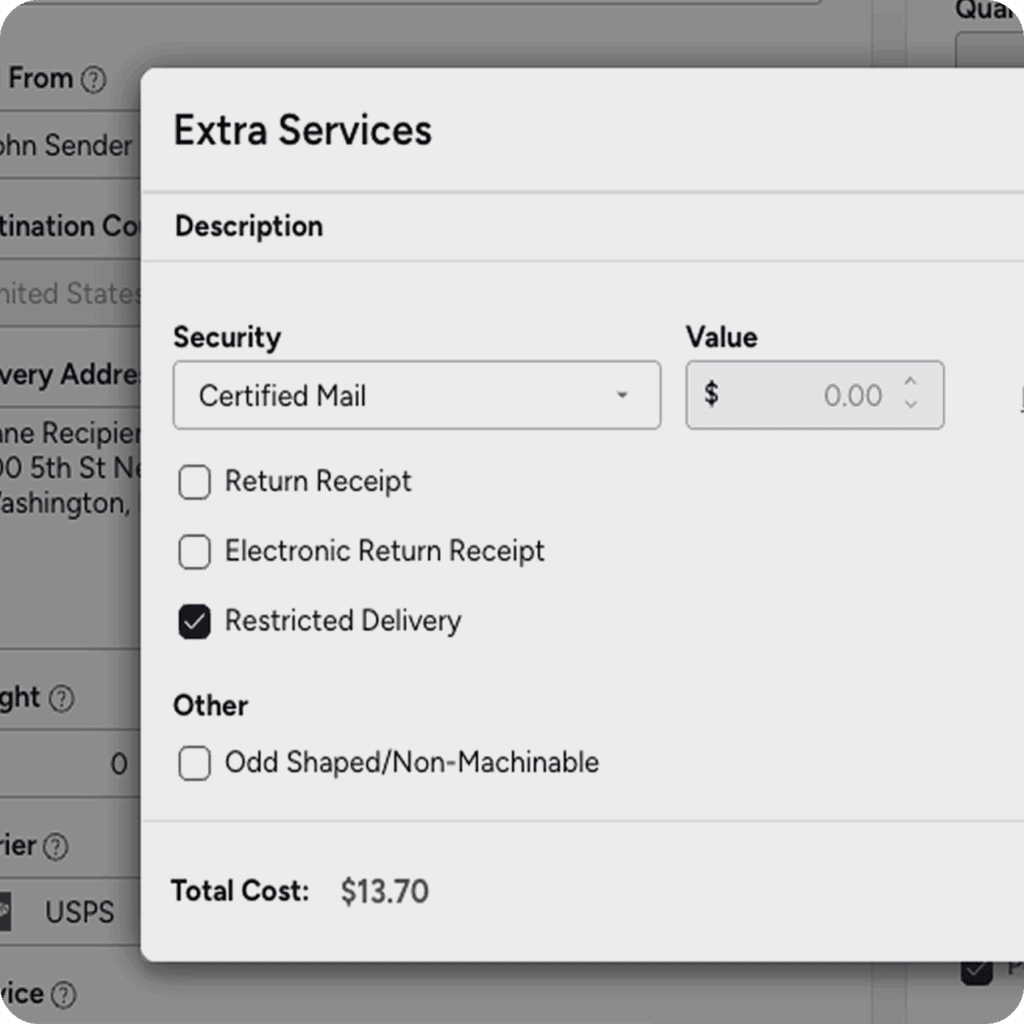
Choose additional services such as return receipt or delivery confirmation if needed. Review your entry before submitting. A quick double-check can avoid the hassle of resending mail due to simple errors.
Sending And Tracking
After creating your certified mail, pay for postage online using your preferred payment method. Once sent, you receive a tracking number immediately. Use this number to monitor the mail’s progress from your dashboard or via email notifications.
Tracking updates let you know when your mail is delivered or if there are any delays. This real-time insight helps you stay informed without making unnecessary calls to the post office.
Receiving Return Receipt
The return receipt arrives electronically once your mail is signed for. You’ll get a notification with a digital copy of the recipient’s signature and delivery details. Save or print this receipt for your records; it serves as proof of delivery.
Wondering how reliable these electronic receipts are? Many users find them just as valid and secure as traditional paper receipts, plus they’re instantly accessible. This convenience lets you handle follow-ups faster and with confidence.
Common Issues And Solutions
Processing electronic certified mail return receipts from home can sometimes be tricky. Various issues may arise that slow down or block the process. Identifying common problems helps you solve them quickly and continue without stress.
Below are frequent issues users face and simple solutions to fix them. These tips ensure smooth handling of your certified mail receipts online.
Technical Glitches With The Online Platform
Sometimes the website may not load correctly or crash during processing. This happens due to browser compatibility or internet connection issues. Clear your browser cache and cookies regularly. Try using a different browser like Chrome or Firefox for better performance. Check your internet speed and restart your router if needed.
Incorrect Or Missing Information
Entering wrong details can cause rejection or delays. Double-check recipient names, addresses, and tracking numbers before submission. Use copy-paste carefully to avoid extra spaces or typos. Keep a checklist to verify all required fields are filled accurately.
File Upload Problems
Uploading return receipt documents may fail due to large file size or unsupported formats. Convert files to PDF or JPEG with smaller sizes. Use online tools to compress files without losing quality. Confirm the file format matches the platform’s requirements.
Delayed Receipt Confirmation
Sometimes the system takes longer to update receipt status. This delay can happen during high traffic periods or postal service backlogs. Wait patiently and refresh the status page after some time. Contact customer support if the delay exceeds several days.
Account Access Issues
Forgotten passwords or locked accounts stop you from processing mail. Use the ‘Forgot Password’ option to reset your password quickly. Keep your login credentials safe but accessible. Contact support for account recovery in case of lockouts.
Tips For Smooth Processing
Processing electronic certified mail return receipts from home can save time and effort. Smooth processing ensures your mail is tracked and confirmed properly. Follow these tips to avoid mistakes and delays.
Verify Recipient Information Carefully
Double-check the recipient’s name and address before sending. Small errors can cause delivery failures or delays. Use the exact details as provided by the recipient.
Use Reliable Internet Connection
A stable internet connection prevents interruptions during processing. Avoid slow or unstable networks that may cause errors. This helps complete submissions without redoing steps.
Keep Digital Copies Of Receipts
Save electronic return receipts immediately after processing. Store copies in an organized folder on your device. This provides proof and easy access if needed later.
Follow Usps Guidelines Strictly
Adhere to all USPS rules for electronic certified mail. Missing steps or ignoring requirements may cause rejection. Review USPS instructions before starting the process.
Use Updated Browser And Software
Ensure your web browser and software are up to date. Older versions may not support the postal system’s online tools. Updates improve security and functionality.
Confirm Payment Before Submission
Verify payment details carefully before finalizing your mail. Insufficient funds or incorrect payment can delay processing. Check your account balance or credit card status.
Monitor Status After Sending
Regularly check the status of your certified mail online. Immediate action can fix any delivery issues. Tracking keeps you informed about your mail’s progress.
Alternatives To Home Processing
Processing electronic certified mail return receipts at home can seem convenient, but it’s not always the best or only option. You might face technical glitches, software limitations, or security concerns. Luckily, there are several alternatives that can save you time and ensure your mail is handled correctly.
Using Local Post Office Services
Visiting your local post office is a straightforward choice. Postal workers can help you process certified mail return receipts quickly and accurately. They also provide immediate answers if you have questions about the mailing process or need advice on the best mailing options.
Have you ever tried to fix a mailing issue at home only to spend hours searching for solutions? A quick trip to the post office can often save you that hassle.
Third-party Mailing Service Providers
Many companies specialize in handling certified mail electronically for you. These services often offer user-friendly platforms where you upload your documents, and they manage the mailing and tracking. This option is especially useful if you send certified mail regularly and want to automate the process.
Think about how much time you could free up by outsourcing this task. Would you prefer focusing on other important parts of your business instead?
Mobile Apps Designed For Certified Mail
Several mobile apps now allow you to manage certified mail on the go. These apps can scan, send, and track certified mail digitally, making it easier if you’re often away from your computer. They also offer notifications, so you stay updated in real time.
Could having this convenience in your pocket change how you handle important mail? Imagine never missing a confirmation again because your phone alerts you instantly.
Professional Legal Or Business Services
Legal firms and business service providers often include certified mail handling as part of their offerings. Hiring a professional can reduce errors and ensure compliance with legal requirements. This is a smart move if your mail involves sensitive or time-critical documents.
Would partnering with a professional give you peace of mind knowing your documents are in expert hands?
Credit: www.jotform.com
Frequently Asked Questions
Can I Send Electronic Certified Mail From Home?
Yes, you can send electronic certified mail from home using USPS’s online services. This process saves time and offers digital tracking.
How Do I Get A Certified Mail Return Receipt Electronically?
You receive the return receipt electronically by opting for the USPS electronic Return Receipt service when mailing your certified letter.
Is Electronic Certified Mail Legally Valid?
Yes, electronic certified mail with a return receipt is legally valid and accepted as proof of mailing and delivery.
What Are The Benefits Of Electronic Certified Mail?
Electronic certified mail provides faster processing, real-time tracking, and digital return receipts, all accessible conveniently from your home.
Conclusion
Processing electronic certified mail return receipts from home is simple and convenient. You save time and avoid trips to the post office. The digital system lets you track your mail easily. It also keeps your records organized and safe. Anyone can do it with basic computer skills.
You just need an internet connection and an account. This method fits well for small businesses and busy people. It helps you stay on top of important mail without hassle. Give it a try for a smoother mailing experience.
Leave a Reply