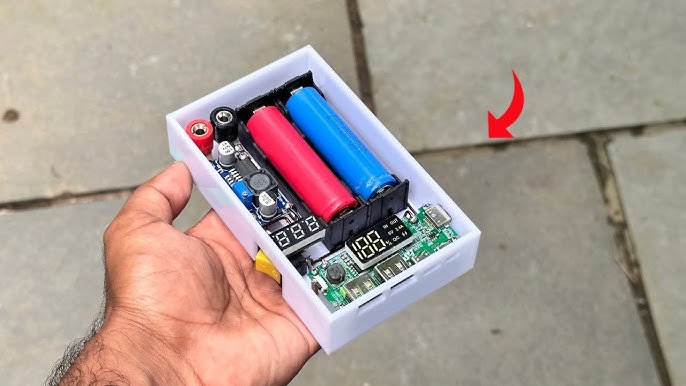
Are you fascinated by gadgets and gizmos? Imagine the thrill of building electronics right in the comfort of your own home.
Not only can you create your own devices, but you also get the satisfaction of understanding how they work from the inside out. Whether you’re a budding hobbyist or just looking for a productive way to spend your time, learning how to build electronics at home can be both fun and rewarding.
In this guide, you’ll discover simple steps and essential tips to get started on your DIY electronics projects. Stay with us, and soon, you’ll be turning your innovative ideas into reality. Curious to know more? Let’s dive into the world of home electronics building, where your creativity knows no bounds!

Credit: www.youtube.com
Basic Tools And Materials
Getting started with building electronics at home means gathering the right tools and materials. The basics will set you up for success and make your projects easier and more enjoyable. Without proper tools and components, even simple tasks can become frustrating.
Essential Tools For Electronics
You don’t need a full workshop to begin. A few key tools will cover most beginner projects:
- Soldering Iron:A reliable soldering iron is crucial for connecting components. Choose one with adjustable temperature control for better precision.
- Wire Cutters and Strippers:These help you trim wires to the right length and remove insulation cleanly.
- Multimeter:This tool measures voltage, current, and resistance, helping you troubleshoot circuits.
- Helping Hands:A stand with clips makes holding tiny parts much easier when soldering.
- Screwdrivers:A set of small precision screwdrivers is useful for assembling devices.
Once you have these basics, you can tackle a wide range of projects. How do you decide which tool to buy first? I found the multimeter to be the most valuable early on—it saved hours of guesswork.
Common Components To Start With
Stocking up on common components keeps your projects moving without delays. Here’s a list to consider:
- Resistors:Different values control the flow of current in your circuit.
- Capacitors:Store and release electrical energy; they come in many types like ceramic and electrolytic.
- LEDs:Simple light indicators that show when your circuit is active.
- Transistors:Act as switches or amplifiers in circuits.
- Breadboard:Allows you to build and test circuits without soldering.
- Jumper Wires:Used to connect components on the breadboard easily.
Have you ever started a project only to realize you’re missing a key component? Keeping a small stock of these basics saves time and keeps your momentum going.
Safety Gear And Precautions
Working with electronics involves risks like burns, electric shocks, or inhaling fumes. Safety gear is not optional—it’s essential.
- Safety Glasses:Protect your eyes from solder splashes and flying debris.
- Ventilation:Always work in a well-ventilated area to avoid inhaling solder fumes.
- Heat-Resistant Mat:Protect your workspace from hot soldering irons and spilled solder.
- Anti-Static Wrist Strap:Prevents static electricity from damaging sensitive components.
Have you ever underestimated safety and paid the price with a small burn or damaged parts? Taking simple precautions will keep you safe and your projects intact.
Credit: medium.com
Learning Simple Circuits
Learning simple circuits is your first hands-on step into the world of electronics. It’s where you turn abstract concepts into real, working devices. Understanding these basics builds confidence and prepares you for more complex projects.
Understanding Circuit Diagrams
Circuit diagrams are like blueprints for your electronics projects. They use symbols to represent components like resistors, batteries, and LEDs. Knowing how to read these symbols helps you visualize how the current flows through the circuit.
Look closely at the lines connecting symbols; these represent wires. Notice how components connect in series or parallel—this affects how your circuit behaves. Don’t rush; take your time tracing each path on the diagram.
Breadboarding Basics
A breadboard lets you build circuits without soldering, making it perfect for beginners. It has rows and columns of holes where you can insert component leads and wires. This setup allows quick changes and testing.
Start by placing your power rails and connecting your battery or power supply. Then, add components like resistors and LEDs according to your circuit diagram. Pay attention to how the breadboard internally connects rows and columns to avoid mistakes.
Testing With Multimeters
A multimeter is a must-have tool for any electronics hobbyist. It measures voltage, current, and resistance, helping you check if your circuit works correctly. Using it regularly can save you hours of troubleshooting.
Begin by testing your power source to ensure it’s delivering the right voltage. Then, check continuity to see if your wires and connections are intact. If your LED doesn’t light up, measure voltage at different points to find where the problem lies.
Starting Your First Project
Starting your first electronics project at home can feel overwhelming, but it’s also incredibly rewarding. The key is to pick a project that matches your current skills and tools, so you stay motivated and learn without frustration. Let’s break down how you can get going with confidence.
Choosing An Easy Project
Pick a project that uses basic components like LEDs, resistors, and batteries. Simple kits such as a blinking LED or a basic buzzer circuit give you hands-on experience without complexity.
Think about what excites you—maybe a small light-up decoration or a simple alarm system. This will keep your interest high and help you finish the project.
Check that the instructions are clear and include a parts list. Projects with detailed diagrams and videos can save you time and confusion.
Step-by-step Assembly
Lay out all your components before you start. Organizing parts helps prevent mistakes and speeds up the process.
Follow the instructions carefully, connecting each wire and component exactly as shown. If you’re unsure, pause and double-check rather than guessing.
- Use a breadboard for circuit testing before soldering.
- Keep your workspace clean and well-lit.
- Take breaks if you feel stuck or tired.
My first project stalled because I skipped verifying connections early on. Taking a moment to test each step saved me hours later.
Troubleshooting Common Issues
Electronics projects rarely work perfectly the first time. If your circuit doesn’t function, don’t get discouraged.
Check all connections for loose wires or wrong placements. A tiny misplaced wire can stop everything.
| Problem | Possible Cause | Quick Fix |
|---|---|---|
| LED not lighting | Polarity reversed or bad connection | Flip LED orientation or reseat wire |
| Short circuit | Wires touching unintentionally | Separate wires and insulate exposed ends |
| No sound from buzzer | Incorrect component placement | Review and adjust component positions |
Have you ever noticed that a problem often points to a simple mistake? Patience and systematic checking will guide you through.

Credit: www.youtube.com
Soldering Techniques
Soldering is a fundamental skill for building electronics at home. It connects components on a circuit board by melting metal alloy to form a strong electrical bond. Mastering soldering techniques can improve your projects’ reliability and make troubleshooting much easier.
Tools For Soldering
Choosing the right tools sets you up for success. A good soldering iron with adjustable temperature control helps you avoid overheating sensitive parts. You’ll also need solder wire—preferably with a rosin core for better flow—and a quality soldering stand to keep your work safe.
Other helpful tools include:
- Wire cutters and strippers for prepping leads
- Desoldering pump or braid for correcting mistakes
- Helping hands or a PCB holder to steady your work
- Flux to improve solder flow and joint quality
Investing in these basics will save you frustration and improve your solder joints.
Basic Soldering Skills
Start by heating the joint, not the solder itself. Touch the soldering iron tip to the component lead and pad for a second or two, then apply solder to the heated area. The solder should melt and flow smoothly, covering the joint without blobs or gaps.
Practice makes perfect. Try soldering on scrap boards before working on your main project. You’ll learn to control heat, angle, and timing to create clean, shiny joints that last.
Ask yourself: Does your solder joint look like a volcano or a ball? Aim for a neat, cone-shaped connection that ensures good electrical contact and mechanical strength.
Safety Tips While Soldering
Never underestimate safety when soldering. The iron tip can reach over 400°C, which means burns are a real risk. Always work in a well-ventilated area to avoid inhaling fumes from solder and flux.
Wear safety glasses to protect your eyes from accidental splashes of molten solder. Keep your workspace organized to avoid knocking over the hot iron or other tools. If you’re new to soldering, take regular breaks to maintain focus and reduce mistakes.
How do you handle the hazards in your workspace? Setting up good habits early prevents accidents and keeps your soldering experience enjoyable and productive.
Expanding Your Skills
Expanding your skills in electronics opens up new possibilities for creating innovative projects. As you gain confidence, you’ll want to move beyond basic circuits and try more complex components. This journey challenges you to think creatively and solve problems with a hands-on approach.
Working With Microcontrollers
Microcontrollers act like tiny brains for your electronic projects. They allow you to control lights, motors, sensors, and other devices with precision. Starting with popular boards like Arduino or Raspberry Pi can simplify your first steps.
Try building a simple device, such as a temperature monitor or a light-controlled switch. This helps you understand how microcontrollers process inputs and control outputs. Have you ever wondered how your smartphone senses movement? That’s a microcontroller at work.
Programming Basics For Electronics
Programming brings your circuits to life by giving instructions to your microcontroller. You don’t need to be an expert coder; even simple commands can create impressive effects. Learning languages like C++ or Python is a practical way to start.
Focus on understanding variables, loops, and conditional statements first. These basics allow you to write code that reacts to sensor data or user inputs. What small project could you try to test your programming skills today?
Exploring Sensors And Modules
Sensors detect changes in the environment, such as light, temperature, or motion. Modules package these sensors with extra components to make them easier to use. Adding sensors to your projects lets you build interactive and responsive devices.
Start with common sensors like ultrasonic distance sensors or light sensors. Connect them to your microcontroller and write code to interpret their data. What new functionalities could sensors add to your next electronics project?
Resources For Continuous Learning
Continuous learning is key to mastering electronics at home. New projects and technologies keep emerging, so staying updated helps you improve your skills and tackle more complex builds. Finding the right resources can make learning easier and more enjoyable.
Online Tutorials And Forums
Websites like YouTube, Instructables, and Adafruit offer step-by-step tutorials that cover a wide range of projects. Watching someone else build a circuit can clear up confusing parts faster than reading alone.
Forums such as the EEVblog and Reddit’s r/electronics provide places to ask questions and share your progress. You’ll find people ready to help troubleshoot and offer tips based on real experience.
Books And Kits For Beginners
Books like “Make: Electronics” by Charles Platt guide you from basics to more advanced concepts with hands-on experiments. Having a physical book lets you learn even when you’re offline or away from screens.
Starter kits from Arduino, Raspberry Pi, or Snap Circuits include components and instructions to build fun, educational projects. These kits give you everything you need to practice and build confidence without hunting for parts.
Local Workshops And Maker Spaces
Check if your community has maker spaces or electronics clubs. These places offer tools, equipment, and often classes where you can learn alongside others.
Working face-to-face with experienced makers can speed up your learning and open doors to collaboration. Would you prefer learning in a group or solo? Try both and see which helps you grow faster.
Frequently Asked Questions
What Basic Tools Do I Need To Start Building Electronics?
You need a soldering iron, multimeter, wire cutters, and a breadboard. These tools help you create and test circuits easily at home.
How Can Beginners Learn Electronics Effectively At Home?
Start with simple kits and online tutorials. Practice regularly, study circuit diagrams, and join electronics forums to improve skills.
What Safety Precautions Should I Follow When Building Electronics?
Always work in a dry area, use insulated tools, and avoid touching live circuits. Wear safety goggles and disconnect power before handling components.
Which Components Are Essential For Home Electronics Projects?
Common components include resistors, capacitors, LEDs, transistors, and microcontrollers. These parts help build a wide range of electronic circuits.
Conclusion
Building electronics at home can be fun and rewarding. Start with simple projects to learn basic skills. Gather the right tools and parts before you begin. Follow clear instructions step-by-step to avoid mistakes. Practice patience and keep trying even if things go wrong.
Each project helps you understand how electronics work. Soon, you will build more complex devices with confidence. Enjoy the process and keep exploring new ideas. Home electronics projects teach valuable skills for the future. Keep learning, building, and having fun every day.
Leave a Reply