Imagine transforming your love for music into a creative outlet right in the comfort of your home. With the rise of affordable technology and user-friendly software, you no longer need a professional studio to make electronic music.
Whether you’re a seasoned musician or a curious beginner, creating your own beats and tunes is within reach. Picture the excitement of laying down your first track, experimenting with sounds, and sharing your creations with friends and family. You might be thinking it’s too complex or time-consuming, but what if I told you that with a few key tools and techniques, you can start making electronic music today?
Dive into this guide to discover how you can unleash your inner DJ and produce amazing music from your living room.
Choosing The Right Gear
Choosing the right gear is crucial for creating electronic music at home. The tools you pick shape your sound and workflow. Picking equipment that fits your style and budget can boost your creativity and keep frustration low.
Essential Equipment For Starters
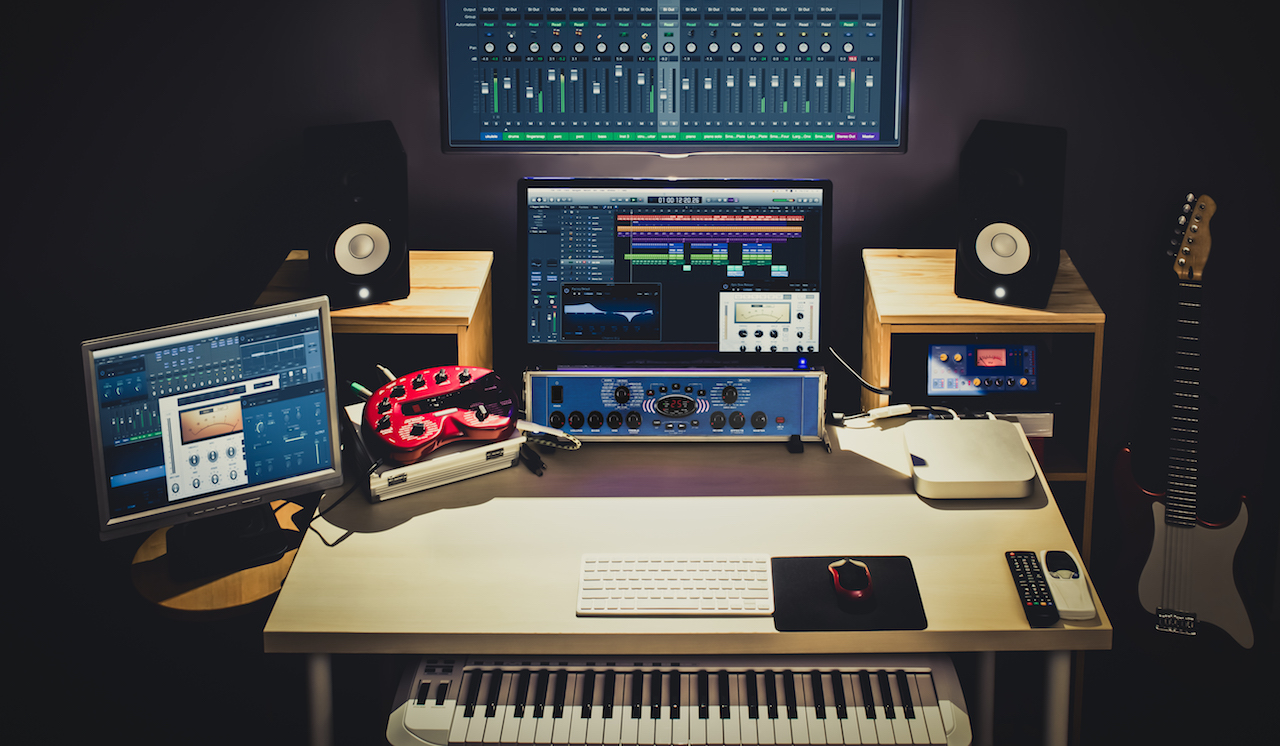
You don’t need a ton of gear to start making electronic music. A basic setup includes a computer, a digital audio workstation (DAW), headphones or studio monitors, and a MIDI controller.
- Computer:Your computer is the heart of your studio. It should be powerful enough to run music software smoothly.
- DAW:Software like Ableton Live, FL Studio, or Logic Pro lets you compose, arrange, and mix tracks.
- Headphones or Studio Monitors:Good sound quality helps you hear details. Headphones are great for tight spaces; monitors give a fuller sound experience.
- MIDI Controller:This device lets you play melodies and control virtual instruments more naturally.
Starting simple helps you learn fundamentals without feeling overwhelmed. I once began with just a laptop and free software, and that was enough to get my ideas flowing.
Affordable Vs Professional Tools
Deciding between budget-friendly and professional gear depends on your goals and resources. Affordable tools can deliver great results and are perfect for beginners.
| Affordable Gear | Professional Gear |
|---|---|
| USB MIDI controllers like Akai MPK Mini | High-end keyboards with weighted keys and advanced features |
| Entry-level audio interfaces such as Focusrite Scarlett Solo | Professional interfaces with multiple inputs and better converters |
| Free or budget DAWs like GarageBand or Reaper | Industry-standard DAWs with extensive plugins and support |
Think about what you really need. Would you rather spend more later or invest in a few solid pieces from the start? I found that starting with affordable gear gave me space to learn before upgrading.
Setting Up Your Home Studio
Your workspace affects how you create. Find a quiet spot with enough room for your gear and comfort.
- Position your monitors or headphones where sound is clear and balanced.
- Keep cables organized to avoid clutter and accidental unplugging.
- Use a sturdy desk and comfortable chair to maintain focus during long sessions.
Don’t forget about lighting—soft but sufficient light reduces eye strain. Small touches like these can make your studio a place where inspiration flows naturally.
Software Options
Choosing the right software is a key step in creating electronic music at home. The software you pick shapes your workflow and the sounds you can make. Many options exist, each with its own features and ease of use. Understanding these choices helps you find the best fit for your style and budget.
Popular Digital Audio Workstations
Digital Audio Workstations (DAWs) are the main software used to record, edit, and produce music. Some popular DAWs include:
- Ableton Live:Great for electronic music and live performances.
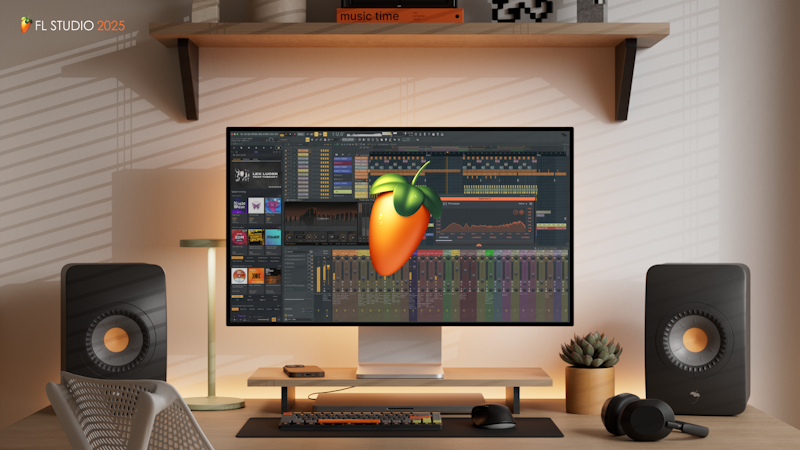
- FL Studio:Known for its user-friendly interface and strong beat-making tools.
- Logic Pro:A favorite on Mac for its powerful features and sound library.
- Pro Tools:Widely used in studios, good for detailed editing and mixing.
Each DAW offers unique tools and workflows. Try demos to see which feels right.
Free Vs Paid Software
Free software can be a good way to start without spending money. It often includes basic tools enough for beginners.
- Audacity:Simple and free, good for recording and basic editing.
- GarageBand:Free for Mac users, easy to use with many sounds.
- Tracktion T7:Full-featured free DAW with no time limits.
Paid software usually offers more advanced features and better support. It often includes more sounds and effects. Consider your needs before choosing.
Plugins And Virtual Instruments
Plugins add extra sounds and effects to your DAW. Virtual instruments mimic real instruments or create new sounds.
- Synthesizers:Create electronic sounds and textures.
- Drum machines:Provide beats and rhythms.
- Effects:Add reverb, delay, distortion, and more.
Many plugins come free, while others are paid. Experimenting with different plugins helps find your unique sound.
Basic Music Theory
Basic music theory helps you understand how sounds work together in electronic music. It builds a strong foundation for creating tunes that sound good and feel right. Learning simple theory makes your music more enjoyable to produce and listen to. It also helps you communicate ideas with other musicians.
Key Concepts For Electronic Music
Start with scales and notes. Scales are groups of notes that sound good together. The most common scale is the major scale, which sounds happy and bright. The minor scale feels sad or dark. Understanding keys helps you choose notes that fit well.
Intervals show the distance between two notes. They create harmony or tension in your music. Chords are groups of three or more notes played together. They form the backbone of your song’s harmony.
Creating Melodies And Chords
A melody is a sequence of notes that you hum or sing. Use notes from your chosen scale to make melodies. Keep melodies simple and repeat them with small changes. Chords support your melody and add depth.
Common chord types in electronic music are major, minor, and seventh chords. Experiment with chord progressions like I-IV-V or ii-V-I to create emotion. Play chords with different rhythms to keep the music interesting.
Rhythm And Beat Patterns
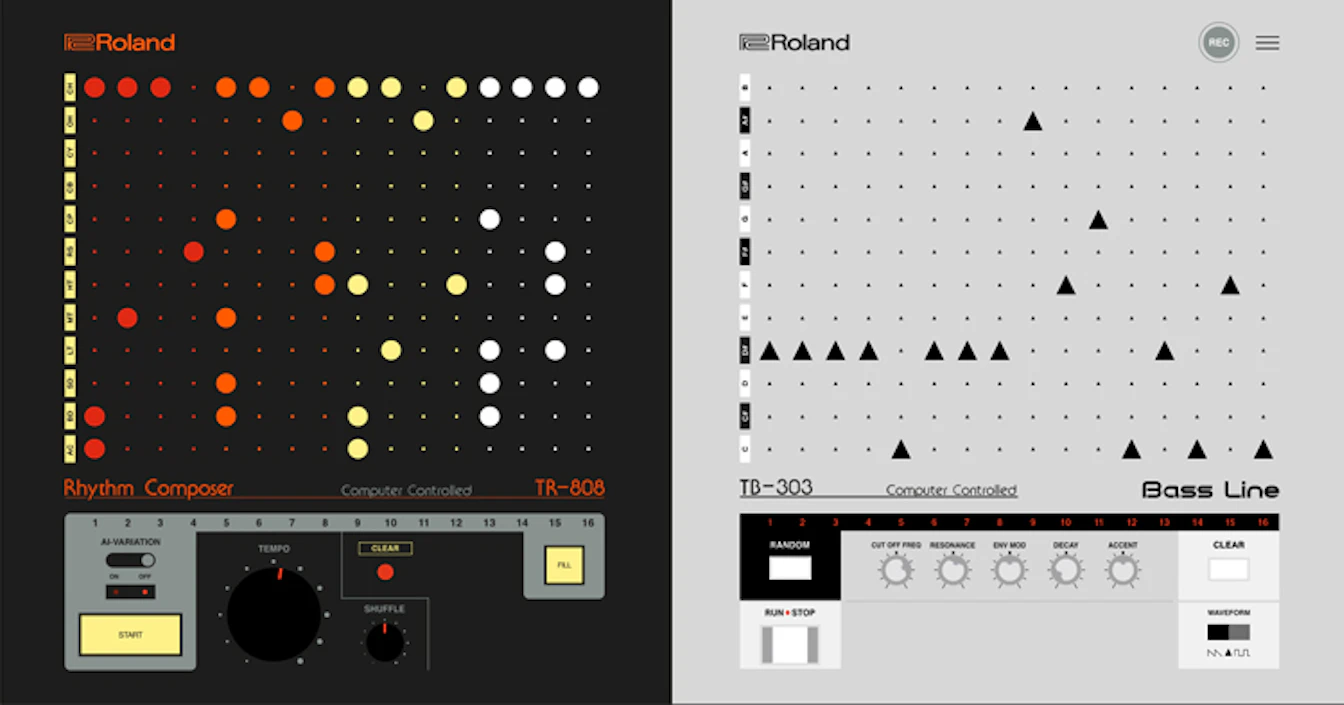
Rhythm is the timing of your sounds. It gives your track energy and flow. Beats are the main pulses you tap your foot to. Electronic music often uses a 4/4 beat, meaning four beats per measure.
Create drum patterns by layering kicks, snares, and hi-hats. Use rests and syncopation to add groove. Keep your rhythm steady, but add variations to make your track lively.
Sound Design Techniques
Sound design is at the heart of electronic music creation. It lets you shape raw audio into unique textures and tones that define your track. Understanding key techniques can transform basic sounds into captivating elements that grab your listeners’ attention.
Synthesizers And Sampling
Synthesizers give you control over creating sounds from scratch. You can adjust oscillators, envelopes, and waveforms to craft tones that fit your style. Have you tried tweaking a simple sine wave into a rich, evolving pad? It’s surprising how small changes make a big difference.
Sampling adds another layer by using real-world sounds or snippets from other tracks. You can manipulate these samples by chopping, pitching, or reversing them. This approach lets you blend organic textures with synthetic tones, making your music more dynamic.
Using Effects And Filters
Effects and filters shape your sounds further, adding movement and character. Reverb and delay create space, while distortion and chorus add grit and warmth. Try automating filter cutoffs to give your sounds life and motion throughout your track.
Filters can emphasize or reduce frequencies, helping each sound sit perfectly in the mix. Don’t hesitate to experiment with high-pass and low-pass filters to find the sweet spot for your elements. What happens when you isolate just the mid frequencies on a bassline? It might reveal a new groove.
Layering Sounds For Depth
Layering involves stacking multiple sounds to build richness and complexity. You might combine a bright synth lead with a subtle pad underneath to create depth. This technique helps your music feel fuller and more immersive.
Be mindful of frequency clashes when layering. Use EQ to carve out space for each layer so they complement, rather than compete. How could you layer a percussive hit with a soft texture to add interest without overwhelming the mix?
Arranging Your Track
Arranging your track is where your electronic music begins to take shape and tells a story. It’s not just about putting sounds together; it’s about deciding how your listener experiences the energy and emotions throughout the song. You’ll want to plan the structure carefully to keep people hooked from start to finish.
Building Intro, Verse, And Chorus
The intro sets the mood and prepares the listener for what’s coming. Keep it simple and gradually bring elements in—this builds anticipation without overwhelming.
Verses usually carry the main melody or vocals. Focus on variation here to keep things interesting but don’t stray too far from the core theme.
The chorus is the catchiest part. Make sure it stands out with fuller sounds or a stronger beat so it sticks in people’s heads.
Transitions And Breakdowns
Transitions help your track flow smoothly between sections. Use effects like risers, drum fills, or filter sweeps to signal changes without jarring the listener.
Breakdowns offer a chance to reduce energy and create contrast. Stripping back layers can make the next build-up hit harder and feel more exciting.
Have you noticed how a well-timed pause or silence can make your track feel alive? Experiment with space to give your arrangement breathing room.
Maintaining Energy And Flow
Think about how the energy moves from one part of your track to another. Avoid long, repetitive sections that might cause listeners to lose interest.
Change up rhythms, tweak instrument layers, or introduce new sounds to keep momentum going. But don’t add too much at once; balance is key.
Ask yourself: does each section lead naturally to the next? If not, try rearranging or adjusting elements until the whole feels connected and smooth.
Credit: www.designweek.co.uk
Mixing Basics
Mixing is where your electronic music truly comes to life. It shapes the raw sounds into a clear, balanced track that feels good to listen to. Understanding the basics of mixing helps you bring out the best in every element of your song.
Balancing Levels
Start by adjusting the volume of each track so nothing overpowers the rest. Listen carefully to how the kick drum and bass interact—if one is too loud, it can muddy the mix. Try lowering or raising tracks in small steps until the sound feels natural and balanced.
Have you ever noticed how a vocal can disappear if the synths are too loud? Balancing levels ensures every part gets its moment without fighting for attention.
Eq And Compression Tips
Use EQ to carve out space for each instrument by cutting or boosting specific frequencies. For example, reduce low frequencies on a pad to avoid clashing with the bass. Don’t boost too much; subtle changes often work best.
Compression helps control dynamics so sounds stay consistent and punchy. Apply gentle compression on drums to make them hit harder, but avoid squashing the life out of your tracks. Ask yourself: does this sound more cohesive or just louder?
Creating Space With Panning And Reverb
Panning lets you place sounds in the stereo field, making your mix feel wider and less crowded. Try moving different synths or effects slightly left or right instead of keeping everything centered. This technique creates a sense of space.
Reverb adds depth by simulating a physical environment. Use short reverb on percussive sounds to keep clarity, and longer reverb on pads or vocals to add atmosphere. Balance is key—too much reverb can wash out your mix.
Exporting And Sharing
Exporting and sharing your music is a key step in your electronic music journey. It transforms your project into a finished product. Sharing your tracks lets others enjoy and give feedback. Proper exporting ensures your music sounds its best outside your software.
Choosing The Right File Format
Select a file format that suits your purpose. Common formats include WAV, MP3, and FLAC.
- WAV:High quality, large file size, perfect for mastering.
- MP3:Smaller file size, widely supported, good for sharing online.
- FLAC:Lossless compression, good balance between quality and size.
Use WAV for the best sound quality. Choose MP3 for easy sharing on most platforms. FLAC is ideal if you want to keep quality but save space.
Uploading To Platforms
Pick platforms that match your music style and audience. SoundCloud, Bandcamp, and YouTube are popular choices.
- Check platform upload limits and file format support.
- Fill in track details like title, genre, and description.
- Use eye-catching cover art to attract listeners.
Uploading your tracks properly helps reach more listeners. Keep your profile updated and professional.
Promoting Your Music Online
Share your music on social media and music forums. Engage with communities that enjoy your style.
- Post regularly to keep your audience interested.
- Use simple messages to describe your music.
- Collaborate with other artists to reach new fans.
Consistent promotion builds your fan base over time. Listen to feedback and improve your future tracks.

Credit: www.udemy.com
Staying Inspired
Staying inspired is key to making electronic music at home. Without fresh ideas and motivation, your creative process can stall quickly. Finding ways to keep your enthusiasm alive will help you push through challenges and create music you truly enjoy.
Finding Creative Ideas
Look beyond your usual music sources to spark new ideas. Listen to genres you don’t typically explore or sounds from nature, old records, or even everyday noises. Try recording random sounds around your home and use them as samples in your tracks.
Ask yourself: what emotions or stories do you want your music to express? Sometimes, setting a theme or mood can guide your creative decisions and keep your sessions focused. Keep a notebook or app handy to jot down sudden ideas before they fade.
Collaborating With Others
Working with other musicians or producers can open doors to fresh perspectives. You might discover new techniques or styles that challenge your usual approach. Even online communities offer opportunities to share projects and get feedback.
Don’t hesitate to exchange ideas or co-create tracks remotely using collaboration tools. Sometimes, a simple conversation or jam session can spark inspiration you wouldn’t find alone. Have you reached out to other artists in your network recently?
Continuing Your Learning Journey
Keeping your skills sharp feeds your creativity. Try tutorials, online courses, or workshops that focus on new software, sound design, or mixing techniques. Each new skill can add a unique element to your music.
Experiment with tools or plugins you haven’t used before to refresh your workflow. Learning from others’ experiences often saves you time and opens new paths in your music production. What’s one thing you’ve always wanted to learn about electronic music creation?
Credit: routenote.com
Frequently Asked Questions
What Essential Equipment Do I Need For Home Electronic Music?
You need a computer, a Digital Audio Workstation (DAW), headphones, and MIDI controllers. Basic speakers and audio interfaces improve sound quality. Start simple and upgrade gear as skills grow.
Which Software Is Best For Creating Electronic Music?
Popular DAWs include Ableton Live, FL Studio, and Logic Pro. These offer user-friendly interfaces and powerful tools. Choose one that fits your style and budget.
How Can I Improve My Electronic Music Production Skills?
Practice regularly, watch tutorials, and analyze tracks you like. Experiment with sounds and effects to find your unique style. Join online communities for feedback and tips.
What Are Common Beginner Mistakes In Electronic Music Production?
Avoid overusing effects and cluttered arrangements. Don’t neglect mixing and mastering basics. Focus on learning fundamentals before adding complex elements.
Conclusion
Creating electronic music at home takes practice and patience. Start with simple sounds and build your skills step by step. Experiment with different tools and find what works for you. Keep your setup organized and enjoy the creative process. Remember, every song you make teaches you something new.
Stay curious and have fun making music your way. The more you create, the better you will become. Enjoy the journey of making electronic music right in your own space.
Leave a Reply