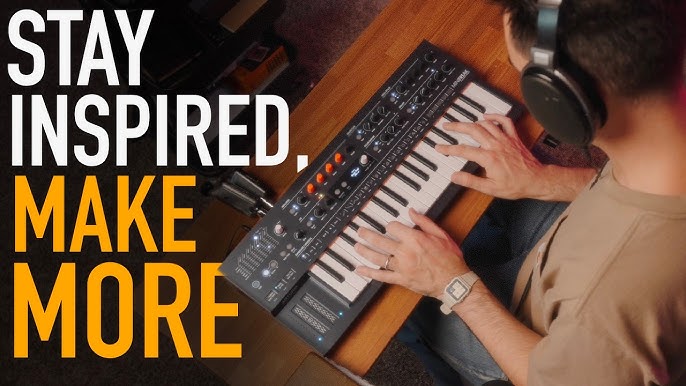
Are you passionate about creating music that electrifies the soul? Imagine the thrill of crafting your own beats and melodies right from the comfort of your home.
Making electronic music isn’t just for the pros anymore; it’s an exciting adventure you can dive into with just a few tools and a spark of creativity. Whether you’re dreaming of becoming the next big DJ or simply looking to explore a new hobby, learning how to make electronic music at home can open a world of endless possibilities.
This guide is here to unlock the secrets and simplify the process for you. Ready to hit play on your musical journey? Let’s get started!
Choosing Your Gear
Choosing the right gear shapes your music-making experience. Good gear makes creating music easier and more fun. It also helps you get better sound quality. Focus on gear that fits your space and budget. Start simple, then grow your setup as you learn.
Essential Hardware
Start with a reliable computer. It runs your music software smoothly. A pair of good headphones or studio monitors helps hear details clearly. A MIDI keyboard lets you play melodies and beats naturally. Basic gear should be easy to use and not too expensive.
- Computer or laptop
- Headphones or studio monitors
- MIDI keyboard
- External hard drive for backups
Best Software Options
Music software, called DAWs, is where you create tracks. Choose one that fits your style and skill level. Some popular DAWs have many built-in sounds and effects. Others offer simple layouts for beginners. Try free or trial versions before buying to find your favorite.
- FL Studio – easy for beginners
- Ableton Live – great for live performances
- GarageBand – free on Mac devices
- Logic Pro – advanced features for Mac users
- Reaper – affordable and flexible
Audio Interfaces And Controllers
Audio interfaces connect microphones and instruments to your computer. They improve sound quality and reduce delay. Controllers help control your music software hands-on. They include drum pads, knobs, and sliders. Choose devices that match your music style and workflow.
- Audio interface with low latency
- MIDI controller with pads and keys
- Compact and portable options
- USB powered devices for easy setup
Setting Up Your Studio
Setting up your studio is the foundation of making electronic music at home. It’s not just about having the right gear but creating an environment where your creativity can flow without distractions. A well-organized and acoustically treated space helps you hear every detail in your tracks and work more efficiently.
Room Acoustics Basics
Good sound starts with your room. Hard surfaces like bare walls and floors reflect sound, causing echoes that can confuse your ears. Adding soft materials like rugs, curtains, or foam panels helps absorb these reflections.
Try placing acoustic panels at the first reflection points—where sound bounces directly from your speakers to your ears. If you don’t have professional panels, thick blankets or cushions can work temporarily. Have you noticed how even a small change in your room can reveal new details in your music?
Organizing Your Workspace
Your workspace should inspire focus, not chaos. Keep your desk clutter-free by using cable organizers and storage boxes for small gear like cables, adapters, and headphones. This saves time hunting for items and keeps your creative flow steady.
Arrange your equipment within arm’s reach. Place your MIDI controller, audio interface, and computer in a way that feels natural when you work. I found that having everything visible and reachable reduced interruptions and boosted my productivity significantly.
Connecting Equipment
Connecting your gear correctly avoids frustration and sound issues. Start by powering off all devices before plugging anything in. Connect your audio interface to your computer with a USB or Thunderbolt cable first.
- Plug your studio monitors into the audio interface outputs.
- Connect your MIDI controller via USB or MIDI cables to the interface or computer.
- Use balanced cables (XLR or TRS) for monitors to reduce noise.
Double-check all connections before turning anything on. This simple step prevents damage and ensures you hear your music clearly from the start. Have you ever lost hours troubleshooting only to find a loose cable was the problem?
Learning Music Theory Basics
Learning the basics of music theory helps you create better electronic music. It gives you tools to build strong songs. You can mix sounds and ideas in a way that sounds good to the ear. Understanding simple chords, rhythms, and melodies makes your music more interesting and enjoyable.
Simple Chords And Scales
Chords are groups of notes played together. Scales are sets of notes played in order. Knowing a few basic chords and scales helps you write music that sounds good. Start with major and minor scales. They are the foundation of many songs.
- Major scale: happy and bright sound
- Minor scale: sad and serious tone
- Common chords: C major, A minor, G major
Practice playing these chords and scales on your keyboard or MIDI controller. This helps you understand how notes work together.
Rhythm And Beat Patterns
Rhythm is the timing of sounds in music. Beat patterns create the pulse you can tap your foot to. Electronic music often uses strong, clear beats to drive the song. Learn to count beats in groups of 4 or 8. This is the most common timing in music.
- Basic beat: kick drum on 1 and 3
- Snare on 2 and 4
- Hi-hats to fill in between beats
Try creating simple drum patterns first. Then add variations to make the rhythm more interesting.
Melody Creation
A melody is a series of notes that sound good together. It is the part you often hum or sing. Use your knowledge of scales to pick notes that fit well. Start with short, simple phrases. Repeat and change them slightly to keep the listener engaged.
- Use stepwise movement: notes close to each other
- Add jumps for excitement
- Keep rhythms varied but simple
Record your melodies and listen back. This helps you decide what works best for your song.

Credit: newartistmodel.com
Creating Your First Track
Creating your first electronic music track is an exciting journey. It lets you explore sounds and rhythms at your own pace. Start simple and build your track piece by piece. This process helps you learn and enjoy music production.
Building Drum Patterns
Drums form the heartbeat of your track. Begin with a basic kick drum on each beat. Add a snare or clap on the second and fourth beats. Use hi-hats to fill the space between. Keep the pattern simple and steady. Experiment with different drum sounds to find what fits your style.
Adding Basslines
The bass adds depth and groove. Start by matching the bass with your drum pattern. Use a deep, smooth sound that supports the rhythm. Play short, repetitive notes to keep it catchy. Try moving the bass notes with the drum hits. This creates a solid foundation for your track.
Layering Synths And Effects
Synths add melody and texture to your music. Begin with one or two simple synth sounds. Layer them carefully to avoid clutter. Use effects like reverb or delay to create space and interest. Adjust volume levels to balance all sounds. This step makes your track feel full and alive.
Mixing And Mastering
Mixing and mastering are key stages in making electronic music at home. They shape how your track sounds and feels. Mixing blends all the sounds together, while mastering polishes the final product. These steps give your music clarity, balance, and power.
Good mixing and mastering can turn simple sounds into a full, rich track. It helps your music stand out on any device or speaker. Let’s explore the basics to improve your music’s quality.
Balancing Levels
Balancing levels means adjusting the volume of each sound in your track. Each instrument or sound should be clear and not overpower others. Start by setting the drums and bass at a solid base. Then, bring in melodies and vocals at a comfortable volume.
Use your ears to find the right mix. Avoid sounds that are too loud or too soft. Proper balance creates space for every part to shine.
Applying Effects
Effects add depth and character to your sounds. Common effects include reverb, delay, and EQ (equalization). Reverb makes sounds feel like they are in a space or room. Delay adds echoes that can create rhythm or mood.
EQ helps remove unwanted frequencies and boosts important ones. Use it to clean up sounds and make them fit better together. Apply effects carefully to enhance, not overwhelm, your track.
Finalizing Your Track
Finalizing means preparing your track for release or sharing. Mastering is the last step. It makes your track louder and balanced across all playback systems. Use tools like compressors and limiters to control dynamics and volume peaks.
Check your track on different speakers or headphones. Make small adjustments to keep the sound clear and consistent. A well-mastered track sounds professional and polished.

Credit: repairit.wondershare.com
Finding Inspiration And Staying Motivated
Finding inspiration and staying motivated are key to creating electronic music at home. Without fresh ideas, music can feel dull or repetitive. Motivation keeps you working even when progress seems slow. Both fuel creativity and help you improve your skills.
Simple habits can spark new ideas and maintain your passion. Exploring different sounds, working with others, and setting clear goals keep your process exciting. These approaches help you stay focused and enjoy your music journey.
Exploring Different Genres
Try listening to styles outside your usual taste. Each genre has unique rhythms, instruments, and moods. These elements can inspire new beats or melodies.
Experiment with blending genres. Mix electronic with jazz, rock, or classical sounds. This creates fresh and original tracks. Keep an open mind and explore diverse artists and cultures.
Collaborating With Others
Working with friends or online musicians brings new ideas. Collaboration challenges your routine and introduces different skills.
Share your work and ask for feedback. Others may hear things you miss. Join online forums or local music groups to connect.
Setting Goals And Deadlines
Clear goals give direction to your music projects. Decide what you want to finish each week or month.
Deadlines create a sense of urgency. They push you to complete tasks and avoid delays.
- Set small, achievable goals for each session.
- Track your progress regularly.
- Celebrate finishing tracks or learning new techniques.
Sharing And Promoting Your Music
Sharing and promoting your electronic music is a key step to reach new listeners. It helps you grow as an artist and connect with people who enjoy your sound. This part focuses on practical ways to share your tracks and build a following from home.
Uploading To Platforms
Choose popular music platforms to upload your tracks. Sites like SoundCloud, Bandcamp, and YouTube offer free accounts. They help you showcase your music to a broad audience.
Prepare high-quality audio files for uploading. Use proper titles, descriptions, and tags. These details make your music easier to find. Include cover art to make your tracks visually appealing.
- SoundCloud: Great for community feedback and sharing.
- Bandcamp: Ideal for selling music directly to fans.
- YouTube: Perfect for videos and broader reach.
Building An Online Presence
Create social media accounts dedicated to your music. Platforms like Instagram, Twitter, and Facebook help you connect with fans. Regular posts keep your audience engaged and informed.
Share behind-the-scenes content, updates, and upcoming releases. Use simple language and clear images. Consistency builds trust and interest over time.
- Post short clips or previews of new tracks.
- Share stories about your music creation process.
- Engage with other musicians and music communities.
Engaging With Listeners
Respond to comments and messages from your audience. Show appreciation for feedback and support. Personal interaction encourages more people to follow your work.
Ask listeners for their opinions or song requests. Create polls or questions to start conversations. Building a loyal fanbase takes time and genuine interaction.
- Thank fans for sharing your music.
- Join online music forums and groups.
- Host live streams or Q&A sessions to connect directly.

Credit: www.pointblankmusicschool.com
Frequently Asked Questions
What Equipment Do I Need To Start Making Electronic Music?
To start making electronic music, you need a computer, Digital Audio Workstation (DAW), MIDI controller, headphones, and audio interface. These basics allow you to compose, record, and produce music efficiently at home.
Which Software Is Best For Beginners In Electronic Music?
Popular beginner-friendly DAWs include Ableton Live, FL Studio, and GarageBand. They offer intuitive interfaces and tutorials that help new producers learn quickly and create professional-sounding tracks.
How Can I Create Unique Electronic Music Sounds?
Experiment with synthesizers, samples, and effects plugins. Layer different sounds, adjust parameters, and use modulation to design your own signature electronic music tones.
What Are Essential Music Theory Basics For Electronic Producers?
Understanding scales, chords, and rhythm helps create harmonious and catchy tracks. Focus on key signatures, beat patterns, and song structure for effective electronic music production.
Conclusion
Making electronic music at home is fun and rewarding. Start small with basic tools and sounds. Practice regularly to improve your skills. Experiment with different styles and beats. Trust your ears and follow your creativity. Sharing your music can bring new chances.
Keep learning and enjoy the process every day. Your unique sound will grow with time. Keep creating, and have fun making music at home.
Leave a Reply