
Have you ever wondered why some of your electronics seem to work faster than others? Or why your internet speeds can vary throughout the day?
Understanding what controls the speed for electronics in your home can feel like unraveling a mystery. This knowledge not only helps you make informed decisions about your gadgets but also ensures you get the most out of them. From the devices you choose to the way you set them up, several factors play a role in how swiftly your electronics perform.
We’ll dive into the nuts and bolts of electronic speed and reveal the secrets to optimizing your home tech experience. Keep reading to discover how you can enhance the efficiency of your devices and enjoy seamless technology at your fingertips.

Credit: www.amazon.com
Internet Connection Types
Your internet connection type plays a huge role in the speed of electronics in your home. Different types deliver data in various ways, affecting how fast and reliable your devices perform online. Choosing the right connection can make a noticeable difference, especially when multiple devices are online at once.
Fiber Optic Vs Cable Vs Dsl
Fiber optic cables use light signals to transmit data, offering very high speeds and low latency. This makes fiber the fastest option for most home users. Cable internet runs through the same coaxial cables as TV, providing decent speeds but can slow down during peak hours.
DSL relies on traditional phone lines and is often the slowest among the three. However, it’s widely available and can be a budget-friendly choice. Your location often determines which of these options you can access.
Impact On Speed And Reliability
Fiber optic connections typically deliver consistent speeds, even when many devices are connected. Cable internet speeds can fluctuate because bandwidth is shared among neighbors on the same line. DSL’s speed and reliability often depend on how far you are from the provider’s central office.
Have you noticed your video calls or game streams lagging at certain times? That’s usually a sign of your connection type and network congestion affecting your speed. Understanding these differences helps you pick a plan that matches your household’s internet needs.
Wi-fi Technology
Wi-Fi technology plays a key role in controlling the speed of electronics in a home. It connects devices wirelessly to the internet, allowing fast data transfer. The speed depends on various factors within the Wi-Fi system itself. Understanding these can help improve your internet experience.
Router Standards And Frequency Bands
Wi-Fi routers follow different standards, such as 802.11n, 802.11ac, and 802.11ax. Each standard offers various speed limits and features. Newer standards provide faster speeds and better device handling.
Frequency bands also impact speed. Most routers use 2.4 GHz and 5 GHz bands. The 2.4 GHz band covers a larger area but is slower. The 5 GHz band is faster but covers less distance.
- 2.4 GHz: Better range, slower speed, more interference
- 5 GHz: Faster speed, shorter range, less interference
Choosing the right band for your device helps maintain better speed and connection quality.
Signal Strength And Interference
Strong Wi-Fi signals deliver faster and stable internet speeds. Signal strength weakens with distance from the router and through walls or furniture.
Interference comes from other electronics like microwaves, cordless phones, or neighboring Wi-Fi networks. This interference lowers signal quality and speed.
Placing the router in a central, open spot reduces interference. Avoid barriers and electronic devices near the router for best results.
Network Hardware
Network hardware plays a key role in determining the speed of electronics in a home. These devices manage data flow between your internet connection and home gadgets. The quality and type of network hardware directly impact how fast and stable your connection is. Understanding each component helps improve overall network performance.
Role Of Modems And Routers
Modems connect your home to the internet service provider. They translate signals from your ISP into data your devices can use. A slow or outdated modem limits your internet speed.
Routers distribute internet to multiple devices in your home. They manage traffic, ensuring each device gets data efficiently. Modern routers support faster speeds and better coverage. Dual-band or tri-band routers reduce congestion by using different frequency bands.
Switches And Network Adapters
Switches connect several wired devices within your home network. They send data directly between devices, reducing delays. A high-quality switch improves wired connection speed and reliability.
Network adapters allow devices to connect to the network wirelessly or by cable. Newer adapters support faster Wi-Fi standards like Wi-Fi 6. Upgrading adapters can enhance device speed and reduce connection drops.

Credit: www.amazon.com
Device Performance
Your home electronics’ speed depends heavily on device performance. Each gadget’s ability to handle tasks and communicate with your network shapes your overall experience. Understanding what impacts performance helps you make smarter choices when upgrading or troubleshooting.
Processor And Memory Influence
The processor acts like the brain of your device, handling commands and running apps. A faster processor means quicker responses and smoother multitasking. But speed isn’t just about the processor; memory (RAM) plays a crucial role too.
More RAM lets your device juggle multiple tasks without slowing down. Think about it like a desk: the bigger the desk, the more papers you can spread out and work on at once. If your device has limited RAM, it struggles to keep up, causing delays and freezes.
Have you noticed your older phone or laptop lagging when you open several apps? That’s a clear sign you need a stronger processor or more memory. Choosing devices with balanced processor speed and sufficient RAM will keep your electronics running fast and efficiently.
Network Interface Capabilities
How your device connects to the internet or other devices matters a lot. Network interface capabilities determine the speed and stability of these connections. A device with outdated Wi-Fi or Ethernet hardware can bottleneck your entire home network.
Look for gadgets supporting the latest Wi-Fi standards like Wi-Fi 6 or higher. These offer faster data transfer and better handling of multiple devices at once. Also, consider if your device uses 2.4 GHz or 5 GHz bands; 5 GHz generally provides faster speeds but shorter range.
Wired connections through Ethernet ports usually give more reliable speeds than wireless. If your device supports gigabit Ethernet, it can handle data up to 1,000 Mbps, ideal for gaming or streaming high-definition videos.
Ask yourself: is your device’s network interface slowing down your internet? Upgrading to a device with better network hardware can make a noticeable difference in speed and reduce frustrating lags during video calls or downloads.
Home Layout And Environment
The layout of your home and its environment play a big role in internet speed. Many factors in your house can affect how fast your devices connect. Understanding these helps improve your online experience. Small changes in placement or structure can make a noticeable difference.
Distance From Router
The farther your device is from the router, the weaker the signal gets. Walls and floors reduce strength as the distance grows. Signal loss means slower internet speed and more buffering. Keep devices closer to the router for better connection.
Longer distances create delays in data travel. This can cause slow downloads and lag during video calls. Placing the router centrally in the home helps reach all devices more equally. Avoid placing it in corners or behind furniture.
Physical Obstructions And Materials
Walls, doors, and furniture block wireless signals. Some materials block signals more than others. Metal, concrete, and brick are the toughest barriers. Wood, drywall, and glass block signals less but still cause some loss.
Objects like fish tanks or mirrors can also reflect signals away. Cluttered rooms reduce Wi-Fi strength. Open spaces allow signals to travel freely and keep speeds high. Clear paths between the router and devices help maintain strong connections.
Network Traffic And Usage
Your home’s electronics speed depends heavily on how much network traffic flows through your connection at any given time. Every device connected to your Wi-Fi or wired network shares the available bandwidth. The more devices actively using the internet, the slower the connection feels for each one.
Number Of Connected Devices
Think about all the gadgets in your home—smartphones, laptops, gaming consoles, smart TVs, and even smart home devices like thermostats and security cameras. Each device demands a slice of your internet pie. If you have ten devices connected but only a few actively using data, your speed stays decent.
However, when several devices stream videos or download large files simultaneously, your network struggles. Have you noticed your video call freezing or your game lagging when multiple family members are online? That’s your network traffic hitting its limit.
Bandwidth Consumption Patterns
Not all online activities consume bandwidth equally. Streaming a 4K movie uses much more data than checking emails or browsing social media. Heavy tasks like online gaming, video conferencing, or uploading large files demand more consistent speed and bandwidth.
Understanding your household’s bandwidth habits can help you manage slowdowns. For instance, scheduling large downloads overnight or limiting streaming quality during peak hours can improve overall speed. What activities take up the most bandwidth in your home, and how can you adjust them to keep your devices running smoothly?
Software And Firmware
Software and firmware play a crucial role in determining the speed of electronics in a home. They act as the instructions that tell your devices how to operate. Well-designed and updated software can improve device responsiveness and overall performance. Firmware, a type of software embedded in hardware, controls low-level functions and directly affects speed and stability.
Updates And Optimization
Regular updates enhance the speed and efficiency of your devices. Developers fix bugs and improve code in updates. This process reduces errors that slow down electronics. Optimized software uses hardware resources better, allowing devices to run faster. Updates may also include features that improve multitasking and battery life. Ignoring updates can lead to slower performance and compatibility issues.
Security Settings Impact
Security settings influence device speed in many ways. Strong security can protect devices but might require extra processing power. Firewalls, antivirus software, and encryption can slow performance slightly. Overly strict settings may block useful data or apps, reducing speed. Balancing security with performance is important. Adjust settings to keep devices safe without unnecessary slowdowns.
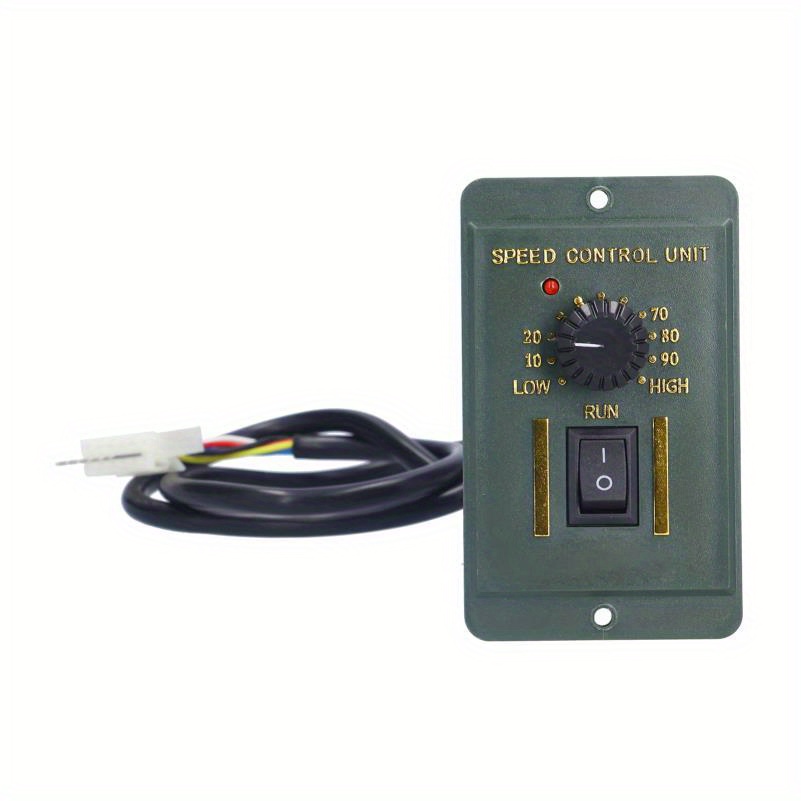
Credit: www.temu.com
Frequently Asked Questions
What Factors Affect Electronic Speed In A Home?
Electronic speed depends on processor power, memory, and network bandwidth. Efficient hardware and stable internet improve performance significantly.
How Does Internet Speed Control Home Electronics?
Internet speed impacts devices like smart TVs and gaming consoles. Faster connections ensure smooth streaming and quick downloads.
Can Power Supply Influence Electronics Speed?
Yes, stable power supply prevents slowdowns and device malfunctions. Fluctuations can cause electronics to underperform or restart.
Does Device Age Affect Electronic Speed?
Older devices often have slower processors and less memory. Upgrading hardware or software can boost speed effectively.
Conclusion
Many factors affect how fast electronics work at home. The internet speed, device quality, and network setup all matter. Old devices can slow things down. Strong Wi-Fi signals help devices run better. Keeping software updated also improves speed. Small changes can make a big difference.
Understanding these basics helps you enjoy smoother tech use. Speed depends on more than just one thing. Keep checking your devices and connections often. This helps you stay connected without frustration.
Leave a Reply