Imagine having a tool that keeps all your maintenance tasks organized, saves you time, and prevents costly equipment breakdowns. That’s exactly what a Computerized Maintenance Management System (CMMS) can do for you.
If you’re managing machines, facilities, or any kind of equipment, understanding how a CMMS works can change the way you handle maintenance forever. You’ll discover how this powerful system simplifies your daily work, boosts efficiency, and helps you stay ahead of problems before they happen.
Ready to see how it works? Keep reading to unlock the secrets behind a CMMS and take control of your maintenance like never before.
What Is A Cmms?
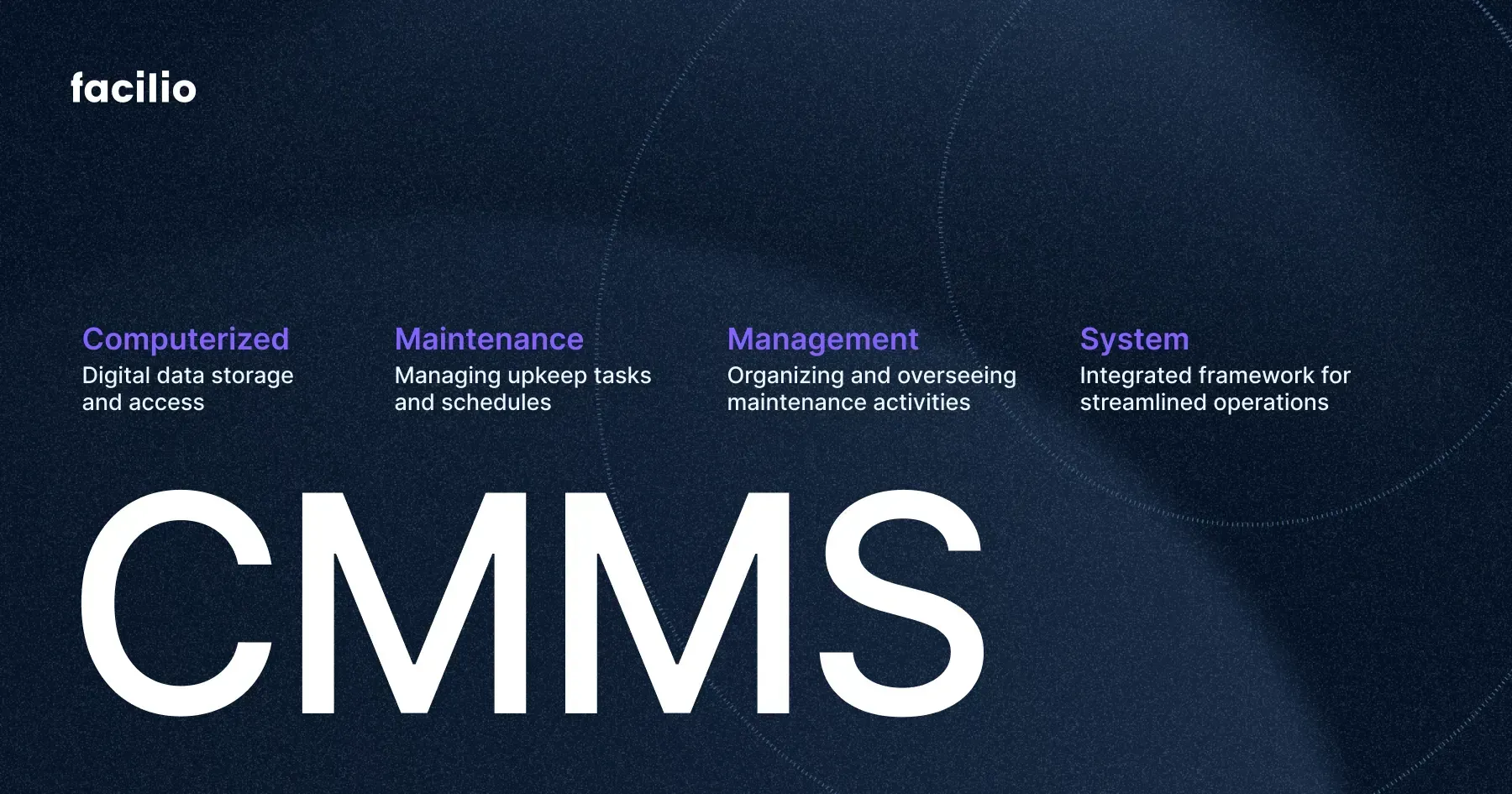
A Computerized Maintenance Management System (CMMS) is software designed to manage maintenance operations. It helps organizations keep track of assets, schedule tasks, and record work history. The system organizes maintenance work efficiently and reduces downtime.
CMMS simplifies the complex process of managing equipment and facilities. It stores information in one place, making it easy to access and update. Many industries use CMMS to improve their maintenance workflows and save costs.
Definition Of A Cmms
A CMMS is a digital tool that manages maintenance activities. It tracks work orders, schedules preventive maintenance, and monitors equipment status. The system helps teams respond quickly to repairs and avoid breakdowns.
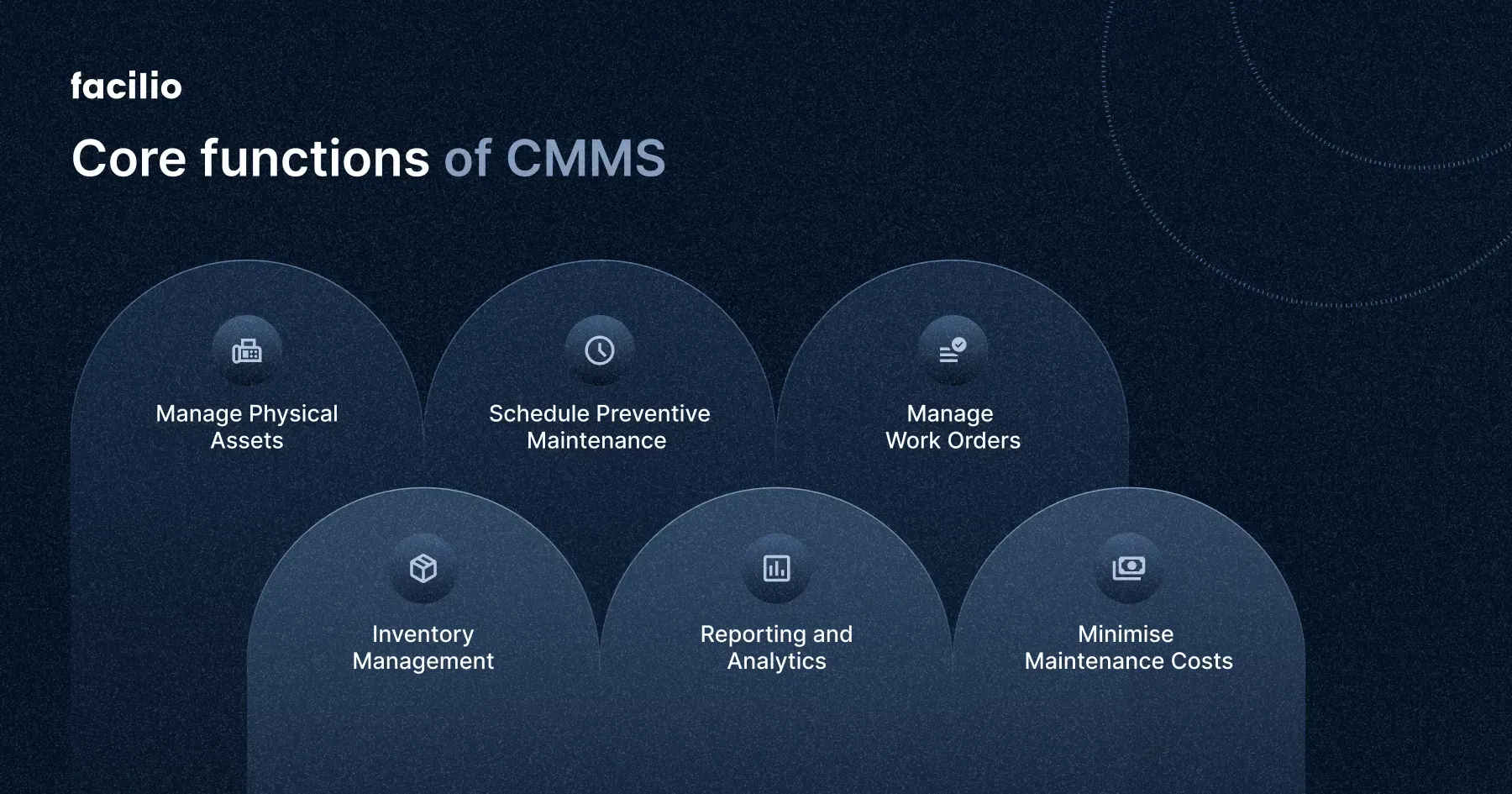
Core Features Of A Cmms
- Work order management
- Asset tracking and history
- Preventive maintenance scheduling
- Inventory management
- Reporting and analytics
Who Uses A Cmms?
Facilities managers, maintenance technicians, and operations staff use CMMS daily. It helps them coordinate tasks and improve maintenance efficiency. Small businesses and large companies benefit from its features.
Credit: facilio.com
Key Features Of Cmms
A Computerized Maintenance Management System (CMMS) helps businesses keep their equipment and facilities in top shape. It organizes maintenance tasks, tracks assets, and manages resources efficiently. The key features of a CMMS make daily operations smoother and reduce downtime.
Asset Management
CMMS stores detailed information about all assets. This includes location, condition, and maintenance history. It helps track asset performance and lifespan. Managers can make better decisions about repairs or replacements.
Work Order Management
Work orders can be created, assigned, and tracked within the system. Technicians receive clear instructions and deadlines. Managers monitor progress and completion easily. This keeps maintenance organized and on schedule.
Preventive Maintenance Scheduling
The system schedules routine maintenance automatically. It sends alerts before tasks are due. This prevents unexpected breakdowns and costly repairs. Regular care extends equipment life and improves reliability.
Inventory Control
CMMS tracks spare parts and supplies inventory. It records usage and stock levels accurately. Alerts notify when items need reordering. This avoids delays caused by missing parts and reduces excess stock.
Benefits Of Implementing Cmms
Implementing a Computerized Maintenance Management System (CMMS) brings clear benefits that can transform the way you handle maintenance tasks. It’s not just about tracking work orders; it’s about making your entire maintenance process smarter and more effective. Understanding these benefits can help you see why investing in a CMMS is worth your time and resources.
Improved Efficiency
A CMMS streamlines your maintenance workflows by organizing tasks and schedules in one place. You won’t waste time searching for information or duplicating work. Instead, you can quickly assign tasks, track progress, and close work orders, which means your team spends more time fixing problems and less time managing paperwork.
Think about how much easier it is when reminders pop up automatically for regular maintenance. This helps prevent unexpected breakdowns and keeps everything running smoothly. Have you noticed how much smoother things run when everyone knows exactly what to do and when?
Cost Savings
Using a CMMS helps you cut unnecessary expenses by preventing equipment failures and reducing emergency repairs. When maintenance is planned and done on time, you avoid costly downtime and expensive fixes. It’s a practical way to stretch your budget without sacrificing quality.
Additionally, better inventory management means you only order what you need. This avoids overstocking or last-minute purchases at higher prices. How much could you save if you stopped paying for avoidable breakdowns and rushed repairs?
Enhanced Equipment Reliability
Keeping equipment in top condition is easier with a CMMS. Scheduled maintenance ensures machines get the care they need before problems arise. This leads to fewer breakdowns and longer equipment life.
Reliable equipment means your production or service doesn’t get interrupted unexpectedly. It also boosts your team’s confidence, knowing the tools they rely on won’t fail them. What would it mean for your daily operations if your machines never stopped working unexpectedly?
Data-driven Decision Making
A CMMS collects valuable data about maintenance activities, costs, and equipment performance. This data helps you identify patterns and make smarter decisions about where to focus your efforts and budget. Instead of guessing, you use real information to plan maintenance strategies.
Imagine being able to predict when a machine might fail and fix it before it causes problems. This foresight comes from analyzing trends in your maintenance data. Are you ready to rely on facts instead of assumptions when managing your maintenance?
Credit: facilio.com
How Cmms Works
A Computerized Maintenance Management System (CMMS) helps businesses manage maintenance tasks efficiently. It organizes data, schedules work, monitors equipment, and generates reports. Understanding how CMMS works reveals its role in improving maintenance processes and reducing downtime.
Data Input And Organization
CMMS starts with collecting maintenance data. This includes equipment details, work orders, and maintenance history. Users enter data through forms or import files. The system organizes this data into a database. It keeps information easy to find and update.
Automated Task Scheduling
CMMS creates schedules for maintenance tasks based on set rules. It sends alerts for upcoming work. This helps prevent missed or late maintenance. Tasks can be scheduled by time or usage. The system adjusts schedules based on priorities and resource availability.
Real-time Monitoring
CMMS tracks equipment status in real time. It collects data from sensors or manual inputs. Users can see current conditions and performance. Early warnings help avoid breakdowns. Real-time updates allow quick responses to issues.
Reporting And Analytics
CMMS generates reports on maintenance activities and costs. It analyzes trends and identifies problem areas. Reports support decision-making and budgeting. They also help improve maintenance strategies. Users can customize reports to fit their needs.
Choosing The Right Cmms
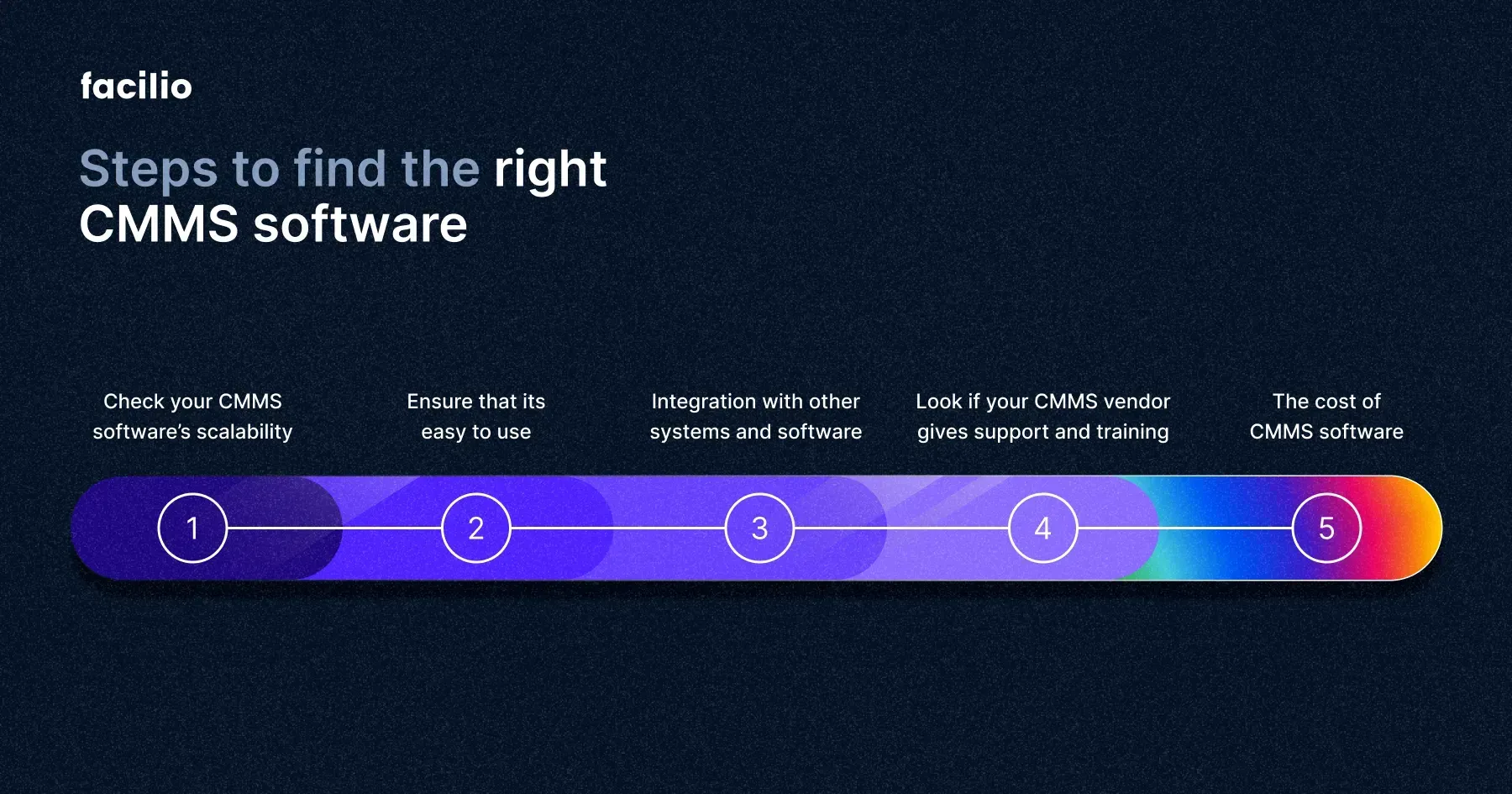
Choosing the right Computerized Maintenance Management System (CMMS) can make or break your maintenance strategy. It’s not just about picking software; it’s about finding a tool that fits your unique needs, boosts efficiency, and simplifies your daily tasks. Let’s break down what to consider so you can make an informed choice that truly supports your team.
Assessing Business Needs
Start by looking closely at what your business requires from a CMMS. Are you managing multiple facilities or just one? Do you need advanced scheduling or just basic tracking of work orders?
Think about your current pain points. Is it communication, asset tracking, or reporting? Defining these needs upfront saves you from buying features you’ll never use. Have you talked to the maintenance team about their biggest challenges? Their input can reveal what’s truly essential.
Comparing Features
Once you know your needs, compare different CMMS options feature-by-feature. Look for tools that offer:
- Work order management
- Preventive maintenance scheduling
- Inventory control
- Real-time reporting
- Mobile access
Not every system offers the same depth in each area. A CMMS with strong reporting but weak inventory management might not serve you well if spare parts tracking is critical for you.
Evaluating User-friendliness
A powerful CMMS means little if your team struggles to use it. Look for intuitive interfaces and easy navigation. You want software that your staff can learn quickly without frustration.
Ask for demos or trial periods. Watch how your team interacts with the system. Is it straightforward enough to encourage adoption? Remember, even the best features won’t help if they end up ignored.
Considering Budget Constraints
Your budget plays a big role in the decision. CMMS pricing varies widely depending on features, user count, and support levels.
Don’t just focus on upfront costs. Consider ongoing expenses like training, updates, and customer support. Sometimes paying a bit more upfront saves money later by reducing downtime and maintenance errors.
Are you balancing cost with value, or just chasing the lowest price? Spending wisely on the right system can pay off in smoother operations and less stress for you and your team.
Implementation Tips
Implementing a Computerized Maintenance Management System (CMMS) can transform how your organization handles maintenance tasks. However, the process requires careful attention to detail to avoid common pitfalls. Below are practical tips to help you set up your CMMS effectively and ensure it delivers real value.
Planning And Preparation
Start by clearly defining your goals and what you want the CMMS to achieve. Identify key users and involve them early to understand their daily challenges and needs.
Assess your current maintenance processes and pinpoint areas that need improvement. This helps in customizing the CMMS to fit your unique workflow.
Don’t forget to set a realistic timeline and budget. Rushing or cutting corners can lead to bigger problems down the road.
Training Staff
Your CMMS is only as good as the people who use it. Invest time in training all users, from technicians to managers, to make sure everyone understands how to operate the system confidently.
Hands-on sessions work best—encourage users to practice with real scenarios they face daily. This builds familiarity and reduces resistance to change.
Consider creating quick-reference guides or cheat sheets for common tasks. These tools boost user confidence and reduce errors.
Data Migration Strategies
Migrating your existing maintenance data into the new system can be tricky. Clean up your data before migration—remove duplicates, correct errors, and update outdated information.
Test the migration process on a small data set first. This helps identify potential issues without risking the entire database.
Keep backups of all original data. If anything goes wrong, you’ll want to restore it quickly without losing critical information.
Ongoing Support And Maintenance
Implementation doesn’t end once the system is live. Set up a support system where users can report issues or ask questions promptly.
Schedule regular check-ins to review system performance and user satisfaction. This keeps the CMMS aligned with your evolving needs.
Plan for periodic updates and maintenance of the software itself. Ignoring this can lead to security risks or reduced functionality over time.
Common Challenges And Solutions
Implementing a Computerized Maintenance Management System (CMMS) can face several common challenges. These obstacles may slow down adoption and reduce system effectiveness. Understanding typical problems helps find practical solutions. It ensures smoother operation and better results.
Resistance To Change
Staff may feel uncomfortable using new software. They might prefer old habits and tools. This resistance can delay CMMS use and lower productivity. Training programs can ease this transition. Clear communication about benefits helps gain support. Involving employees early makes them feel valued. Gradual implementation allows time to adjust.
Data Accuracy Issues
Poor data quality can harm maintenance decisions. Incorrect or missing information leads to errors. Regular audits ensure data stays accurate and complete. Setting clear data entry rules reduces mistakes. Use automated tools to check for inconsistencies. Encourage employees to report errors promptly. Clean data improves system reliability and trust.
Integration With Other Systems
CMMS often needs to work with other software. Lack of integration creates data silos and extra work. Choose a CMMS with open APIs for easier connection. Plan integration during the early stages of implementation. Test data flow between systems thoroughly. Integration improves efficiency and reduces manual entry. It supports better reporting and decision-making.
Credit: facilio.com
Future Trends In Cmms
The future of Computerized Maintenance Management Systems (CMMS) is bright and full of innovation. New technologies are changing how maintenance teams work. These trends improve efficiency, reduce costs, and increase equipment lifespan. CMMS will become smarter and more connected.
Integration With Iot
IoT devices send real-time data to CMMS. Sensors track machine conditions and performance constantly. This data helps detect problems early before breakdowns occur. It allows faster decision-making and better maintenance planning. Connected devices make CMMS more accurate and responsive.
Ai And Predictive Maintenance
Artificial Intelligence analyzes large amounts of maintenance data. It predicts when equipment might fail. This helps schedule repairs only when needed, saving time and money. AI improves maintenance accuracy and reduces unexpected downtime. Predictive maintenance keeps machines running smoothly longer.
Mobile Accessibility
Mobile CMMS apps let technicians access work orders anywhere. They can update tasks, check inventory, and report issues on the spot. This increases productivity and speeds up communication. Mobile access makes maintenance work easier and more flexible. Teams stay connected even outside the office.
Frequently Asked Questions
What Is A Computerized Maintenance Management System?
A Computerized Maintenance Management System (CMMS) is software that streamlines maintenance operations. It helps schedule tasks, track assets, and manage work orders efficiently, improving productivity and reducing downtime.
How Does A Cmms Improve Maintenance Efficiency?
A CMMS automates work order scheduling and tracks maintenance history. This reduces manual errors, speeds up repairs, and ensures timely maintenance, enhancing overall operational efficiency and asset lifespan.
Can Cmms Track Inventory And Spare Parts?
Yes, CMMS tracks inventory levels and spare parts usage. It alerts when stock is low, preventing shortages and ensuring necessary parts are available for maintenance tasks.
Who Benefits Most From Using A Cmms?
Facilities managers, maintenance teams, and asset managers benefit from CMMS. It organizes workflows, improves communication, and optimizes resource allocation for better maintenance management.
Conclusion
A Computerized Maintenance Management System helps track and schedule maintenance easily. It keeps equipment running longer and reduces unexpected breakdowns. Teams can share information faster and plan work better. This system saves time and lowers costs for businesses. Simple tools make maintenance clear and organized.
Choosing the right system brings steady improvements. Maintenance work becomes smoother and less stressful. A CMMS is a smart step for any company wanting better control.
Leave a Reply