Are you struggling to keep track of your maintenance tasks? Imagine having a tool that organizes everything for you, saving time and preventing costly breakdowns.
That’s exactly what a Computerized Maintenance Management System (CMMS) can do for you. By the end of this article, you’ll understand how a CMMS works and why it could be the game-changer your maintenance routine needs. Keep reading to discover how you can make your maintenance smarter, easier, and more efficient.
Cmms Basics
A Computerized Maintenance Management System (CMMS) helps businesses manage their maintenance tasks efficiently. It stores important information about equipment and schedules work to keep everything running smoothly. Understanding the basics of CMMS is essential for making the most of this tool.
Definition And Purpose
A CMMS is software designed to organize maintenance activities. It tracks work orders, schedules preventive maintenance, and records asset history. The main goal is to reduce downtime and extend equipment life. This system helps maintenance teams work faster and smarter.
Key Features
- Work Order Management:Create, assign, and track maintenance tasks easily.
- Asset Tracking:Keep detailed records of equipment, parts, and locations.
- Preventive Maintenance Scheduling:Plan regular maintenance to avoid breakdowns.
- Inventory Management:Monitor spare parts and supplies to prevent shortages.
- Reporting and Analytics:Generate reports to analyze maintenance performance.
- Mobile Access:Allow technicians to update tasks on the go.
Benefits Of Cmms
Implementing a Computerized Maintenance Management System (CMMS) can transform how you handle maintenance tasks. It offers clear benefits that directly impact your daily operations and long-term goals. Let’s look at some of the key advantages that can help you get more done with less hassle.
Increased Efficiency
A CMMS helps you schedule and track maintenance activities automatically, so you spend less time on paperwork and follow-ups. It sends reminders for upcoming tasks, ensuring nothing gets missed. This means your team can focus on actual repairs and upkeep, rather than chasing information.
Imagine not having to scramble for maintenance records or manually log work orders. With a CMMS, you have instant access to all data, which speeds up decision-making and reduces downtime.
Cost Reduction
By keeping equipment in better shape, a CMMS helps you avoid costly emergency repairs. Preventive maintenance alerts can save you from unexpected breakdowns that eat into your budget. You also reduce spending on unnecessary parts and overtime labor.
Tracking inventory with a CMMS means you buy only what you need. Over time, this controlled spending adds up to significant savings for your operation.
Improved Compliance
Many industries require strict adherence to safety and maintenance regulations. A CMMS stores all maintenance history and inspection reports in one place, making it easier to prove compliance. You can generate audit-ready reports quickly, reducing stress during inspections.
Have you ever faced penalties due to missed compliance deadlines? With a CMMS, those risks drop sharply, giving you peace of mind and protecting your business reputation.
How Cmms Works
A Computerized Maintenance Management System (CMMS) helps businesses keep their equipment and facilities in good shape. It works by organizing data, planning tasks, and tracking progress. This system makes maintenance easier and more efficient. Understanding how it works shows why many companies rely on it.
Data Collection
CMMS collects information about assets and maintenance activities. It stores details like equipment type, location, and condition. Workers can enter data using computers or mobile devices. This data helps track problems and maintenance history. Accurate data is key to preventing unexpected breakdowns.
Maintenance Scheduling
The system creates schedules for routine checks and repairs. It reminds teams when tasks are due. Scheduling helps avoid missed maintenance and reduces downtime. CMMS can assign work orders to technicians automatically. This keeps maintenance organized and timely.
Reporting And Analysis
CMMS generates reports on maintenance activities and costs. These reports show trends and help identify issues. Managers use this information to improve processes. Analysis supports better decision-making and resource allocation. Clear reports help teams stay informed and efficient.

Credit: facilio.com
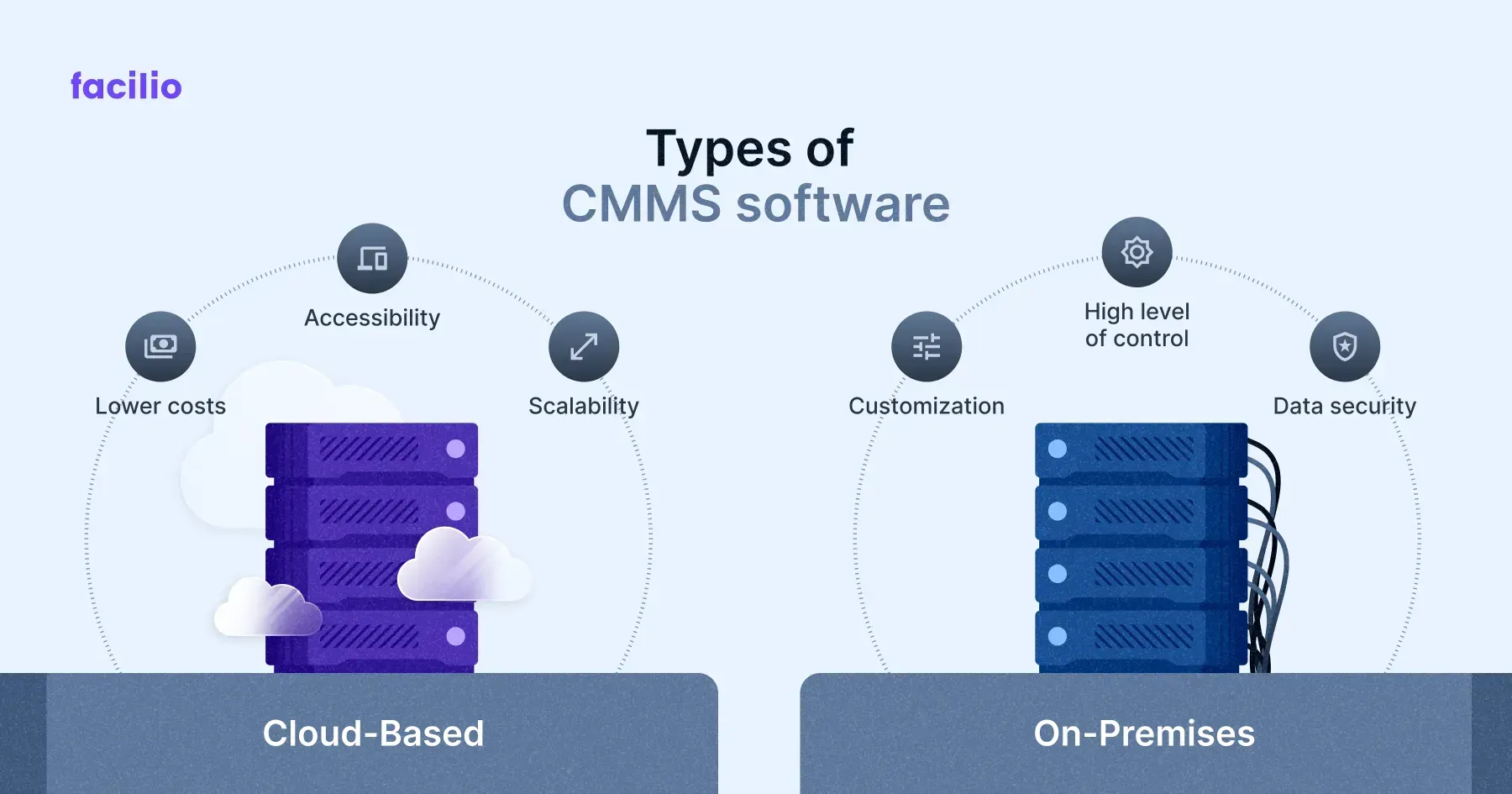
Types Of Cmms
Understanding the types of Computerized Maintenance Management Systems (CMMS) helps you pick the right tool for your maintenance needs. Each type offers unique features that can affect how you manage work orders, track assets, and schedule maintenance. Your choice depends on factors like budget, IT support, and how flexible you want your system to be.
Cloud-based Systems
Cloud-based CMMS operate on the internet, allowing you to access your maintenance data from anywhere. This flexibility means your team can update work orders or check asset status on the go, using any device with an internet connection.
These systems usually require a subscription, which covers updates and support. You don’t have to worry about installing software or managing servers. However, you do need reliable internet access, and some companies might have concerns about data security.
Imagine a technician at a remote site who needs to quickly log a repair. A cloud-based CMMS lets them do that instantly, improving accuracy and saving time. Could your team benefit from this kind of real-time data access?
On-premise Solutions
On-premise CMMS are installed directly on your company’s servers and computers. This setup gives you full control over your data and software environment.
While on-premise systems often require a bigger upfront investment, they might suit organizations with strict data privacy rules. You also have the flexibility to customize the software to fit your exact processes.
One challenge is that your IT team must handle updates and technical issues, which can be time-consuming. Think about whether your resources can support this or if you prefer an easier-to-manage solution. How important is control versus convenience in your maintenance management?
Choosing The Right Cmms
Choosing the right Computerized Maintenance Management System (CMMS) is crucial for efficient maintenance operations. The right system saves time, reduces costs, and improves asset lifespan. It must fit your business needs and work well with your team. Taking time to select the best CMMS helps avoid future problems and ensures smooth workflows.
Assessing Your Needs
Start by identifying what your maintenance team requires from a CMMS. Consider the size of your operation and the types of assets you manage. Think about the features needed, such as scheduling, reporting, or inventory tracking. Understand your budget and how much you can spend on software. Also, check if the system should work on mobile devices or integrate with other tools.
- Number of users and roles needed
- Types of assets and maintenance tasks
- Reporting and analytics requirements
- Compatibility with existing software
- Budget limits
Evaluating Vendors
Compare different CMMS providers based on their features and support. Look for vendors with good customer service and training options. Test the software through demos or free trials to see if it is user-friendly. Read reviews from other users in your industry to learn about their experiences. Confirm the vendor offers updates and technical help after purchase.
- Feature set matching your needs
- Ease of use and user interface
- Customer support availability
- Trial or demo options
- Reputation and user reviews
- Post-purchase updates and support

Credit: medium.com
Implementing Cmms
Implementing a Computerized Maintenance Management System (CMMS) requires careful thought and action. It involves more than just installing software. Success depends on thorough planning and ongoing support. Proper steps ensure smoother transitions and better results.
Planning And Preparation
Start by assessing current maintenance processes. Identify key tasks and problem areas. Define clear goals for the CMMS. Choose the right system based on needs and budget. Prepare data for migration, such as asset lists and work orders.
Create a detailed implementation plan. Set timelines and assign roles. Communicate plans to all team members early. Anticipate challenges and prepare solutions. Planning reduces risks and speeds up adoption.
Training And Support
Train employees on how to use the CMMS effectively. Use simple language and hands-on practice. Provide easy-to-understand manuals or guides. Encourage questions and feedback during sessions.
Offer ongoing support after launch. Set up a helpdesk or support team. Monitor system use and address issues quickly. Regular training refreshers keep skills sharp. Support boosts user confidence and system success.
Future Trends In Cmms
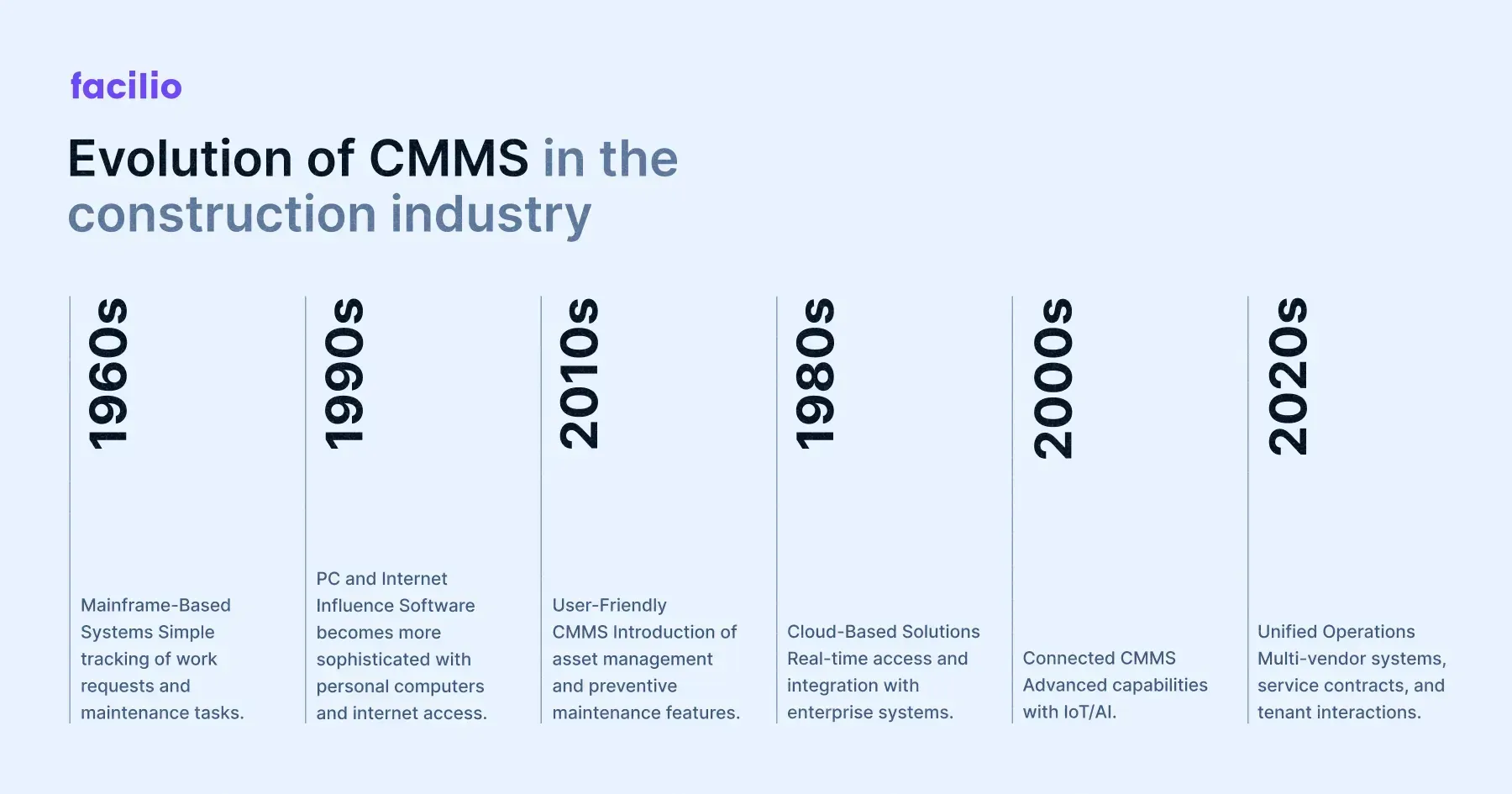
The future of Computerized Maintenance Management Systems (CMMS) is shaping up to be more connected, intelligent, and user-friendly. As technology advances, these systems will offer new ways to streamline maintenance tasks and boost efficiency. Understanding these trends can help you prepare your business for the next wave of maintenance management improvements.
Integration With Iot
IoT devices are becoming more common in maintenance environments. Sensors attached to machines can send real-time data to your CMMS, helping you catch issues before they become costly problems. Imagine your system alerting you the moment a part is overheating or vibrating unusually.
This connection means fewer unexpected breakdowns and more planned maintenance. You’ll spend less time reacting and more time preventing. Are you ready to let your equipment talk to your CMMS?
Ai And Machine Learning
Artificial intelligence and machine learning are transforming how maintenance decisions are made. These technologies analyze historical data to predict when equipment will need service, allowing you to schedule maintenance at the perfect time.
AI can also suggest the best repair methods and parts needed, reducing downtime and costs. Think about how much smoother your operations could run if your CMMS could learn from past experiences and guide your team. How much more efficient would your maintenance be with AI as your assistant?
Credit: facilio.com
Frequently Asked Questions
What Is A Computerized Maintenance Management System (cmms)?
A CMMS is software that helps manage maintenance tasks. It schedules work, tracks assets, and stores maintenance history. This improves efficiency and reduces downtime in facilities and equipment management.
How Does A Cmms Improve Maintenance Efficiency?
CMMS automates scheduling, work orders, and asset tracking. It ensures timely maintenance, reduces manual errors, and helps prioritize tasks. This leads to faster repairs and lower operational costs.
Who Can Benefit From Using A Cmms?
Industries like manufacturing, healthcare, and facilities management benefit most. Any organization with complex equipment or maintenance needs gains better control, reduces downtime, and extends asset life.
What Features Should I Look For In A Cmms?
Look for work order management, asset tracking, preventive maintenance scheduling, and reporting tools. User-friendly interface and mobile access are also essential for ease of use and flexibility.
Conclusion
A Computerized Maintenance Management System helps keep equipment in good shape. It tracks repairs, schedules tasks, and stores important data. This system saves time and reduces costly breakdowns. Teams can work better with clear information and easy planning. Using CMMS leads to smoother operations and less stress.
It supports smarter decisions and helps businesses run safely. Choosing the right CMMS can improve your maintenance process. Simple tools like this make big jobs easier to handle.
Leave a Reply