Are you tired of tangled cables and cluttered desks? Setting up your home office can be a game-changer for productivity, but only if everything is in its right place.
When your electronics are mounted correctly, you not only save space but also create a more efficient and aesthetically pleasing work environment. Imagine sitting down at a desk that feels organized and professional. Doesn’t that sound appealing? In this guide, you’ll discover practical tips and tricks to mount your home office electronics seamlessly.
By the end of this article, you’ll have the knowledge to transform your workspace into a hub of creativity and focus. Ready to get started? Let’s dive in!
Choosing The Right Location
Choosing the right location for mounting your home office electronics is key to a smooth workday. The spot should offer enough space, good lighting, and easy access. These factors help keep your setup neat and your work comfortable.
Assessing Space And Lighting
Start by checking how much room you have. Electronics need space for proper ventilation. Avoid cramped spots that block airflow or create clutter.
Natural light is best for your eyes. Place your electronics near windows without direct sunlight on screens. Use curtains or blinds to control glare.
Consider adding task lighting. Adjustable desk lamps help focus light where you need it most.
Considering Accessibility And Ergonomics
Electronics must be easy to reach. Place devices within arm’s length to reduce stretching or twisting.
Keep cables organized to avoid tripping hazards. Use clips or sleeves to bundle wires.
Think about your posture. Your monitor should be at eye level. Your keyboard and mouse should allow your arms to rest comfortably.
Choose a location that supports good sitting habits. This reduces strain and boosts productivity.

Credit: www.youtube.com
Selecting Mounting Equipment
Selecting the right mounting equipment for your home office electronics is essential. It ensures safety, functionality, and a clean workspace. Choosing the proper mounts helps keep devices stable and accessible. Focus on the type of mount and its capacity for your specific devices.
Types Of Mounts For Electronics
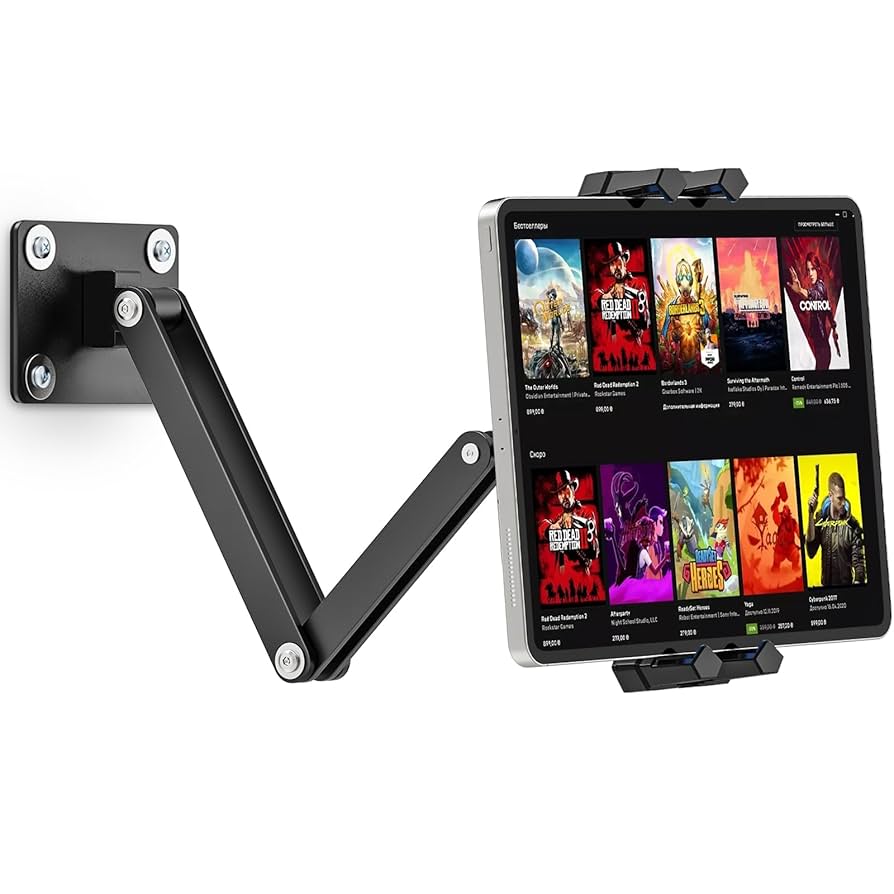
Various mounts suit different electronics and spaces. Wall mounts save desk space and create a modern look. Desk mounts offer flexibility and easy adjustments. Ceiling mounts work well for projectors or speakers. Some mounts are fixed, while others swivel or tilt for better viewing angles.
- Wall mounts: Ideal for monitors and TVs
- Desk mounts: Perfect for laptops and small screens
- Ceiling mounts: Suitable for projectors and speakers
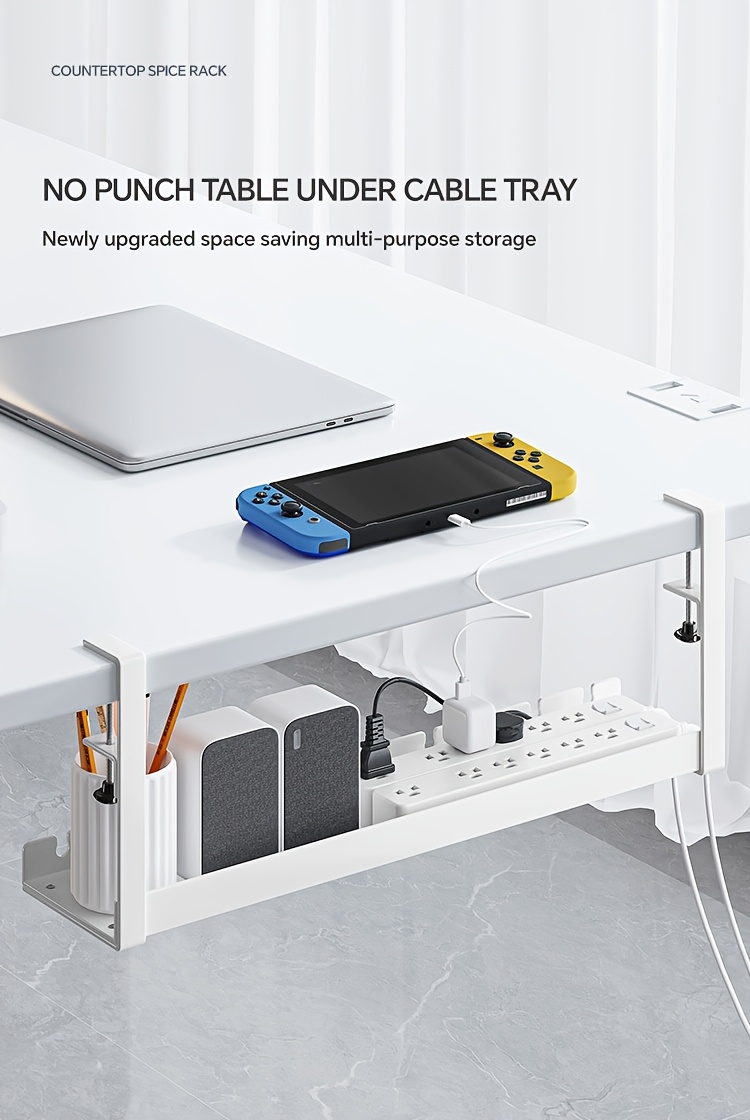
- Under-desk mounts: Great for keyboards or small devices
Materials And Weight Capacity
Mounts come in various materials, affecting durability and strength. Metal mounts offer high strength and long life. Plastic mounts suit light electronics but may wear out faster. Check the weight capacity of each mount to avoid accidents. Ensure the mount supports your device’s weight safely.
| Material | Strength | Best For |
|---|---|---|
| Steel | High | Heavy monitors, TVs |
| Aluminum | Medium to High | Medium-weight devices |
| Plastic | Low to Medium | Light gadgets, small accessories |
Preparing The Wall And Workspace
Preparing the wall and workspace is vital before mounting home office electronics. This step ensures stability and safety. Proper preparation helps avoid damage and keeps your devices secure. It also creates a neat and organized area for work. Follow these key points to get ready.
Checking Wall Structure
Identify the type of wall you have. Common walls include drywall, plaster, brick, or concrete. Use a stud finder to locate wooden or metal studs. Studs provide strong support for heavy devices. Avoid mounting only on drywall without studs. Check for electrical wires or plumbing inside the wall. Mark safe areas clearly to prevent accidents. Knowing wall strength prevents damage and ensures secure mounting.
Gathering Tools And Safety Gear
Collect all necessary tools before starting. Common tools include:
- Drill with suitable bits
- Screwdrivers
- Level
- Stud finder
- Measuring tape
- Wall anchors
Wear safety gear to protect yourself. Use safety goggles to shield eyes from dust. Gloves protect hands from sharp edges. A mask helps avoid breathing in dust. Keep the workspace clean and well-lit. Clear the area of furniture and clutter. This creates a safe, efficient environment for mounting.
Mounting Monitors And Screens
Mounting monitors and screens in your home office saves desk space and improves your workspace look. Proper mounting helps create a clean, organized environment. It also reduces neck and eye strain by setting screens at the right height and angle.
Positioning For Comfort
Place your monitor at eye level to avoid neck pain. The top of the screen should align with your eyes. Keep the screen about 20 to 30 inches from your face.
Adjust the tilt to reduce glare and improve visibility. Position multiple screens so you can see them without turning your head too much. A slight inward angle works well for dual monitors.
Securing The Mounts
Choose a mount that fits your monitor size and weight. Check the VESA pattern on the back of your screen before buying a mount.
Use strong screws and anchors to fix the mount securely to your wall or desk. Tighten all screws to prevent wobbling or falling.
Double-check the stability by gently shaking the monitor after installation. Make sure cables are managed to avoid strain or damage.
Organizing Cables And Power
Organizing cables and power in a home office keeps the space clean and safe. Tangled cords create clutter and can cause accidents. Well-managed cables help devices work better and last longer. Proper power setup prevents overloads and electrical hazards.
Using Cable Management Solutions
Use cable clips to keep cords in place on walls or desks. Cable sleeves bundle wires together for a neat look. Velcro straps offer easy adjustments and reuse. Cable trays under desks hide cables and protect them from damage.
- Label cables for quick identification.
- Avoid running cables across walkways.
- Use different colors for power and data cables.
Ensuring Safe Power Connections
Choose power strips with surge protection to guard devices. Avoid daisy-chaining multiple power strips. Check plugs and cords for damage before use. Keep power sources away from water and heat. Use outlets with enough capacity for all devices.

Credit: www.amazon.ca
Mounting Additional Electronics
Mounting additional electronics in your home office can free up valuable desk space and create a cleaner, more organized environment. It also helps protect your devices from accidental spills or damage. Think about how much easier it is to focus without clutter—wouldn’t you agree that a tidy space boosts productivity?
Printers And Speakers
Printers can be bulky, but wall-mounting shelves or brackets designed for heavy devices make a huge difference. Choose a sturdy shelf that can hold the weight and leave enough room for paper trays and cables. Position it within easy reach to avoid hassle when printing or replacing ink cartridges.
Speakers are another key element to mount thoughtfully. Using adjustable wall mounts or stands lets you angle them perfectly for the best sound experience. Avoid placing them directly on your desk where vibrations can distort sound or cause clutter.
- Use cable clips to keep wires neat and prevent tangling.
- Check speaker weight limits before mounting to avoid accidents.
- Consider mounting at ear level to enhance audio clarity during calls or music.
Networking Devices
Routers, modems, and switches often end up lost in a mess of cables. Wall-mounting these devices keeps your network gear off your desk and improves airflow, which can extend device lifespan. You can use small racks or custom holders that fit your specific devices.
Make sure to mount your networking devices near power outlets and cable connections. This minimizes the need for long, tangled cables. Also, think about your office layout—placing your router centrally improves Wi-Fi coverage.
- Label cables for easier troubleshooting and upgrades.
- Use Velcro straps or zip ties to bundle excess cable length.
- Keep devices away from metal surfaces that might interfere with signals.
Maintaining A Sleek Setup
Keeping your home office electronics mounted neatly is only half the battle. Maintaining a sleek setup means ensuring everything stays clean, functional, and visually appealing over time. This not only boosts your productivity but also keeps your workspace inviting and organized.
Regular Cleaning Tips
Dust and fingerprints can quickly make your sleek setup look cluttered and worn. Use a microfiber cloth to gently wipe screens and surfaces at least once a week. Avoid harsh chemicals; instead, opt for screen-safe cleaners or a mix of water and vinegar for stubborn spots.
Don’t forget to clean around mounts and cables too. Dust buildup can affect the stability of mounts or cause overheating in electronics. Regularly inspect and clean these areas to prevent any issues.
Upgrading And Adjusting Mounts
As your needs change, your mounts should adapt with you. Maybe you’ve added a second monitor or switched to a heavier device; this means it’s time to upgrade to stronger or more flexible mounts.
Adjust mounts periodically to maintain ergonomic comfort. Small tweaks can reduce strain on your neck and eyes, improving your overall work experience. Have you noticed your setup feels less comfortable over time? It might be time to reposition your gear.
Credit: www.temu.com
Frequently Asked Questions
What Tools Are Needed To Mount Home Office Electronics?
Basic tools include a drill, screwdriver, level, measuring tape, and mounting brackets. These ensure secure and accurate placement of devices.
How To Choose The Best Location For Mounting Electronics?
Select a spot with easy access to power outlets, good ventilation, and minimal glare. This improves device performance and user comfort.
Can I Mount Electronics Without Damaging Walls?
Yes, use adhesive mounts or removable hooks for light devices. For heavier items, anchors or professional installation minimize wall damage.
How To Hide Cables When Mounting Electronics?
Use cable clips, raceways, or sleeves to organize and conceal wires. This keeps your workspace tidy and reduces tripping hazards.
Conclusion
Mounting your home office electronics saves space and reduces clutter. It keeps wires organized and your desk neat. Choose the right mounts for each device carefully. Follow safety steps to avoid damage or injury. Take your time to measure and plan before starting.
A well-mounted setup improves comfort and productivity. Small changes can make a big difference in your workspace. Try these tips to create a clean, efficient office area. Enjoy a clutter-free and organized home office every day.
Leave a Reply