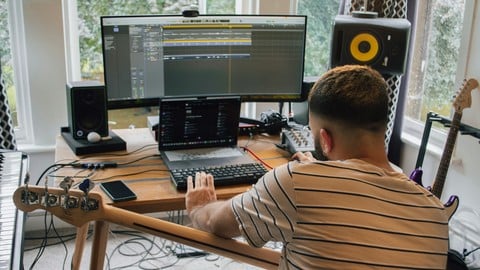
Imagine transforming your living room into a creative music studio, where beats and melodies come to life with just a few clicks. Producing electronic music at home is not just a hobby; it’s a thrilling adventure where you are the artist, the producer, and the visionary.
Whether you’re a complete beginner or you’ve dabbled in music before, learning to produce electronic music can be a rewarding experience. You might be wondering, “Do I need expensive gear or years of training? ” The answer is no. With the right guidance and a bit of creativity, you can start producing your own tracks from the comfort of your home.
This guide is your ticket to unleashing your musical genius. Dive in to discover simple steps, tools, and tips that can turn your musical dreams into reality. Ready to hit play on your music journey? Keep reading to unlock the secrets of home music production.
Credit: www.soundtoys.com
Choosing Your Gear
Choosing the right gear is a crucial step in producing electronic music at home. The equipment you pick will shape your workflow, sound quality, and overall creative experience. It’s important to find tools that fit your style and budget while offering room to grow.
Essential Hardware
Start with a reliable audio interface to connect your instruments and microphones to your computer. Look for one with low latency and good preamps to ensure clear sound recording. A MIDI controller keyboard can boost your creativity by letting you play melodies and control software instruments more naturally.
Don’t overlook headphones or studio monitors—they help you hear your music accurately. I once used regular earbuds and missed crucial details in my mix, which affected the final track. Investing in decent monitors or headphones can make a big difference in your production quality.
Software Options
Your choice of digital audio workstation (DAW) defines how you create and arrange your music. Popular options include Ableton Live, FL Studio, and Logic Pro, each with unique features and workflow. Try demos or watch tutorials to see which one feels intuitive for you.
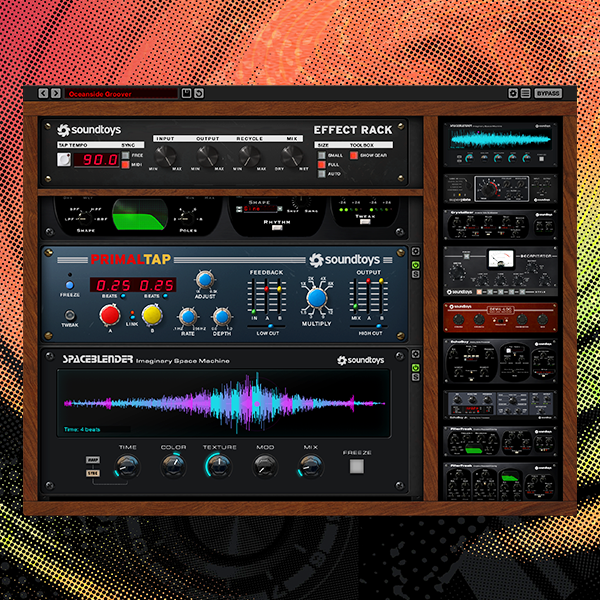
Besides the DAW, consider plugins for synthesizers, effects, and mixing tools. Some free plugins offer excellent quality and can expand your sonic palette without adding cost. Are you looking for a deep sound design tool or simple presets to get started quickly? Your software choices should match your production goals.
Setting Up Your Space
Creating a dedicated spot for music production helps you focus and stay organized. Make sure your desk can hold your gear comfortably and that cables are neatly arranged to avoid distractions. Natural light and ventilation can keep you energized during long sessions.
Think about sound treatment to reduce unwanted echoes and noise. Even basic foam panels or thick curtains can improve your room’s acoustics significantly. How can you optimize your space to make it both inspiring and practical for your music-making?
Learning The Basics
Starting your journey in electronic music production means getting comfortable with the fundamental tools and concepts. These basics form the foundation for your creativity and technical skills. Understanding them well will save you time and frustration as you build your sound.
Understanding Daws
A Digital Audio Workstation (DAW) is the software where you create, edit, and arrange your music. Popular DAWs like Ableton Live, FL Studio, and Logic Pro offer different workflows, but they all let you record sounds, use virtual instruments, and mix tracks.
Choosing the right DAW depends on your style and budget. Experiment with free trials to see which interface feels intuitive. Remember, mastering your DAW’s shortcuts and features will speed up your workflow significantly.
Midi And Controllers
MIDI (Musical Instrument Digital Interface) is the language that connects your instruments and software. Instead of recording audio, MIDI sends information about notes and timing, making it easy to edit performances.
A MIDI controller, like a keyboard or pad, lets you play and control sounds in your DAW. You don’t need an expensive setup; a simple controller can boost your creativity and make composing more hands-on.
Think about how you want to interact with your music. Would playing melodies live help you find ideas faster? Or do you prefer programming beats step-by-step?
Basic Music Theory
Knowing some music theory helps you create melodies and harmonies that sound good together. You don’t have to become an expert, but understanding scales, chords, and rhythm will make your tracks more interesting.
Try learning the major and minor scales first, then explore chord progressions that fit the mood you want. Even a simple four-chord loop can form the backbone of a great track.
Have you ever noticed how certain notes just feel right together? Understanding why can open new doors in your music-making process.
Creating Your First Track
Creating your first electronic music track is an exciting journey. It brings your ideas to life using sounds and rhythms. Start simple and focus on the basic elements. These elements work together to form a complete song. Each part has its role and adds to the whole experience.
Building A Beat
A beat forms the foundation of your track. It sets the tempo and mood. Choose a drum kit or samples that fit your style. Begin with a basic rhythm, like a four-on-the-floor kick drum. Layer other percussion sounds, such as snares and hi-hats. Keep the pattern simple and steady. This helps create a groove listeners can follow.
Crafting Melodies
Melodies give your track emotion and character. Use a keyboard or MIDI controller to play notes. Start with a short, catchy phrase that repeats. Experiment with different scales and note lengths. Avoid making the melody too complex. It should complement the beat without overpowering it. Soft synth sounds work well for gentle melodies.
Adding Basslines
The bassline supports your beat and melody. It adds depth and energy to the track. Choose a bass sound with a rich, warm tone. Create a rhythm that locks in with the drum beat. Use simple, repetitive patterns to keep the flow smooth. Make sure the bass notes match the key of your melody. This creates harmony and balance in your track.
Sound Design Techniques
Sound design is a key part of producing electronic music at home. It shapes the character and mood of your tracks. Good sound design makes your music stand out and feel professional. Understanding different techniques helps create unique sounds that fit your style.
Using Synthesizers
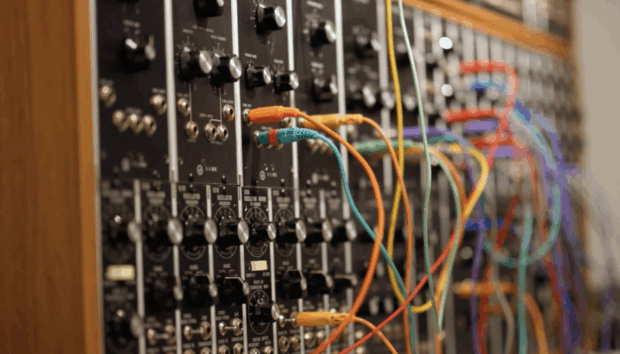
Synthesizers create sounds using oscillators, filters, and envelopes. Start with simple waveforms like sine, square, or sawtooth. Adjust the filter cutoff to change the brightness of the sound. Use envelopes to shape the attack, decay, sustain, and release. Modulation options add movement and variation. Experiment with different settings to find your signature sound.
Sampling Tips
Sampling involves using recorded sounds in your music. Choose high-quality samples for better results. Chop samples into smaller parts to rearrange and create new rhythms. Layer different samples to build thicker textures. Use time-stretching to match samples with your track’s tempo. Clean unwanted noise to keep sounds clear and focused.
Effects And Processing
Effects add depth and interest to your sounds. Reverb creates space and atmosphere. Delay repeats sounds to add rhythm and complexity. Distortion adds warmth or grit. Use EQ to balance frequencies and remove muddiness. Compression controls dynamics for a tighter sound. Apply effects carefully to avoid overloading your mix.
Arranging And Structuring
Arranging and structuring are key parts of making electronic music. This stage shapes how your track flows and keeps listeners interested. Good arrangement helps build energy and creates moments that stand out. It guides the listener through your song’s story.
Focus on clear sections and smooth changes. Each part should have a purpose. Balancing repetition with variation keeps the track fresh. Use tools to control the mood and dynamics. This makes your music feel alive and exciting.
Song Layouts
Start with a basic outline of your track. Common layouts have intro, verse, chorus, and outro. Electronic music often uses:
- Intro: sets the mood
- Build-up: raises energy
- Drop: main section with full impact
- Breakdown: reduces energy and adds space
- Outro: closes the track smoothly
Arrange these parts to create a journey. Keep the listener curious about what comes next. Change elements gradually or suddenly to keep interest.
Transitions And Builds
Transitions connect different parts of your song. They make changes feel natural or dramatic. Use effects like risers, sweeps, and drum fills to signal shifts. Silence or a pause can also work well.
Builds increase energy before a drop or new section. Layer sounds and raise volume or intensity. Automate filters or add tension with drum patterns. This prepares the listener for the next moment.
Automation Tricks
Automation controls changes over time in your track. It adjusts volume, panning, effects, and more. Use automation to create movement and emotion. For example:
- Slowly open a filter for a rising effect
- Fade out elements to create space
- Pan sounds left and right for width
- Increase reverb during a breakdown
Small automation moves keep your track dynamic. They add life and prevent it from sounding flat. Experiment with different parameters to find what fits your style.
Mixing Basics
Mixing is where your electronic music really starts to take shape. It’s not just about making everything louder or clearer—it’s about creating space and emotion in your track. Understanding the basics will help you make smart decisions and bring out the best in your sounds.
Balancing Levels
Balancing levels means adjusting the volume of each track so nothing overpowers the rest. If your kick drum is too loud, it can drown out the bass or melody. Start by setting a rough volume for each element, then fine-tune while listening to the whole mix.
Try to keep important elements like vocals or main synths prominent, but avoid making anything too quiet or too loud. Ask yourself, does each sound have enough space to be heard clearly? If not, adjust the levels until everything feels natural.
Eq And Compression
EQ (equalization) helps you carve out space for each sound by cutting or boosting specific frequencies. For example, you can reduce low frequencies on a synth to prevent clashing with the bass. This keeps your mix clean and avoids muddiness.
Compression controls the dynamic range of sounds, making quiet parts louder and loud parts softer. Use it to add punch to drums or smooth out vocals. Don’t overdo compression—it can squash the life out of your track if applied too aggressively.
Stereo Imaging
Stereo imaging places sounds in the left-right spectrum, creating width and depth. Panning your elements strategically helps prevent everything from sitting in the center and sounding flat. For instance, try panning hi-hats slightly right and a pad slightly left.
Consider how the stereo field affects the listener’s experience. Would your track feel more alive if some elements moved subtly across the stereo space? Experiment with subtle delays or reverb to enhance the sense of space without cluttering the mix.
Exporting And Sharing
Exporting and sharing your electronic music is the final step to reach listeners. It turns your project into a file that can play on different devices. Sharing spreads your sound beyond your home studio. Choosing the right format and platform helps your music sound great everywhere.
File Formats
Choose a file format based on quality and use. WAV and AIFF keep the best sound quality. They are large files, good for archiving or sending to labels. MP3 is smaller and easier to share online. It works well for social media and streaming. Use 320 kbps for the best MP3 quality.
Uploading Platforms
Select platforms where fans and other musicians gather. SoundCloud is popular for new electronic music. It allows easy sharing and comments. Bandcamp lets you sell your music directly. YouTube is great for videos and music discovery. Spotify and Apple Music reach millions worldwide. Use a music distributor to get there.
Promoting Your Music
Promotion helps people find your tracks. Share links on social media and music forums. Join groups and communities that love electronic music. Submit your songs to blogs and playlists. Create simple visuals or videos to attract attention. Consistent sharing builds your fan base over time.
Credit: blog.native-instruments.com

Credit: www.edmprod.com
Frequently Asked Questions
What Equipment Is Essential For Home Electronic Music Production?
A basic setup includes a computer, DAW software, MIDI controller, and headphones. These tools help create and mix tracks efficiently. Optional gear like audio interfaces and studio monitors improves sound quality and workflow at home.
How Do I Start Producing Electronic Music At Home?
Begin by choosing user-friendly DAW software. Learn its features and experiment with beats and synths. Practice sound design, layering, and mixing to build your skills gradually. Consistency and creativity are key.
What Are The Best Daws For Electronic Music Production?
Popular DAWs include Ableton Live, FL Studio, and Logic Pro. They offer versatile tools, plugins, and user-friendly interfaces. Choose one that matches your workflow and budget for effective home production.
How Can I Improve My Electronic Music Mixing Skills?
Focus on balancing levels, EQ, and compression. Use reference tracks to compare sound quality. Practice critical listening and apply effects subtly. Regularly refining mixes enhances the final track’s clarity and impact.
Conclusion
Creating electronic music at home is fun and rewarding. Start small with basic gear and learn step-by-step. Practice often to improve your skills and sound. Experiment with sounds and effects to find your style. Stay patient; progress takes time and effort.
Share your music with friends and get feedback. Keep exploring new tools and techniques regularly. Music production is a journey, not a race. Enjoy every moment of making your own beats. You can build great tracks right from your room.
Leave a Reply