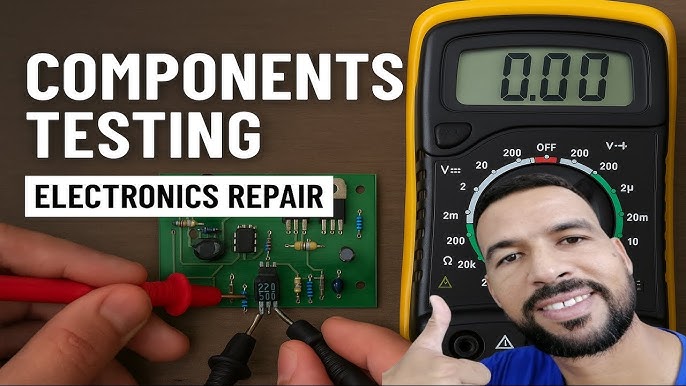
Are you struggling to figure out if your electronic components are working properly? Imagine being able to quickly test resistors, capacitors, and diodes with just one simple tool.
Using a multimeter can save you time, money, and frustration by giving you clear answers right away. You’ll learn exactly how to use a multimeter step-by-step, even if you’re a complete beginner. By the end, you’ll feel confident checking your own electronics and fixing problems like a pro.
Ready to unlock this essential skill? Let’s dive in.
Choosing The Right Multimeter
Choosing the right multimeter is key for checking electronic components effectively. The right tool saves time and ensures accurate results. Many multimeters exist, but not all fit every task or skill level. Understanding what features matter helps pick the best multimeter for your needs.
Types Of Multimeters
Multimeters come in two main types: analog and digital. Analog multimeters use a needle to show readings. Digital multimeters display numbers on a screen. Digital models are easier to read and more common today. They offer better accuracy for most users.
Essential Features To Consider
- Range of measurements: voltage, current, resistance
- Auto-ranging for ease of use
- Backlit display for low light conditions
- Durable casing for long-term use
- Safety ratings to handle high voltages
Budget And Brand Reliability
Price affects multimeter quality and features. Budget models work for basic tasks. Higher-priced multimeters offer more functions and durability. Choose brands known for reliability and support. Check reviews before buying to avoid poor quality products.

Credit: www.viasion.com
Safety Precautions
Handling a multimeter to check electronic components requires more than just technical know-how. Safety precautions protect you and your devices from damage or injury. Overlooking simple safety steps can lead to costly mistakes or dangerous shocks.
Wear Protective Gear
Always use insulated gloves when working with live circuits to prevent electric shocks. Safety goggles protect your eyes from sparks or accidental component failures. Even if the circuit seems low voltage, small accidents can cause serious harm.
Inspect Your Multimeter Before Use
Check the multimeter’s probes and wires for any damage or exposed metal. A cracked casing or frayed cables can cause inaccurate readings or short circuits. Using a faulty multimeter is like driving a car with worn-out brakes—you’re risking trouble.
Set The Correct Measurement Mode
Double-check that your multimeter is set to the right function before connecting it to the circuit. Measuring voltage while on current mode can blow a fuse or damage the meter. Have you ever accidentally set the wrong mode? It’s a common mistake, but one that’s easy to avoid with careful attention.
Disconnect Power When Possible
Whenever you can, turn off the power to the circuit before testing components. This reduces the risk of electric shock and protects the device from accidental short circuits. Testing live circuits should only be done if absolutely necessary, and then with extra caution.
Use One Hand Technique
Try to keep one hand behind your back or in your pocket while measuring to avoid creating a path for current through your body. This simple tip can save you from dangerous shocks. It’s a small habit that makes a big difference.
Basic Functions Of A Multimeter
A multimeter is a versatile tool used to test different electronic parts. It measures voltage, current, and resistance. These three basic functions help identify faults in circuits and components. Understanding how to use these functions makes troubleshooting easier and faster.
Measuring Voltage
Voltage shows the electric potential difference between two points. Set the multimeter to the voltage mode (V) and choose AC or DC. Connect the probes to the circuit points you want to test. A reading on the display tells the voltage level. This check helps verify power supply and battery status.
Checking Current
Current is the flow of electric charge in a circuit. Switch the multimeter to the current mode (A). Connect the multimeter in series with the circuit to measure current flow. The display shows how much current passes through the component. This test finds issues like short circuits or overloads.
Testing Resistance
Resistance measures how much a component resists electric flow. Set the multimeter to the resistance mode (Ω). Touch the probes to both ends of the component. The screen shows the resistance value. Testing resistance helps check if parts like resistors or wires are working properly.

Credit: www.youtube.com
Testing Electronic Components
Testing electronic components is essential to ensure devices work correctly. A multimeter helps measure values like resistance, capacitance, and voltage. It also checks if parts are faulty or damaged. Knowing how to test common components saves time and money.
Each component requires a different testing approach. Accuracy depends on correct multimeter settings and connections. Careful handling prevents damage to delicate parts. The following sections explain testing basic electronic components with a multimeter.
Checking Resistors
Set the multimeter to the resistance (Ω) mode. Connect the probes to each resistor lead. The display shows the resistor’s resistance value. Compare this value to the resistor’s color code or label. A very different reading means the resistor is likely damaged or burnt.
Testing Capacitors
Switch the multimeter to capacitance mode if available. Discharge the capacitor before testing to avoid damage. Touch the probes to the capacitor terminals. The meter shows the capacitance in microfarads (µF). Values far from the rated capacitance suggest a faulty capacitor.
Analyzing Diodes
Set the multimeter to diode test mode. Connect the positive probe to the diode anode and the negative probe to the cathode. A healthy diode shows a voltage drop, typically 0.6 to 0.7 volts. Reverse the probes; the meter should show no conduction. If readings differ, the diode may be defective.
Inspecting Transistors
Identify the transistor leads: collector, base, and emitter. Use diode mode on the multimeter. Test base to collector and base to emitter junctions. Both should behave like diodes, showing a voltage drop in one direction only. Check for shorts between collector and emitter. Abnormal readings indicate transistor faults.
Understanding Multimeter Readings
Understanding multimeter readings is key to accurately testing electronic components. The numbers and symbols on your multimeter screen tell you more than just voltage or resistance—they reveal the health and functionality of your component. Grasping these readings can save you time and prevent costly mistakes in your projects.
Voltage Readings: What They MeanVoltage is the electrical pressure pushing current through a circuit. When you measure voltage with a multimeter, you see how much energy is available at a point. A correct voltage reading confirms the component is receiving power as expected.
For example, if a battery should output 9 volts but your multimeter shows 6 volts, the battery may be weak or failing. Pay attention to whether you’re measuring DC (direct current) or AC (alternating current), as your multimeter must be set accordingly for accurate results.
Understanding Resistance ReadingsResistance tells you how much a component resists electrical flow. It’s measured in ohms (Ω). A low resistance reading means electricity passes easily, while high resistance indicates limited flow.
Imagine testing a resistor labeled 1000Ω. If your multimeter reads close to this value, the resistor is likely in good shape. But if the reading is drastically different or shows ‘OL’ (open loop), the resistor could be damaged or broken.
Interpreting Continuity TestsContinuity tests check if a circuit is complete. When you use the continuity setting, your multimeter beeps if electricity flows uninterrupted. This is helpful for quickly spotting broken wires or faulty connections.
Think about troubleshooting a cable. If your multimeter doesn’t beep, it signals a break somewhere inside. This simple sound can save you hours of guesswork and frustration.
Current Measurement BasicsCurrent measures the flow of electrons through a component, expressed in amperes (A). This reading requires placing the multimeter in series with the circuit. It can be tricky because incorrect setup risks damaging your meter.
Always start with the highest current range to protect your multimeter. If you’re testing a small electronic device, a reading in milliamps (mA) is common. Knowing the expected current helps you spot if a component is drawing too much or too little power.
Troubleshooting Common Issues
Troubleshooting common issues while using a multimeter helps ensure accurate testing of electronic components. Problems like wrong readings or device malfunctions can cause confusion and errors. Understanding how to identify and fix these issues saves time and improves reliability.
Dealing With Inaccurate Readings
Inaccurate readings can mislead your diagnosis of a component’s condition. First, check if the multimeter is set to the correct measurement type and range. Using the wrong setting often causes false results.
Inspect the test leads for damage or loose connections. Dirty or worn probes can affect contact quality and accuracy. Replace or clean the leads if needed.
Test the multimeter on a known good component or battery. This step verifies if the meter shows correct values. If it does not, the meter may need recalibration.
Environmental factors, like strong electromagnetic interference, can also affect readings. Move to a quieter area or turn off nearby devices that may cause interference.
Addressing Multimeter Malfunctions
Multimeter malfunctions can range from display problems to total failure. Start by checking the battery. A weak or dead battery often causes erratic behavior or no display.
Look for visible damage on the multimeter body or screen. Cracks or moisture inside the device can prevent proper function. Avoid using a damaged multimeter until repaired.
Ensure the fuse inside the multimeter is intact. A blown fuse can stop current measurement functions. Replace the fuse with one of the same rating to restore operation.
Clean the device’s connectors and battery contacts regularly. Dust and corrosion may cause poor connections and errors.
If problems persist, consult the user manual or contact the manufacturer for support. Proper maintenance extends the life and accuracy of your multimeter.
Maintaining Your Multimeter
Maintaining your multimeter ensures it works accurately and lasts longer. Regular care prevents errors during measurements. Simple habits can keep your multimeter in good condition.
Cleaning The Multimeter
Wipe the multimeter with a soft, dry cloth to remove dust. Avoid using water or cleaning liquids that can damage internal parts. Keep the display screen clean for easy reading.
Checking And Replacing The Battery
Low battery power can cause wrong readings. Test the battery regularly and replace it if the display dims or flickers. Use the correct battery type suggested by the manufacturer.
Inspecting The Test Leads
Look for cracks or breaks in the test leads before each use. Damaged leads can cause inaccurate results or be unsafe. Replace worn or broken leads immediately to ensure safety.
Storing The Multimeter Properly
Keep your multimeter in a dry, cool place away from direct sunlight. Store it in a protective case to avoid physical damage. Avoid exposing it to extreme temperatures or humidity.
Calibrating The Multimeter
Calibration keeps measurements accurate over time. Check calibration periodically, especially for professional use. Follow the manufacturer’s instructions or get it calibrated by a service center.

Credit: www.youtube.com
Frequently Asked Questions
How Do I Test A Resistor With A Multimeter?
Set the multimeter to the resistance (ohms) mode. Connect the probes across the resistor terminals. Read the resistance value displayed. Compare it to the resistor’s rated value to check its condition.
Can A Multimeter Detect A Faulty Capacitor?
Yes, use the capacitance mode if available. Otherwise, measure resistance; a good capacitor shows increasing resistance. A constant low or zero reading indicates a faulty capacitor.
How To Measure Diode Functionality Using A Multimeter?
Set the multimeter to diode test mode. Place the probes on the diode terminals. A forward voltage drop indicates a working diode; no reading or infinite shows a faulty one.
What Is The Proper Multimeter Setting For Testing Transistors?
Use the diode test mode to check transistor junctions. Test between base-emitter and base-collector. Proper readings confirm transistor health; inconsistent readings suggest damage.
Conclusion
Using a multimeter helps check many electronic parts quickly. You can test resistors, capacitors, and diodes with ease. Always set the multimeter to the right mode first. Remember to keep safety in mind while testing. Practice makes it easier to read the results.
Soon, you will feel more confident fixing simple electronics. This skill saves time and money on repairs. Try using your multimeter regularly to get better. Small steps lead to big improvements in electronics work.
Leave a Reply