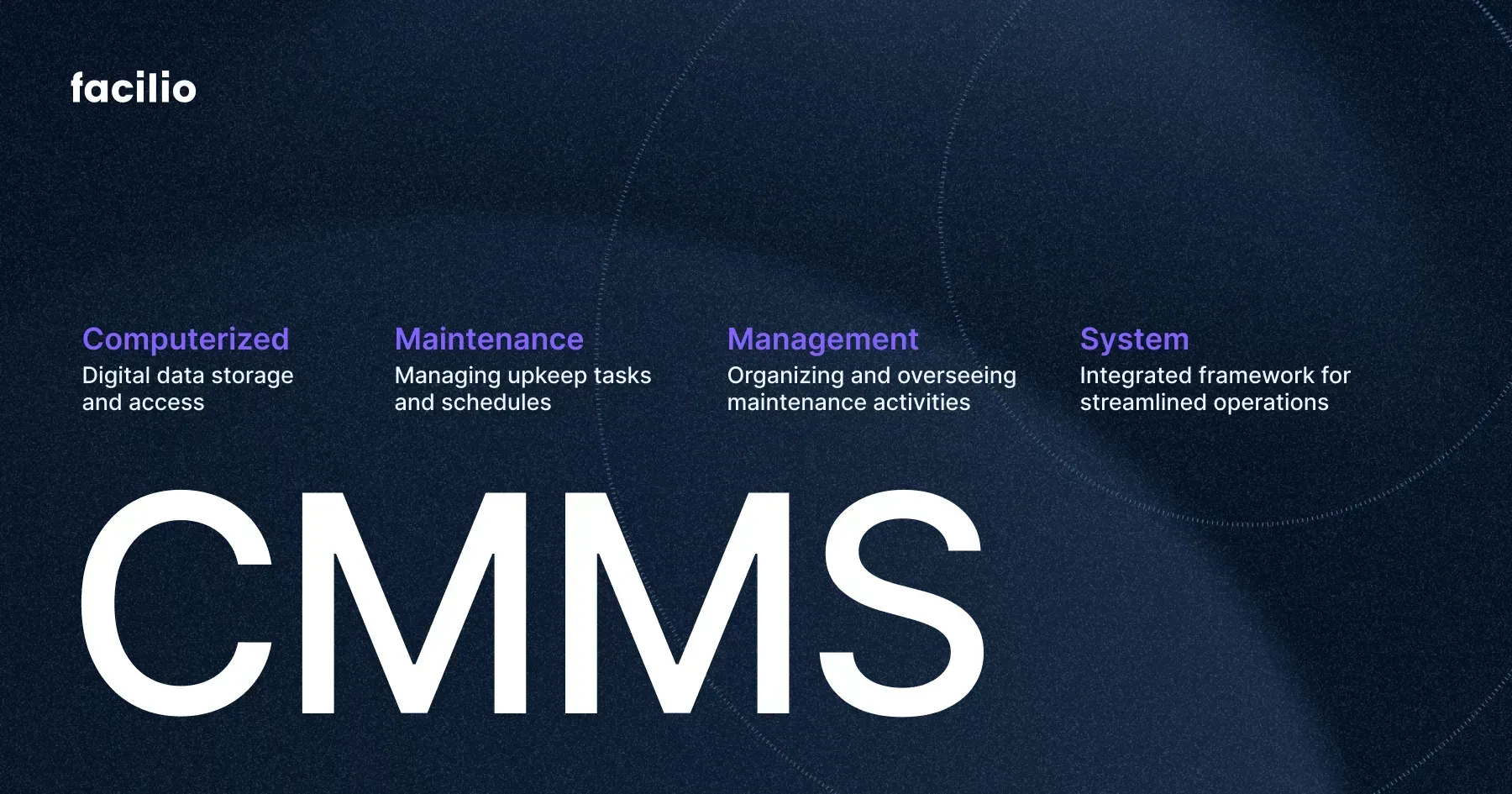
Are you struggling to keep track of your maintenance tasks? Imagine having a tool that organizes everything for you—scheduling repairs, tracking work orders, and managing your equipment—all in one place.
That’s exactly what a Computerized Maintenance Management System (CMMS) software does. It’s designed to make your maintenance work smoother, faster, and more efficient. If you want to save time, reduce downtime, and boost your team’s productivity, understanding CMMS software is a game-changer.
Keep reading to discover how this powerful tool can transform the way you manage maintenance.
Credit: limblecmms.com
Cmms Software Basics
A Computerized Maintenance Management System (CMMS) is software that helps manage maintenance tasks. It organizes work orders, schedules, and asset information in one place. CMMS software makes maintenance easier and more efficient. It reduces downtime and extends equipment life.
Understanding CMMS basics helps businesses improve their maintenance process. This software is widely used in factories, offices, hospitals, and more. It helps track repairs, plan preventive maintenance, and manage inventory.
What Does Cmms Software Do?
CMMS software tracks all maintenance activities. It creates and assigns work orders quickly. It stores asset details like model, location, and service history. The software also sends reminders for scheduled maintenance. This keeps machines running smoothly and prevents breakdowns.
- Work order management
- Preventive maintenance scheduling
- Asset tracking and history
- Inventory and spare parts management
- Reporting and analytics
Who Uses Cmms Software?
CMMS is useful for maintenance teams, facility managers, and technicians. It helps them plan and execute repairs faster. It also supports managers by providing data for better decisions. Companies of all sizes and industries use CMMS to improve maintenance.
Benefits Of Using Cmms
- Reduces equipment downtime
- Improves maintenance efficiency
- Extends asset lifespan
- Reduces maintenance costs
- Provides clear maintenance history
Key Features Of Cmms
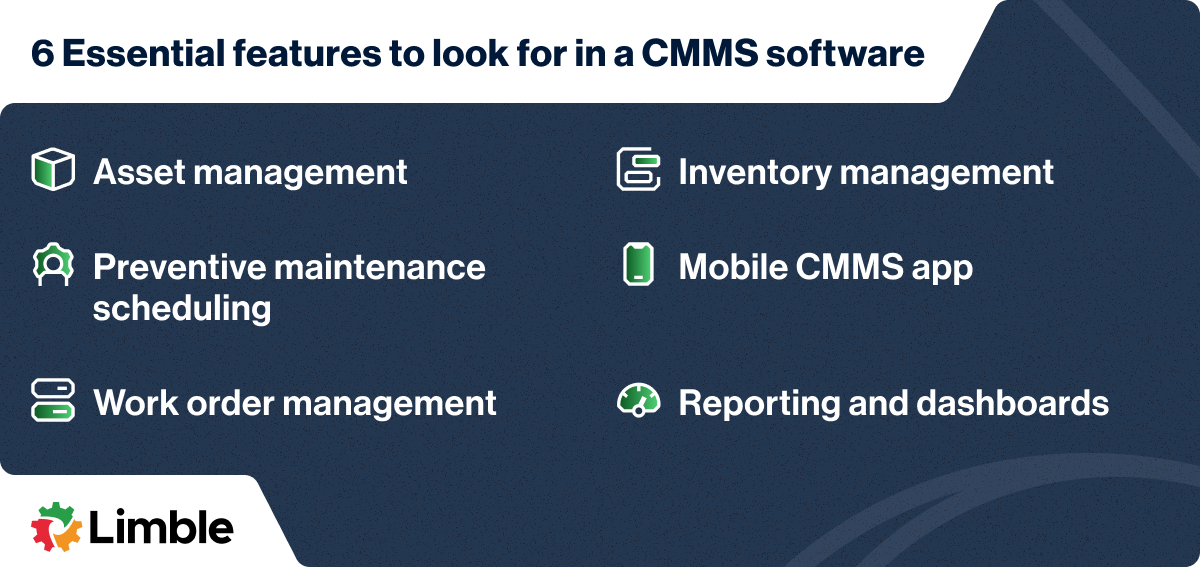
The key features of a Computerized Maintenance Management System (CMMS) are designed to simplify your maintenance tasks and improve efficiency. Understanding these features helps you choose the right software and get the most value from it. Let’s break down what makes CMMS software indispensable for managing maintenance operations.
Asset Management
Asset management in CMMS lets you keep detailed records of all your equipment and machinery. You can track asset history, warranty details, and maintenance costs in one place. This helps you make smarter decisions about repairs, replacements, and budgeting.
Work Order Management
Work order management automates the creation, assignment, and tracking of maintenance tasks. You can prioritize urgent repairs and ensure your team knows exactly what to do. This reduces downtime and keeps your operations running smoothly.
Preventive Maintenance Scheduling
Preventive maintenance scheduling allows you to plan regular check-ups before problems occur. By scheduling inspections and servicing ahead of time, you avoid costly breakdowns. This feature saves you money and extends the life of your equipment.
Inventory Control
Inventory control helps you monitor spare parts and supplies so you never run out when you need them most. It tracks stock levels, usage rates, and reorder points automatically. This means fewer delays and better budget management.
Reporting And Analytics
Reporting and analytics provide insights into your maintenance operations through customizable reports. You can identify trends, measure team performance, and spot recurring issues. These insights help you improve your strategies and make data-driven decisions.
Benefits Of Cmms Software
Understanding the benefits of CMMS software can change how you manage maintenance tasks. This software is designed to streamline your work, making it easier to keep equipment running smoothly and reduce downtime. Let’s explore some key advantages that can directly impact your operations and budget.
Cost Reduction
CMMS software helps you cut costs by preventing unexpected breakdowns. When you schedule regular maintenance, you avoid expensive emergency repairs that disrupt your workflow.
It also reduces overtime expenses because maintenance work is planned and assigned efficiently. Have you noticed how unplanned repairs often lead to rushed jobs and extra costs? CMMS tackles that head-on.
Improved Productivity
With CMMS, you spend less time on paperwork and more time fixing issues. Automated reminders ensure no task is forgotten, keeping your team focused and organized.
It also tracks work orders and progress in real-time. Imagine how much smoother your day would be if you knew exactly what your team is doing at any moment.
Enhanced Equipment Lifespan
Regular maintenance extends the life of your machines. CMMS alerts you when parts need replacement before they fail, saving you from costly downtime.
This proactive approach means equipment runs at peak performance longer. Have you ever had a machine break down just days after a repair? CMMS helps avoid that frustration.
Regulatory Compliance
Keeping up with industry regulations can be tough. CMMS stores all maintenance records securely, making audits faster and less stressful.
It also ensures maintenance tasks meet legal standards, reducing the risk of penalties. How much easier would your job be if compliance was one less thing to worry about?
Data-driven Decision Making
CMMS collects valuable data on maintenance patterns, costs, and equipment performance. This insight helps you make smarter choices about repairs and replacements.
You can identify trends and spot problems before they grow. What could you improve if you had clear, reliable data at your fingertips every day?
Types Of Cmms Solutions
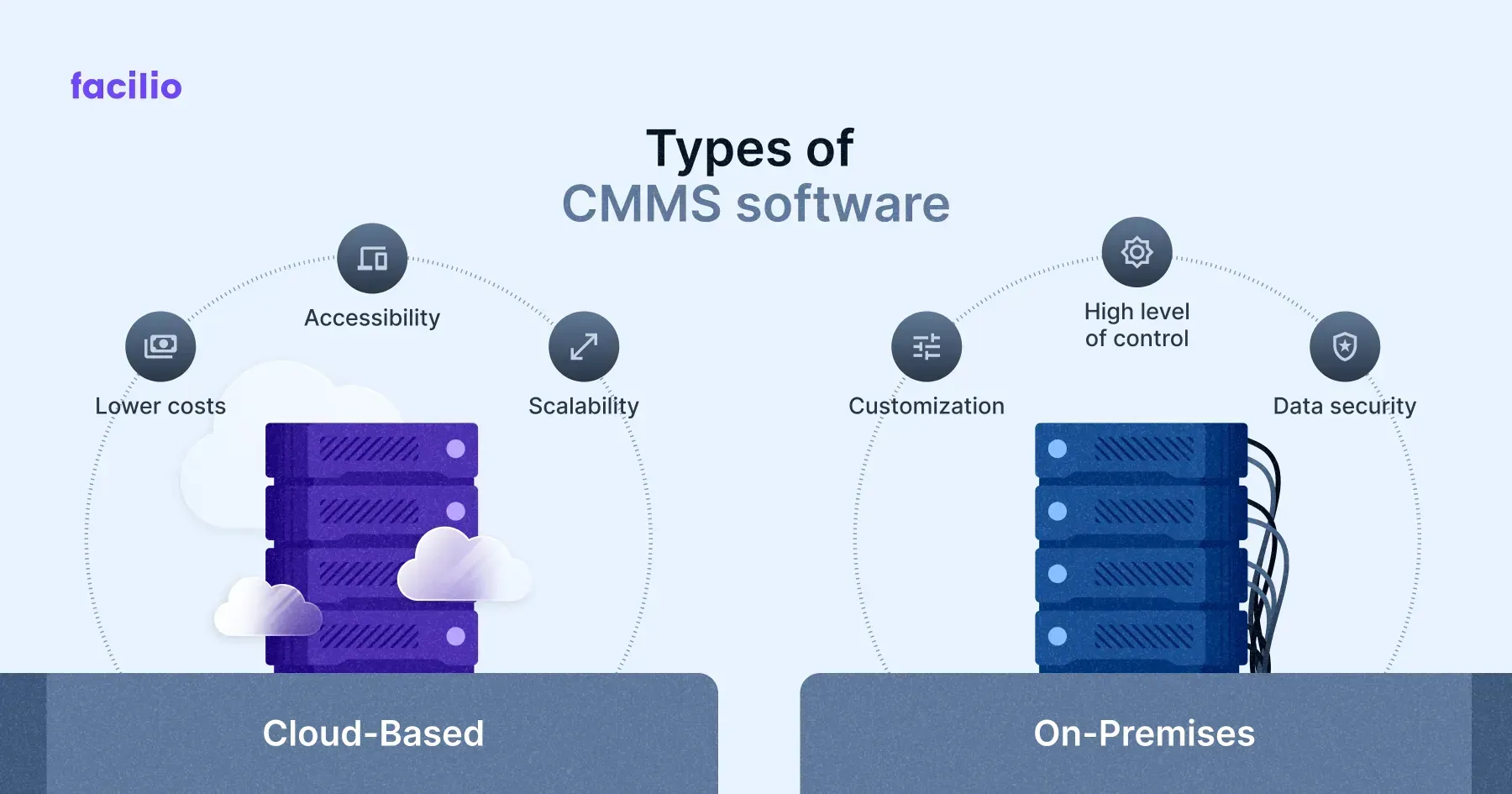
Choosing the right CMMS software depends greatly on the type of solution you select. Different setups offer distinct advantages and challenges that can affect how you manage maintenance tasks daily. Understanding the types of CMMS solutions available will help you decide which fits your business needs best.
On-premise Cmms
On-premise CMMS is installed directly on your company’s own servers and hardware. This option gives you full control over the software, data security, and customization. However, it requires a dedicated IT team to handle maintenance, updates, and troubleshooting.
If you prefer complete ownership over your system and have the resources to manage it, on-premise CMMS might be the right choice. It’s often favored by organizations with strict data compliance needs or limited internet access. But ask yourself—are you ready to invest in the infrastructure and ongoing support this solution demands?
Cloud-based Cmms
Cloud-based CMMS software is hosted on remote servers and accessed through the internet. This model reduces upfront costs since there’s no need for physical hardware or complex installations. Updates and backups happen automatically, freeing your team to focus on maintenance tasks rather than IT issues.
With cloud-based solutions, you can access your maintenance data anytime, anywhere, which is ideal for teams working across multiple locations. But consider your internet reliability and data security concerns before making the switch. Would the convenience and flexibility outweigh potential connectivity risks for your operation?
Selecting The Right Cmms
Selecting the right Computerized Maintenance Management System (CMMS) can make a huge difference in how efficiently your maintenance tasks are handled. The perfect CMMS fits your unique business needs, offers useful features, and provides solid value for your investment. Let’s break down what you should consider before making this important choice.
Identifying Business Needs
Start by understanding what your maintenance team truly needs. Are you managing a large number of assets, or do you require detailed reporting capabilities? Pinpointing these requirements helps avoid paying for features you won’t use.
Think about the types of work orders you handle, the size of your team, and how you track maintenance history. Have you noticed delays because your current system lacks certain tools? Writing down these pain points will guide your search.
Evaluating Features And Functionality
Not all CMMS software offers the same features. Some focus on scheduling preventive maintenance, while others excel at inventory management or mobile access. Prioritize the features that will directly improve your workflow.
Ask yourself: Do you need real-time alerts? Is integration with other software important? Testing demos or trial versions can reveal how user-friendly and effective the software really is in your daily operations.
Considering Budget And Roi
Budget plays a crucial role, but don’t let it be the only deciding factor. A cheap system might lack key functions, while an expensive one could offer more than you actually require. Balance cost with the benefits you expect.
Calculate potential savings in labor, downtime, and parts management after implementing the CMMS. Can the software reduce emergency repairs or extend asset life? Focusing on return on investment helps justify your choice to stakeholders.
Credit: facilio.com
Implementation Best Practices
Implementing a Computerized Maintenance Management System (CMMS) can transform how you manage assets and maintenance tasks. But the process requires careful steps to avoid common pitfalls. Paying attention to best practices during implementation ensures your team quickly adapts and your data remains accurate from day one.
Planning And Preparation
Planning is the foundation of a successful CMMS implementation. Start by clearly defining your goals: What do you want your CMMS to achieve? Setting specific targets helps you stay focused and measure success.
Involve key stakeholders early, including maintenance technicians and management. Their input uncovers real-world needs and potential challenges. Don’t underestimate the time needed for this stage—it sets the tone for everything that follows.
Staff Training
Your CMMS is only as good as the people using it. Training staff thoroughly prevents frustration and errors. Tailor sessions to different roles; technicians need hands-on practice, while managers focus on reporting features.
Offer ongoing support beyond initial training. People learn at different paces, and refresher courses can boost confidence and adoption rates. Have you considered pairing new users with experienced champions who can provide day-to-day guidance?
Data Migration
Moving your maintenance data into the CMMS can be tricky. Clean and organize your existing data before importing. This might mean removing duplicates, updating asset details, or standardizing formats.
Test data migration with a small batch first. This helps catch errors without affecting the entire system. After migration, validate your data thoroughly to ensure accuracy—incorrect data can lead to costly mistakes down the line.
Challenges In Cmms Adoption
Adopting a Computerized Maintenance Management System (CMMS) can transform how you handle maintenance tasks. Yet, this transition often comes with hurdles that can slow down or even stall the process. Understanding these challenges helps you prepare better and make smarter decisions to get the most out of your CMMS.
Resistance To Change
People naturally resist change, especially when it disrupts their daily routine. Maintenance teams might feel uneasy about learning new software or fear that automation could threaten their jobs. You might notice delays or pushback if you don’t address these concerns early on.
Encourage open communication. Show your team how CMMS can make their work easier, not replace them. Training sessions and hands-on demonstrations can turn skeptics into advocates.
Integration With Existing Systems
Your current tools and software don’t always play well with new CMMS platforms. If your CMMS doesn’t sync smoothly with inventory, purchasing, or ERP systems, you could end up juggling multiple platforms manually.
Ask yourself: Can your CMMS share data effortlessly with other systems? Choosing a platform that offers robust integration options saves time and reduces errors. Don’t underestimate the value of APIs or middleware to bridge any gaps.
Data Accuracy And Management
Garbage in, garbage out. If your maintenance data is incomplete or outdated, the CMMS can’t provide reliable insights. Inaccurate records lead to poor scheduling, unexpected downtime, and wasted resources.
Start by cleaning and standardizing your data before migration. Regular audits and updates keep your system reliable. How often do you review your maintenance logs and asset information? Building a habit around data quality ensures your CMMS delivers real value.
Future Trends In Cmms
The future of Computerized Maintenance Management Systems (CMMS) is bright and full of innovation. New technologies continue to shape how maintenance tasks are managed. These trends help businesses reduce downtime and improve asset lifespan.
Advancements in connectivity, data analysis, and mobile use are changing CMMS software. These changes make maintenance faster, smarter, and more accessible.
Integration With Iot
IoT devices collect real-time data from machines and equipment. CMMS software uses this data to monitor asset health continuously. It predicts failures before they happen, reducing unexpected breakdowns. Sensors track temperature, vibration, and usage automatically. This integration allows maintenance teams to act quickly and avoid costly repairs.
Ai And Machine Learning Applications
Artificial intelligence helps analyze large amounts of maintenance data. Machine learning identifies patterns and suggests the best repair times. It improves work order scheduling and resource allocation. AI also enhances decision-making by predicting equipment needs. This leads to more efficient maintenance and fewer errors.
Mobile Accessibility
Mobile-friendly CMMS apps allow technicians to access information on the go. They can update work orders, check schedules, and log issues from any location. Mobile access speeds up communication and task completion. It also reduces paperwork and improves data accuracy. Field workers stay connected, making maintenance smoother and faster.

Credit: medium.com
Frequently Asked Questions
What Is Cmms Software Used For?
CMMS software manages maintenance tasks efficiently. It tracks work orders, schedules preventive maintenance, and monitors asset performance. This reduces downtime and maintenance costs, improving overall productivity in facilities and industries.
How Does A Computerized Maintenance Management System Work?
A CMMS centralizes maintenance data and automates workflows. It schedules tasks, assigns work orders, and tracks maintenance history. This helps maintenance teams stay organized and ensures timely equipment upkeep.
What Are Key Features Of Cmms Software?
CMMS includes work order management, asset tracking, preventive maintenance scheduling, and reporting tools. These features help optimize maintenance processes and extend equipment lifespan.
Who Benefits Most From Cmms Software?
Industries with complex equipment and facilities benefit most. Manufacturing, healthcare, and facility management teams gain improved maintenance efficiency and reduced equipment failures.
Conclusion
A Computerized Maintenance Management System (CMMS) helps organize maintenance tasks. It tracks work orders, schedules, and equipment history. This software saves time and reduces errors. Teams can work faster and avoid costly breakdowns. CMMS improves safety and extends machine life.
Small or large businesses can benefit from it. Choosing the right CMMS makes maintenance easier. Start using CMMS to keep your equipment running smoothly. Simple, effective, and reliable—that’s what CMMS offers.
Leave a Reply