Have you ever wondered what system maintenance really means and why it matters to you? Whether you use a computer, smartphone, or any tech device, system maintenance is key to keeping everything running smoothly.
Ignoring it can lead to slow performance, unexpected crashes, or even data loss—problems you definitely want to avoid. You’ll discover exactly what system maintenance involves and how simple actions can protect your devices and save you time and frustration. Keep reading to unlock easy tips that will make your technology work better for you every day.
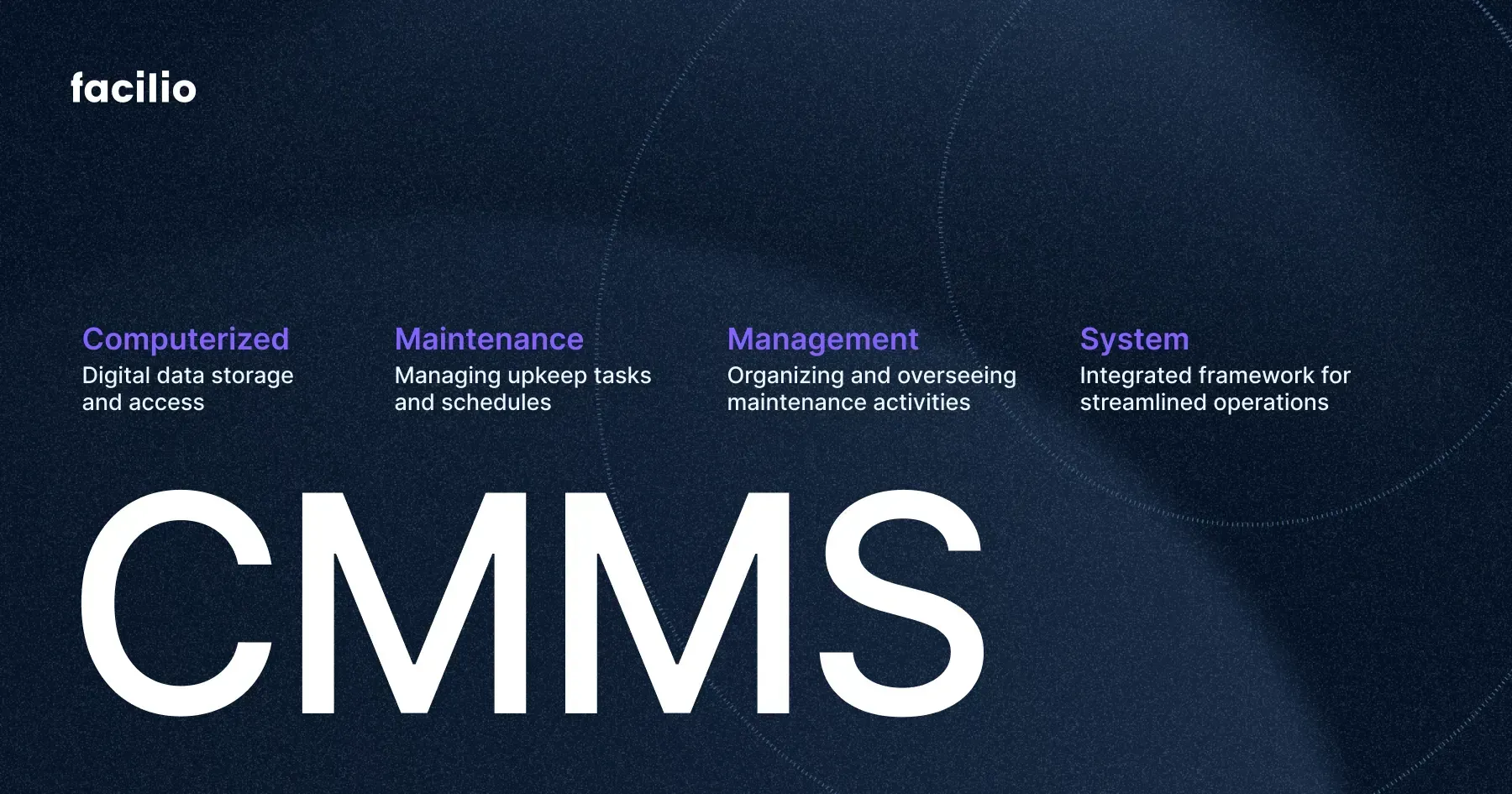
Credit: facilio.com
System Maintenance Basics
System maintenance is essential for keeping computers and networks running smoothly. It involves regular checks and updates to prevent problems. Understanding the basics helps users protect their devices and improve performance.
Maintenance keeps software up to date and hardware in good shape. It reduces risks like crashes and data loss. Simple tasks done regularly can save time and money later.
What System Maintenance Includes
System maintenance covers several activities. These include:
- Installing software updates and patches
- Running antivirus scans
- Cleaning up disk space
- Backing up important data
- Checking hardware health
- Optimizing system settings
Why Regular Maintenance Matters
Regular maintenance prevents slowdowns and errors. It protects against security threats and malware. Systems stay reliable and last longer with care.
Tools Used In System Maintenance
Many tools help with system maintenance. Some are built into the operating system. Others are third-party programs for cleaning and security.
- Disk cleanup utilities
- Antivirus and anti-malware software
- System update managers
- Backup software
- Hardware diagnostic tools
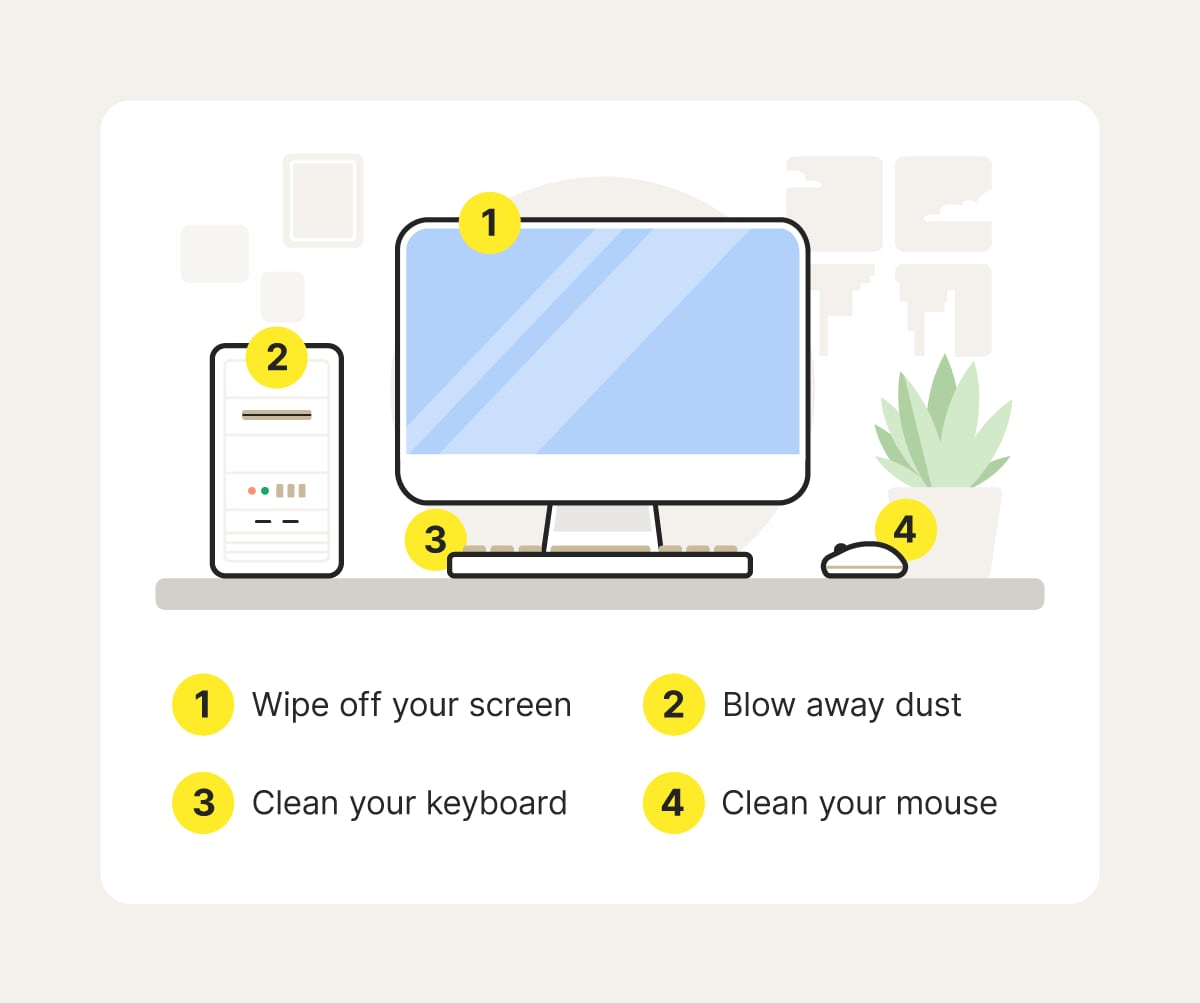
Credit: us.norton.com
Types Of System Maintenance
Understanding the different types of system maintenance helps you keep your software running smoothly and efficiently. Each type serves a unique purpose and plays a vital role in extending the life of your system. Knowing which maintenance to apply and when can save you time and prevent costly errors.
Preventive Maintenance
Preventive maintenance focuses on stopping problems before they occur. It involves regular check-ups, updates, and backups to ensure your system stays healthy. Think of it like servicing your car regularly to avoid breakdowns; the same principle applies here.
If you skip preventive maintenance, small issues might grow into major system failures. Are you scheduling regular updates and scans to catch potential problems early?
Corrective Maintenance
Corrective maintenance happens after a problem is detected. It involves fixing bugs, errors, and other issues that disrupt system performance. This type of maintenance is reactive, addressing faults as soon as they appear.
Imagine discovering a software glitch that stops your app from working. Corrective maintenance means jumping in to fix it quickly so users don’t lose trust. How fast does your team respond when something breaks?
Adaptive Maintenance
Adaptive maintenance adjusts your system to changes in the environment, like new hardware or updated operating systems. It ensures your software remains compatible and functional as external conditions evolve. Without this, your system could become outdated or unusable.
Have you ever updated your software only to find it doesn’t work with a new device? Adaptive maintenance prevents this by keeping everything aligned.
Perfective Maintenance
Perfective maintenance focuses on improving your system’s performance and usability. It’s about making your software better by adding new features, enhancing user experience, or optimizing code. This type of maintenance keeps your system competitive and user-friendly.
Think about an app you love because it continuously gets better with updates. Perfective maintenance makes that possible. What improvements could you make today to delight your users tomorrow?
Key Benefits Of System Maintenance
Understanding the key benefits of system maintenance can change how you manage your devices and software. Regular upkeep isn’t just about fixing problems; it’s about preventing them and boosting overall performance. Let’s look at why making time for system maintenance pays off in the long run.
Improved Performance And Speed
System maintenance helps your devices run smoother and faster. When you clear out unnecessary files and update software, your system isn’t bogged down by clutter or outdated components. Have you noticed how a clean computer starts up quicker and handles tasks more efficiently? That’s the direct result of proper maintenance.
Enhanced Security
Keeping your system updated protects you from security threats. Hackers often exploit outdated software vulnerabilities. Regular maintenance includes installing patches and updates that close these gaps, keeping your data safe. Do you want to risk losing personal or business information because of a simple update you skipped?
Extended System Lifespan
Think of system maintenance as a way to extend the life of your technology. Just like a car runs better with regular oil changes, your computer or server benefits from timely check-ups and repairs. This means fewer sudden breakdowns and more years before you need to replace hardware.
Cost Savings
Investing time in system maintenance can save you money. Fixing small issues early prevents expensive repairs later. Plus, maintaining efficiency reduces energy consumption, which can lower your utility bills. Wouldn’t you rather spend less on repairs and electricity?
Better User Experience
A well-maintained system means fewer crashes and errors, which makes your daily tasks less frustrating. Whether you’re working, gaming, or browsing, smooth operation keeps you focused and productive. Have you ever been stopped mid-task by a freezing screen? Regular maintenance helps avoid that.
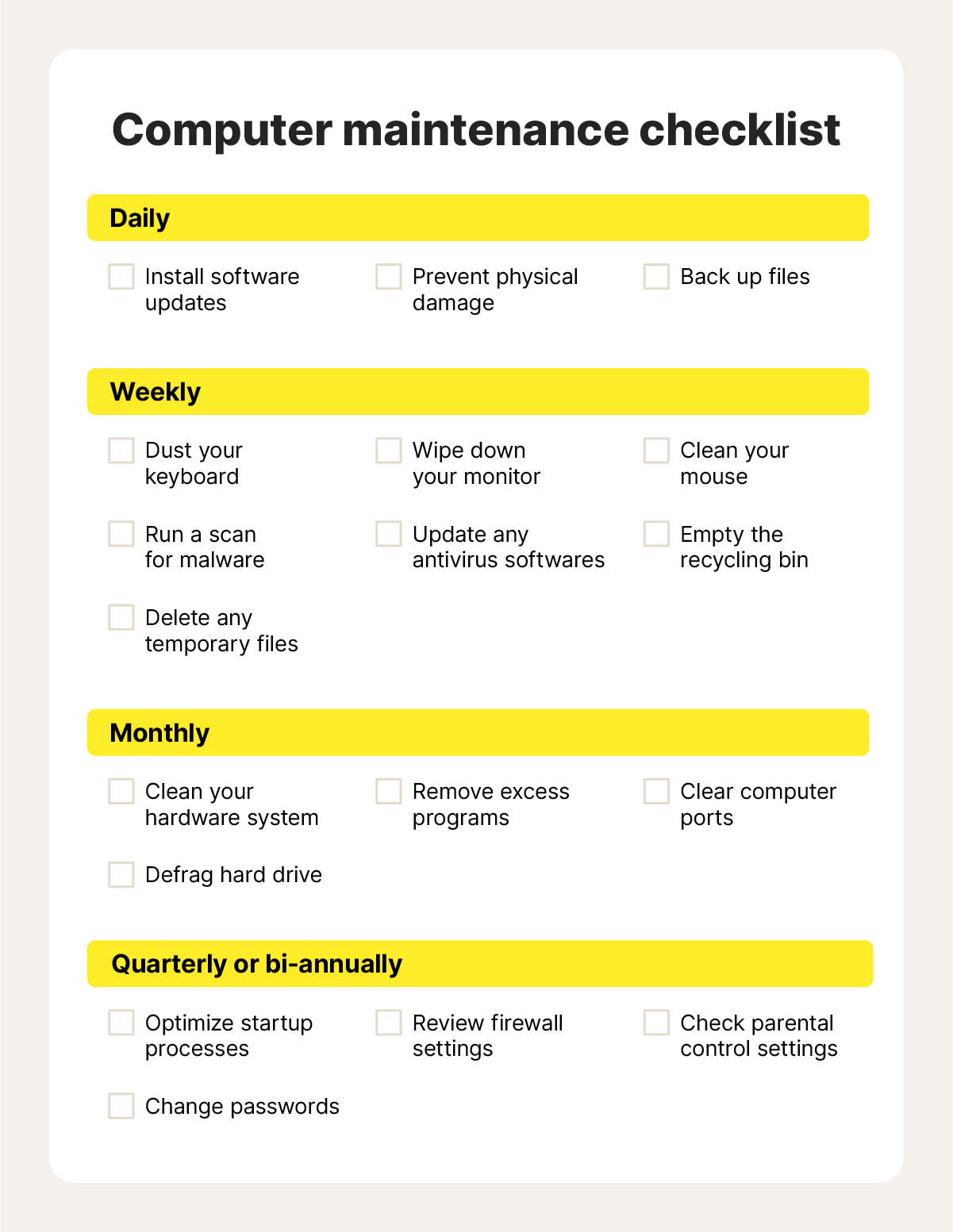
Credit: us.norton.com
Tools For Effective Maintenance
Choosing the right tools can make system maintenance smoother and more efficient. The right set of tools helps you catch problems early, fix issues faster, and reduce downtime. Let’s look at some essential tools that you can use to keep your systems running at their best.
Monitoring Tools
Monitoring tools keep an eye on your system’s performance and health in real-time. They alert you to unusual activity or potential failures before they become serious problems.
- Examples:Nagios, Zabbix, and SolarWinds.
- These tools track CPU usage, memory load, disk space, and network traffic.
- Have you ever missed a critical alert because it was buried in noisy notifications? Good monitoring tools help you focus only on what matters most.
Diagnostic Tools
When an issue arises, diagnostic tools help you pinpoint the root cause quickly. They analyze logs, run tests, and provide detailed reports on system errors.
- Examples:Windows Event Viewer, Wireshark, and MemTest86.
- Using these tools, you can avoid guesswork and fix problems based on concrete data.
- Have you ever spent hours troubleshooting only to find a simple misconfiguration was the culprit? Diagnostic tools save you that frustration.
Automation Tools
Automation tools reduce manual effort by scheduling routine maintenance tasks and updates. They ensure your system stays up-to-date without constant supervision.
- Examples:Ansible, Puppet, and Jenkins.
- Automating backups, patch installations, and system scans frees up your time for more important work.
- What tasks in your maintenance routine could you automate today to save hours each week?
Best Practices For System Maintenance
Effective system maintenance keeps computers and networks running smoothly. It prevents errors, improves speed, and secures data. Following best practices helps avoid downtime and costly repairs. Focus on key areas like updates, backups, and security to maintain system health.
Regular Updates
Keep your system software and applications up to date. Updates fix bugs and close security gaps. Set automatic updates to avoid missing important patches. Check for firmware and driver updates as well. Regular updates improve system stability and performance.
Backup Strategies
Back up important data frequently. Use multiple backup methods like cloud storage and external drives. Schedule backups to run automatically. Test backups regularly to ensure they work. Good backup plans protect against data loss from failures or attacks.
Security Measures
Use strong passwords and change them often. Install antivirus and anti-malware software. Run regular security scans to detect threats. Enable firewalls to block unauthorized access. Limit user permissions to reduce risk. Security measures keep your system safe from attacks.
Challenges In System Maintenance
System maintenance involves many challenges that affect its success. These challenges can slow down updates and cause unexpected problems. Understanding these issues helps in planning better maintenance strategies. It also reduces risks and keeps systems running smoothly. Below are some key challenges faced during system maintenance.
Resource Allocation
Allocating the right resources is often difficult. Teams need enough skilled staff to perform updates and fixes. Budget limits may restrict hiring or training. Balancing time between maintenance and other tasks creates pressure. Poor resource allocation leads to delays and lower quality work.
Downtime Management
System maintenance usually requires downtime. Downtime disrupts business operations and frustrates users. Planning downtime to minimize impact is critical. Unexpected failures during maintenance can extend downtime. Managing these interruptions is a constant challenge for IT teams.
Compatibility Issues
Systems often consist of many different software and hardware parts. Updates or changes might not work well with existing components. Compatibility problems cause errors or crashes. Testing every change is time-consuming but necessary. Ignoring compatibility can break system functions and harm productivity.
Future Trends In System Maintenance
System maintenance is evolving fast with new technologies shaping its future. These trends help keep systems efficient and reliable. They also reduce downtime and costs for businesses. Understanding these trends helps prepare for upcoming changes.
Ai And Machine Learning
AI and machine learning improve system maintenance by automating tasks. They detect issues early by analyzing data patterns. This reduces human errors and speeds up repairs. AI also helps optimize system performance continuously.
Cloud-based Solutions
Cloud-based solutions allow remote system maintenance anytime, anywhere. They offer scalable resources that adapt to system needs. Updates and backups happen automatically in the cloud. This ensures systems stay secure and up to date.
Predictive Analytics
Predictive analytics uses data to forecast system failures before they happen. It helps plan maintenance activities better and avoid surprises. This approach saves time and lowers repair costs. Businesses can focus on fixing issues before damage occurs.
Frequently Asked Questions
What Does System Maintenance Mean In Computing?
System maintenance involves regular tasks to keep software and hardware running smoothly. It includes updates, backups, and performance checks to prevent issues and enhance system reliability.
Why Is System Maintenance Important For Computers?
System maintenance prevents crashes, improves speed, and protects against security threats. Regular upkeep ensures your computer operates efficiently and extends its lifespan.
How Often Should System Maintenance Be Performed?
Perform system maintenance monthly or after major software installations. Frequent checks help detect problems early and keep systems running at optimal performance.
What Are Common System Maintenance Tasks?
Common tasks include disk cleanup, software updates, antivirus scans, and hardware checks. These actions help maintain system stability and prevent data loss.
Conclusion
System maintenance keeps computers and devices running well. It helps find and fix problems early. Regular checks improve speed and security. Simple tasks like updates and cleaning matter a lot. Skipping maintenance can cause crashes or data loss. Everyone benefits from a smooth, safe system.
Make maintenance a regular habit to avoid issues. It saves time, money, and stress later. Stay proactive and keep your technology healthy.
Leave a Reply