
Are you curious about enhancing your home with the latest smart technology that seamlessly integrates with your Apple devices? You’re not alone.
As more people embrace smart home innovations, choosing the right device that works best with Apple becomes crucial. Imagine controlling your lights, thermostat, and even security systems, all with a simple voice command or a tap on your iPhone. This article will guide you through the maze of smart home devices, focusing on those that offer the best compatibility and performance with Apple products.
By the end, you’ll have a clear understanding of which device can turn your home into a more efficient, personalized space. Don’t miss out on discovering the perfect match for your Apple ecosystem!
Apple Home Ecosystem
The Apple Home Ecosystem connects your smart devices in a seamless way. It creates a smooth experience for managing your home gadgets. Everything works together under one platform. This helps save time and effort. The ecosystem centers on ease and security. Devices communicate with each other using Apple’s Home app. The system is designed to be simple for everyone to use. It also keeps your data safe.
Homekit Compatibility
HomeKit is Apple’s framework for smart home control. Devices with HomeKit compatibility work well with Apple products. They appear automatically in the Home app. You can add lights, locks, cameras, and thermostats easily. HomeKit ensures these devices follow Apple’s standards. This means they are reliable and secure. Many brands now support HomeKit for better integration.
Siri Integration
Siri is Apple’s voice assistant that controls smart devices. You can use voice commands to manage your home. For example, say “Hey Siri, turn off the lights.” Siri understands and acts quickly. This hands-free control adds convenience. It works on iPhone, iPad, Apple Watch, and HomePod. Siri’s integration makes daily tasks smoother and faster.
Security Features
Apple focuses on privacy and security in its home ecosystem. Data is encrypted end-to-end to protect your information. Only you and trusted users can access your devices. The Home app alerts you about unusual activity. Secure authentication methods keep intruders out. Apple also updates software regularly to fix vulnerabilities. This approach creates a safe environment for smart homes.
Smart Speakers
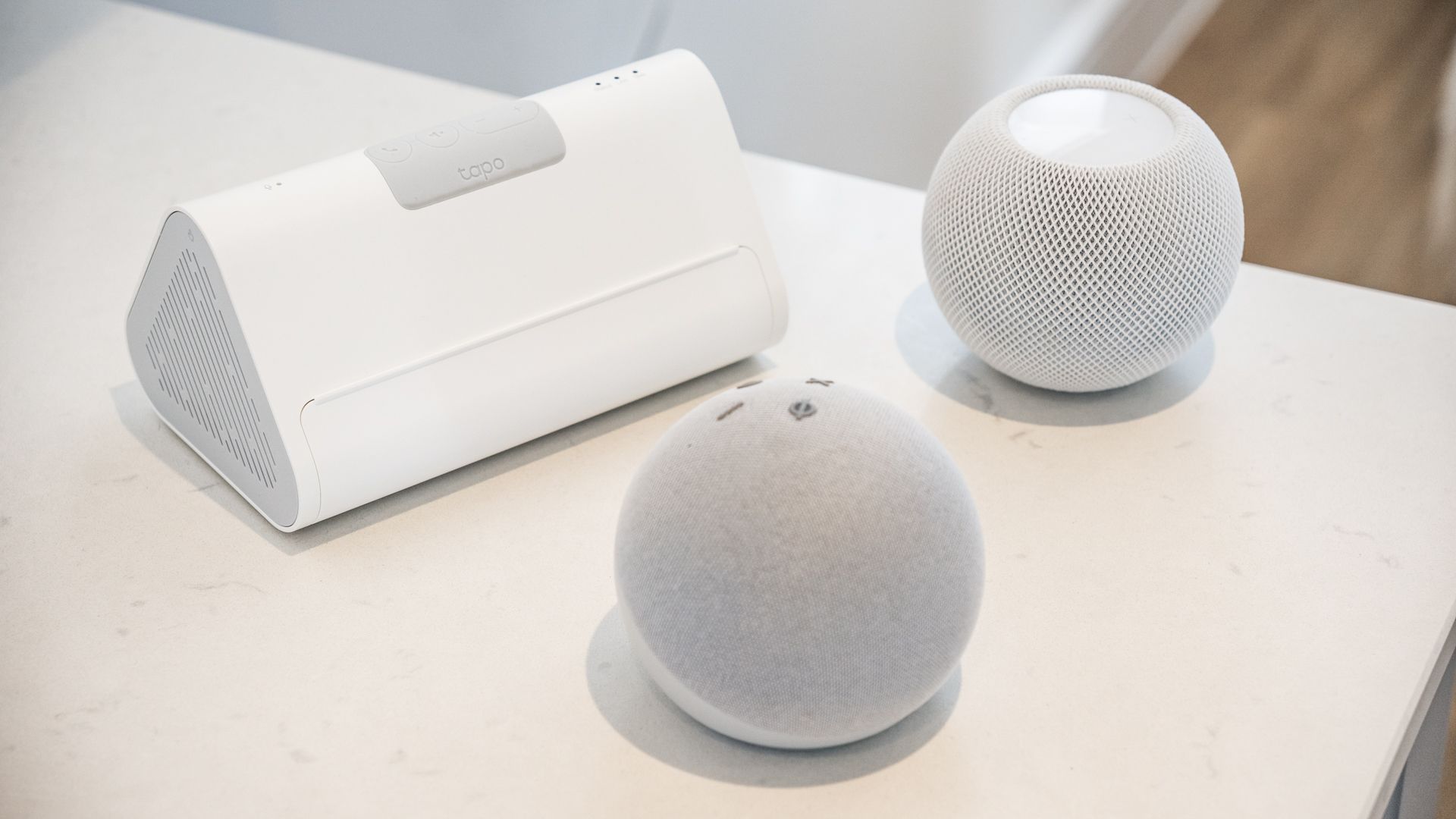
Smart speakers bring voice control to your home. They connect with Apple devices easily. These speakers let you play music, control lights, and manage reminders. They use Siri, Apple’s voice assistant, for smooth interaction. Choose a speaker that fits your needs and budget.
Homepod Mini
The HomePod Mini is Apple’s own smart speaker. It works seamlessly with iPhones, iPads, and Macs. Its sound quality is clear and balanced for small to medium rooms. The design is compact and fits in any space. You can ask Siri to send messages or control smart home devices. It also supports Intercom, a feature to talk between rooms. The HomePod Mini uses Apple’s ecosystem for privacy and security.
Third-party Options
Several third-party smart speakers work well with Apple devices. Some support Apple’s AirPlay 2, which streams audio directly from Apple products. Popular brands include Sonos, Bose, and Amazon Echo. Sonos speakers offer great sound and multi-room support. Bose devices provide excellent audio clarity and bass. Amazon Echo uses Alexa but can still play music from Apple Music via AirPlay.
- Choose a speaker with AirPlay 2 for better Apple integration.
- Consider sound quality and room size before buying.
- Check if the speaker supports Siri or only Apple Music streaming.
Third-party speakers often provide more features or larger sound. They may not have all Apple-specific functions. Match the speaker’s strengths with your smart home needs.
Smart Lights
Smart lights are one of the easiest and most effective ways to upgrade your home with Apple’s ecosystem. They not only save energy but also create the perfect ambiance through simple voice commands or automation. If you’re wondering which smart lights fit best with your Apple devices, consider these top options designed to work seamlessly with Apple HomeKit.
Philips Hue
Philips Hue is a household name in smart lighting, and for good reason. It offers a wide range of bulbs, strips, and fixtures compatible with Apple HomeKit. You can control your lights using Siri, set schedules, or sync them with your music and movies for an immersive experience.
One thing I noticed is how reliable the connection is. The Hue Bridge acts as a strong hub, reducing delays and ensuring your commands execute instantly. If you want a system that just works without fuss, Hue is a solid choice.
Lifx
LIFX smart bulbs stand out because they connect directly to Wi-Fi, meaning no extra hub is needed. This simplifies installation and keeps your setup minimal. They offer rich colors and bright output, great for rooms where you want both function and flair.
Using LIFX with Apple HomeKit means you get smooth voice control and automation. Have you tried setting your lights to change colors automatically based on time or activity? It can transform your space with minimal effort.
Nanoleaf
Nanoleaf brings a unique twist by offering modular light panels that you can arrange into patterns on your walls. These panels respond to touch, music, and voice commands through Apple HomeKit. They’re perfect if you want lighting that doubles as art.
From personal experience, Nanoleaf panels become a conversation starter. They add a modern vibe to any room and are surprisingly easy to set up. If you want your lights to make a statement and work seamlessly with your Apple devices, Nanoleaf deserves a spot on your list.

Credit: evilgeek.medium.com
Smart Thermostats
Smart thermostats bring convenience and energy savings to any home. They adjust the temperature based on your daily routine. These devices also work well with Apple’s HomeKit for seamless control through iPhone or Siri. Let’s explore two popular smart thermostats that fit perfectly with Apple systems.
Ecobee
Ecobee thermostats offer excellent Apple HomeKit integration. You can control the temperature using Siri voice commands. The device features room sensors that detect temperature and occupancy. This helps maintain comfort in the rooms you use most. Ecobee also allows remote control from the Apple Home app. It has an easy setup process and supports automations with other smart home devices.
Honeywell Home
Honeywell Home thermostats support Apple HomeKit for smooth connectivity. They provide precise temperature control through the Home app or Siri. The devices come with user-friendly interfaces and reliable performance. Honeywell thermostats adapt to your schedule to save energy. You can group them with other Apple smart devices for automations and scenes. These thermostats offer a good balance of features and compatibility for Apple users.
Smart Locks
Smart locks add convenience and security to any home. They let you control your door from anywhere using your phone. These devices work well with Apple’s HomeKit, making them easy to manage through your iPhone or iPad. Smart locks also support voice commands via Siri, allowing hands-free locking and unlocking. Choosing the right smart lock means balancing features, compatibility, and ease of use.
August Smart Lock
The August Smart Lock fits over your existing deadbolt. It keeps your original keys and hardware intact. This lock connects smoothly with Apple HomeKit. You can lock or unlock your door using the Home app or Siri voice commands. The August app sends alerts when someone enters or leaves your home. It supports guest access, so you can share virtual keys with friends or family. Installation is simple and does not require changing your door hardware.
Schlage Encode
Schlage Encode is a keyless smart lock with built-in Wi-Fi. It works directly with Apple HomeKit using a compatible hub. The lock features a touchscreen keypad for easy code entry. You can create and manage access codes from your iPhone. Schlage Encode offers strong security with ANSI Grade 1 certification. It also supports voice control through Siri. This smart lock suits users who want a blend of traditional keypad and smart features.
Security Cameras
Security cameras are vital for any smart home setup. They help keep your home safe and let you watch over your property anytime. Choosing a camera that works well with Apple products ensures smooth control and easy access through your devices. These cameras integrate with Apple’s HomeKit, allowing you to use Siri for commands and view footage on your iPhone or iPad.
Logitech Circle View
The Logitech Circle View is built specifically for Apple HomeKit. It offers clear video with a 1080p resolution. The camera has a wide 180-degree field of view to cover large areas. It supports night vision for monitoring in the dark. Privacy is strong with end-to-end encryption. You can control it using the Home app or Siri voice commands.
- 1080p HD video quality
- 180-degree wide-angle lens
- Night vision capability
- HomeKit Secure Video support
- Easy setup with Apple devices
Eufy Security
Eufy Security cameras work well with Apple HomeKit too. They provide sharp video quality and have smart motion detection. These cameras support local storage, which keeps your videos private. They also offer two-way audio for talking through the camera. Eufy’s integration with Apple Home app makes controlling your cameras simple.
- High-definition video recording
- Smart motion alerts
- Local storage for privacy
- Two-way audio communication
- HomeKit compatibility for easy control
Smart Plugs And Outlets
Smart plugs and outlets offer a simple way to bring intelligence to everyday devices in your home. They let you control lamps, fans, and appliances directly from your iPhone or through Siri voice commands. Choosing the right smart plug that works seamlessly with Apple HomeKit can make your smart home experience smoother and more reliable.
Eve Energy
Eve Energy stands out as a smart plug designed specifically with Apple users in mind. It connects directly to your HomeKit setup without needing a separate hub, which means faster response times and easy setup. I found it especially handy for controlling my coffee maker each morning using Siri, which started my day hassle-free.
Beyond simple on/off control, Eve Energy tracks your device’s energy consumption. This feature helps you spot power-hungry devices and save on your electricity bill. Plus, its compact design fits well into tight outlet spaces, so you don’t lose access to neighboring plugs.
Wemo Mini
The Wemo Mini is another popular choice for Apple users who want a budget-friendly smart plug that still offers solid HomeKit support. It’s easy to set up with the Wemo app and integrates smoothly with the Apple Home app. I appreciated being able to schedule my living room lamp to turn on at sunset without lifting a finger.
Wemo Mini also supports voice control through Siri, which lets you turn devices on or off while you’re busy with other tasks. Its small size and reliable connection make it a practical addition to any Apple-centric smart home setup.
Home Appliances
Integrating smart home devices with Apple products can transform your everyday home appliances into seamless extensions of your digital life. These devices not only bring convenience but also allow you to control your home environment effortlessly using your iPhone, iPad, or even your voice with Siri. Let’s look at how smart home appliances like robotic vacuums and kitchen gadgets work best within the Apple ecosystem.
Robotic Vacuums
Robotic vacuums that support Apple HomeKit give you the power to start, stop, and schedule cleaning sessions directly from your iPhone or through Siri commands. Devices like the Roborock S7 MaxV Ultra stand out because they integrate smoothly with the Apple Home app, letting you see cleaning progress and customize zones.
Imagine telling Siri, “Clean the kitchen,” and watching your vacuum head there automatically. It’s not just about hands-free control; it’s about smarter cleaning that fits your routine. You can also set automations that start the vacuum when you leave the house, ensuring you come back to spotless floors without lifting a finger.
Smart Kitchen Devices
Smart kitchen devices compatible with Apple help you manage cooking and kitchen tasks with ease. For example, smart coffee makers like the Hamilton Beach FlexBrew allow you to schedule your brew time using your iPhone, so you wake up to fresh coffee every morning.
Smart ovens and slow cookers that connect to Apple HomeKit offer remote temperature control and cooking alerts. This means you can adjust your oven settings from another room or check cooking progress without interrupting your workflow.
Have you ever wished your kitchen appliances could anticipate your needs? With Apple-compatible smart devices, you can create routines that start your coffee maker when your morning alarm goes off or preheat your oven right as you leave work. It’s about making your kitchen more responsive to your lifestyle.
Choosing The Right Device
Choosing the right smart home device for Apple means balancing several key factors. Each user has unique needs and preferences. Picking a device that fits your lifestyle ensures a smooth and enjoyable experience. Consider your budget, the features you want most, and how simple the device is to use. This will help you find the perfect match for your Apple ecosystem.
Budget Considerations
Smart home devices come in many price ranges. Set a clear budget before shopping. High-end models offer many features but cost more. Budget-friendly options cover basics well. Think about long-term value, not just the initial price. Sometimes spending a bit more saves money later on repairs or upgrades.
Feature Priorities
List the features that matter most to you. Voice control, security cameras, or smart lighting? Choose devices that work well with Apple HomeKit. Compatibility ensures smooth operation with your iPhone or iPad. Focus on features that improve your daily routine. Avoid buying extras you won’t use often.
Ease Of Use
Devices should be easy to set up and operate. Look for clear instructions and user-friendly apps. A simple interface reduces frustration. Check if the device updates automatically. Reliable support can help if problems arise. The easier the device, the faster you enjoy its benefits.

Credit: www.yahoo.com
Future Trends
The future of smart home devices with Apple is bright and full of promise. Technology keeps evolving fast. New tools will make homes smarter, safer, and easier to manage. Apple continues to expand its ecosystem, helping users control devices with more ease. Let’s explore the trends shaping this future.
Upcoming Devices
Apple and its partners plan to launch new smart home gadgets soon. Expect devices that blend better with Apple’s design and software. These might include:
- Smart locks with advanced security features
- Improved smart speakers with clearer sound
- Energy-efficient lighting systems
- Smart cameras with smarter detection abilities
Each device will aim to work smoothly with Apple’s Home app and Siri voice commands.
Advancements In Ai
Artificial intelligence will play a bigger role in smart homes. AI helps devices learn user habits and preferences. This means homes will anticipate needs better. Examples include:
- Lights turning on when entering a room
- Thermostats adjusting to daily schedules
- Security systems recognizing familiar faces
AI will make smart homes more responsive and personal.
Expanded Homekit Support
Apple’s HomeKit platform will support more brands and devices. This expansion lets users mix and match gadgets easily. More devices will connect securely to Apple’s ecosystem. Benefits include:
- Simpler setup and control via the Home app
- Better privacy and data protection
- Improved automation across devices
Expanded HomeKit support will make Apple smart homes more flexible and reliable.
Credit: www.t3.com
Frequently Asked Questions
Which Smart Home Device Is Best Compatible With Apple?
Apple HomeKit-compatible devices work best with Apple. They integrate seamlessly with iPhone, iPad, and Siri for smooth control. Popular options include Philips Hue lights, Ecobee thermostats, and August smart locks. These devices ensure secure, reliable, and easy automation within the Apple ecosystem.
Can Apple Homepod Control Other Smart Home Gadgets?
Yes, Apple HomePod acts as a hub for HomeKit devices. It enables voice control via Siri and automates routines. HomePod supports lights, thermostats, cameras, and more, making it a central controller for Apple-based smart homes. It enhances convenience and connectivity.
Are Philips Hue Lights Ideal For Apple Users?
Philips Hue lights are highly recommended for Apple users. They fully support HomeKit and Siri voice commands. Users can customize lighting scenes and schedules via the Apple Home app. Hue lights offer vibrant colors, energy efficiency, and smooth integration with Apple devices.
How Does Apple Homekit Ensure Smart Home Security?
Apple HomeKit uses end-to-end encryption for data protection. It requires device authentication to prevent unauthorized access. HomeKit devices communicate securely with Apple devices and the cloud. This high security level protects user privacy and smart home integrity.
Conclusion
Choosing the right smart home device for Apple depends on your needs. Devices that work well with Apple offer easy setup and smooth control. Siri compatibility makes managing your home simple and fast. Focus on devices that support HomeKit for best results.
This ensures your smart home runs without extra apps or confusion. Think about what fits your lifestyle and budget. A good smart home device brings comfort and saves time daily. Start small, then add more devices as you grow confident.
This way, your Apple-based smart home stays easy and fun to use.
Leave a Reply