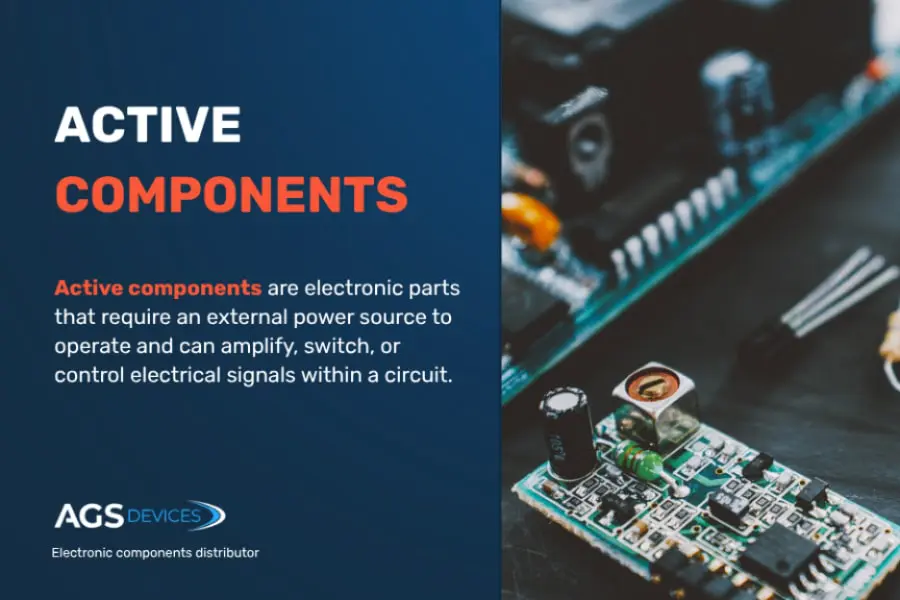
Have you ever faced a circuit that just won’t work, and you’re stuck wondering what’s wrong? Troubleshooting electronic components can feel confusing and frustrating.
But what if you could quickly identify the problem and fix it without wasting time or money? You’ll discover simple, clear steps to find and solve issues in your circuits. Whether you’re a beginner or have some experience, these tips will help you gain confidence and make your electronics projects work perfectly.
Ready to become the go-to problem solver for your circuits? Keep reading and unlock the secrets to easy troubleshooting.
Common Issues In Electronic Circuits
Electronic circuits can face many problems that stop them from working well. These issues may come from damaged parts or poor connections. Knowing the common problems helps fix the circuit faster and saves time.
Sometimes, circuits fail because of simple issues like loose wires or burnt components. Other times, the problem is hidden inside the parts that look fine. Spotting these issues early is important to avoid bigger damage.
Faulty components often show clear signs of damage. Look for burnt marks, broken parts, or swollen capacitors. A multimeter can check if resistors, diodes, or transistors work properly. If a component shows no reading or an unusual value, it might be defective.
Check connections carefully. Cold solder joints or loose wires can cause circuit failure. Gently wiggle parts and see if the circuit reacts. Swap suspected parts with new ones to test if the problem disappears.
Symptoms Of Malfunction
Malfunctions show through different symptoms. The circuit might not turn on, or it may reset repeatedly. Some circuits overheat or produce strange noises. LEDs not lighting or displays showing wrong data also signal issues.
Voltage drops or unexpected current flows can cause poor performance. Use an oscilloscope or voltmeter to observe signals. Sudden changes in behavior often point to damaged or weak components.

Credit: www.youtube.com
Essential Tools For Troubleshooting
Troubleshooting electronic components requires the right set of tools. These tools help identify faults quickly and accurately. Using them properly saves time and avoids damage to the circuit. Understanding each tool’s purpose makes troubleshooting effective. Here are the essential tools every technician should have.
Multimeters And Their Uses
A multimeter measures voltage, current, and resistance in a circuit. It helps check if components work correctly or have faults. Digital multimeters are easy to read and use for beginners. You can:
- Measure battery voltage to see if it’s charged
- Check resistance in resistors or wires
- Test continuity to find broken connections
- Measure current flow to ensure circuit function
Multimeters are versatile and vital for basic troubleshooting tasks. They offer quick checks without removing components from the circuit.
Oscilloscopes For Signal Analysis
Oscilloscopes show how signals change over time. They display waveforms of voltage or current on a screen. This helps find problems in signals that multimeters cannot detect. You can:
- Observe pulse width and frequency in digital circuits
- Detect noise or interference in audio signals
- Analyze timing problems in microcontrollers
- Compare input and output signals of components
Oscilloscopes provide detailed insight into circuit behavior. They are essential for advanced troubleshooting and fine-tuning electronic devices.
Step-by-step Diagnostic Process
Troubleshooting electronic components in a circuit involves a clear and careful process. This process helps identify problems quickly and accurately. Following a step-by-step diagnostic process reduces mistakes and saves time. It starts with checking the physical state of components and moves to measuring electrical values. Each step provides important clues about the circuit’s condition. Understanding these steps makes fixing circuits easier for beginners and pros alike.
Visual Inspection Techniques
Begin by closely examining the circuit board and components. Look for signs of damage like burnt areas, cracks, or corrosion. Check for loose or broken wires and solder joints. Use a bright light and magnifying glass to see small details clearly. Identify any discoloration on resistors or capacitors. Also, ensure all components are correctly placed and oriented. Visual inspection often reveals obvious faults before testing with tools.
Testing Voltage And Current
Use a multimeter to measure voltage at different points in the circuit. Compare these readings to the circuit’s expected values. Check current flow to detect open or short circuits. Measure voltage across components to find faulty parts. Test power supply voltage first to ensure correct input. Use the multimeter’s continuity mode to check connections and switches. Accurate voltage and current testing helps pinpoint electrical issues effectively.

Credit: www.allpcb.com
Analyzing Circuit Schematics
Analyzing circuit schematics is a crucial skill when troubleshooting electronic components. It helps you visualize the entire system and understand how each part connects and interacts. By carefully studying these diagrams, you can pinpoint where problems might occur and focus your testing efficiently.
Understanding Symbols And Diagrams
Every component in a circuit schematic is represented by a unique symbol. Familiarizing yourself with these symbols is essential because they tell you what parts you’re dealing with—resistors, capacitors, diodes, transistors, and more.
Take a moment to compare the schematic symbols with the actual components on your board. This comparison helps you avoid confusion, especially when troubleshooting complex circuits. Have you ever spent hours chasing a fault, only to realize you misunderstood a symbol? Recognizing symbols quickly can save you that frustration.
Look for labels and values alongside the symbols. They provide important details like resistance, capacitance, and voltage ratings. These hints guide your measurements and tests to ensure components are working within the right parameters.
Tracing Signal Paths
Once you understand the symbols, follow the signal paths through the schematic. These paths show how electrical signals flow from one component to another.
Tracking signals step-by-step helps you isolate where a fault might be interrupting the circuit. Imagine you’re checking an audio amplifier circuit; tracing the signal from the input to the output pin by pin reveals if and where the sound stops.
Use a highlighter or a pencil to mark the paths you’ve checked. This visual aid keeps you organized and prevents repeated testing of the same area. Do you notice patterns or common points where signals often fail? Recognizing these can speed up your troubleshooting.
Identifying Faulty Components
Identifying faulty components is a key step in troubleshooting electronic circuits. It helps find the exact part causing the problem. This saves time and prevents unnecessary replacements. Careful inspection and testing of each component reveal hidden issues. Simple tools and clear methods make this task easier.
Checking Resistors And Capacitors
Resistors and capacitors often fail due to heat or age. Start by visually inspecting for burns or cracks. Use a multimeter to measure resistance and capacitance values. Compare the readings to the component’s rated value.
- Resistors should show stable resistance close to their labeled value.
- Capacitors may show a change in capacitance or leakage current.
- Look for capacitors with bulging tops or leaking fluid.
Replace any component that shows a major deviation from its specification. Even small changes can cause circuit malfunction.
Assessing Integrated Circuits
Integrated circuits (ICs) are complex and require careful testing. Check for physical damage like cracked cases or burnt marks. Use a datasheet to identify pin functions and test points.
- Measure supply voltages to ensure the IC gets proper power.
- Test input and output signals with an oscilloscope or logic analyzer.
- Check for short circuits between pins using a multimeter.
An IC that fails these tests likely needs replacement. Testing helps avoid replacing working parts unnecessarily.
Replacing And Repairing Components
Replacing and repairing components in a circuit is a hands-on way to fix issues and improve performance. It involves carefully removing faulty parts and installing new ones without damaging the board or other elements. Mastering this skill boosts your confidence and saves you from costly replacements.
Soldering Techniques For Beginners
Soldering is the key skill for swapping out electronic components. Start with a clean, well-tinned soldering iron tip to ensure smooth heat transfer.
Use just enough solder to create a solid connection—too much can cause shorts, and too little leads to weak joints. Steady your hand and heat the joint, not the solder directly, so the solder flows evenly.
Practicing on scrap boards can help you gain control before working on your actual circuit. Have you noticed how a good solder joint looks shiny and smooth? That’s a sign of a reliable connection.
Safety Precautions During Repairs
Handling electronics requires safety measures to protect both you and your device. Always unplug the circuit before starting to avoid electric shocks.
Work in a well-ventilated area to avoid inhaling solder fumes. Wearing safety glasses protects your eyes from accidental splashes or wire clippings.
Be mindful of static electricity by grounding yourself with an anti-static wrist strap. This prevents damage to sensitive components that you might not see immediately.
Tips From Industry Experts
Experts in electronics share valuable tips for troubleshooting circuit components. Their insights help avoid common errors and speed up repairs. Following these tips improves success and saves time during diagnosis.
Common Mistakes To Avoid
- Skipping the power-off step risks damage and injury.
- Ignoring datasheets leads to incorrect testing methods.
- Using improper tools causes inaccurate readings.
- Overlooking visual signs of damage delays problem identification.
- Rushing tests often misses intermittent faults.
- Failing to check connections causes repeated errors.
- Not grounding yourself can damage sensitive components.
Best Practices For Efficient Troubleshooting
- Always disconnect power before handling circuits.
- Read datasheets to understand component specs.
- Use a multimeter for voltage, current, and resistance checks.
- Inspect components visually for burns, cracks, or swelling.
- Test suspected parts one at a time for accuracy.
- Keep notes of test results to track progress.
- Work in a clean, organized space to avoid confusion.
- Follow a logical sequence: power, connections, then components.

Credit: www.viasion.com
Frequently Asked Questions
How To Identify Faulty Electronic Components In A Circuit?
Check for visible damage, burnt marks, or unusual odors on components. Use a multimeter to measure voltage, current, and resistance. Compare values with the component’s specifications to spot faults quickly.
What Tools Are Essential For Troubleshooting Electronic Circuits?
A multimeter, oscilloscope, soldering iron, and component tester are key tools. These help measure electrical parameters and test individual components accurately.
How To Test Resistors And Capacitors In A Circuit?
Use a multimeter to measure resistance and capacitance. Ensure the circuit power is off before testing. Compare readings to component ratings for accuracy.
Why Does A Circuit Fail Even If Components Seem Fine?
Circuit failure can result from poor connections, solder joints, or incorrect wiring. Always inspect the entire circuit path to find hidden issues.
Conclusion
Troubleshooting electronic parts takes patience and a clear plan. Start by checking power and connections carefully. Use tools like multimeters to find faults fast. Test each component step by step. Keep notes of what you find. Small errors can cause big problems.
Stay calm and work slowly. Practice helps improve your skills over time. This way, you fix circuits more easily and avoid repeated mistakes. Remember, careful checks save time and money in the long run.
Leave a Reply